
> This is part 1 of 2 of the full documentation (pages 1–100 of 187).
> The content is paginated: fetch every part to see all of it.
> Next part: https://docs.zeliot.in/condense/llms-full.txt/1
> Page index: https://docs.zeliot.in/condense/llms.txt

# Overview

## Condense Documentation

Condense simplifies building and scaling real-time applications. Explore documentation for guidance and best practices to get started. If you’re new to Condense, you’ve found the place to start. This article walks you through the minimum steps required to create your account and get your first workspace up and running.

## How Condense Simplifies Streaming Data Architecture

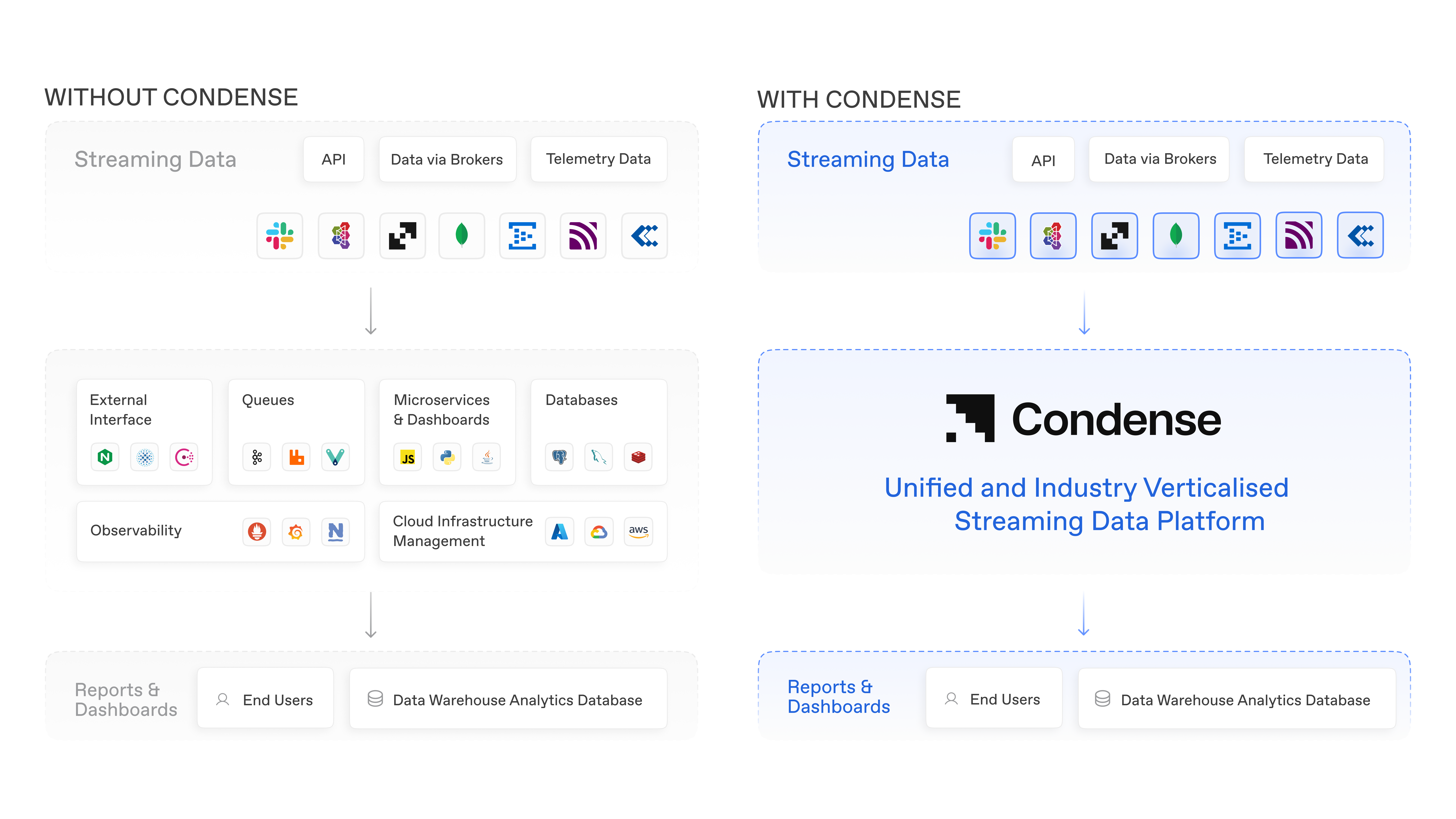
<figure><img src="https://1775139360-files.gitbook.io/~/files/v0/b/gitbook-x-prod.appspot.com/o/spaces%2FvbacpakLuL4x2VBp2174%2Fuploads%2F8hEo7yZQGkKiD3CUyqcn%2F%E2%9C%94%EF%B8%8F%20Overview%20Vec1.png?alt=media&amp;token=35fdf495-6702-41d2-9943-b8b330d93a88" alt=""><figcaption></figcaption></figure>

## Deploying Condense on your Own Cloud using Fully-Managed BYOC

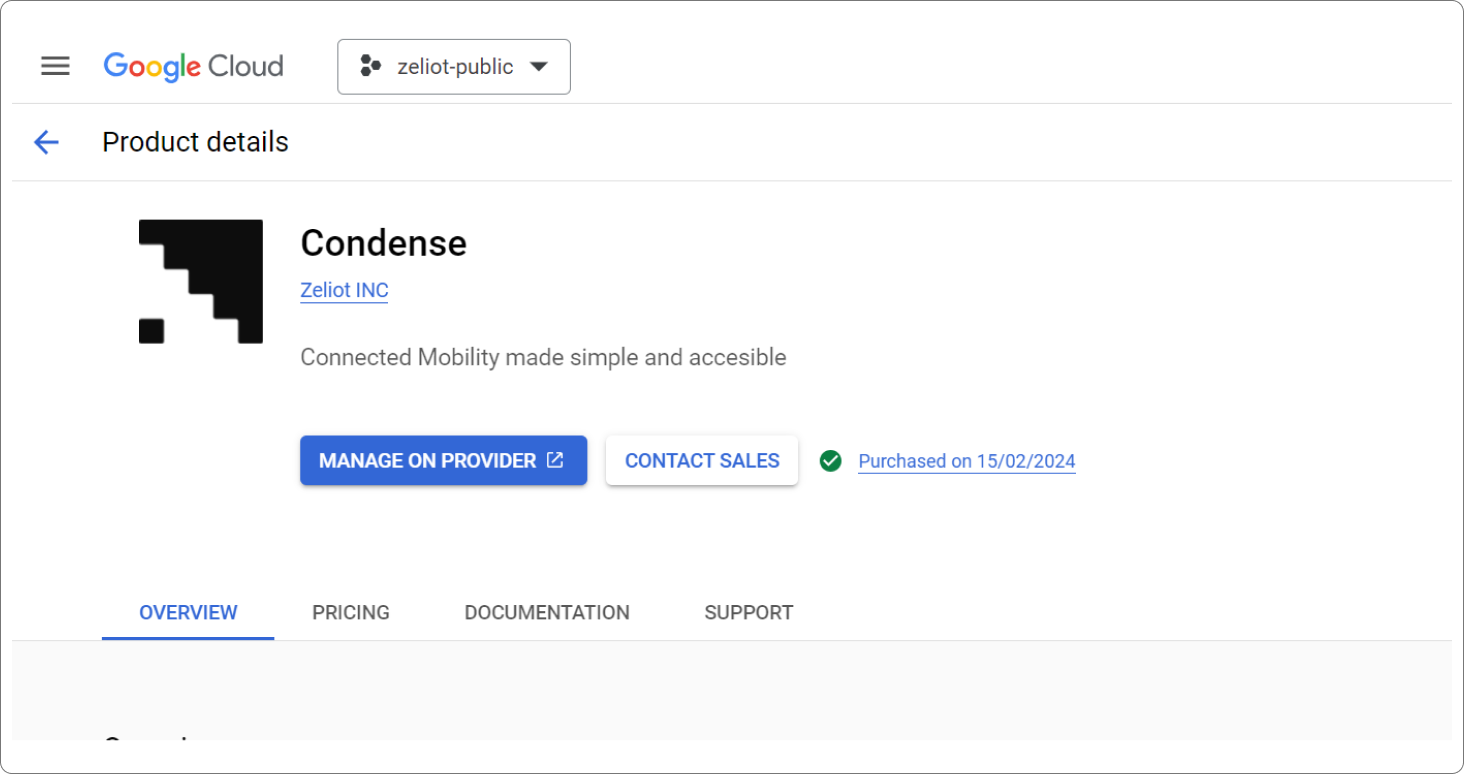
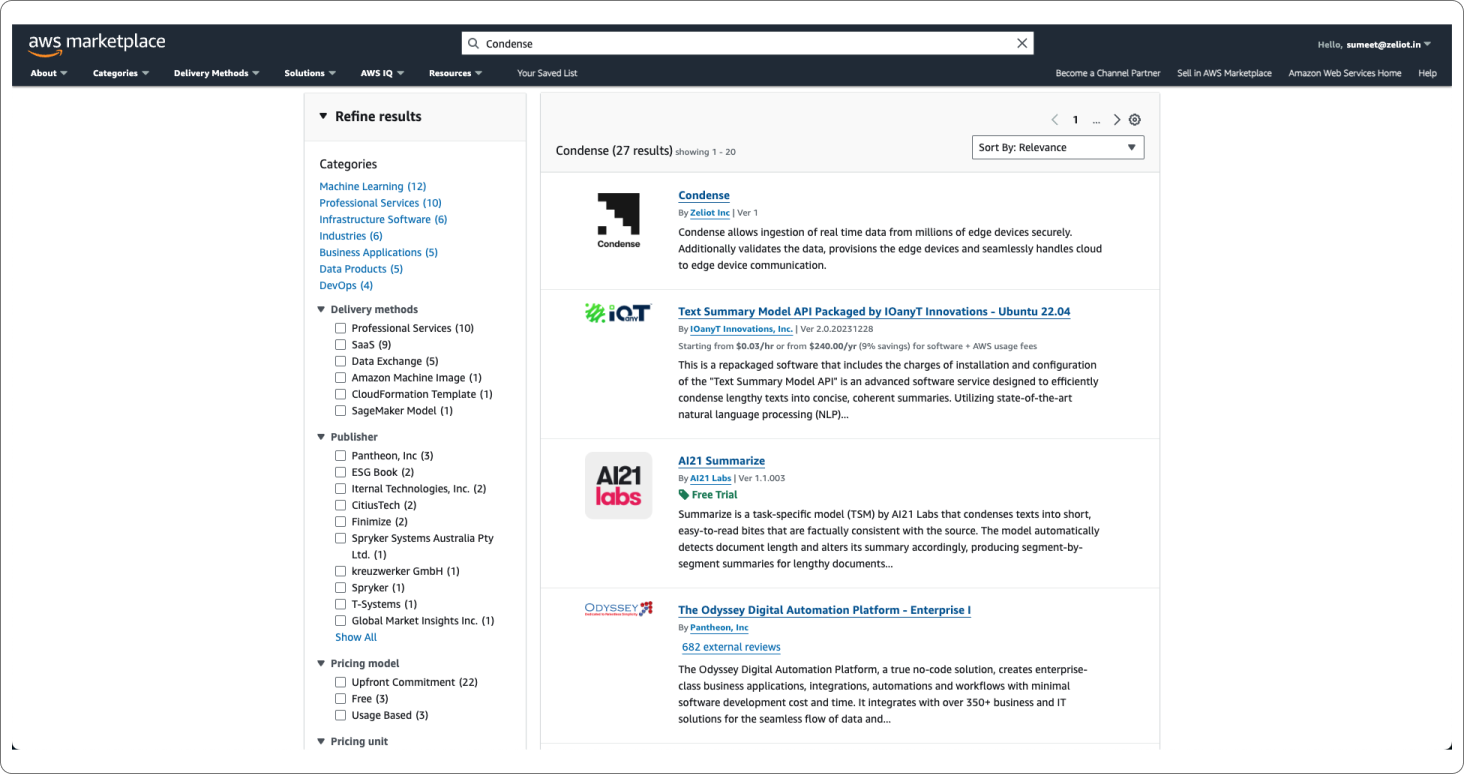
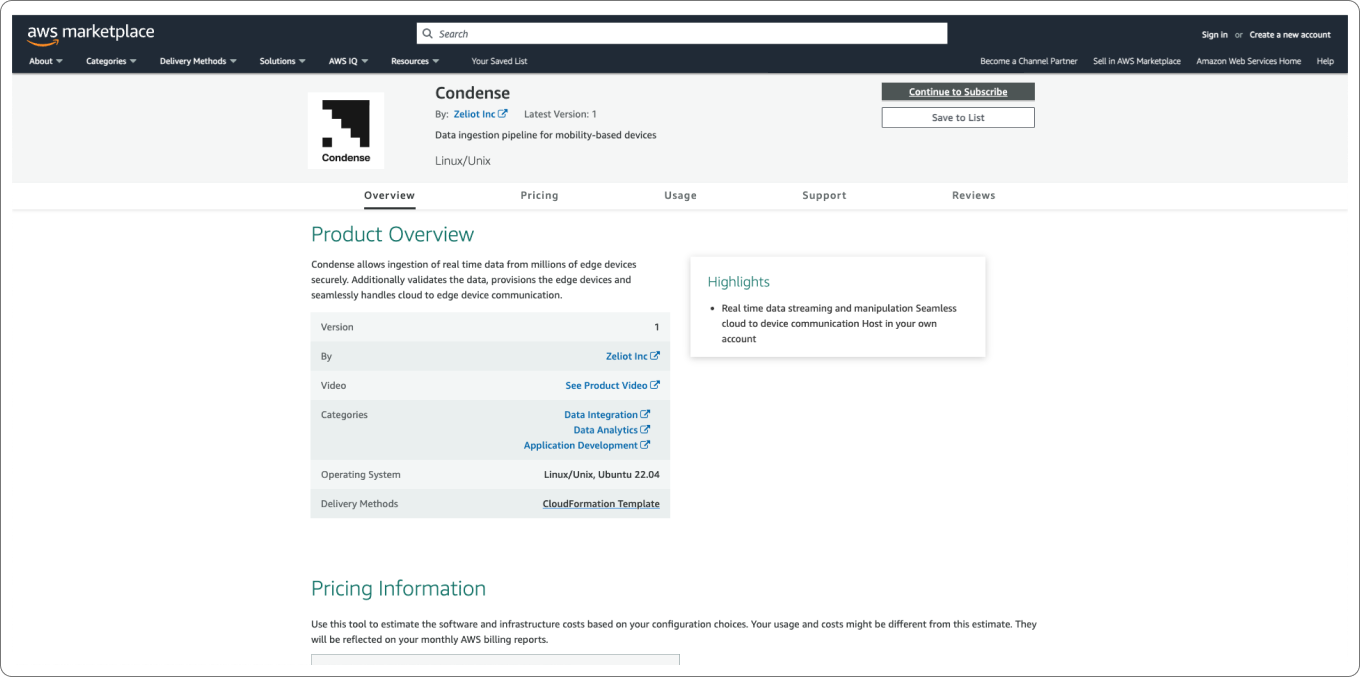
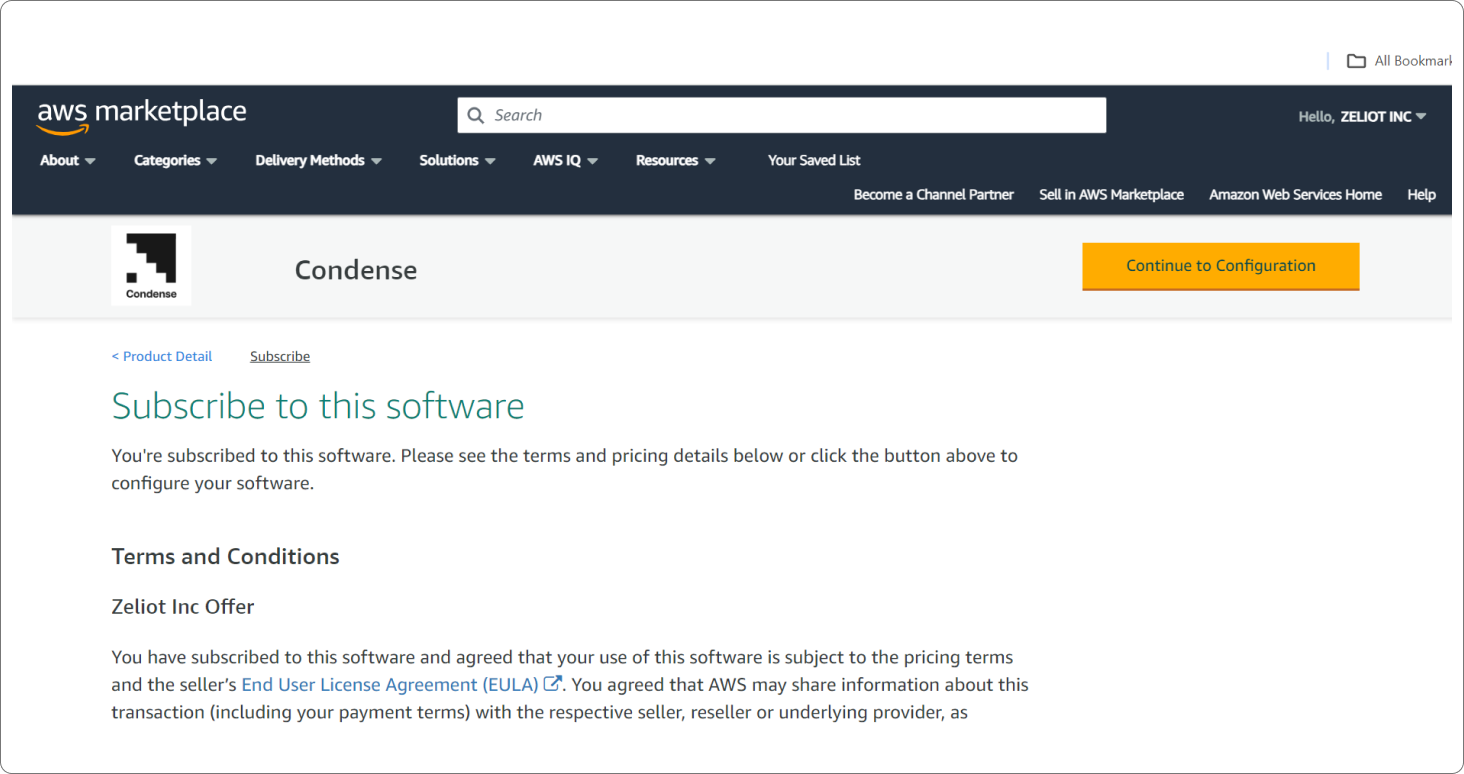
Condense offers a streamlined deployment process through cloud marketplaces like Microsoft Azure, Amazon Web Services and Google Cloud Platform.

<details>

<summary><img src="https://1775139360-files.gitbook.io/~/files/v0/b/gitbook-x-prod.appspot.com/o/spaces%2FvbacpakLuL4x2VBp2174%2Fuploads%2F2ipiMrUYx2VgUwvJPCt3%2Fimage.png?alt=media&amp;token=de956853-25bc-4f6d-a192-7dc98deec9b9" alt="" data-size="line">  Deployment from Google Cloud Marketplace</summary>

\
Learn More about the deployment process from GCP Marketplace here: [Deploy Condense](/condense/condense-deployment/bring-your-own-cloud-byoc/deployment-from-gcp-marketplace)

</details>

<details>

<summary><img src="https://1775139360-files.gitbook.io/~/files/v0/b/gitbook-x-prod.appspot.com/o/spaces%2FvbacpakLuL4x2VBp2174%2Fuploads%2FHSxq9glWjis76rja6suG%2Fimage.png?alt=media&amp;token=cfb98149-3595-4edc-9760-f6d21239c856" alt="" data-size="line">  Deployment from Amazon Web Services Marketplace</summary>

\
Learn More about the deployment process from AWS Marketplace here: [Deploy Condense](/condense/condense-deployment/bring-your-own-cloud-byoc/deployment-from-aws-marketplace)

</details>

<details>

<summary><img src="https://1775139360-files.gitbook.io/~/files/v0/b/gitbook-x-prod.appspot.com/o/spaces%2FvbacpakLuL4x2VBp2174%2Fuploads%2FUhVtIT8rxaXdAmakBPT4%2Fimage.png?alt=media&amp;token=e6eed195-3609-4b84-85bf-0692763ee805" alt="" data-size="line">  Deployment from Microsoft Azure Marketplace</summary>

\
Learn More about the deployment process from Microsoft Azure Marketplace here: [Deploy Condense](/condense/condense-deployment/bring-your-own-cloud-byoc/deployment-from-azure-marketplace)

</details>

## Connectors in Condense

Pull real-time data into your system from your source.

Learn more about the available connectors here: [Connectors in Condense](/condense/connectors-in-condense/available-connectors)

Learn more about the upcoming connectors here: [Upcoming Connectors in Condense](/condense/connectors-in-condense/upcoming-connectors)

## Security

Condense prioritizes data security and access control to ensure user trust and compliance with data privacy regulations.&#x20;

To learn more about how we ensure Data Privacy, please read: [Data Privacy on Condense](/condense/security)

## FAQs

Get answers to technical questions about getting started with Condense, troubleshooting or working with the Condense App.

Read all the FAQs here: [Frequently Asked Questions about Condense](/condense/introduction-to-condense/faqs)

## Get Help

If you have any questions about setting up Condense and need help, please drop an e-mail to <support@zeliot.in>

If you want to discuss a custom Use Case with our Experts, please drop an email to <sales@zeliot.in> or <sudeep@zeliot.in>

If you want to get the latest updates on Condense, sign up for our Newsletters on our [website](https://www.zeliot.in/our-products/condense).<br>


# Introduction to Condense

{% embed url="<https://youtu.be/I29BjZAh5dI>" %}

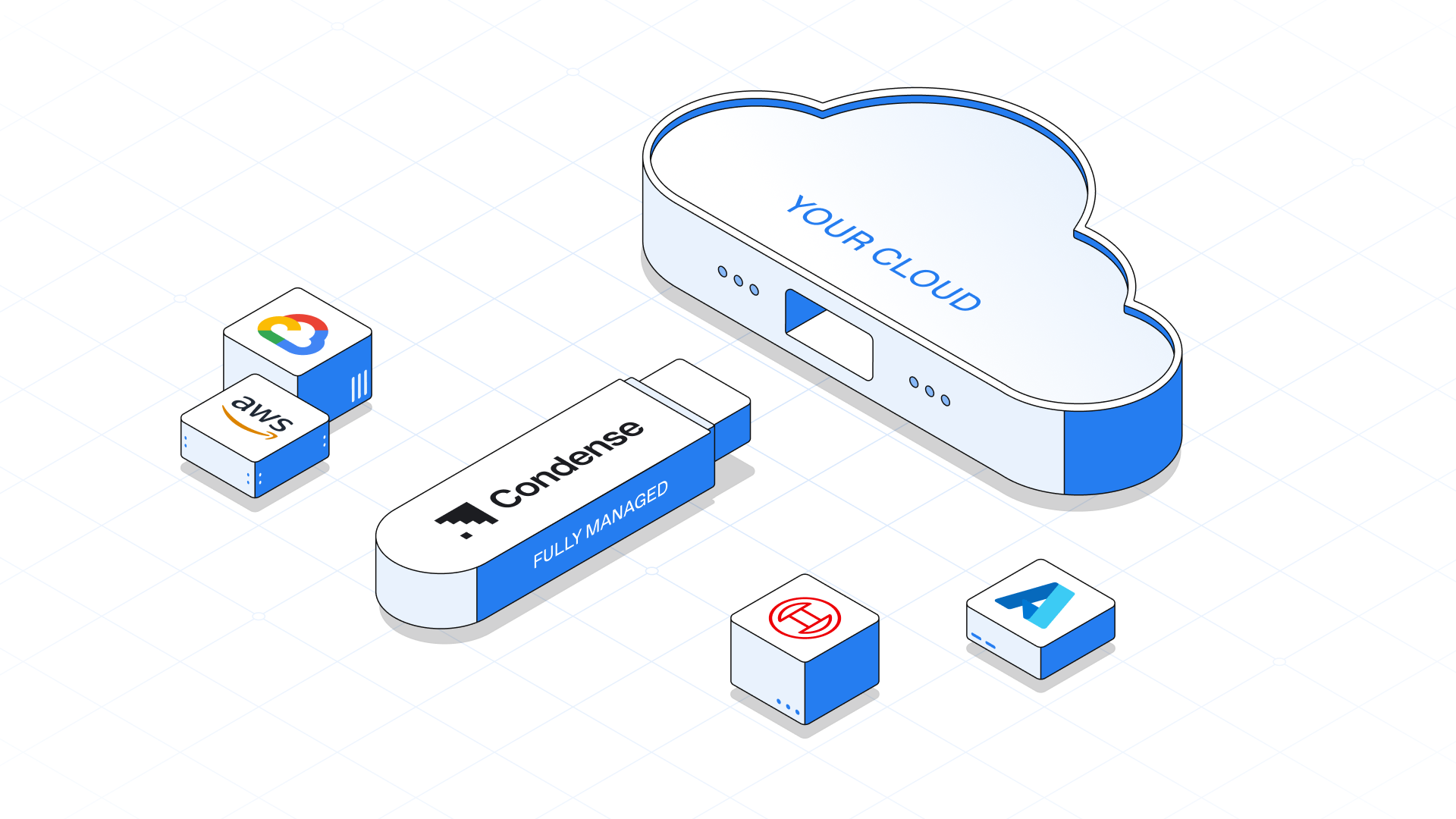
Condense is an all-in-one, complete data streaming platform powered by fully managed Kafka that is deployable on customer cloud environments through fully managed BYOC (Bring Your Own Cloud). It comes with a robust verticalized ecosystem, transforming and accelerating the development of streaming applications like never before.

<figure><img src="https://1775139360-files.gitbook.io/~/files/v0/b/gitbook-x-prod.appspot.com/o/spaces%2FvbacpakLuL4x2VBp2174%2Fuploads%2FKGUlM9ooUTsjeMTQVhPG%2F%E2%9C%94%EF%B8%8F%20Introdcution%20Bento.png?alt=media&amp;token=4ea49f32-b871-4e97-a2c4-ad8ec27b86f9" alt=""><figcaption></figcaption></figure>

## Key Features of Condense

### <img src="https://1775139360-files.gitbook.io/~/files/v0/b/gitbook-x-prod.appspot.com/o/spaces%2FvbacpakLuL4x2VBp2174%2Fuploads%2FOm7Ym7qoU1rLUbWHef35%2FStack%404x-1.png?alt=media&amp;token=9d1c5a00-bbae-44bd-8a28-a6345511c45b" alt="" data-size="line">  Complete Data Streaming Platform

A Fully Managed Kafka + Streaming Platform – Built for Real-Time Impact.

Go beyond Kafka. Condense offers prebuilt connectors, stream governance, enterprise-grade security, and an intuitive data pipeline approach.

Dealing with real-time data shouldn’t mean juggling multiple tools. Our unique combination eliminates the complexity, giving you all the tools needed for a complete data streaming solution.

### <img src="https://1775139360-files.gitbook.io/~/files/v0/b/gitbook-x-prod.appspot.com/o/spaces%2FvbacpakLuL4x2VBp2174%2Fuploads%2Fd9pb1jNTjgzctmzVFSei%2FStack%404x-2.png?alt=media&amp;token=306996dd-da6e-49ea-87f7-6036c9ab1ef3" alt="" data-size="line">  Complex Infrastructure, Simplified

Condense simplifies infrastructure management by automating Kafka, Kubernetes, and other backend services.

With built-in security and real-time observability, you can monitor and optimize your system effortlessly.

### <img src="https://1775139360-files.gitbook.io/~/files/v0/b/gitbook-x-prod.appspot.com/o/spaces%2FvbacpakLuL4x2VBp2174%2Fuploads%2FH18HZG2livzoSz4i6T0Y%2FStack%404x-3.png?alt=media&amp;token=729d04e2-72f7-4105-957a-f3783a6e86bb" alt="" data-size="line">  Real-Time Data Processing, Accelerated

Design and deploy data pipelines effortlessly using prebuilt transforms, marketplace options, or custom-built transforms tailored to your needs.

Accelerate transformations, deliver precise outputs, and realize your use cases faster.

### <img src="https://1775139360-files.gitbook.io/~/files/v0/b/gitbook-x-prod.appspot.com/o/spaces%2FvbacpakLuL4x2VBp2174%2Fuploads%2F98sOzcfgmjZ5bOGbldLa%2FStack%404x-4.png?alt=media&amp;token=f80f7b6f-c6ff-4144-98b3-534a2dac0c8e" alt="" data-size="line">  Continuous Data Workflows, Uninterrupted

Condense ensures uninterrupted execution of transforms for continuous streaming data processing, delivering precise outputs to your applications. From hosting to running your applications, Condense manages the entire backend. Whether it’s handling peak loads or maintaining stability for critical workflows.

### <img src="https://1775139360-files.gitbook.io/~/files/v0/b/gitbook-x-prod.appspot.com/o/spaces%2FvbacpakLuL4x2VBp2174%2Fuploads%2FCopIt88MI3PmX19S84p1%2FStack%404x.png?alt=media&amp;token=011f132e-6133-4974-b806-4b7ee0cede8c" alt="" data-size="line">  Your Cloud, Your Data, Your Rules

Condense is deployed on your cloud infrastructure, ensuring all data from your business sources stays within your environment under your full ownership. With Condense’s fully managed Bring Your Own Cloud (BYOC) model, you retain 100% control of your data without the complexity of managing the system. Enjoy security, scalability, and simplicity, all while empowering your business to innovate with confidence.

Learn more about Condense by reading this detailed guide: [What is Condense?](/condense/introduction-to-condense/what-is-condense)


# What is Condense?

<figure><img src="https://1775139360-files.gitbook.io/~/files/v0/b/gitbook-x-prod.appspot.com/o/spaces%2FvbacpakLuL4x2VBp2174%2Fuploads%2FCUjB7UGixsKqCyz3h2Bj%2FWhatCondVec1.png?alt=media&amp;token=66e2a178-4d47-4954-a254-c0ace730b6e9" alt=""><figcaption></figcaption></figure>

At Zeliot, we are redefining the future of real-time data streaming with a passion for helping enterprises unlock the full potential of their data. We envision a world where data flows seamlessly, insights are delivered instantly, and innovation unfolds at the speed of thought.&#x20;

To bring this vision to life, we created Condense, a groundbreaking all-in-one data streaming platform that transforms how real-time applications are developed and managed. By combining intelligence, scalability, and ease of use with an industry-specific verticalized ecosystem, Condense delivers unmatched efficiency and innovation.&#x20;

Condense comes with built-in fully managed Kafka and deploys seamlessly on customer cloud environments through a fully managed BYOC (Bring Your Own Cloud) model. This ensures complete data sovereignty while eliminating the complexities of infrastructure management, freeing streaming applications from traditional limitations. Additionally, the Custom Transformation Framework allows users to write complex logic in their preferred programming language directly within the Condense platform and deploy it on streaming data, accelerating the development of real-time applications and allows enterprises to tailor solutions precisely to their needs.&#x20;

## Let's understand what Condense is solving

#### Challenges

The exponential growth of data in today’s digital-first world demands faster and more efficient insights. Real-time data streams from telemetry systems, APIs, and brokers present businesses with a critical "window of opportunity" to act on data as it is generated. However, traditional and modern streaming approaches fail to fully capitalize on this opportunity.

### Traditional Approach to Streaming Data, and where it falls short

<figure><img src="https://1775139360-files.gitbook.io/~/files/v0/b/gitbook-x-prod.appspot.com/o/spaces%2FvbacpakLuL4x2VBp2174%2Fuploads%2FVMZ5W28HMFBw73TGagze%2FWhatCondVec2.png?alt=media&amp;token=63ea7bf4-5a80-4cea-bd3a-66077d71a8a3" alt=""><figcaption></figcaption></figure>

The diagram above illustrates the traditional pipeline for streaming data and the challenges associated with it. Let’s break it down step-by-step.

## How Traditional Streaming Applications Work

#### Data Sources

Streaming data originates from various sources such as telemetry data, brokers, APIs, and messaging systems.&#x20;

#### Pipeline Stages

1. Ingest: Data from different sources is captured.&#x20;
2. Filter: Irrelevant data is discarded, leaving only useful information.&#x20;
3. Enrich: Additional metadata is added to make the data more contextually valuable.&#x20;
4. Transform: Data is formatted or converted to make it compatible with downstream systems.&#x20;
5. Load: The processed data is stored in data warehouses or analytical databases.&#x20;

#### Analytics and Reporting

After loading, the data is available for analysis through dashboards, reports, or business intelligence tools.&#x20;

## The "Window of Opportunity"

#### Real-Time Response

Businesses have a narrow window to act on data in real time, such as fraud detection, personalized recommendations, or anomaly detection.&#x20;

#### Delayed Response

The traditional pipeline introduces significant delays in processing, often causing businesses to miss this critical window.

#### Retrospective Response

In most cases, insights are only available after the data is stored and processed, leading to actions based on outdated information.&#x20;

## Problems with Traditional Streaming Approaches

#### Loss of Real-Time Insights

The architecture of traditional systems prioritizes batch processing over real-time insights, often rendering decisions reactive rather than proactive.&#x20;

#### High Costs

Developing and maintaining these pipelines requires significant investment in infrastructure, skilled personnel, and time.&#x20;

#### Limited Scalability

As data grows in volume and velocity, traditional systems struggle to scale efficiently without further increasing operational complexity.&#x20;

#### Inefficiency in Analytics

The reliance on batch data means that analytics are disconnected from live data, leading to insights that fail to capture the current state of operations.&#x20;

## Why This is a Problem

Traditional approaches were designed in an era when batch processing was sufficient for business needs. However, the modern business environment demands agility and immediacy:&#x20;

* **Customer Experience**: Personalization and responsiveness are critical for customer satisfaction.&#x20;
* **Operational Efficiency**: Downtime or delays in decision-making can lead to revenue loss.&#x20;
* **Competitive Advantage**: Businesses that leverage real-time data gain a significant edge over those relying on retrospective analysis.&#x20;

## Transition to Modern Streaming Solutions

As businesses began to realize the limitations of traditional data pipelines, modern streaming platforms emerged to address the need for real-time data processing. These platforms leverage advanced tools and frameworks to enable immediate data ingestion, transformation, and action.&#x20;

The modern approach significantly reduces the delay between data generation and actionable insights, aligning better with the "window of opportunity" for real-time response. However, this evolution has brought its own set of challenges, which prevent organizations from fully leveraging the potential of streaming data.&#x20;

### Modern Data Streaming Platforms, New Solutions & New Challenges

<figure><img src="https://1775139360-files.gitbook.io/~/files/v0/b/gitbook-x-prod.appspot.com/o/spaces%2FvbacpakLuL4x2VBp2174%2Fuploads%2FYZmdf2Tqz6nm1nhgR65t%2FWhatCondVec3.png?alt=media&amp;token=2e79ebfc-dee5-4387-aa9e-73667c1b7f9c" alt=""><figcaption></figcaption></figure>

## How Modern Streaming Platforms Operate

#### Custom Ingestion Connectors

Platforms often require tailored connectors to handle diverse data sources such as telemetry data, brokers, and APIs.&#x20;

#### Custom Transformation Scripts

Data transformation in real-time is typically achieved through custom scripts designed for specific use cases.&#x20;

#### Managed Streaming Platforms

These include both open-source frameworks and proprietary managed solutions designed to handle high-throughput streaming data pipelines.&#x20;

#### Integration with Applications

Processed data is passed to online applications for immediate use or stored in analytical databases for later reporting and dashboard visualization.&#x20;

## The New Challenges

While modern solutions improve on certain inefficiencies of traditional systems, they introduce their own problems:

### High Development Costs

1. Developing custom connectors and transformation scripts is resource-intensive.&#x20;
2. Skilled engineers with deep expertise in streaming frameworks are required, leading to higher labour costs.&#x20;

### Increased Time-to-Market

1. Creating, testing, and deploying bespoke solutions delays the time it takes to realize value from data.&#x20;
2. Businesses often face bottlenecks when adapting their pipelines to new use cases or scaling them for additional workloads.&#x20;

### Maintenance Complexity

1. Custom solutions demand ongoing maintenance, updates, and troubleshooting to keep pace with evolving requirements.&#x20;
2. The cost of maintaining connectors and scripts grows exponentially as the data ecosystem expands.&#x20;

### Limited Interoperability

1. Many modern platforms are designed for specific frameworks, leading to vendor lock-in.&#x20;
2. Integrating these platforms with other tools or migrating to alternative solutions is often cumbersome and expensive.&#x20;

### Scalability and Operational Overhead

1. Though modern platforms are inherently scalable, managing this scalability requires advanced operational expertise.&#x20;
2. Organizations often need dedicated teams to monitor and optimize these systems.&#x20;

## Why These Challenges Persist

The core issue with modern streaming platforms lies in their focus on providing tools rather than complete solutions. While they offer the building blocks for real-time data processing, the burden of assembling, customizing, and maintaining these components falls entirely on the organizations using them.

This has led to a fragmented ecosystem where businesses are forced to:&#x20;

* Continuously reinvent the wheel by building bespoke pipelines.&#x20;
* Invest heavily in operational overhead and engineering talent.&#x20;
* Make trade-offs between cost, speed, and functionality.&#x20;

The promise of real-time data processing is clear: instant insights, smarter applications, and a competitive edge. However, the challenges of modern platforms create a significant barrier to achieving these outcomes.&#x20;

Organizations find themselves stuck between the limitations of traditional pipelines and the overwhelming complexity of modern solutions. This is where Condense disrupts the status quo by offering a streamlined, all-in-one solution.&#x20;

In the next section, we’ll explore how Condense redefines the landscape by addressing these pain points with a revolutionary approach.&#x20;

## The Solution: A Verticalized all-in-one Data Streaming Platform

To address the gaps left by both traditional and modern streaming approaches, Condense emerges as a verticalized streaming data platform. Unlike general-purpose solutions, Condense provides a fully managed, end-to-end ecosystem that simplifies the process of streaming data ingestion, transformation, and integration with downstream applications or analytical platforms. It is designed to unlock the full potential of real-time data within the critical "window of opportunity."

## A Verticalized Data Streaming Platform

<figure><img src="https://1775139360-files.gitbook.io/~/files/v0/b/gitbook-x-prod.appspot.com/o/spaces%2FvbacpakLuL4x2VBp2174%2Fuploads%2FajK2jgglyPvO79hsXOeR%2FWhatCondVec4.png?alt=media&amp;token=ff3f76f7-823f-4428-92f6-8fb67c9ba5bd" alt=""><figcaption></figcaption></figure>

In a world driven by immediacy, businesses need a solution that delivers actionable insights without complexity or delays. Condense is not just another tool—it is a game-changer for organizations looking to leverage the power of real-time data while optimizing their operational efficiency.

## What Sets Condense Apart

Condense provides a unique combination of features and capabilities that go beyond traditional and modern streaming approaches. Its design focuses on simplifying complexity, accelerating time-to-value, and empowering teams to concentrate on their core business goals. &#x20;

This is made possible by a design philosophy that prioritizes seamless integration, operational ease, and flexibility. Condense goes beyond merely addressing streaming challenges—it redefines how businesses interact with their data. Here’s how:&#x20;

### Deployment on Customer Cloud (BYOC)

<figure><img src="https://1775139360-files.gitbook.io/~/files/v0/b/gitbook-x-prod.appspot.com/o/spaces%2FvbacpakLuL4x2VBp2174%2Fuploads%2FtSetMtydTPLZm0d5b43O%2FWhatCondVec5.png?alt=media&amp;token=2c32bf51-194f-4185-bea8-5c3bac848287" alt=""><figcaption></figcaption></figure>

* With Bring Your Own Cloud (BYOC) deployment, Condense operates on the customer’s infrastructure, ensuring complete data sovereignty and compliance.&#x20;
* The fully managed nature of the platform eliminates infrastructure management headaches, letting teams focus on insights rather than operations.&#x20;

### Custom IDE for Complex Code

<figure><img src="https://1775139360-files.gitbook.io/~/files/v0/b/gitbook-x-prod.appspot.com/o/spaces%2FvbacpakLuL4x2VBp2174%2Fuploads%2Fvqeirmhug3ii8mwi7Z60%2FWhatCondVec6.png?alt=media&amp;token=4eff33e9-d1a4-4c58-8408-d86d6d587232" alt=""><figcaption></figcaption></figure>

* Condense features a robust, built-in Integrated Development Environment (IDE) for creating advanced transformations in the programming language of your choice.&#x20;
* This enables teams to handle complex workflows while maintaining flexibility and control.&#x20;

### Reduced development costs for custom connectors and scripts

* While custom connectors can still be built within Condense using its intuitive tools, the platform provides a vast library of pre-built industry-specific connectors. These ready-to-use connectors significantly fast-track solution delivery and reduce time-to-market.&#x20;
* Developers can leverage the flexibility of Condense to customize connectors for unique use cases without needing to build everything from scratch.&#x20;

### Faster time-to-value&#x20;

By combining pre-built tools and customizable options for seamless integrations, Condense ensures Accelerated time to Market.

### Scalable architecture&#x20;

Condense is built with a highly scalable architecture that adapts effortlessly to evolving data requirements, whether handling the telemetry of a startup or managing enterprise-scale workloads for global organizations.

### Operational simplicity&#x20;

By eliminating the need to manage streaming infrastructure, Condense allows teams to focus solely on building applications to realize their use cases.&#x20;

With Condense, organizations can eliminate the inefficiencies of traditional pipelines and the complexities of modern platforms, empowering teams to focus on building impactful applications.

In the next section, explore how [Features of Condense](/condense/introduction-to-condense/features-of-condense) can drive value for businesses across industries.

Visit the website link to learn more about Condense. Access the website here:

{% embed url="<https://www.zeliot.in/our-products/condense?utm_campaign=organic-condense-documentation&utm_id=condense-documentation&utm_medium=organic-condense-documentation&utm_source=condense-page>" %}


# Features of Condense

Condense is a comprehensive streaming data platform that redefines how organizations manage, process, and act on real-time data. Its ecosystem combines flexibility, simplicity, and scalability, making it the ultimate solution for businesses across industries. Below are the key features that set Condense apart

## **Fully Managed Kafka**

<figure><img src="https://1775139360-files.gitbook.io/~/files/v0/b/gitbook-x-prod.appspot.com/o/spaces%2FvbacpakLuL4x2VBp2174%2Fuploads%2FTapmw8UYCNCyr1SRunbE%2FFtCondVec1.png?alt=media&amp;token=d19f0836-8c1c-46ff-a998-4a83a6072033" alt=""><figcaption></figcaption></figure>

Condense includes an enterprise-grade, fully managed Kafka service that eliminates the complexities of traditional Kafka deployment and management.&#x20;

Key highlights include:

* **Automated Deployment and Maintenance**: Streamlines the setup, scaling, and maintenance of Kafka clusters, saving operational overhead.&#x20;
* **Built-In Security**: Ensures data protection with encryption, role-based access control, and compliance with enterprise security standards.&#x20;
* **Advanced Observability Tools**: Offers real-time monitoring for tracking performance and detecting anomalies proactively.&#x20;
* **High Availability**: Guarantees resilience with multi-cluster configurations and automated failover mechanisms, ensuring 99.95% uptime.&#x20;

## **Fully Managed BYOC (Bring Your Own Cloud)**

<figure><img src="https://1775139360-files.gitbook.io/~/files/v0/b/gitbook-x-prod.appspot.com/o/spaces%2FvbacpakLuL4x2VBp2174%2Fuploads%2FwjRnw5IQCReUzel76rvW%2FFtCondVec2.png?alt=media&amp;token=9f117c85-6f29-4d40-9718-4ffeb07a868d" alt=""><figcaption></figcaption></figure>

Condense operates directly within the customer’s cloud environment, offering unmatched data sovereignty and compliance.&#x20;

This feature provides:

* **Complete Data Ownership**: Retains full control over data while ensuring adherence to data governance requirements.&#x20;
* **Automated Backend Operations**: Handles deployment, updates, scaling, and failovers without manual intervention.&#x20;
* **Seamless Cloud Integration**: Works effortlessly with existing cloud infrastructure, minimizing operational complexity and disruption.&#x20;

What makes this even more exciting is the integration of Fully Managed Kafka directly into your BYOC deployment. Condense takes care of all Kafka-related operations—cluster deployment, scaling, maintenance, security, and monitoring—within your cloud environment. This ensures you can leverage the full power of Kafka’s streaming capabilities without worrying about the backend.&#x20;

By combining Fully Managed BYOC with Fully Managed Kafka, Condense offers an unparalleled solution for organizations seeking data sovereignty, operational simplicity, and high-performance streaming within their own cloud environment.&#x20;

## **Complete Streaming Platform**

<figure><img src="https://1775139360-files.gitbook.io/~/files/v0/b/gitbook-x-prod.appspot.com/o/spaces%2FvbacpakLuL4x2VBp2174%2Fuploads%2Fn15UVPaFVwxBQGilYQyb%2FFtCondVec3.png?alt=media&amp;token=07cc33d9-ee49-4e2b-ac59-6d4b536740d7" alt=""><figcaption></figcaption></figure>

Condense consolidates the tools required for streaming data workflows into a unified platform, enabling efficient end-to-end operations:

* **Inbuilt IDE**: Develop, test, and deploy custom transforms and connectors directly within Condense’s robust IDE.&#x20;
* **Prebuilt Connectors**: Integrate with popular systems and databases quickly, reducing development time and effort.&#x20;
* **Custom Pipelines**: Create tailored pipelines to address unique operational requirements and use cases.&#x20;

## **Simplified Infrastructure Management**

<figure><img src="https://1775139360-files.gitbook.io/~/files/v0/b/gitbook-x-prod.appspot.com/o/spaces%2FvbacpakLuL4x2VBp2174%2Fuploads%2FGwnrCmzbiQ8MbBpusHJv%2FFtCondVec4.png?alt=media&amp;token=c23c6b3b-1bdd-442f-80ad-fa428db48d3f" alt=""><figcaption></figcaption></figure>

Condense automates the management of backend services, significantly reducing complexity while ensuring peak performance:

* **Automation**: Manages backend components like Kafka, Kubernetes, and other services seamlessly.&#x20;
* **Dynamic Scaling**: Adjusts resources automatically to adapt to workload variations.&#x20;
* **Proactive Monitoring**: Real-time observability tools empower teams to identify and resolve issues before they impact operations.&#x20;
* **Resilience**: Delivers reliable performance through multi-cluster configurations and automated failovers, ensuring consistent availability.&#x20;

## **Verticalized Streaming Platform**

<figure><img src="https://1775139360-files.gitbook.io/~/files/v0/b/gitbook-x-prod.appspot.com/o/spaces%2FvbacpakLuL4x2VBp2174%2Fuploads%2FylcRDnIZYQnDbUatq9Cj%2FFtCondVec5.png?alt=media&amp;token=f88eb0a3-9e50-46db-8c3a-dafa07c0a814" alt=""><figcaption></figcaption></figure>

Condense is tailored to meet the specific needs of various industries, providing tools and components to accelerate go-to-market strategies:

* **Prebuilt Components**: Offers industry-specific transforms and connectors designed to meet common challenges.&#x20;
* **Optimized Workflows**: Enables faster deployment by providing ready-to-use solutions that minimize the need for custom development.&#x20;
* **Industry Focus**: Specializes in industries such as mobility, travel, hospitality, and media processing, delivering value-driven solutions.&#x20;

## **Marketplace for Prebuilt Transforms**

<figure><img src="https://1775139360-files.gitbook.io/~/files/v0/b/gitbook-x-prod.appspot.com/o/spaces%2FvbacpakLuL4x2VBp2174%2Fuploads%2FpYONqli9voVPdwNMxfoM%2FFtCondVec6.png?alt=media&amp;token=c6f7b38f-ff3e-44c6-8073-740fe3dac62b" alt=""><figcaption></figcaption></figure>

Condense includes a marketplace offering high-quality, reusable components to streamline development:

* **Ready-to-Use Transforms**: Access prebuilt transforms created by industry leaders for a variety of use cases.&#x20;
* **Accelerated Deployment**: Reduce time-to-market by leveraging prebuilt solutions tailored to industry challenges.&#x20;
* **Reusable Solutions**: Simplify workflows with reusable components, ensuring efficiency and consistency across operations.&#x20;

By integrating these features into a single, cohesive platform, Condense empowers businesses to focus on innovation and outcomes rather than managing infrastructure. This verticalized and fully managed approach delivers unmatched value in the fast-evolving world of real-time data streaming.


# Condense Architecture

{% hint style="info" %}
**First Time User? Free Credits on us!**

Get up to $200 worth of Free credits when you sign up for the first time. Use this link to create a new account on Condense and claim your free credits!

[<mark style="background-color:purple;">https://www.zeliot.in/try-now</mark>](https://www.zeliot.in/try-now)
{% endhint %}

Condense leverages a robust and secure architecture to facilitate efficient data ingestion.\
This section analyses the key components of the system and their interactions.

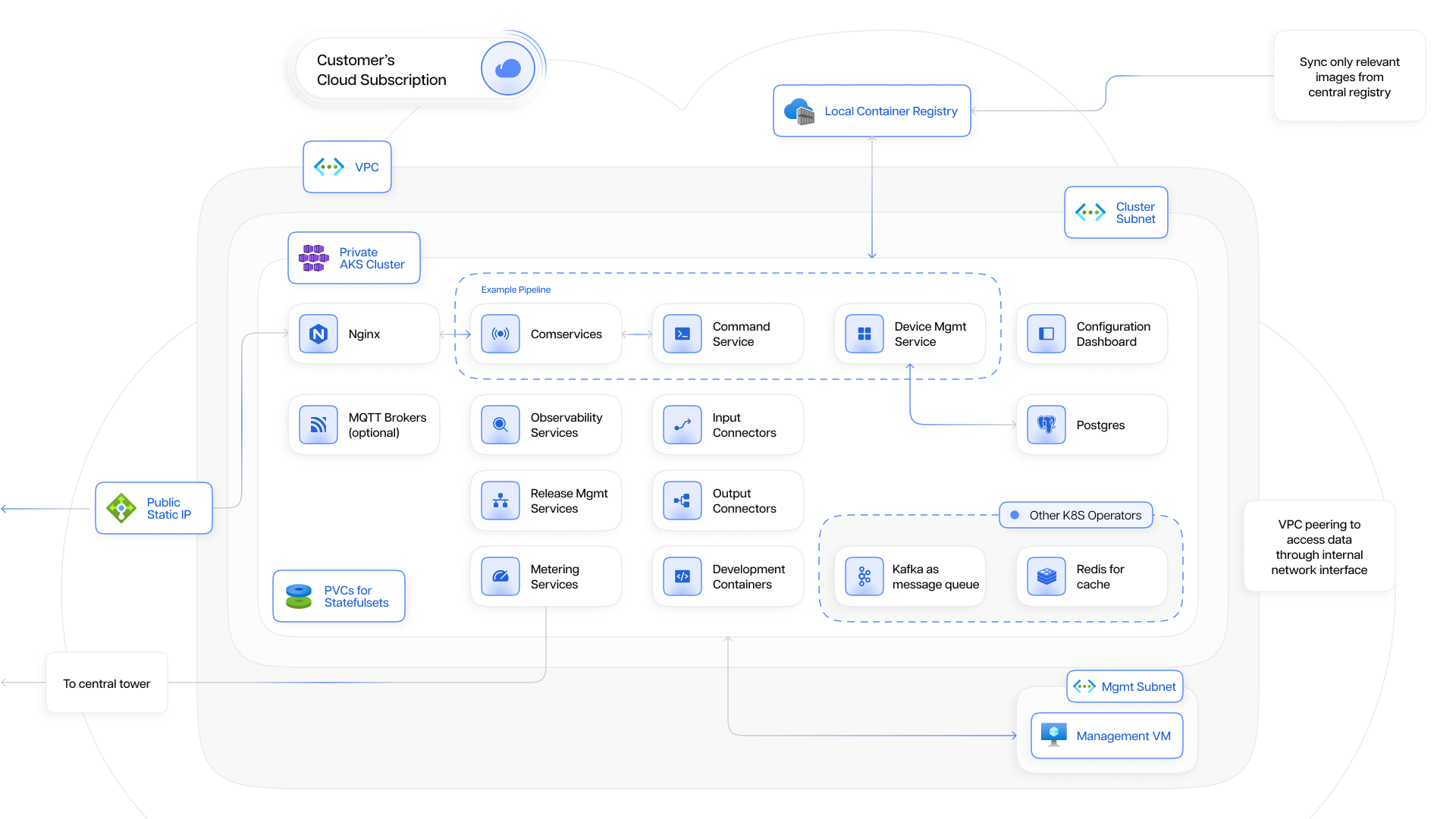
## Condense Architecture - Microsoft Azure

<figure><img src="https://1775139360-files.gitbook.io/~/files/v0/b/gitbook-x-prod.appspot.com/o/spaces%2FvbacpakLuL4x2VBp2174%2Fuploads%2FeWtFnw7tjcINTLSfka8f%2FCondense-Azure.png?alt=media&amp;token=ad58f61e-b379-4a1c-8eae-db14d7444818" alt=""><figcaption></figcaption></figure>

## Condense Architecture - Amazon Web Services (AWS)

<figure><img src="https://1775139360-files.gitbook.io/~/files/v0/b/gitbook-x-prod.appspot.com/o/spaces%2FvbacpakLuL4x2VBp2174%2Fuploads%2FrygIWF79I3lY0QJJGPvA%2FCondense-AWS.png?alt=media&amp;token=57874cd8-b34b-4f61-837a-f75eb72f3a7a" alt=""><figcaption></figcaption></figure>

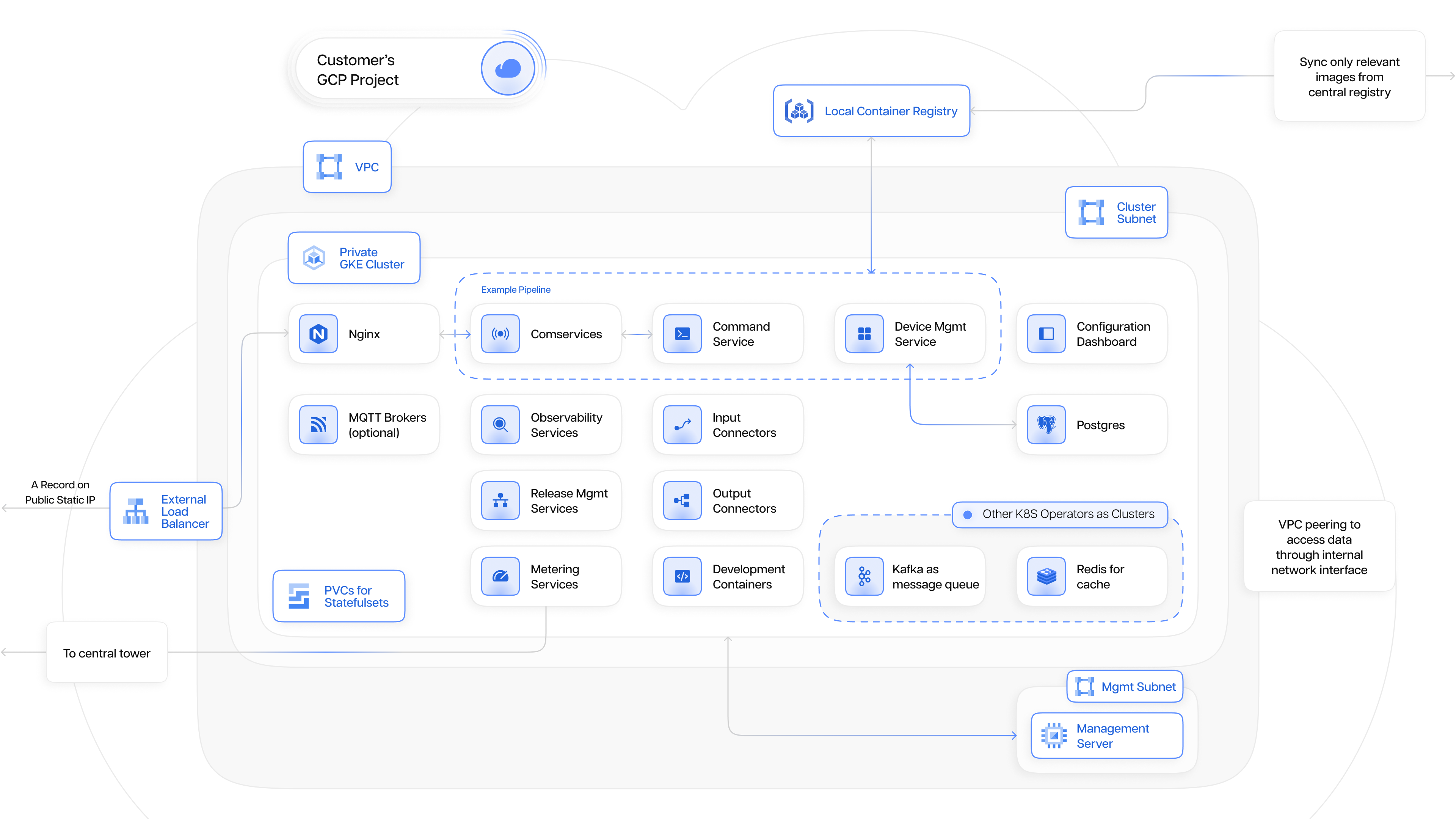
## Condense Architecture - Google Cloud Platform (GCP)

<figure><img src="https://1775139360-files.gitbook.io/~/files/v0/b/gitbook-x-prod.appspot.com/o/spaces%2FvbacpakLuL4x2VBp2174%2Fuploads%2FzkYOwDXubR1wH23r93Rh%2Fimage.png?alt=media&amp;token=b678e871-8272-41e3-92d6-e276e9b15bc1" alt=""><figcaption></figcaption></figure>

## Architecture Components

Condense employs a three-tier architecture, ensuring clear separation of concerns and promoting efficient communication between components:

<table data-card-size="large" data-view="cards"><thead><tr><th></th><th></th><th data-hidden data-card-cover data-type="files"></th></tr></thead><tbody><tr><td><h3><strong>Cloud Provider</strong></h3></td><td>The cloud marketplace (e.g., Azure, AWS and GCP) serves as the platform for deploying Condense. Users access Condense through the provider's interface.</td><td><a href="https://1775139360-files.gitbook.io/~/files/v0/b/gitbook-x-prod.appspot.com/o/spaces%2FvbacpakLuL4x2VBp2174%2Fuploads%2Fp3hOLMRxZ5Smc6SNiW0W%2FCondArchVec2.png?alt=media&amp;token=55d7e1d2-02ad-4384-98d9-c47b181bd548">CondArchVec2.png</a></td></tr><tr><td><h3>Zeliot Central Tower</h3></td><td>This central hub manages deployments, user authentication, release updates, and monitors the overall health of Condense instances.</td><td><a href="https://1775139360-files.gitbook.io/~/files/v0/b/gitbook-x-prod.appspot.com/o/spaces%2FvbacpakLuL4x2VBp2174%2Fuploads%2FK6v6kznMpKd0vptNxool%2FCondArchVec3.png?alt=media&amp;token=b7aab83d-f3a2-4197-beba-e501287ec405">CondArchVec3.png</a></td></tr><tr><td><h3>Condense Application</h3></td><td>Deployed within the user's cloud environment, this application processes data from mobility devices, performs transformations, and sends it to designated outputs.</td><td><a href="https://1775139360-files.gitbook.io/~/files/v0/b/gitbook-x-prod.appspot.com/o/spaces%2FvbacpakLuL4x2VBp2174%2Fuploads%2FHSso3BPsqoWjpq7xt5fV%2FCondArchVec4.png?alt=media&amp;token=c1d7666e-b2f3-4908-9f6f-ef38661a7e16">CondArchVec4.png</a></td></tr></tbody></table>


# Detailed Component Breakdown

{% hint style="info" %}
**First Time User? Free Credits on us!**

Get up to $200 worth of Free credits when you sign up for the first time. Use this link to create a new account on Condense and claim your free credits!

[<mark style="background-color:purple;">https://www.zeliot.in/try-now</mark>](https://www.zeliot.in/try-now)
{% endhint %}

Within the user's cloud environment, Condense provisions various resources to facilitate data ingestion:

### Virtual Private Cloud (VPC) with Subnets

Condense establishes a dedicated VPC with segmented subnets for enhanced security and resource management.

* Kubernetes Cluster Subnet: Hosts the Kubernetes cluster for running Condense services in a private and secure manner.&#x20;
* Virtual Machine Subnet: Houses the virtual machine acting as the Condense management server.&#x20;
* Bastion Host Subnet: Provides a secure jump point for accessing the virtual machine for maintenance purposes.&#x20;
* Database Subnet: Isolates the Postgres database used by Condense for configuration and pipeline data storage.&#x20;
* Container Registry Subnet: Secures the container registry containing images specific to the deployed Condense instance.&#x20;

{% hint style="info" %}
Also, read our article on Revitalizing the Ideality of Virtual Private Clouds on \
our website here: [<mark style="background-color:purple;">https://www.zeliot.in/blog/revitalizing-enterprises-the-ideality-of-virtual-private-clouds</mark>](https://www.zeliot.in/blog/revitalizing-enterprises-the-ideality-of-virtual-private-clouds)
{% endhint %}

### Kubernetes Cluster

Condense utilizes a private Kubernetes cluster to run its services. This ensures secure containerized deployments and efficient resource allocation.

### Container Registry&#x20;

Condense leverages a container registry to store Docker container images required for its various services. This allows for version control and streamlined deployment processes.&#x20;

#### Virtual Machine (VM)&#x20;

Condense provisions a virtual machine serving as the management server. This VM executes scripts for deployment, configuration&#x20;

* Manages Condense deployments and interacts with the Kubernetes cluster.&#x20;
* Performs release checks and health monitoring.&#x20;
* Provides a secure access point for authorized personnel (through Bastion host).&#x20;

### Bastion Host&#x20;

Condense utilizes a Bastion host as a secure gateway for accessing the management VM. This enhances security by eliminating direct internet access to the VM.&#x20;

#### Postgres Database&#x20;

Condense leverages a Postgres database to store critical information, including: &#x20;

* User credentials for accessing the configuration dashboard.&#x20;
* Master data such as connector and transform configurations, device information, and pipeline details.&#x20;
* System configuration data for Condense services.&#x20;
* A limited amount of Redis data is synchronized periodically for disaster recovery purposes.&#x20;

#### Load Balancer & Public Static IPs&#x20;

Condense utilizes a load balancer with public static IP addresses. This establishes an interface for devices to securely transmit data to the Condense application.&#x20;

> We regularly write articles and developer blogs for the community. Feel free to visit our blogs section on the website. If you want to get notified everytime we publish a new article, please subscribe to our newsletters. You can find an option to subscribe on the footer.
>
> [<mark style="background-color:purple;">https://www.zeliot.in/blog</mark>](https://www.zeliot.in/blog)


# Additional Services

{% hint style="info" %}
**First Time User? Free Credits on us!**

Get up to $200 worth of Free credits when you sign up for the first time. Use this link to create a new account on Condense and claim your free credits!

[<mark style="background-color:purple;">https://www.zeliot.in/try-now</mark>](https://www.zeliot.in/try-now)
{% endhint %}

### MinIO&#x20;

Condense utilizes MinIO, an object storage solution similar to S3, for file-based operations. This includes:&#x20;

* Handling bulk data upload operations.&#x20;
* Managing configuration files required by Condense modules.&#x20;

### Metering Service&#x20;

Condense calculates and stores data ingestion charges based on user-configured dimensions. This service:&#x20;

* Tracks data volume ingested from mobility devices.&#x20;
* Applies user-defined billing dimensions to calculate costs.&#x20;
* Reports metering data to the Zeliot Central Tower daily, facilitating transparent billing.&#x20;

### Output Connector Services&#x20;

Condense empowers users to define the destination for processed data. This can be:&#x20;

* A message queue for further processing in other systems.&#x20;
* A database for long-term storage and analysis.&#x20;
* Condense provides client libraries for various output connectors, allowing seamless data transfer based on user preferences.&#x20;

### Configuration Dashboards&#x20;

Condense offers a user-friendly web interface for managing configurations. Users can:&#x20;

* Register and configure one or more Data sources for data ingestion.&#x20;
* Select and configure data transformation modules (e.g., parsing, filtering).&#x20;
* Define output connectors for processed data.&#x20;
* Monitor data ingestion progress and view key metrics like data volume and throughput.&#x20;

### Release Management & Health Probes&#x20;

Condense employs a dedicated service for managing deployments and monitoring system health. This service:&#x20;

* Deploys and manages Condense services based on user configurations and device types.&#x20;
* Manages service upgrades as new releases become available.&#x20;
* Runs health probes to monitor the performance and stability of Condense services.&#x20;
* Reports service health metrics to the Zeliot Central Tower for centralized monitoring and anomaly detection.&#x20;
* In case of anomalies, trigger alerts with relevant details to notify stakeholders for prompt action.&#x20;


# Components and Services within the Kubernetes Cluster

{% hint style="info" %}
**First Time User? Free Credits on us!**

Get up to $200 worth of Free credits when you sign up for the first time. Use this link to create a new account on Condense and claim your free credits!

[<mark style="background-color:purple;">https://www.zeliot.in/try-now</mark>](https://www.zeliot.in/try-now)
{% endhint %}

The heart of Condense lies within the Kubernetes cluster, where various services collaborate to process data:&#x20;

### Nginx&#x20;

This versatile web server acts as the network traffic controller for Condense.&#x20;

* Manages API access for user interaction with Condense.&#x20;
* Handles Communication Protocols like TCP/IP and MQTT(s).&#x20;
* Configures ingress resources and port mappings for API access and device data ingestion.&#x20;
* Facilitates TLS termination for secure communication.&#x20;

### Redis&#x20;

Condense leverages a Redis cluster for data caching and performance optimization. &#x20;

* Stores metering data for various dimensions used in consumption-based billing.&#x20;
* Manages authentication tokens used by Condense services for API interactions.&#x20;
* Acts as a checkpointing mechanism for user-configured pipelines, storing sequence information, metadata, and real-time data like throughput and status.&#x20;
* Stores asset ping information displayed on the Condense dashboard.&#x20;

> Also read our article on Redis - Harnessing the Power of In-Memory Data Storage here: [<mark style="background-color:purple;">https://www.zeliot.in/blog/redis-harnessing-the-power-of-in-memory-data-storage</mark>](https://www.zeliot.in/blog/redis-harnessing-the-power-of-in-memory-data-storage)

### Kafka&#x20;

Condense employs Kafka as a message queue, serving as the backbone for data communication between services after transformations. &#x20;

* Kafka brokers and Zookeeper run within the cluster, ensuring fault tolerance and data integrity.&#x20;
* Operates as a one-way queue, facilitating data progression through various transformation stages.&#x20;
* Event-driven auto scalers automatically adjust consumer group offsets to maintain optimal performance and prevent lag.&#x20;
* Kafka version upgrades are managed by Condense with user consent for seamless adoption of new features and security patches.&#x20;

## Condense inherently deploys with a Fully - Managed Kafka

<figure><img src="https://1775139360-files.gitbook.io/~/files/v0/b/gitbook-x-prod.appspot.com/o/spaces%2FvbacpakLuL4x2VBp2174%2Fuploads%2FTapmw8UYCNCyr1SRunbE%2FFtCondVec1.png?alt=media&amp;token=d19f0836-8c1c-46ff-a998-4a83a6072033" alt=""><figcaption></figcaption></figure>

Condense provides a fully managed Kafka service within its Fully Managed BYOC model, ensuring seamless data streaming, high availability, and zero infrastructure complexity. By embedding Kafka into its industry-specific verticalized streaming ecosystem, Condense enables real-time event processing, data communication between services, and scalable pipeline orchestration within the customer's cloud environment.&#x20;

With Condense fully managed Kafka, enterprises get enterprise-grade performance, dynamic scaling, and automated operational management, eliminating the need for manual intervention in cluster provisioning, maintenance, scaling, and security updates.&#x20;

### Kafka as the Messaging Backbone

#### Event-Driven Data Streaming

Condense uses Kafka as a high-throughput event streaming system, ensuring fault-tolerant, distributed message queuing between microservices and streaming applications.&#x20;

#### One-Way Queue Model&#x20;

Kafka operates as a one-way queue, moving event data seamlessly through various prebuilt transformations, custom transformations, and real-time processing stages before reaching downstream applications.&#x20;

#### Decoupled Service Communication

Kafka ensures service independence, meaning applications can produce and consume data asynchronously without blocking.&#x20;

#### High-Performance Streaming

Optimized for millions of events per second, ensuring low-latency streaming and high-throughput data processing.&#x20;

### Cluster Management: Kafka Brokers and Zookeeper

#### Fully Managed Kafka Cluster

Kafka brokers and Zookeeper run within customer-controlled cloud environments, managed by Condense, ensuring high availability and resilience.&#x20;

#### Fault-Tolerant Architecture

Multi-cluster redundancy and automatic replication prevent data loss and ensure continuous streaming even in the event of node failures.&#x20;

#### Data Integrity & Consistency

Kafka maintains strong replication and partitioning strategies, ensuring data consistency across distributed environments.&#x20;

#### Seamless Kafka Version Upgrades

Condense handles Kafka version upgrades with user consent, allowing smooth adoption of new features and security patches without disrupting operations.&#x20;

### Automated Scaling with Event-Driven Auto-Scalers

#### Consumer Group Auto-Balancing

Kafka dynamically scales consumer groups based on event throughput, preventing backlogs and maintaining near-real-time processing.&#x20;

#### Adaptive Resource Scaling

Event-driven auto scalers optimize cluster performance by dynamically adjusting consumer group offsets, ensuring Kafka maintains low-latency event processing at scale.&#x20;

#### Intelligent Partition Rebalancing

Kafka automatically redistributes partitions among consumers during scaling, eliminating bottlenecks.&#x20;

### Reliability and High Availability (99.95% Uptime SLA)&#x20;

#### Multi-Zone Deployment

Kafka clusters are deployed across multiple availability zones within customer cloud environments, preventing downtime due to infrastructure failures.&#x20;

#### Automatic Failover & Leader Election

If a Kafka broker fails, Zookeeper automatically elects a new leader, ensuring data availability and seamless failover.&#x20;

#### Log Retention & Durability

Kafka persists event logs based on configurable retention policies, preventing data loss and ensuring replayability.&#x20;

### Security, Compliance, and Observability&#x20;

#### Data Encryption

Condense ensures end-to-end encryption for Kafka data in transit (TLS) and at rest (AES-256).&#x20;

#### Role-Based Access Control (RBAC)

Fine-grained permission management ensures that only authorized applications and users can interact with Kafka topics.&#x20;

#### Audit Logging & Monitoring

Built-in observability tools provide real-time monitoring of Kafka performance, including throughput, latency, and partition distribution.&#x20;

#### Enterprise Compliance

Kafka operates within customer-controlled BYOC environments, ensuring GDPR, HIPAA, and SOC 2 compliance.&#x20;


# Key Benefits of Condense

{% hint style="info" %}
**First Time User? Free Credits on us!**

Get up to $200 worth of Free credits when you sign up for the first time. Use this link to create a new account on Condense and claim your free credits!

[<mark style="background-color:purple;">https://www.zeliot.in/try-now</mark>](https://www.zeliot.in/try-now)
{% endhint %}

Condense transforms real-time data streaming by providing an all-in-one platform that simplifies operations enhances efficiency, and accelerates time-to-value. Its advanced capabilities offer the following key benefits

## Simplified Operations

Managing real-time data streaming infrastructure can be complex and resource-intensive. Condense addresses this by automating backend operations, such as Kafka and Kubernetes management, and consolidating tools into a single platform.&#x20;

* Eliminates the need for multiple systems, reducing operational complexity.&#x20;
* Streamlines development, deployment, and maintenance workflows.&#x20;
* Allows teams to focus on building impactful applications rather than managing infrastructure.&#x20;

## Accelerated Time-to-Market

Condense helps businesses deliver real-time use cases faster with a combination of prebuilt tools and customizable options:&#x20;

#### Prebuilt Connectors

Easily integrate with popular systems and databases.&#x20;

#### Ready-to-Use Transforms

Accelerate pipeline creation with pre-designed, high-quality components.&#x20;

#### Integrated IDE

Empower developers to create and test custom transformations efficiently.&#x20;

#### Industry-Specific Solutions

Leverage verticalized components tailored for common use cases, enabling faster go-to-market strategies.&#x20;

## Enhanced Data Control and Compliance

With our Bring Your Own Cloud (BYOC) deployment model, Condense ensures businesses maintain full control over their data while meeting compliance standards:&#x20;

* Retains data sovereignty, providing complete ownership and control.&#x20;
* Aligns with organizational policies and regulatory requirements, ensuring adherence to data governance practices.&#x20;
* Delivers security measures like encryption, role-based access, and operational compliance.&#x20;

## Optimized Resource Utilization

Condense dynamically adjusts resources based on workload demands, minimizing waste and ensuring efficient use of infrastructure:&#x20;

#### Dynamic Scaling

Automatically adapts to workload variations, preventing over-provisioning or underutilization.&#x20;

#### Cost Optimization

Reduces operational expenses by aligning resource usage with actual demand.&#x20;

#### Consistent Performance

Maintains high throughput even during peak loads.&#x20;

## Reliable Performance and High Availability

Condense is built for enterprise-grade resiliency, ensuring reliable and consistent performance for mission-critical applications:&#x20;

#### 99.95% Uptime SLA

Guarantees near-continuous availability with robust failover mechanisms.&#x20;

#### Multi-Cluster Configurations

Provides redundancy to prevent service interruptions.&#x20;

#### Fault Tolerance

Automatically handles failures without impacting workflows.&#x20;

## Industry-Specific Solutions

Condense’s verticalized approach delivers tailored solutions for industries like mobility, travel, retail, and more:&#x20;

#### Prebuilt Components

Simplify deployment with ready-to-use solutions tailored to common industry challenges.&#x20;

#### Optimized Workflows

Reduce the need for extensive customization, enabling faster implementation of use cases.&#x20;

#### Accelerated Go-to-Market

Equip businesses with tools to address unique requirements efficiently.&#x20;

## Cost Efficiency

Condense reduces operational costs through intelligent automation and efficient resource allocation:&#x20;

* Minimizes expenses by automating infrastructure management and leveraging prebuilt connectors and transforms.&#x20;
* Prevents over-provisioning with dynamic resource scaling.&#x20;
* Delivers enterprise-grade performance without unnecessary overhead.&#x20;

## Intelligent Observability and Insights

Condense provides advanced observability tools to monitor and optimize performance in real-time:&#x20;

#### Real-Time Monitoring

Gain instant visibility into system health, throughput, and latency metrics.&#x20;

#### Proactive Alerts

Detect and address issues before they impact workflows.&#x20;

#### Optimization Insights

Identify areas for improvement to maximize performance and efficiency.&#x20;

## Unified Streaming Ecosystem

Condense combines all the tools needed for real-time data streaming into one seamless platform:&#x20;

* Reduces the overhead of integrating multiple systems.&#x20;
* Provides a single source of truth for managing and monitoring streaming workflows.&#x20;
* Simplifies end-to-end processes from ingestion to analytics.&#x20;

## Summary

<table data-card-size="large" data-view="cards"><thead><tr><th></th><th></th><th></th><th data-hidden data-card-cover data-type="files"></th></tr></thead><tbody><tr><td><h3><strong>Enhanced Scalability</strong></h3></td><td>Condense is built on a scalable architecture, enabling it to accommodate the ever-growing volume of data generated by mobility devices. This ensures seamless data processing regardless of increasing data loads.</td><td></td><td><a href="https://1775139360-files.gitbook.io/~/files/v0/b/gitbook-x-prod.appspot.com/o/spaces%2FvbacpakLuL4x2VBp2174%2Fuploads%2FSv5xlyO1JP3w0r04t8DS%2FBenefitCondVec1.png?alt=media&amp;token=104bf213-12f3-459b-8266-4204ece33f8d">BenefitCondVec1.png</a></td></tr><tr><td><h3><strong>Robust Security</strong></h3></td><td>Condense prioritizes data security. It leverages a read-only deployment model and secure communication protocols, ensuring user data remains protected within their cloud environment.</td><td></td><td><a href="https://1775139360-files.gitbook.io/~/files/v0/b/gitbook-x-prod.appspot.com/o/spaces%2FvbacpakLuL4x2VBp2174%2Fuploads%2FEbHNf5CGvw0PhFnVH7IP%2FBenefitCondVec2.png?alt=media&amp;token=41f7f347-8b8c-4d71-adb5-402b37d1b08c">BenefitCondVec2.png</a></td></tr><tr><td><h3>Reduced Time-to-Insight</h3></td><td>By streamlining data ingestion, Condense enables organizations to gain valuable insights from their mobility data faster. This facilitates quicker decision-making based on real-time data analysis.</td><td></td><td><a href="https://1775139360-files.gitbook.io/~/files/v0/b/gitbook-x-prod.appspot.com/o/spaces%2FvbacpakLuL4x2VBp2174%2Fuploads%2F6u0BlHRzmSLhX42AXV9F%2FBenefitCondVec3.png?alt=media&amp;token=b70637f5-1c64-467b-8bad-e7dd149455c8">BenefitCondVec3.png</a></td></tr><tr><td><h3>Flexibility</h3></td><td>Condense offers a variety of output connectors, allowing users to seamlessly integrate data with existing systems and dashboards. This fosters a flexible and adaptable data management environment.</td><td></td><td><a href="https://1775139360-files.gitbook.io/~/files/v0/b/gitbook-x-prod.appspot.com/o/spaces%2FvbacpakLuL4x2VBp2174%2Fuploads%2FtEb7JdvFetYead4nO2ZY%2FBenefitCondVec4.png?alt=media&amp;token=64fac992-65b7-472f-a594-a72ba09dd56d">BenefitCondVec4.png</a></td></tr><tr><td><h3>Reduced Operational Costs</h3></td><td>Condense simplifies data pipeline management, reducing the need for extensive IT resources. Additionally, its no-code approach minimizes development costs associated with complex coding requirements.</td><td></td><td><a href="https://1775139360-files.gitbook.io/~/files/v0/b/gitbook-x-prod.appspot.com/o/spaces%2FvbacpakLuL4x2VBp2174%2Fuploads%2FaaxJwI5TMuHiN3nog2t4%2FBenefitCondVec5.png?alt=media&amp;token=112c45fa-0f25-4c7e-a03d-a71e275f8ebb">BenefitCondVec5.png</a></td></tr></tbody></table>


# Why Condense?

{% embed url="<https://www.youtube.com/watch?v=h7cIZFuJGk0>" %}

## Built-in IDE for Custom Transformations & Connectors

Condense provides a fully integrated development environment (IDE) designed for building, testing, and deploying custom transformations logics and connectors directly within the platform. The built-in IDE enables developers to write complex logic using their preferred programming languages, integrate with version control systems, and efficiently manage the full lifecycle of data transformations and streaming applications.

### Key Benefits of Built-in IDE:

<figure><img src="https://1775139360-files.gitbook.io/~/files/v0/b/gitbook-x-prod.appspot.com/o/spaces%2FvbacpakLuL4x2VBp2174%2Fuploads%2Fvqeirmhug3ii8mwi7Z60%2FWhatCondVec6.png?alt=media&amp;token=4eff33e9-d1a4-4c58-8408-d86d6d587232" alt=""><figcaption></figcaption></figure>

#### Seamless Customization for Complex Workflows&#x20;

* Write, Test & Deploy Custom Code – The IDE enables developers to write complex transformations and build custom connectors, tailored to unique business needs.&#x20;
* Multi-Language Support – Developers can use Python, Java, Scala, or other supported languages to create high-performance data streaming logic. &#x20;
* Integrated Development & Execution – Test and validate custom logic directly within the IDE before deploying to production.&#x20;

#### Version Control Integration for Collaborative Development&#x20;

* Seamless Git Integration – Connect GitHub, GitLab, or Bitbucket for version control, rollback, and collaboration on transformation logic.&#x20;
* Branching & Code Management – Developers can manage multiple branches, ensuring smooth development, testing, and deployment workflows.&#x20;
* Continuous Integration (CI) for Custom Code – Automate builds, testing, and releases, reducing errors and ensuring production-ready deployments.&#x20;

#### Scalable & Secure Development Environment&#x20;

* On-Demand Development Containers – The IDE automatically provisions secure, isolated environments for each development session.&#x20;
* Auto-Expire Development Environments – Pre-configured expiration policies ensure optimal resource utilization and cost efficiency.&#x20;
* Prebuilt Testing & Debugging Tools – Identify issues in real time with built-in debugging, log tracking, and execution monitoring.&#x20;

#### Deployment & Lifecycle Management of Custom Code&#x20;

* Versioning for Custom Transforms & Connectors – Easily publish, restore, and deploy new versions of custom transformations for uninterrupted workflows.&#x20;
* Pipeline Deployment & Monitoring – Deploy custom logic directly into data pipelines and track execution metrics.&#x20;
* Rollback & Recovery – Restore deleted or expired applications to ensure continuity in streaming workflows.&#x20;

#### Efficient and Intelligent Data Processing&#x20;

* Real-Time Data Execution – Process data streams efficiently with low-latency execution of custom logic.&#x20;
* Optimized Resource Allocation – Ensure that custom transformations scale dynamically, adapting to fluctuating workloads.&#x20;
* Enterprise-Grade Security – Built-in RBAC (Role-Based Access Control) ensures only authorized users can edit, deploy, or delete custom transforms.&#x20;

### Why Condense Built-in IDE is a Game-Changer?

1. No External Tools Required – Develop, test, and deploy custom code without needing additional software or platforms.&#x20;
2. Designed for Streaming & Transformations – Purpose-built IDE tailored for real-time data processing and Kafka-based event-driven architectures.&#x20;
3. Faster Development & Deployment – Reduces time-to-market by eliminating integration complexities between code development and streaming pipelines.&#x20;
4. Ensures Code Reliability & Versioning – Built-in Git support and automated version tracking ensure stability and consistency in all deployments.&#x20;
5. Enterprise-Ready Security & Compliance – Provides audit trails, user access management, and secure execution for regulated industries.&#x20;

With Condense offered built-in IDE, developers can build, deploy, and scale complex transformations and connectors with ease, efficiency, and full control, accelerating real-time data processing like never before.

## Condense comes with a Fully Managed BYOC

<figure><img src="https://1775139360-files.gitbook.io/~/files/v0/b/gitbook-x-prod.appspot.com/o/spaces%2FvbacpakLuL4x2VBp2174%2Fuploads%2FtSetMtydTPLZm0d5b43O%2FWhatCondVec5.png?alt=media&amp;token=2c32bf51-194f-4185-bea8-5c3bac848287" alt=""><figcaption></figcaption></figure>

Condense is deployed as “Fully Managed BYOC (Bring Your Own Cloud)” which allows enterprises to deploy and operate their real-time data streaming platform directly within their own cloud environment, ensuring complete control over their data, security, and compliance requirements—without the burden of infrastructure management.&#x20;

With fully managed Kafka at its core, Condense automates deployment, scaling, and maintenance, making real-time data streaming effortlessly while maintaining the flexibility of customer-owned infrastructure.&#x20;

### Advantages of Fully Managed BYOC?

#### Full Data Sovereignty & Compliance

Data remains in the customer's cloud environment, ensuring security and compliance with industry regulations.&#x20;

#### Zero Infrastructure Management

Fully managed updates, patches, auto-scaling, and failovers eliminate backend complexity.&#x20;

#### High Availability & Reliability&#x20;

Guarantees 99.95% uptime SLA with built-in multi-cluster redundancy and fault tolerance.&#x20;

#### Dynamic Resource Optimization&#x20;

Automatically scales up or down based on data throughput, optimizing cloud costs.&#x20;

#### Seamless Deployment via Marketplace

Available on AWS Marketplace, Azure Marketplace, and GCP Marketplace, enabling one-click deployment with pre-configured settings.&#x20;

### Why Choose Condense with Fully Managed BYOC?

#### Enterprise-Ready

Designed for organizations that require streaming infrastructure within their controlled cloud environment with zero operational complexity.&#x20;

#### Security-First Approach&#x20;

Fully aligns with compliance mandates by keeping data within the enterprise cloud.&#x20;

#### Cost-Optimized

No overprovisioning. Auto-scaling ensures businesses pay only for the resources they use.&#x20;

#### Scalability Without Limits

Handle high-throughput real-time data streaming, making it ideal for mobility, fintech, healthcare, and IoT applications.&#x20;

## Condense inherently deploys with a Fully - Managed Kafka

<figure><img src="https://1775139360-files.gitbook.io/~/files/v0/b/gitbook-x-prod.appspot.com/o/spaces%2FvbacpakLuL4x2VBp2174%2Fuploads%2FTapmw8UYCNCyr1SRunbE%2FFtCondVec1.png?alt=media&amp;token=d19f0836-8c1c-46ff-a998-4a83a6072033" alt=""><figcaption></figcaption></figure>

Condense provides a fully managed Kafka service within its Fully Managed BYOC model, ensuring seamless data streaming, high availability, and zero infrastructure complexity. By embedding Kafka into its industry-specific verticalized streaming ecosystem, Condense enables real-time event processing, data communication between services, and scalable pipeline orchestration within the customer's cloud environment.&#x20;

With Condense fully managed Kafka, enterprises get enterprise-grade performance, dynamic scaling, and automated operational management, eliminating the need for manual intervention in cluster provisioning, maintenance, scaling, and security updates.&#x20;

### Kafka as the Messaging Backbone

#### Event-Driven Data Streaming

Condense uses Kafka as a high-throughput event streaming system, ensuring fault-tolerant, distributed message queuing between microservices and streaming applications.&#x20;

#### One-Way Queue Model&#x20;

Kafka operates as a one-way queue, moving event data seamlessly through various prebuilt transformations, custom transformations, and real-time processing stages before reaching downstream applications.&#x20;

#### Decoupled Service Communication

Kafka ensures service independence, meaning applications can produce and consume data asynchronously without blocking.&#x20;

#### High-Performance Streaming

Optimized for millions of events per second, ensuring low-latency streaming and high-throughput data processing.&#x20;

### Cluster Management: Kafka Brokers and Zookeeper

#### Fully Managed Kafka Cluster

Kafka brokers and Zookeeper run within customer-controlled cloud environments, managed by Condense, ensuring high availability and resilience.&#x20;

#### Fault-Tolerant Architecture

Multi-cluster redundancy and automatic replication prevent data loss and ensure continuous streaming even in the event of node failures.&#x20;

#### Data Integrity & Consistency

Kafka maintains strong replication and partitioning strategies, ensuring data consistency across distributed environments.&#x20;

#### Seamless Kafka Version Upgrades

Condense handles Kafka version upgrades with user consent, allowing smooth adoption of new features and security patches without disrupting operations.&#x20;

### Automated Scaling with Event-Driven Auto-Scalers

#### Consumer Group Auto-Balancing

Kafka dynamically scales consumer groups based on event throughput, preventing backlogs and maintaining near-real-time processing.&#x20;

#### Adaptive Resource Scaling

Event-driven auto scalers optimize cluster performance by dynamically adjusting consumer group offsets, ensuring Kafka maintains low-latency event processing at scale.&#x20;

#### Intelligent Partition Rebalancing

Kafka automatically redistributes partitions among consumers during scaling, eliminating bottlenecks.&#x20;

### Reliability and High Availability (99.95% Uptime SLA)&#x20;

#### Multi-Zone Deployment

Kafka clusters are deployed across multiple availability zones within customer cloud environments, preventing downtime due to infrastructure failures.&#x20;

#### Automatic Failover & Leader Election

If a Kafka broker fails, Zookeeper automatically elects a new leader, ensuring data availability and seamless failover.&#x20;

#### Log Retention & Durability

Kafka persists event logs based on configurable retention policies, preventing data loss and ensuring replayability.&#x20;

### Security, Compliance, and Observability&#x20;

#### Data Encryption

Condense ensures end-to-end encryption for Kafka data in transit (TLS) and at rest (AES-256).&#x20;

#### Role-Based Access Control (RBAC)

Fine-grained permission management ensures that only authorized applications and users can interact with Kafka topics.&#x20;

#### Audit Logging & Monitoring

Built-in observability tools provide real-time monitoring of Kafka performance, including throughput, latency, and partition distribution.&#x20;

#### Enterprise Compliance

Kafka operates within customer-controlled BYOC environments, ensuring GDPR, HIPAA, and SOC 2 compliance.&#x20;

## How does Fully Managed Kafka in BYOC Benefit the Enterprises?

* Zero Kafka Management Overhead – No need to manage Kafka clusters, scale infrastructure, or troubleshoot failures—Condense automates everything.&#x20;
* Predictable Low Latency – Ensures consistent real-time data delivery for mission-critical applications.&#x20;
* Built for High-Throughput Workloads – Supports millions of events per second across distributed systems.&#x20;
* Seamless Upgrades & Patches – Kafka upgrades are handled without downtime, ensuring access to the latest security patches.&#x20;
* Fully Secure & Compliant – Data stays within customer-controlled cloud environments, meeting strict regulatory requirements.&#x20;
* Marketplace deployment - Available on AWS Marketplace, Azure Marketplace, and GCP Marketplace for one-click provisioning.&#x20;

With Fully Managed Kafka which comes with built-in Condense fully managed BYOC, enterprises get the best of both worlds: fully managed real-time data streaming within a customer-controlled cloud environment. By eliminating operational complexity, enhancing security, and ensuring high-performance event streaming, Condense enables businesses to focus on innovation rather than infrastructure management.


# Condense Use-Cases

{% hint style="info" %}
**First Time User? Free Credits on us!**

Get up to $200 worth of Free credits when you sign up for the first time. Use this link to create a new account on Condense and claim your free credits!

[<mark style="background-color:purple;">https://www.zeliot.in/try-now</mark>](https://www.zeliot.in/try-now)
{% endhint %}

Condense caters to a broad spectrum of organizations that utilize mobility devices to collect data. This includes:

<table data-card-size="large" data-view="cards"><thead><tr><th></th><th></th><th data-hidden data-card-cover data-type="files"></th></tr></thead><tbody><tr><td><h3>Automotive Manufacuturers</h3></td><td>Leverage Condense for data collection from connected vehicles, enabling analysis of fuel efficiency, driver behavior, and vehicle performance.</td><td><a href="https://1775139360-files.gitbook.io/~/files/v0/b/gitbook-x-prod.appspot.com/o/spaces%2FvbacpakLuL4x2VBp2174%2Fuploads%2F4B5yrMiJyYEfIW8hG8Oe%2FAutomotive%20Man.png?alt=media&amp;token=7e856d4a-bfe5-40d1-9721-d80490304b29">Automotive Man.png</a></td></tr><tr><td><h3>Telematics Service Providers</h3></td><td>Condense empowers telematics providers to offer a robust data ingestion platform to their customers, allowing seamless data collection from diverse mobility devices.</td><td><a href="https://1775139360-files.gitbook.io/~/files/v0/b/gitbook-x-prod.appspot.com/o/spaces%2FvbacpakLuL4x2VBp2174%2Fuploads%2FucRvIrdiq9ju9PIg9Yyf%2FTelematics%20Service.png?alt=media&amp;token=0d031dd5-8559-4512-8693-90c20fb6f25c">Telematics Service.png</a></td></tr><tr><td><h3>Construction &#x26; Heavy Equipment Industries</h3></td><td>Condense simplifies data collection from construction machinery, enabling monitoring of equipment performance, fuel consumption, and maintenance schedules.</td><td><a href="https://1775139360-files.gitbook.io/~/files/v0/b/gitbook-x-prod.appspot.com/o/spaces%2FvbacpakLuL4x2VBp2174%2Fuploads%2FwoLrchwCUNbpBMNzi3Ky%2FConstruction%20Equipment.png?alt=media&amp;token=66630e91-e77c-48a6-9b17-6f4d5e765b67">Construction Equipment.png</a></td></tr><tr><td><h3>Smart Cities &#x26; Urban Infrastructure Management</h3></td><td>Condense can be used to collect data from sensors deployed in cities, providing platform to develop custom application to get insights into traffic patterns, environmental conditions, and resource utilization.</td><td><a href="https://1775139360-files.gitbook.io/~/files/v0/b/gitbook-x-prod.appspot.com/o/spaces%2FvbacpakLuL4x2VBp2174%2Fuploads%2Fo1ULz0eWxNpC6mw2yFEB%2FSmart%20City.png?alt=media&amp;token=a8f8777e-c6fe-4167-be7b-bc296899a3e5">Smart City.png</a></td></tr><tr><td><h3>Logistics &#x26; Transportation Companies</h3></td><td>Condense facilitates efficient data acquisition from fleet vehicles, companies can develop custom applications to get insights into route optimization, driver safety, and engine health.</td><td><a href="https://1775139360-files.gitbook.io/~/files/v0/b/gitbook-x-prod.appspot.com/o/spaces%2FvbacpakLuL4x2VBp2174%2Fuploads%2FvwsXtPasZ8YZMx3TGAfo%2FLogistics.png?alt=media&amp;token=ae8554b7-bc7c-4338-bb56-7af5cac8076d">Logistics.png</a></td></tr></tbody></table>


# Condense Use-Cases

{% hint style="info" %}
**First Time User? Free Credits on us!**

Get up to $200 worth of Free credits when you sign up for the first time. Use this link to create a new account on Condense and claim your free credits!

[<mark style="background-color:purple;">https://www.zeliot.in/try-now</mark>](https://www.zeliot.in/try-now)
{% endhint %}

Condense enables transformative outcomes across multiple industries.

## Generic Data Streaming Use Cases

### Streaming Data Pipelines

Stream high-fidelity, curated data in real-time across operational systems, analytical platforms, and SaaS applications.

#### Benefits

Seamlessly integrate and process real-time data from diverse sources, ensuring timely decision-making and optimized workflows.

### Streaming Applications

Build event-driven microservices and real-time applications that are highly scalable, context-aware, and resilient.

#### Benefits

Rapidly respond to real-time events, enhancing system responsiveness and improving operational outcomes.

## Industry-Specific Use Cases

### Mobility

<figure><img src="https://1775139360-files.gitbook.io/~/files/v0/b/gitbook-x-prod.appspot.com/o/spaces%2FvbacpakLuL4x2VBp2174%2Fuploads%2FT4oNFTSz6wvMhw4QuPUo%2FMobility.png?alt=media&amp;token=7bc8d727-b4d3-48a0-aee2-747e26799f6c" alt=""><figcaption></figcaption></figure>

Condense powers a range of real-time mobility solutions by providing ready-to-deploy streaming infrastructure, prebuilt connectors, In-built IDE to develop complex logic and low-code event processing tailored for mobility and logistics ecosystems.

#### Use Case: Real-Time Mining Vehicle Digitization Powered by Condense

The Mining Vehicle Digitization System is a real-time solution designed to bring full visibility, automation, and predictive intelligence to mining operations by streaming vehicle telemetry, driver behaviour, and operational activities in real time.&#x20;

Built on Condense, the system ingests high-frequency data from mining trucks, excavators, and auxiliary equipment, processes events like location updates, load cycles, and tip sensor movements, and delivers real-time operational insights without the need for complex backend infrastructure.&#x20;

Whenever a mining vehicle loads, dumps, or moves between zones, the system automatically logs the events, tracks turnaround times (TAT), monitors driver efficiency, and triggers smart alerts for anomalies. Predictive models analyze vehicle health and operational cycles continuously to optimize maintenance, safety, and production outputs.&#x20;

#### Benefits

**End-to-End Fleet and Excavator Visibility**&#x20;

* Provides real-time GPS tracking and dynamic geofencing of mining fleets and excavators.&#x20;
* Visualizes loading, hauling, and dumping activities across rugged, multi-zone mining sites.&#x20;

**Trip and Load Cycle Automation**&#x20;

* Automatically detects and logs each load/unload trip using GPS entry/exit events and tip sensor signals.&#x20;
* Generates accurate, real-time trip reports without manual intervention.&#x20;

**Excavator-Centric TAT Monitoring**&#x20;

* Measures the time taken for trucks to queue, load, and depart from excavators.&#x20;
* Identifies bottlenecks, idle times, and productivity gaps across multiple shifts.&#x20;

**AI-Driven Load and Performance Analytics**&#x20;

* Integrates AI models to estimate load movement without the need for costly onboard load sensors.&#x20;
* Enables real-time benchmarking of driver performance, excavator utilization, and fleet throughput.&#x20;

**Intelligent Safety and Compliance Tracking**&#x20;

* Sends automated alerts for unauthorized zone entries, idle overstays, or unsafe vehicle behavior.&#x20;
* Maintains traceable safety compliance logs for audits and operational reviews.&#x20;

**Scalable, Low-Complexity Deployment**&#x20;

* Built on Condense’s fully managed, cloud-native platform, with elastic scalability across mining operations.&#x20;
* Operates with a BYOC (Bring Your Own Cloud) model, ensuring full data sovereignty and security.&#x20;

**Other Use Cases for Real-Time Streaming Data in Mining and Heavy Industries:**&#x20;

* Condition-Based Equipment Maintenance&#x20;
* Load Dispatch Optimization&#x20;
* Safety Incident Detection and Prevention&#x20;
* Production Forecasting Based on Real-Time Load Movements&#x20;

#### Other Use Cases for Real-Time Streaming Data in Mobility

**Fleet Management System**&#x20;

Enable real-time fleet tracking, driver behavior monitoring, predictive maintenance, and dynamic routing. Condense allows ingestion and processing of vehicle telemetry at scale, triggering alerts and actions based on live fleet conditions.&#x20;

**School Transport Solution**&#x20;

Build safe and efficient school bus monitoring systems. Use Condense to stream vehicle location, driver identity, student boarding events, and route compliance checks, enabling live alerts to parents and school administrators.&#x20;

**B2B Last-Mile Delivery Optimization**&#x20;

Support real-time tracking and optimization of last-mile delivery fleets for B2B logistics. Stream live location, load status, and delivery confirmations to optimize routing, reduce idle times, and ensure high service levels.&#x20;

**Video Telematics Integration**&#x20;

Integrate real-time video streams and event detection into mobility platforms. Use Condense to capture, process, and act on AI-driven video events such as harsh braking, collisions, or driver fatigue, enhancing safety and compliance programs.&#x20;

**Transportation Management System (TMS) Integration**&#x20;

Enable real-time event ingestion from vehicles into Transportation Management Systems. Condense simplifies dynamic dispatching, live shipment tracking, route deviations, and SLA monitoring across connected fleets.&#x20;

**Supply Chain Vehicle and Asset Monitoring**&#x20;

Streamline supply chain visibility by tracking logistics vehicles, containers, and cargo in real time. Condense helps detect delays, idle times, route deviations, and estimated time of arrivals (ETA) across the logistics network.&#x20;

**Ports and Yard Vehicle Management**&#x20;

Manage vehicles operating inside ports, yards, and industrial terminals. Condense enables real-time tracking of container trucks, material handlers, and internal logistics vehicles to optimize turnaround times and reduce congestion.&#x20;

**Asset Tracking and Management**&#x20;

Build real-time asset tracking solutions for high-value movable assets like containers, pallets, industrial equipment, and rental fleets. Condense provides continuous event streaming to monitor asset location, condition, and usage patterns.&#x20;

### Travel and Hospitality

<figure><img src="https://1775139360-files.gitbook.io/~/files/v0/b/gitbook-x-prod.appspot.com/o/spaces%2FvbacpakLuL4x2VBp2174%2Fuploads%2F9cRO76iw6j3DTUcxXMNn%2FTravel%20%26%20Hospitality.png?alt=media&amp;token=ef6b96de-a592-41f2-837c-217614372e78" alt=""><figcaption></figcaption></figure>

#### Use Case: Middleware Bridge Between PMS, Hotelbeds, and Channel Managers

The **Universal Hospitality Integration Bridge (UHIB)** is a middleware platform designed to seamlessly integrate **Property Management Systems (PMS)**, **bedbanks like Hotelbeds**, and **Channel Managers (e.g., SiteMinder, Cloudbeds, etc.)**. UHIB eliminates the complexity of managing multiple API connections by acting as a **single integration layer**, ensuring **real-time data synchronization** across all distribution channels.&#x20;

Whenever a hotel **updates room availability, pricing, or restrictions**, the changes are instantly propagated to **Hotelbeds and OTAs via the Channel Manager**, ensuring that customers always receive accurate information. Additionally, **any bookings made through OTAs or bedbanks are reflected back in the PMS** in real-time, preventing overbooking issues.&#x20;

The **AI-driven analytics engine** of UHIB continuously monitors **booking patterns, demand fluctuations, and revenue performance** to suggest **optimized inventory allocation** between OTAs and bedbanks, ensuring the best revenue outcomes for hotels.&#x20;

#### **Benefits**

1. **Simplified Integration**&#x20;
   1. Eliminates the need for multiple direct integrations, reducing operational complexity.&#x20;
   2. Hotels and OTAs connect **once** and get access to a unified data flow.&#x20;
2. **Real-Time Synchronization**&#x20;
   1. Ensures accurate **room availability, pricing, and restrictions** across all connected platforms.&#x20;
   2. Prevents **overbooking** and maintains **rate parity** across OTAs.&#x20;
3. **Enhanced Scalability**&#x20;
   1. Built on **cloud-native architecture**, enabling high performance even during peak seasons.&#x20;
   2. Easily **adds new integrations** without disrupting existing operations.&#x20;
4. **AI-Powered Insights**&#x20;
   1. Predicts demand fluctuations and **dynamically adjusts inventory allocation** between different sales channels.&#x20;
   2. Helps hotels **maximize revenue** by optimizing rate structures based on real-time trends.&#x20;
5. **Operational Efficiency**&#x20;
   1. Automates data exchange between PMS, bedbanks, and channel managers, **reducing manual interventions**.&#x20;
   2. Streamlines **multi-property management** by centralizing updates across different hotel branches.

Other Use Cases for Real-Time Streaming Data in Travel & Hospitality

#### Use Case: Dynamic Pricing & Revenue Management

AI-driven real-time rate adjustments based on market demand. Streaming data from OTAs, competitor pricing, and demand trends allows automated pricing updates in PMS and distribution platforms. AI models ensure optimal rates in real-time to maximize revenue and occupancy.

#### Use Case: Smart Housekeeping & Room Readiness Optimization&#x20;

Automate housekeeping schedules based on real-time room status. Monitors guest check-outs, early arrivals, and occupancy sensors to prioritize cleaning schedules, ensuring rooms are ready faster while optimizing housekeeping workloads.&#x20;

#### Use Case: Airport & Hotel Shuttle Optimization&#x20;

Reduce waiting time for guests by dynamically managing shuttle services. Integrates real-time flight tracking and hotel check-in data to optimize shuttle dispatch, ensuring vehicles are available when guests arrive.&#x20;

#### Use Case: Real-Time Travel Insurance & Claim Processing&#x20;

Automate claims based on real-time travel disruptions. Monitors flight delays, baggage loss, and hotel cancellations to auto-approve travel insurance claims, reducing paperwork and delays.&#x20;

### Healthcare

<figure><img src="https://1775139360-files.gitbook.io/~/files/v0/b/gitbook-x-prod.appspot.com/o/spaces%2FvbacpakLuL4x2VBp2174%2Fuploads%2FDtxtWA994ZehSr7LboxD%2FHealthcare.png?alt=media&amp;token=e19d30de-716b-4069-9407-5dd5dabfae56" alt=""><figcaption></figcaption></figure>

Condense can use real-time data from medical devices, such as ECG monitors, to detect anomalies in patient vitals and assist healthcare providers.

#### Benefits

Improve patient outcomes by enabling timely medical interventions and proactive health monitoring.

#### Here are some more cases that can be solved/optimised by using the capability of Condense

#### Use Case: Patient Monitoring&#x20;

Stream real-time data from IoT medical devices, such as wearables and monitors, to develop applications that track patient vitals and detect anomalies.&#x20;

#### Use Case: Hospital Operations&#x20;

Enable data streaming from various hospital systems (e.g., inventory, patient admissions) to optimize resource allocation, staffing, and operational workflows.&#x20;

#### Use Case: Drug Development&#x20;

Use Condense to ingest and analyze clinical trial data in real-time, accelerating decision-making and enhancing drug efficacy studies.&#x20;

#### Use Case: Telemedicine Platforms&#x20;

Collect and process real-time video, audio, and patient data streams to improve remote consultations and diagnostics.&#x20;

### Retail and E-commerce

<figure><img src="https://1775139360-files.gitbook.io/~/files/v0/b/gitbook-x-prod.appspot.com/o/spaces%2FvbacpakLuL4x2VBp2174%2Fuploads%2FEkdToy9TwyfyM2H3ZcP0%2FRetail%20%26%E2%80%A8E-commerce.png?alt=media&amp;token=9e119ec3-14c4-4f02-8db6-a5a82554168d" alt=""><figcaption></figcaption></figure>

#### Use Case: Real-Time Customer Experiences

Enable hyper-personalized customer interactions at every touchpoint using real-time data streaming.

#### Benefits

Increase customer satisfaction, loyalty, and engagement with timely, relevant, and contextual experiences

#### Use Case: Customer 360 for Real-Time Insights

Aggregate data from multiple sources to create a unified view of customer interactions for enhanced decision-making.

#### Benefits

Drive engagement strategies with a holistic understanding of customer behaviour, enabling precise personalization.

#### Here are some more cases that can be solved/optimised by using the capability of Condense

#### Use Case: Personalized Recommendations&#x20;

Leverage Condense for real-time data ingestion from customer interactions to provide personalized product recommendations and targeted offers.&#x20;

#### Use Case: Inventory Management&#x20;

Use Condense to develop applications that monitor inventory levels, predict stock requirements, and automate replenishment workflows.&#x20;

#### Use Case: Fraud Detection&#x20;

Stream transactional data in real-time to identify and mitigate fraudulent activities, such as payment fraud or account breaches.&#x20;

#### Use Case: Dynamic Pricing&#x20;

Enable real-time data analysis to adjust prices based on demand, competitor activity, and market trends.&#x20;

### Finance

<figure><img src="https://1775139360-files.gitbook.io/~/files/v0/b/gitbook-x-prod.appspot.com/o/spaces%2FvbacpakLuL4x2VBp2174%2Fuploads%2FLPdS4aFXdDShidDa6Lry%2FFinance.png?alt=media&amp;token=6aa01074-9569-4a93-a142-7ce6cb87fe8a" alt=""><figcaption></figcaption></figure>

#### Use Case: Fraud Detection and Anomaly Detection

Stream real-time transactional data to detect anomalies and prevent fraudulent activities, such as payment fraud or account breaches.

#### Benefits

Protect assets and customers by acting on suspicious activity instantly, reducing losses and improving trust.

#### Here are some more cases that can be solved/optimised by using the capability of Condense

#### Use Case: Fraud Prevention&#x20;

Stream real-time transactional data to detect fraudulent activities, such as unauthorized access or abnormal spending patterns.&#x20;

#### Use Case: Algorithmic Trading&#x20;

Use Condense to ingest market data in real time and develop applications for high-frequency trading and risk management.&#x20;

#### Use Case: Customer Insights&#x20;

Analyze real-time customer interactions to offer personalized financial products and improve user experiences.&#x20;

#### Use Case: Compliance and Risk Monitoring&#x20;

Ingest and analyze real-time regulatory data to ensure compliance and mitigate operational risks effectively.&#x20;

### Media and Entertainment

<figure><img src="https://1775139360-files.gitbook.io/~/files/v0/b/gitbook-x-prod.appspot.com/o/spaces%2FvbacpakLuL4x2VBp2174%2Fuploads%2FuW1Zffff1ZM7El3DQzgE%2FMedia%20%26%20Entertainment.png?alt=media&amp;token=62be7b0c-c9d4-427f-9369-d1ad480c4c77" alt=""><figcaption></figcaption></figure>

#### Use Case: Live Streaming Optimization

Stream real-time video and audio data to ensure high-quality, low-latency live streaming for events, sports, and entertainment broadcasts.

#### Benefits

Deliver uninterrupted live streaming experiences with minimal buffering, enhance viewer engagement through adaptive streaming quality, and scale effortlessly to accommodate peak audience demands.

#### Here are some more cases that can be solved/optimised by using the capability of Condense

#### Use Case: Personalized Content Delivery&#x20;

Analyze viewer behaviour in real-time to deliver personalized content recommendations and dynamic advertisements.&#x20;

#### Use Case: Real-Time Audience Insights&#x20;

Collect real-time feedback and usage data to understand audience preferences and optimize content offerings.&#x20;

#### Use Case: Gaming Platforms&#x20;

Stream real-time player interactions and analytics to improve gaming experiences and match-making algorithms.&#x20;

### Manufacturing

<figure><img src="https://1775139360-files.gitbook.io/~/files/v0/b/gitbook-x-prod.appspot.com/o/spaces%2FvbacpakLuL4x2VBp2174%2Fuploads%2FXUv5brcdtCAWslfTVtHb%2FManufacturing.png?alt=media&amp;token=79288227-b318-4e15-9a77-07917da69d9d" alt=""><figcaption></figcaption></figure>

#### Use Case: Operational Intelligence and Monitoring

Monitor and analyze system performance in real-time to optimize operations.

#### What Condense Offers

* Real-time observability tools for tracking Kafka clusters and pipelines.&#x20;
* Verticalized applications for operational monitoring in industries like energy, manufacturing, and IoT.&#x20;
* Customizable pipelines to fit unique operational needs.&#x20;

#### Here are some more cases that can be solved/optimised by using the capability of Condense

#### Use Case: Predictive Maintenance&#x20;

Ingest data from IoT sensors on production lines to identify equipment wear and predict maintenance requirements.&#x20;

#### Use Case: Quality Assurance&#x20;

Use real-time data streams to monitor product quality during manufacturing, ensuring compliance with quality standards.&#x20;

#### Use Case: Production Line Optimization&#x20;

Develop custom applications to analyze production data, identify bottlenecks, and enhance throughput.&#x20;

#### Use Case: Supply Chain Visibility&#x20;

Enable real-time tracking of raw materials and finished goods, ensuring efficient supply chain management.&#x20;

### Energy and Utilities

<figure><img src="https://1775139360-files.gitbook.io/~/files/v0/b/gitbook-x-prod.appspot.com/o/spaces%2FvbacpakLuL4x2VBp2174%2Fuploads%2FteV2O3cb9lqInniFHIXx%2FEnergy%E2%80%A8%26%20Utilities.png?alt=media&amp;token=d2e986f0-9661-4258-a8b8-95a8c5df7231" alt=""><figcaption></figcaption></figure>

#### Use Case: Smart Grid Monitoring

Stream real-time data from smart meters and grid sensors to monitor energy consumption, detect outages and optimize energy distribution across the network.

#### Benefits

Enhance grid efficiency, ensure reliable energy delivery, and reduce downtime with proactive outage detection and real-time consumption insights, enabling smarter energy management.

#### Here are some more cases that can be solved/optimised by using the capability of Condense

#### Use Case: Predictive Maintenance&#x20;

Monitor equipment like transformers and turbines in real-time to predict failures and schedule maintenance.&#x20;

#### Use Case: Renewable Energy Optimization&#x20;

Ingest weather and sensor data from solar or wind farms to optimize energy production and storage.&#x20;

#### Use Case: Environmental Monitoring&#x20;

Collect and process data from environmental sensors to track air and water quality, enabling actionable insights.&#x20;

### Telecommunications

<figure><img src="https://1775139360-files.gitbook.io/~/files/v0/b/gitbook-x-prod.appspot.com/o/spaces%2FvbacpakLuL4x2VBp2174%2Fuploads%2FnTFHDWwEYX7oz96ZdXGr%2FTelecommunications.png?alt=media&amp;token=7a2f3f23-74e4-448d-b46f-32e6233b82f4" alt=""><figcaption></figcaption></figure>

#### Use Case: Network Performance Monitoring

Stream real-time data from network infrastructure to monitor performance, detect outages, and optimize service delivery for telecommunications networks.

#### Benefits

Ensure seamless connectivity, improve customer satisfaction with proactive issue resolution, and enhance network reliability through real-time performance insights and automated optimization.

#### Here are some more cases that can be solved/optimised by using the capability of Condense

#### Use Case: Real-Time Analytics for Customer Support&#x20;

Enable real-time data processing to provide proactive customer support and improve issue resolution times.&#x20;

#### Use Case: IoT Connectivity&#x20;

Stream data from connected devices to manage IoT networks and provide insights into device performance and usage patterns.&#x20;

#### Use Case: Fraud Prevention&#x20;

Monitor telecom networks in real-time to detect and mitigate fraudulent activities such as SIM swaps and unauthorized calls.&#x20;


# FAQs

This FAQ provides answers to common questions about Condense, including its features, deployment options, technical capabilities, industry applications, and support resources.

### 1. What is Condense?&#x20;

Condense is an all-in-one data streaming platform that simplifies the development, management, and scaling of real-time applications. It integrates fully managed Kafka and deploys via a fully managed BYOC model for seamless operations in cloud environments.

### 2. Who is Condense for?&#x20;

Condense is designed for enterprises, developers, and data teams looking to streamline real-time data streaming, accelerate application development, and reduce infrastructure management complexity.

### 3. What industries can benefit from Condense?&#x20;

Condense provides a verticalized ecosystem tailored for industries such as mobility, IoT, travel, hospitality, finance, and more.

### 4. What does fully managed Kafka mean?&#x20;

Fully managed Kafka automates deployment, scaling, and maintenance of Kafka clusters, ensuring high availability, security, and performance without manual intervention.&#x20;

### 5. What is BYOC, and how does Condense implement it?&#x20;

BYOC (Bring Your Own Cloud) allows Condense to operate directly within customer-controlled cloud environments, ensuring complete data sovereignty while automating backend operations.&#x20;

### 6. How is Condense deployed?&#x20;

Condense is deployed via cloud marketplaces, including Azure, AWS, and GCP. Users can search for Condense, follow the deployment steps, and customize configurations for their use case.&#x20;

### 7. What makes the Custom Transformation Framework unique?&#x20;

The Custom Transformation Framework provides a built-in IDE that allows users to write, test, and deploy complex logic in their preferred programming language, tailored to specific real-time use cases.&#x20;

### 8. Does Condense support prebuilt transforms and connectors?&#x20;

Yes, Condense includes a library of industry-specific prebuilt transforms and connectors, enabling faster application development and integration with various data sources.&#x20;

### 9. What observability features does Condense offer?&#x20;

Condense includes real-time observability tools to monitor Kafka clusters, track performance metrics, detect anomalies, and optimize workflows seamlessly.&#x20;

### 10. What are the uptime and reliability guarantees?&#x20;

Condense offers a 99.95% uptime SLA with multi-cluster support and automated failover mechanisms to ensure uninterrupted streaming.&#x20;

### 11. Can Condense scale dynamically?&#x20;

Yes, Condense dynamically scales resources based on workload demands, ensuring consistent performance during peak loads.&#x20;

### 12. How does Condense handle security?&#x20;

Condense implements robust security measures, including encryption, role-based access control, and compliance with enterprise and regulatory standards.&#x20;

### 13. Can Condense help manage cloud costs?&#x20;

Yes, Condense optimizes resource utilization through dynamic scaling and pay-as-you-go flexibility, reducing Total Cost of Ownership (TCO) for cloud operations.&#x20;

### 14. How does Condense simplify troubleshooting?&#x20;

The platform’s built-in Activity Auditor centralizes logs and performance data, helping users quickly identify and resolve issues.&#x20;

### 15. How does Condense accelerate time-to-market?&#x20;

Condense provides prebuilt industry-specific tools, a Custom Transformation Framework, and seamless deployment through cloud marketplaces, reducing development cycles and enabling faster go-to-market strategies.&#x20;

### 16. What business outcomes can Condense deliver?&#x20;

Condense drives real-time personalization, predictive analytics, operational efficiency, and better customer experiences, helping businesses achieve transformative results.&#x20;

### 17. Why should I switch to Condense from traditional streaming platforms?&#x20;

Condense eliminates infrastructure management complexities, provides industry-specific solutions, and accelerates real-time insights, making it more efficient than traditional platforms.&#x20;

### 18. On which cloud marketplaces is Condense available?&#x20;

Condense is available on Azure, AWS, and GCP marketplaces, offering seamless deployment options across major cloud providers.&#x20;

### 19. Is there a free trial available for Condense?&#x20;

Details about trials and pricing plans can be found on the respective cloud marketplace listing for Condense.&#x20;

### 20. How do I deploy Condense from a cloud marketplace?&#x20;

Search for "Condense" in the marketplace, follow the guided deployment steps, and configure the platform according to your needs.&#x20;

### 21. What kind of support does Condense offer?&#x20;

Condense provides comprehensive support, including documentation, onboarding assistance, and technical support through its helpdesk and cloud marketplace channels.&#x20;

### 22. How do I report an issue or request help with Condense?&#x20;

You can contact the support team directly through the cloud marketplace or Zeliot's support portal.&#x20;

### 23. Does Condense offer integration guidance?&#x20;

Yes, detailed integration documentation and tutorials are available to help users connect data sources and build pipelines efficiently.&#x20;

### 24. What is a workspace in Condense?&#x20;

A workspace is an isolated environment where you can create, test, and deploy data pipelines.&#x20;

### 25. Can I create multiple workspaces?&#x20;

Yes, users can create additional workspaces to organize projects and workflows. Each workspace can have a custom name and description.&#x20;

### 26. What happens if I delete a workspace?&#x20;

Deleting a workspace will remove all pipelines, connectors, and transforms associated with it. Ensure you back up any critical data.&#x20;

### 27. What is the difference between an Application and a Custom Transform?&#x20;

Applications are development environments where you can build custom logic, while Custom Transforms are finalized, deployable versions of those applications.&#x20;

### 28. How do I publish an application as a Custom Transform?&#x20;

Navigate to the application, finalize its logic, and click on "Publish" to convert it into a deployable Custom Transform.&#x20;

### 29. Can I edit an already published Custom Transform?&#x20;

Yes, you can create a new version by restoring the application associated with the transform, making changes, and republishing it.&#x20;

### 30. What types of pre-built connectors are available?&#x20;

Condense offers Vehicle Telematics, Stream Connectors, and Store Connectors for various real-time data and storage needs.&#x20;

### 31. How do I configure a pre-built connector?&#x20;

Navigate to the Connectors section, select a connector, and follow the setup wizard to configure required parameters like topics, credentials, or endpoints.&#x20;

### 32. Can I create my own custom connector?&#x20;

Yes, Condense allows users to create and deploy custom connectors tailored to specific data sources or use cases.&#x20;

### 33. How do I create a data pipeline?&#x20;

Go to your workspace, select "Add Pipeline," and configure it by adding connectors, transforms, and applications.&#x20;

### 34. Can I monitor pipeline performance?&#x20;

Yes, you can use logs and metrics available in the Activity Auditor to monitor pipeline performance and debug issues.&#x20;

### 35. What happens if a pipeline fails?&#x20;

You can review the failure logs, identify the issue, and make necessary adjustments to the pipeline or its components.&#x20;

### 36. What roles are available in Condense?&#x20;

1. Admin: Full control over the platform.&#x20;
2. Maintainer: Manage specific workspaces and their resources.&#x20;
3. Developer: Create and manage applications within assigned workspaces.&#x20;
4. Viewer: Read-only access to resources.&#x20;

### 37. Can a user have multiple roles?&#x20;

No, each user can have only one role within a workspace. However, admins can update roles as needed.&#x20;

### 38. What happens if an admin deletes their account?&#x20;

At least one admin must remain in the organization. If the last admin tries to delete their account, the system will prevent it.&#x20;

### 39. What is the purpose of the Activity Auditor?&#x20;

The Activity Auditor provides a centralized view of activities and logs across the platform, ensuring transparency and simplifying troubleshooting.&#x20;

### 40. How far back can I view logs in the Activity Auditor?&#x20;

Logs are retained for 30 days by default. Contact your administrator for specific retention policies.&#x20;

### 41. Can I export logs from the Activity Auditor?&#x20;

Currently, Condense does not support log export functionality.&#x20;

### 42. How do I connect a code repository?&#x20;

Go to "Settings > Code Repository" and follow the prompts to authenticate and link your repository (e.g., GitHub, GitLab, Bitbucket).&#x20;

### 43. What happens if I disconnect a code repository?&#x20;

Disconnecting a repository removes its access but does not delete any data. However, linked applications will be removed from the Applications page.&#x20;

### 44. How do I update my account details?&#x20;

Go to "Settings > Personal Details" to update your username, password, or contact information.&#x20;

### 45. Why can’t I see any logs in the Activity Auditor?&#x20;

If no logs are displayed, it means no activities have been performed yet. Start using the platform to generate logs.&#x20;

### 46. What should I do if my development environment expires?&#x20;

You can restore the expired application or transform it and set a new expiry threshold.&#x20;

### 47. Why am I unable to deploy a connector or pipeline?&#x20;

Ensure you have the necessary permissions and verify that all configurations (e.g., credentials, endpoints) are correct.&#x20;


# Fully Managed Kafka

## Simplified Streaming, Anywhere You Need It

<figure><img src="https://1775139360-files.gitbook.io/~/files/v0/b/gitbook-x-prod.appspot.com/o/spaces%2FvbacpakLuL4x2VBp2174%2Fuploads%2FTapmw8UYCNCyr1SRunbE%2FFtCondVec1.png?alt=media&amp;token=d19f0836-8c1c-46ff-a998-4a83a6072033" alt=""><figcaption></figcaption></figure>

No trade-offs. Condense offers a cloud-native, fully managed Kafka experience that’s deployable on your terms through BYOC. Keep control of your data while we handle the complexity,ensuring your real-time streaming platform runs seamlessly, without major involvement from your team.


# Kafka Management

## Kafka Component Architecture <a href="#kafka-component-architecture" id="kafka-component-architecture"></a>

A KRaft-based Kafka cluster consists of broker nodes responsible for message delivery and controller nodes that manage cluster metadata and coordinate clusters. These roles can be configured using node pools in deployment manifests.

Other Kafka components interact with the Kafka cluster for specific tasks.

### **Kafka Component Interactions**

<figure><img src="https://1775139360-files.gitbook.io/~/files/v0/b/gitbook-x-prod.appspot.com/o/spaces%2FvbacpakLuL4x2VBp2174%2Fuploads%2FVM3VhR9mwIXDX1PUlrDU%2F%E2%9C%94%EF%B8%8F%20KafkaMgmtVec1.png?alt=media&amp;token=aeabc69a-f0b4-4505-bb37-1fc4d0776fd1" alt=""><figcaption></figcaption></figure>

### **Kafka Connect**

Kafka Connect is an integration toolkit for streaming data between Kafka brokers and other systems using *connector* plugins. Kafka Connect provides a framework for integrating Kafka with an external data source or target, such as a database, for import or export of data using connectors. Connectors provide the connection configuration needed.

* A *source* connector pushes external data into Kafka.
* A *sink* connector extracts data out of Kafka

External data is translated and transformed into the appropriate format.

Kafka Connect can be configured to build custom container images with the required connectors.

### **Kafka MirrorMaker**

Kafka MirrorMaker replicates data between two Kafka clusters, either in the same data center or across different locations.

### **Kafka Exporter**

Kafka Exporter extracts data for analysis as Prometheus metrics, primarily data relating to offsets, consumer groups, consumer lag and topics. Consumer lag is the delay between the last message written to a partition and the message currently being picked up from that partition by a consumer

## Securing Kafka <a href="#securing-kafka" id="securing-kafka"></a>

### Encryption <a href="#encryption" id="encryption"></a>

Kafka in Condense supports Transport Layer Security (TLS), a protocol for encrypted communication.

{% hint style="info" %}
IMPORTANT!\
\
Communication is always encrypted between Kafka components.
{% endhint %}

### Authentication

Kafka listeners use authentication to ensure a secure client connection to the Kafka cluster. Clients can also be configured for mutual authentication. Security credentials are created and managed by the Cluster and User Operator.

### **Supported authentication mechanisms**

* mTLS authentication (on listeners with TLS-enabled encryption)
* SASL SCRAM-SHA-512
* OAuth 2.0 token-based authentication
* Custom authentication (supported by Kafka)

### Authorization <a href="#authorization" id="authorization"></a>

Authorization controls the operations that are permitted on Kafka brokers by specific clients or users.

#### **Supported authorization mechanisms**

* Simple authorization using ACL rules
* OAuth 2.0 authorization (if you are using OAuth 2.0 token-based authentication)
* Open Policy Agent (OPA) authorization
* Custom authorization (supported by Kafka)

### **Federal Information Processing Standards (FIPS)**

Kafka in Condense can run on FIPS-enabled Kubernetes clusters to ensure data security and system interoperability if the native Kubernetes service of the cloud provider supports it.

## Monitoring Kafka <a href="#monitoring-kafka" id="monitoring-kafka"></a>

Monitoring data allows you to monitor the performance and health of Kafka in Condense. You can configure your deployment to capture metrics data for analysis and notifications.

Metrics data is useful when investigating issues with connectivity and data delivery. For example, metrics data can identify under-replicated partitions or the rate at which messages are consumed. Alerting rules can provide time-critical notifications on such metrics through a specified communications channel. Monitoring visualizations present real-time metrics data to help determine when and how to update the configuration of your deployment.

The following tools are used for metrics and monitoring which is shipped with the Condense deployment

### **Prometheus**

[Prometheus](https://github.com/prometheus) pulls metrics from Kafka, Controllers, and Kafka Connect clusters. The Prometheus Alertmanager plugin handles alerts and routes them to a notification service.

### **Kafka Exporter**

[Kafka Exporter](https://github.com/danielqsj/kafka_exporter) adds additional Prometheus metrics.

### **Grafana**

[Grafana Labs](https://grafana.com/) provides dashboard visualizations of Prometheus metrics.

## Kafka management on your cloud <a href="#kafka-management-on-your-cloud" id="kafka-management-on-your-cloud"></a>

### Multi-Zone Deployment for High Availability <a href="#multi-zone-deployment-for-high-availability" id="multi-zone-deployment-for-high-availability"></a>

This architecture demonstrates how Condense achieves a highly available, scalable, and resilient Kafka deployment within a Virtual Private Cloud (VPC) on Azure Kubernetes Service (AKS).

<figure><img src="https://1775139360-files.gitbook.io/~/files/v0/b/gitbook-x-prod.appspot.com/o/spaces%2FvbacpakLuL4x2VBp2174%2Fuploads%2F6WVghjQHOfVMEuNnAx1W%2F%E2%9C%94%EF%B8%8F%20KafkaMgmtVec4.png?alt=media&amp;token=a3f830ea-3cb6-4e00-ad50-1e54bc490d67" alt=""><figcaption></figcaption></figure>

#### **Key Components**

* A dedicated node pool is distributed across three availability zones (Zone A, B, C) in Region A to enhance fault tolerance.
* Each node contains:
  * Kafka Operator – Manages Kafka lifecycle and configurations.
  * Kafka Broker – Handles message storage and distribution, backed by Persistent Volume Claims (PVCs) for data durability.
  * Controller – Manages cluster metadata and leadership election, also using PVCs for persistence.

#### **High Availability & Fault Tolerance**

* Multi-Zone Redundancy

  Kafka components are distributed across three zones, preventing single points of failure and ensuring continuous availability.
* Node Affinity & Pod Anti-Affinity
  * Node Affinity ensures components are deployed on specific nodes that are running in different regions.
  * Pod Anti-Affinity prevents multiple critical Kafka instances from running on the same node, improving redundancy.

#### **Networking & Load Balancing**

* Internal Access (VNet Peering): Allows internal clients to communicate with Kafka through an internal load balancer, maintaining security and low latency. This makes it easier to connect existing services to Kafka internally.
* External Access (Internet Load Balancer): Distributes traffic efficiently to external clients, ensuring reliable connectivity.

#### **Scalability & Self-Healing**

* Dynamic Scaling: Kubernetes automatically scales Kafka brokers based on workload demands.
* Self-Healing Mechanisms: Kubernetes reschedules failed pods and maintains cluster stability without manual intervention.

### **Multi-Region Deployment for Disaster Recovery** <a href="#multi-region-deployment-for-disaster-recovery" id="multi-region-deployment-for-disaster-recovery"></a>

Building on the high availability architecture defined earlier, this approach extends Kafka’s resilience by implementing a multi-region deployment for disaster recovery using Kafka MirrorMaker 2. This ensures seamless data replication and failover across geographically distributed clusters.

#### Unidirectional

<figure><img src="https://1775139360-files.gitbook.io/~/files/v0/b/gitbook-x-prod.appspot.com/o/spaces%2FvbacpakLuL4x2VBp2174%2Fuploads%2FqBJdd1fMx9tO6Qpmn6uY%2F%E2%9C%94%EF%B8%8F%20KafkaMgmtVec2.png?alt=media&amp;token=2343ca49-9033-428a-9fc3-9e30111f1bc8" alt=""><figcaption></figcaption></figure>

#### Bidirectional

<figure><img src="https://1775139360-files.gitbook.io/~/files/v0/b/gitbook-x-prod.appspot.com/o/spaces%2FvbacpakLuL4x2VBp2174%2Fuploads%2F9rEPQDegvtjh7Dn5ZR2X%2F%E2%9C%94%EF%B8%8F%20KafkaMgmtVec3.png?alt=media&amp;token=7ec0dcc8-5a78-4461-878e-996691b05500" alt=""><figcaption></figcaption></figure>

#### **Unidirectional Replication (Primary-Backup Model)**

* Primary Region (Region A):

  A local producer writes data to the source Kafka cluster.
* Cross-Region Replication:

  Kafka MirrorMaker 2 replicates data to a secondary Kafka cluster in Region B.
* Backup Region (Region B):

  The target Kafka cluster serves as a hot backup, ensuring data availability in case of failure in Region A.
* Use Case: Ensures a disaster recovery mechanism with a standby cluster that can take over operations if the primary region fails.

#### **Bidirectional Replication (Active-Active Model)**

* Multi-Region Active Clusters:

  Clusters in Region A and Region B actively handle data ingestion, processing, and replication.
* Real-Time Cross-Replication:
  * Kafka MirrorMaker 2 ensures continuous synchronization between both regions.
  * If one cluster fails, the other automatically continues operations, preventing downtime.

{% hint style="info" %}
**Use Case:**

\
Enables an active-active multi-region setup, ensuring real-time failover and load balancing.
{% endhint %}

## Monitoring Kafka <a href="#monitoring-kafka" id="monitoring-kafka"></a>

Monitoring data allows you to monitor the performance and health of Kafka in Condense. You can configure your deployment to capture metrics data for analysis and notifications.

Metrics data is useful when investigating issues with connectivity and data delivery. For example, metrics data can identify under-replicated partitions or the rate at which messages are consumed. Alerting rules can provide time-critical notifications on such metrics through a specified communications channel. Monitoring visualizations present real-time metrics data to help determine when and how to update the configuration of your deployment.

The following tools are used for metrics and monitoring which is shipped with the Condense deployment

**Prometheus**

[Prometheus](https://github.com/prometheus) pulls metrics from Kafka, Controllers, and Kafka Connect clusters. The Prometheus Alertmanager plugin handles alerts and routes them to a notification service.

**Kafka Exporter**

[Kafka Exporter](https://github.com/danielqsj/kafka_exporter) adds additional Prometheus metrics.

**Grafana**

[Grafana Labs](https://grafana.com/) provides dashboard visualizations of Prometheus metrics.<br>


# Kafka Connect

Kafka Connect uses connector instances to integrate with other systems to stream data.

Kafka Connect loads existing connector instances on start-up and distributes data streaming tasks and connector configuration across worker pods. Workers run the tasks for the connector instances. Each worker runs as a separate pod to make the Kafka Connect cluster more fault-tolerant. If there are more tasks than workers, workers are assigned multiple tasks. If a worker fails, its tasks are automatically assigned to active workers in the Kafka Connect cluster.

The main Kafka Connect components used in streaming data are as follows:

* Connectors to create tasks
* Tasks to move data
* Workers to run tasks
* Transforms to manipulate data
* Converters to convert data

## Connectors <a href="#connectors" id="connectors"></a>

Connectors can be one of the following types:

* Source connectors that push data into Kafka
* Sink connectors that extract data out of Kafka

Plugins provide the implementation for Kafka Connect to run connector instances. Connector instances create the tasks required to transfer data in and out of Kafka. The Kafka Connect runtime orchestrates the tasks to split the work required between the worker pods.

MirrorMaker 2 also uses the Kafka Connect framework. In this case, the external data system is another Kafka cluster. Specialized connectors for MirrorMaker 2 manage data replication between source and target Kafka clusters.

{% hint style="info" %}
In addition to the MirrorMaker 2 connectors, Kafka provides two connectors as examples:

* `FileStreamSourceConnector` streams data from a file on the worker’s filesystem to Kafka, reading the input file and sending each line to a given Kafka topic.<br>
* `FileStreamSinkConnector` streams data from Kafka to the worker’s filesystem, reading messages from a Kafka topic and writing a line for each in an output file.
  {% endhint %}

The following source connector diagram shows the process flow for a source connector that streams records from an external data system. A Kafka Connect cluster might operate source and sink connectors at the same time. Workers are running in a distributed mode in the cluster. Workers can run one or more tasks for more than one connector instance.

## **Source connector streaming data to Kafka**

<figure><img src="https://1775139360-files.gitbook.io/~/files/v0/b/gitbook-x-prod.appspot.com/o/spaces%2FvbacpakLuL4x2VBp2174%2Fuploads%2FY5a9K5WrpO6J2chhOLxD%2Fimage%20(3).png?alt=media&amp;token=b75eb3dd-f190-49a3-a372-e009312b2d04" alt=""><figcaption></figcaption></figure>

1. A plugin provides the implementation artefacts for the source connector
2. A single worker initiates the source connector instance
3. The source connector creates the tasks to stream data
4. Tasks run in parallel to poll the external data system and return records
5. Transforms adjust the records, such as filtering or relabelling them
6. Converters put the records into a format suitable for Kafka
7. The source connector is managed using KafkaConnectors or the Kafka Connect API

The following sink connector diagram shows the process flow when streaming data from Kafka to an external data system.

<figure><img src="https://1775139360-files.gitbook.io/~/files/v0/b/gitbook-x-prod.appspot.com/o/spaces%2FvbacpakLuL4x2VBp2174%2Fuploads%2FVxxMSy00pPIVSxiwBOK6%2Fimage%20(2).png?alt=media&amp;token=0cc377cd-2d52-443f-9863-044a2befaca3" alt=""><figcaption></figcaption></figure>

1. A plugin provides the implementation artefacts for the sink connector
2. A single worker initiates the sink connector instance
3. The sink connector creates the tasks to stream data
4. Tasks run in parallel to poll Kafka and return records
5. Converters put the records into a format suitable for the external data system
6. Transforms adjust the records, such as filtering or relabelling them
7. The sink connector is managed using KafkaConnectors or the Kafka Connect API

## Tasks <a href="#tasks" id="tasks"></a>

Data transfer orchestrated by the Kafka Connect runtime is split into tasks that run in parallel. A task is started using the configuration supplied by a connector instance. Kafka Connect distributes the task configurations to workers, which instantiates and executes tasks.

* A source connector task polls the external data system and returns a list of records that a worker sends to the Kafka brokers.
* A sink connector task receives Kafka records from a worker for writing to the external data system.

For sink connectors, the number of tasks created relates to the number of partitions being consumed. For source connectors, the way how the source data is partitioned is defined by the connector. You can control the maximum number of tasks that can run in parallel by setting `tasksMax` in the connector configuration. The connector might create fewer tasks than the maximum setting. For example, the connector might create fewer tasks if it’s not possible to split the source data into that many partitions.

{% hint style="info" %}
In the context of Kafka Connect, a *partition* can mean a topic partition or a *shard of data* in an external system.
{% endhint %}

## Workers <a href="#workers" id="workers"></a>

Workers employ the connector configuration deployed to the Kafka Connect cluster. The configuration is stored in an internal Kafka topic used by Kafka Connect. Workers also run connectors and their tasks.

A Kafka Connect cluster contains a group of workers with the same `group.id`. The ID identifies the cluster within Kafka. The ID is assigned in the worker configuration through the `KafkaConnect` resource. Worker configuration also specifies the names of internal Kafka Connect topics. The topics store connector configuration, offset, and status information. The group ID and names of these topics must also be unique to the Kafka Connect cluster.

Workers are assigned one or more connector instances and tasks. The distributed approach to deploying Kafka Connect is fault-tolerant and scalable. If a worker pod fails, the tasks it was running are reassigned to active workers. You can add to a group of worker pods through the configuration of the `replicas` property in the `KafkaConnect` resource.

## Transforms <a href="#transforms" id="transforms"></a>

Kafka Connect translates and transforms external data. Single-message transforms change messages into a format suitable for the target destination. For example, a transform might insert or rename a field. Transforms can also filter and route data. Plugins contain the implementation required for workers to perform one or more transformations.

* Source connectors apply transforms before converting data into a format supported by Kafka.
* Sink connectors apply transforms after converting data into a format suitable for an external data system.

A transform comprises a set of Java class files packaged in a JAR file for inclusion in a connector plugin. Kafka Connect provides a set of standard transforms, but you can also create your own.

## Converters <a href="#converters" id="converters"></a>

When a worker receives data, it converts the data into an appropriate format using a converter. You specify converters for workers in the worker `config` in the `KafkaConnect` resource.

Kafka Connect can convert data to and from formats supported by Kafka, such as JSON or Avro. It also supports schemas for structuring data. If you are not converting data into a structured format, you don’t need to enable schemas.

{% hint style="info" %}
You can also specify converters for specific connectors to override the general Kafka Connect worker configuration that applies to all workers.
{% endhint %}


# Schema Registry

With a managed Kafka instance, Condense ships a schema registry. It provides a RESTful interface for storing and retrieving your Avro®, JSON Schema, and Protobuf schemas.

It stores a versioned history of all schemas based on a specified subject name strategy, provides multiple compatibility settings, and allows the evolution of schemas according to the configured compatibility settings and expanded support for these schema types.

It provides serializers that plug into Apache Kafka® clients that handle schema storage and retrieval for Kafka messages sent in any supported formats.

Schema registry is hosted with the Condense deployment and the APIs are available on an internal load balancer IP.

## Examples

```
# Register a new version of a schema under the subject "Kafka-key"
$ curl -X POST -H "Content-Type: application/vnd.schemaregistry.v1+json" \
    --data '{"schema": "{\"type\": \"string\"}"}' \
    http://<internal-lb-ip>:8081/subjects/Kafka-key/versions
  {"id":1}

# Register a new version of a schema under the subject "Kafka-value"
$ curl -X POST -H "Content-Type: application/vnd.schemaregistry.v1+json" \
    --data '{"schema": "{\"type\": \"string\"}"}' \
     http://<internal-lb-ip>:8081/subjects/Kafka-value/versions
  {"id":1}

# List all subjects
$ curl -X GET http://<internal-lb-ip>:8081/subjects
  ["Kafka-value","Kafka-key"]

# List all schema versions registered under the subject "Kafka-value"
$ curl -X GET http://<internal-lb-ip>:8081/subjects/Kafka-value/versions
  [1]

# Fetch a schema by globally unique id 1
$ curl -X GET http://<internal-lb-ip>:8081/schemas/ids/1
  {"schema":"\"string\""}

# Fetch version 1 of the schema registered under subject "Kafka-value"
$ curl -X GET http://<internal-lb-ip>:8081/subjects/Kafka-value/versions/1
  {"subject":"Kafka-value","version":1,"id":1,"schema":"\"string\""}

# Fetch the most recently registered schema under subject "Kafka-value"
$ curl -X GET http://<internal-lb-ip>:8081/subjects/Kafka-value/versions/latest
  {"subject":"Kafka-value","version":1,"id":1,"schema":"\"string\""}

# Delete version 3 of the schema registered under subject "Kafka-value"
$ curl -X DELETE http://<internal-lb-ip>:8081/subjects/Kafka-value/versions/3
  3

# Delete all versions of the schema registered under subject "Kafka-value"
$ curl -X DELETE http://<internal-lb-ip>:8081/subjects/Kafka-value
  [1, 2, 3, 4, 5]

# Check whether a schema has been registered under subject "Kafka-key"
$ curl -X POST -H "Content-Type: application/vnd.schemaregistry.v1+json" \
    --data '{"schema": "{\"type\": \"string\"}"}' \
    http://<internal-lb-ip>:8081/subjects/Kafka-key
  {"subject":"Kafka-key","version":1,"id":1,"schema":"\"string\""}

# Test compatibility of a schema with the latest schema under subject "Kafka-value"
$ curl -X POST -H "Content-Type: application/vnd.schemaregistry.v1+json" \
    --data '{"schema": "{\"type\": \"string\"}"}' \
    http://<internal-lb-ip>:8081/compatibility/subjects/Kafka-value/versions/latest
  {"is_compatible":true}

# Get top level config
$ curl -X GET http://<internal-lb-ip>:8081/config
  {"compatibilityLevel":"BACKWARD"}

# Update compatibility requirements globally
$ curl -X PUT -H "Content-Type: application/vnd.schemaregistry.v1+json" \
    --data '{"compatibility": "NONE"}' \
    http://<internal-lb-ip>:8081/config
  {"compatibility":"NONE"}

# Update compatibility requirements under the subject "Kafka-value"
$ curl -X PUT -H "Content-Type: application/vnd.schemaregistry.v1+json" \
    --data '{"compatibility": "BACKWARD"}' \
    http://<internal-lb-ip>:8081/config/Kafka-value
  {"compatibility":"BACKWARD"}
```


# Securing Kafka

## Encryption <a href="#encryption" id="encryption"></a>

Kafka in Condense supports Transport Layer Security (TLS), a protocol for encrypted communication.

Communication is always encrypted between Kafka components.

## Authentication <a href="#authentication" id="authentication"></a>

Kafka listeners use authentication to ensure a secure client connection to the Kafka cluster. Clients can also be configured for mutual authentication. Security credentials are created and managed by the Cluster and User Operator.

### **Supported authentication mechanisms**

* mTLS authentication (on listeners with TLS-enabled encryption)
* SASL SCRAM-SHA-512
* OAuth 2.0 token based authentication
* Custom authentication (supported by Kafka)

## Authorization <a href="#authorization" id="authorization"></a>

Authorization controls the operations that are permitted on Kafka brokers by specific clients or users.

### **Supported authorization mechanisms**

* Simple authorization using ACL rules
* OAuth 2.0 authorization (if you are using OAuth 2.0 token-based authentication)
* Open Policy Agent (OPA) authorization
* Custom authorization (supported by Kafka)

## **Federal Information Processing Standards (FIPS)**

Kafka in Condense can run on FIPS-enabled Kubernetes clusters to ensure data security and system interoperability if the native Kubernetes service of the cloud provider supports it.


# Kafka Administration

Condense offers a fully managed Kafka service, that automates the complexities of Kafka infrastructure management. This includes handling tasks such as cluster provisioning, scaling, and maintenance, allowing users to focus on building and deploying data pipelines. The platform provides built-in security features and real-time observability, enabling users to monitor and optimize their Kafka deployments effortlessly.

To manage Kafka-related configurations, Condense offers Kafka admin client APIs. The admin client APIs can be used for all the cluster operations, such as `createTopics`, `createPartitions`, etc.

## **API Contract along with a detailed description** <a href="#api-contract-along-with-the-detailed-description" id="api-contract-along-with-the-detailed-description"></a>

<table><thead><tr><th width="132">API Name</th><th>API Request</th><th>API Description</th><th width="256">API Response</th></tr></thead><tbody><tr><td>/listGroups</td><td>NA</td><td>The purpose of the ListGroups API is to get a simple list of the Group IDs that are managed by broker.</td><td><p><code>{</code> <br><code>"data":</code> <br><code>{ "groups":</code> <br><code>[</code> </p><p><code>{ "groupId": "b8316KqF_M9OwFfFAABXhdfhbu", "protocolType": "consumer" },</code> <br><code>{ "groupId": "connect-cluster-sqs", "protocolType": "connect" },</code> <br><code>{ "groupId": "connect-aws-sqs-sink-connector", "protocolType": "consumer" }</code> <br><code>]</code> </p><p><code>},</code> <br><code>"status": "success", "message": "Groups retrieved successfully" }</code></p></td></tr><tr><td>/resetOffSets</td><td><code>{ "groupId": "my-consumer-group", "topic": "postmanValidation" }</code></td><td>Resets the consumer group offset to the earliest or latest offset. Note that consumer group must have no running instances when performing the reset</td><td><code>{ "status": "success", "message": "Offset Reset successfully" }</code></td></tr><tr><td>/setOffSets</td><td><code>{ "topic": "postmanValidation", "partitions":</code> <br><code>[</code> <br><code>{ "partition": 0, "offset": 0 }</code> <br><code>]</code> <br><code>}</code></td><td>Delete records for a selected topic. This will delete all records from the earliest offset. To delete all records in a partition, use a target offset of <code>-1</code>.</td><td>NA</td></tr><tr><td>/createTopic</td><td><code>{ "topicName": "postmanValidation", "timeoutTime":5000, "numOfPartitions": 2, "configEntries": []</code> <br><code>}</code></td><td>This API will create a new topic and will return true if created successfully or false when creating a new topic. <br><br>NOTE: If <em>configEnties and other configurations are not given, it’ll take the default configuration from the Broker.</em></td><td><code>{ "status": "success", "message": "Topic Created Successfully" }</code></td></tr><tr><td>/deleteTopic</td><td><code>{ "topicName":"postmanValidation" }</code></td><td>This will delete the topic from kafka cluster. Only one topic can be deleted at once.</td><td><code>{ "status": "success", "message": "Topic deleted successfully" }</code></td></tr><tr><td>/getAllTopicDetails</td><td>NA</td><td>API will fetch all the metadata related to all topics in kafka cluster</td><td><code>{ "name": "test", "partitions":</code> <br><code>[</code><br><code>{ "partitionErrorCode": 0, "partitionId": 0, "leader": 2, "replicas":</code> <br><code>[ 2, 1, 0 ],</code> <br><code>"isr": [ 2, 1, 0 ], "offlineReplicas": [] },</code> <br><code>{ "partitionErrorCode": 0, "partitionId": 3, "leader": 2, "replicas": [ 2, 0, 1 ],</code> <br><code>"isr": [ 2, 1, 0 ], "offlineReplicas": []</code><br><code>}</code> <br><code>]</code> <br><code>}</code></td></tr><tr><td>/getTopicDetails/:topic</td><td><code>{ "topic": "postmanValidation" }</code></td><td>This API shall fetch metadata along with latest offset of a single topic.</td><td><p><code>{ "data":</code> <br><code>{ "topics":</code> <br><code>[</code> <br><code>{ "name": "postmanValidation", "partitions":</code> <br><code>[</code> <br><code>{ "partitionErrorCode": 0, "partitionId": 0, "leader": 2, "replicas": [ 2, 1, 0 ],</code> <br><code>"isr": [ 2, 1, 0 ], "offlineReplicas": [] },</code> <br><code>{ "partitionErrorCode": 0, "partitionId": 1, "leader": 1, "replicas": [ 1, 0, 2 ],</code> <br><code>"isr": [ 1, 0, 2 ], "offlineReplicas": []</code><br><code>} ],</code></p><p><code>"offsetOfTopic":</code> <br><code>[</code> <br><code>{ "partition": 1, "offset": "0", "high": "0", "low": "0" },</code><br><code>{ "partition": 0, "offset": "0", "high": "0", "low": "0" }</code><br><code>]</code></p><p><code>}</code></p><p><code>]</code></p><p><code>}, "status": "success", "message": "Data retrieved successfully" }</code></p></td></tr><tr><td>/describeCluster</td><td>NA</td><td>API gets information about the broker cluster. This API details contains details related to monitoring</td><td><p><code>{ "data":</code> <br><code>{ "brokers":</code> <br><code>[</code> <br><code>{ "nodeId": 0, "host": "my-cluster-kafka-0.my-cluster-kafka-brokers.kafka.svc", "port": 9092 },</code> </p><p><code>{ "nodeId": 2, "host": "my-cluster-kafka-2.my-cluster-kafka-brokers.kafka.svc", "port": 9092 },</code></p><p><code>{ "nodeId": 1, "host": "my-cluster-kafka-1.my-cluster-kafka-brokers.kafka.svc", "port": 9092 }</code> </p><p><code>],</code> </p><p><code>"controller": 2, "clusterId": "YpxpUciGScack2Z9CijpGw" },</code> </p><p><code>"status": "success", "message": "Data retrieved successfully" }</code></p></td></tr><tr><td>/describeTopic</td><td><code>{ "topicName":"postmanValidation" }</code></td><td>Get the configuration for the specified topic in kafka cluster</td><td><p><code>{ "data":</code> </p><p><code>{ "resources":</code> </p><p><code>[</code> </p><p><code>{ "errorCode": 0, "errorMessage": "", "resourceType": 2, "resourceName": "postmanValidation", "configEntries":</code> </p><p><code>[</code> </p><p><code>{ "configName": "compression.type", "configValue": "producer", "readOnly": false, "isDefault": true, "configSource": 5, "isSensitive": false, "configSynonyms": []</code> </p><p><code>},</code> </p><p><code>]</code> </p><p><code>}</code> </p><p><code>]</code> </p><p><code>},</code> </p><p><code>"status": "success", "message": "Data retrieved successfully" }</code></p></td></tr><tr><td>/updateTopicConfigs</td><td><p><code>{ "topicName": "postmanValidation", "configEntries": [</code> </p><p><code>{ "name": "cleanup.policy", "value": "compact" }</code> </p><p><code>]</code> </p><p><code>}</code></p></td><td>Update the configuration for the specified topic</td><td><p><code>{ "data":</code> </p><p><code>{ "resources":</code> </p><p><code>[</code> </p><p><code>{ "errorCode": 0, "errorMessage": null, "resourceType": 2, "resourceName": "postmanValidation"</code> </p><p><code>}</code> </p><p><code>]</code> </p><p><code>},</code> </p><p><code>"status": "success", "message": "Configuration updated successfully" }</code></p></td></tr><tr><td>/getOffsetsForGroup</td><td><code>{ "groupId":"my-consumer-group" }</code></td><td>It returns the consumer group offset for a list of topics</td><td><code>{ "status": "success", "message": "Offsets retrieved successfully", "partitions": [] }</code></td></tr><tr><td>/deleteGroup</td><td><code>{ "groupId":"my-consumer-group" }</code></td><td>This API shall delete group by groupId. Only a single group can be deleted at once</td><td><code>{ "status": "success", "message": "Group Deleted successfully" }</code></td></tr></tbody></table>


# Security

{% hint style="info" %}
**First Time User? Free Credits on us!**

Get up to $200 worth of Free credits when you sign up for the first time. Use this link to create a new account on Condense and claim your free credits!

[<mark style="background-color:purple;">https://www.zeliot.in/try-now</mark>](https://www.zeliot.in/try-now)
{% endhint %}

Condense prioritizes data security and access control to ensure user trust and compliance with data privacy regulations. Here's a closer look at the security measures employed:

### Data Residency&#x20;

Data sovereignty is a core principle of Condense. Data from various sources never leave the user's cloud environment, offering superior control and compliance. This feature is particularly valuable for large Enterprises handling sensitive data.&#x20;

### Read-Only Deployment&#x20;

Condense is deployed with minimal permissions. It primarily focuses on network administration and utilizes a private Kubernetes cluster. This safeguards workloads from unauthorized access, accidental deletion, or tampering.&#x20;

### Secure Communication&#x20;

Communication between Condense and the Zeliot Central Tower is secured using tokens generated with a unique client ID and secret. This ID and secret are provided to Condense during the initial deployment and remain unchanged throughout the Condense lifecycle.&#x20;

### API Authentication and Authorization&#x20;

Condense utilizes a robust authentication and authorization mechanism for API access. Users are authenticated using credentials stored securely in the Postgres database. Role-based access control (RBAC) restricts user actions based on their assigned permissions, ensuring only authorized users can access specific functionalities.&#x20;

### Data Encryption&#x20;

Data at rest and in transit is encrypted using industry-standard algorithms. This protects sensitive information even in the event of a security breach.&#x20;

### Regular Security Updates&#x20;

Condense adheres to a rigorous security update schedule. The system automatically receives security patches and updates for its components to address vulnerabilities and maintain a secure environment.&#x20;

### Vulnerability Scanning and Penetration Testing&#x20;

Condense undergoes regular vulnerability scanning and penetration testing to identify and address potential security weaknesses. This proactive approach minimizes the risk of exploitation by malicious actors.&#x20;

### Audit Logging&#x20;

Condense maintains comprehensive audit logs that record user activity, system events, and configuration changes. These logs provide a valuable audit trail for security analysis and compliance purposes.&#x20;


# Condense Deployment

{% hint style="info" %}
**First Time User? Free Credits on us!**

Get up to $200 worth of Free credits when you sign up for the first time. Use this link to create a new account on Condense and claim your free credits!

[<mark style="background-color:purple;">https://www.zeliot.in/try-now</mark>](https://www.zeliot.in/try-now)
{% endhint %}

Condense offers a streamlined deployment process through cloud marketplaces like Microsoft Azure, Amazon Web Services and Google Cloud Platform.

### Here's a breakdown of the key steps for deployment

| Steps  | Deployment Process                             | Details                                                                                                                                                                                                                                                                          |
| ------ | ---------------------------------------------- | -------------------------------------------------------------------------------------------------------------------------------------------------------------------------------------------------------------------------------------------------------------------------------- |
| Step 1 | User initiates deployment                      | Users access the Condense offering within the chosen cloud marketplace (e.g., Azure Marketplace).                                                                                                                                                                                |
| Step 2 | Configuration and provisioning                 | Users configure deployment parameters, including desired resource allocation and pricing tier.                                                                                                                                                                                   |
| Step 3 | Cloud marketplace orchestrates deployment      | The cloud marketplace interacts with the Zeliot Central Tower to initiate the deployment process.                                                                                                                                                                                |
| Step 4 | Zeliot Central Tower authorizes and provisions | Central Tower verifies user credentials and allocates resources within the user's cloud environment.                                                                                                                                                                             |
| Step 5 | Condense infrastructure setup                  | Condense provisions the necessary infrastructure components, including the VPC, Kubernetes cluster, virtual machine, database, and container registry.                                                                                                                           |
| Step 6 | Service deployment                             | The Central Tower deploys the Condense services within the Kubernetes cluster based on user-selected configurations.                                                                                                                                                             |
| Step 7 | User receives access credentials               | Upon successful deployment, the user receives access credentials for the Condense configuration dashboard.                                                                                                                                                                       |
| Step 8 | Ongoing Management                             | Users can manage their Condense instance through the configuration dashboard, including device registration, pipeline configuration, and data monitoring. The Zeliot Central Tower provides centralized monitoring and health checks, ensuring the smooth operation of Condense. |

Condense is available to be deployed easily from various cloud marketplaces. Learn more on how to deploy using GCP, AWS or Azure Marketplace below:

Deploy [Condense](https://www.zeliot.in/our-products/condense) using GCP Marketplace: [Deployment from GCP Marketplace](/condense/condense-deployment/bring-your-own-cloud-byoc/deployment-from-gcp-marketplace)

Deploy [Condense](/condense) using AWS Marketplace: [Deployment from AWS Marketplace](/condense/condense-deployment/bring-your-own-cloud-byoc/deployment-from-aws-marketplace)

Deploy [Condense](https://www.zeliot.in/our-products/condense) using Microsoft Azure Marketplace: [Deployment from Azure Marketplace](/condense/condense-deployment/bring-your-own-cloud-byoc/deployment-from-azure-marketplace)


# Bring Your Own Cloud (BYOC)

<figure><img src="https://1775139360-files.gitbook.io/~/files/v0/b/gitbook-x-prod.appspot.com/o/spaces%2FvbacpakLuL4x2VBp2174%2Fuploads%2FtSetMtydTPLZm0d5b43O%2FWhatCondVec5.png?alt=media&amp;token=2c32bf51-194f-4185-bea8-5c3bac848287" alt=""><figcaption></figcaption></figure>

## What is a Fully Managed BYOC?

Condense is deployed as “Fully Managed BYOC (Bring Your Own Cloud)” which allows enterprises to deploy and operate their real-time data streaming platform directly within their own cloud environment, ensuring complete control over their data, security, and compliance requirements without the burden of infrastructure management.&#x20;

With fully managed Kafka at its core, Condense automates deployment, scaling, and maintenance, making real-time data streaming effortlessly while maintaining the flexibility of customer-owned infrastructure.&#x20;

## Advantages of Fully Managed BYOC ?

#### Full Data Sovereignty & Compliance:

Data remains in the customer's cloud environment, ensuring security and compliance with industry regulations.&#x20;

#### Zero Infrastructure Management

Fully managed updates, patches, auto-scaling, and failovers eliminate backend complexity.&#x20;

#### High Availability & Reliability

Guarantees 99.95% uptime SLA with built-in multi-cluster redundancy and fault tolerance.&#x20;

#### Dynamic Resource Optimization

Automatically scales up or down based on data throughput, optimizing cloud costs.&#x20;

#### Seamless Deployment via Marketplace

Available on AWS Marketplace, Azure Marketplace, and GCP Marketplace, enabling one-click deployment with pre-configured settings.&#x20;

## Why Choose Condense with Fully Managed BYOC?

#### Enterprise-Ready&#x20;

Designed for organizations that require streaming infrastructure within their controlled cloud environment with zero operational complexity.&#x20;

#### Security-First Approach

Fully aligns with compliance mandates by keeping data within the enterprise cloud.&#x20;

#### Cost-Optimized&#x20;

No overprovisioning auto-scaling ensures businesses pay only for the resources they use.&#x20;

#### Scalability Without Limits&#x20;

Handle high-throughput real-time data streaming, making it ideal for mobility, fintech, healthcare, and IoT applications.&#x20;

{% hint style="info" %}
IMPORTANT!

Read a detailed guide on how to deploy Condense from your choice of marketplace here:\
\
How to Deploy Condense from [Google Cloud Marketplace](/condense/condense-deployment/bring-your-own-cloud-byoc/deployment-from-gcp-marketplace)

How to Deploy Condense from [Microsoft Azure Marketplace](/condense/condense-deployment/bring-your-own-cloud-byoc/deployment-from-azure-marketplace)

How to Deploy Condense from [Amazon Web Services Marketplace](/condense/condense-deployment/bring-your-own-cloud-byoc/deployment-from-aws-marketplace)
{% endhint %}


# Deployment from GCP Marketplace

{% hint style="info" %}
**First Time User? Free Credits on us!**

Get up to $200 worth of Free credits when you sign up for the first time. Use this link to create a new account on Condense and claim your free credits!

[<mark style="background-color:purple;">https://www.zeliot.in/try-now</mark>](https://www.zeliot.in/try-now)
{% endhint %}

You can directly subscribe to condense via the marketplace in the GCP console.&#x20;

### Step 1: Visit the [Google Cloud Marketplace](https://console.cloud.google.com/marketplace/product/zeliot-public/condense) and search for [Condense](https://console.cloud.google.com/marketplace/product/zeliot-public/condense)

<figure><img src="https://1775139360-files.gitbook.io/~/files/v0/b/gitbook-x-prod.appspot.com/o/spaces%2FvbacpakLuL4x2VBp2174%2Fuploads%2FGTNci252FSHqce6IS0CV%2FGoogle%20Marketplace.png?alt=media&amp;token=300bfc4f-5ae7-4784-97a6-c27c29656e6e" alt=""><figcaption></figcaption></figure>

### Step 2: Click on "<mark style="color:blue;">Subscribe</mark>"

<figure><img src="https://1775139360-files.gitbook.io/~/files/v0/b/gitbook-x-prod.appspot.com/o/spaces%2FvbacpakLuL4x2VBp2174%2Fuploads%2FJhmM5QOUFh1fRsW35iFN%2Fsubscribe.png?alt=media&amp;token=b10651b3-95c7-4492-b1b9-cf33940d0e0f" alt=""><figcaption></figcaption></figure>

### Step 3: Adjust the timeframe, review terms and click on "<mark style="color:blue;">**Subscribe**</mark>"

<figure><img src="https://1775139360-files.gitbook.io/~/files/v0/b/gitbook-x-prod.appspot.com/o/spaces%2FvbacpakLuL4x2VBp2174%2Fuploads%2FIXLQtO9evMTagUf2BKs8%2FSubscribe%201.png?alt=media&amp;token=a0bb6112-c1a9-47c7-beb7-488d50639859" alt=""><figcaption></figcaption></figure>

### Step 4: Click on "<mark style="color:blue;">Sign Up with Zeliot INC</mark>" to sign up and start using Condense

<figure><img src="https://1775139360-files.gitbook.io/~/files/v0/b/gitbook-x-prod.appspot.com/o/spaces%2FvbacpakLuL4x2VBp2174%2Fuploads%2FsMLXQvds0d1jDn4KMcLc%2Fsign%20up%20with%20zeliot.png?alt=media&amp;token=d106fc25-2332-427f-ac28-92f9d188e361" alt=""><figcaption></figcaption></figure>

### Step 5: You're all set to start using Condense&#x20;

The status and button on the GCP marketplace will be changed to "<mark style="color:blue;">**Manage on Provider**</mark>" and the link to access the Condense App will be shared with your registered email address.&#x20;

<figure><img src="https://1775139360-files.gitbook.io/~/files/v0/b/gitbook-x-prod.appspot.com/o/spaces%2FvbacpakLuL4x2VBp2174%2Fuploads%2F16tf70ErKYrs19r6FNQ4%2Ffin.png?alt=media&amp;token=90934dec-814e-4c46-9a39-2fdb0263a01f" alt=""><figcaption></figcaption></figure>

> Looking for a custom qoute for your Business case? Customised pricing is also available on Condense. Please drop your details on our website and our sales team will reach out to you for more details.
>
> [<mark style="background-color:purple;">https://www.zeliot.in/try-now</mark>](https://www.zeliot.in/try-now)

Visit the website link to learn more about the Deployment of Condense using GCP Marketplace. Access the website here:

{% embed url="<https://www.zeliot.in/condense-is-live-on-google-cloud-marketplace>" %}


# Deployment from AWS Marketplace

{% hint style="info" %}
**First Time User? Free Credits on us!**

Get up to $200 worth of Free credits when you sign up for the first time. Use this link to create a new account on Condense and claim your free credits!

[<mark style="background-color:purple;">https://www.zeliot.in/try-now</mark>](https://www.zeliot.in/try-now)
{% endhint %}

You can directly subscribe to condense via the marketplace in the AWS Marketplace console.&#x20;

### Step 1: Visit the [Amazon Web Services Cloud Marketplace](https://aws.amazon.com/marketplace/pp/prodview-53rwtzzzf4dqo?sr=0-1\&ref_=beagle\&applicationId=AWSMPContessa) and search for [Condense](https://aws.amazon.com/marketplace/pp/prodview-53rwtzzzf4dqo?sr=0-1\&ref_=beagle\&applicationId=AWSMPContessa)

<figure><img src="https://1775139360-files.gitbook.io/~/files/v0/b/gitbook-x-prod.appspot.com/o/spaces%2FvbacpakLuL4x2VBp2174%2Fuploads%2FKi5p1TMOmx1t8Ln1RpGO%2FAWS%201.png?alt=media&amp;token=a1f8dfc0-1441-4e66-9e0b-49f66d15ac44" alt=""><figcaption></figcaption></figure>

### Step 2: Click on "<mark style="color:blue;">**Continue to Subscribe**</mark>"

<figure><img src="https://1775139360-files.gitbook.io/~/files/v0/b/gitbook-x-prod.appspot.com/o/spaces%2FvbacpakLuL4x2VBp2174%2Fuploads%2FGiwJkFU3CwMub7iYelAC%2FAWS%202.png?alt=media&amp;token=a2300050-4c8e-41a9-bdcf-6b2447e96316" alt=""><figcaption></figcaption></figure>

### Step 3: Click on "<mark style="color:blue;">**Continue to Configuration**</mark>"

<figure><img src="https://1775139360-files.gitbook.io/~/files/v0/b/gitbook-x-prod.appspot.com/o/spaces%2FvbacpakLuL4x2VBp2174%2Fuploads%2FEIydBUcWxQgslTADGLr2%2FAWS%203.png?alt=media&amp;token=c0f1242a-8fc5-46fb-bcb8-af80b06e58c6" alt=""><figcaption></figcaption></figure>

### Step 4: Click on "<mark style="color:blue;">**Continue to Launch**</mark>" then click on "<mark style="color:blue;">**Launch**</mark>"

> Pre-Requisite: You should be logged in to your AWS account to perfrom next actions

{% hint style="info" %}
You will be re-directed to <mark style="color:blue;">**Cloudinformation Service**</mark> in your AWS account. Condese will be deployed here
{% endhint %}

### Step 5: CloudFormation is used to deploy the condense using IaC (cloud formation YAML template), which is fetched from the S3 URL.

<figure><img src="https://1775139360-files.gitbook.io/~/files/v0/b/gitbook-x-prod.appspot.com/o/spaces%2FvbacpakLuL4x2VBp2174%2Fuploads%2FoFtn7MSrfet3k97Npiwj%2FAWS%204.png?alt=media&amp;token=715a5d9d-bb7d-4abe-aa4b-98fac655b706" alt=""><figcaption></figcaption></figure>

### Step 6: Click on <mark style="color:blue;">"</mark><mark style="color:blue;">**Next"**</mark> and specify the details required for condense:

* **Stack Name** - This can be alphanumeric characters with a length of up to 128 characters.
* **VPC and subnet** - These are auto-populated with default values. You will have to cross-verify the VPC and Subnet CIDR range before proceeding with the deployment.
* **Instance Type** - By default, *m6a.xlarge* is mentioned, you can change this if required.
* **Email Address** - This is a mandatory field as well, which is used to receive emails from us. We will also share the login credentials to access the Condense Application here.

### Step 7: After adding and verifying the details, Click on “<mark style="color:blue;">Next</mark>” and finally click on the “<mark style="color:blue;">Submit</mark>“ button.

{% hint style="info" %}
This will initiate the deployment of stacks in condense. Once Condense is deployed in your account, you will get an email from us with the login credentials to access the Condense App
{% endhint %}

### Step 8: You're all set to start using Condense for your Custom use case! We are more than excited to see what you've built using Condense 😃

> Looking for a custom qoute for your Business case? Customised pricing is also available on Condense. Please drop your details on our website and our sales team will reach out to you for more details.
>
> [<mark style="background-color:purple;">https://www.zeliot.in/try-now</mark>](https://www.zeliot.in/try-now)

Visit the website link to learn more about the Deployment of Condense using AWS Marketplace. Access the website here:

{% embed url="<https://www.zeliot.in/condense-is-live-on-amazon-web-services>" %}


# Deployment from Azure Marketplace

{% hint style="info" %}
**First Time User? Free Credits on us!**

Get up to $200 worth of Free credits when you sign up for the first time. Use this link to create a new account on Condense and claim your free credits!

[<mark style="background-color:purple;">https://www.zeliot.in/try-now</mark>](https://www.zeliot.in/try-now)
{% endhint %}

You can directly subscribe to condense via the marketplace in the Microsoft Azure console.&#x20;

### Step 1: Visit the [Microsoft Azure Cloud Marketplace](https://azuremarketplace.microsoft.com/en-us/marketplace/apps/zeliotconnectedservicespvtltd1659075955625.zeliottelematicshub?tab=Overview) and search for [Condense](https://azuremarketplace.microsoft.com/en-us/marketplace/apps/zeliotconnectedservicespvtltd1659075955625.zeliottelematicshub?tab=Overview)

<figure><img src="https://1775139360-files.gitbook.io/~/files/v0/b/gitbook-x-prod.appspot.com/o/spaces%2FvbacpakLuL4x2VBp2174%2Fuploads%2FRIYAlUcfYsPJe8NGhuIt%2FAzure%201.png?alt=media&amp;token=0b50738d-2d91-4fb0-950b-19f12972df1a" alt=""><figcaption></figcaption></figure>

### Step 2: Click on "<mark style="color:blue;">Get it Now</mark>"

<figure><img src="https://1775139360-files.gitbook.io/~/files/v0/b/gitbook-x-prod.appspot.com/o/spaces%2FvbacpakLuL4x2VBp2174%2Fuploads%2FoJFWs22zXGtHKtsvYYUX%2FAzure%202.png?alt=media&amp;token=66ef2dd4-0d22-4d86-b847-b87756274d29" alt=""><figcaption></figcaption></figure>

### Step 3: Select the plan and click on "<mark style="color:blue;">Create</mark>"

<figure><img src="https://1775139360-files.gitbook.io/~/files/v0/b/gitbook-x-prod.appspot.com/o/spaces%2FvbacpakLuL4x2VBp2174%2Fuploads%2FsOXZiNOEV8cslgJrqv68%2FAzure%203.png?alt=media&amp;token=1405d5cc-5a58-4d84-ab33-935eb56d5c47" alt=""><figcaption></figcaption></figure>

### Step 4: The resource group that is mentioned needs to be a new one or an empty one with no resources in it.

<figure><img src="https://1775139360-files.gitbook.io/~/files/v0/b/gitbook-x-prod.appspot.com/o/spaces%2FvbacpakLuL4x2VBp2174%2Fuploads%2FCFuDGft9QF3lD2YHGtoX%2FAzure%204.png?alt=media&amp;token=3cb82bbe-3c47-4490-8c7d-5063ceeb1720" alt=""><figcaption></figcaption></figure>

### Step 5: By default, VPC, Subnet, Server size & Cluster size are mentioned, which are mandatory and can be changed by you. You will also have to provide the Kubernetes version and an admin email for communication.

<figure><img src="https://1775139360-files.gitbook.io/~/files/v0/b/gitbook-x-prod.appspot.com/o/spaces%2FvbacpakLuL4x2VBp2174%2Fuploads%2FikKW6XmNGlIHofsfUWlG%2FAzure%205.png?alt=media&amp;token=6ce39a55-f397-4c74-ad6e-d8a5f7ef1da0" alt=""><figcaption></figcaption></figure>

### Step 6: You're all set to start using Condense for your Custom use case! We are more than excited to see what you've built using Condense 😃

> Looking for a custom qoute for your Business case? Customised pricing is also available on Condense. Please drop your details on our website and our sales team will reach out to you for more details.
>
> [<mark style="background-color:purple;">https://www.zeliot.in/try-now</mark>](https://www.zeliot.in/try-now)

Visit the website link to learn more about the Deployment of Condense using Microsoft Azure Marketplace. Access the website here:

{% embed url="<https://www.zeliot.in/condense-is-live-on-azure-marketplace>" %}


# Upgrade


# Condense Upgradation FAQ

Get quick answers about Condense plan upgrades, from pricing and performance tiers to support and deployment details.


# Zeliot's Cloud


# Linking Environment


# Condense App - Getting Started

## What is Condense?

Condense is an all-in-one data streaming platform designed to simplify real-time application development, management, and scaling. Comes with Built\_in fully managed Kafka at its core, Condense integrates seamlessly with customer cloud environments through a fully managed BYOC (Bring Your Own Cloud) model. It features an industry-specific verticalized ecosystem, including prebuilt transforms, connectors, and a Custom Transformation Framework that accelerates innovation while ensuring operational simplicity.

## How to Access Condense

With marketplace deployment, Condense offers an effortless way to get started with real-time data streaming without the complexities of infrastructure setup.&#x20;

Condense is available through all major cloud provider marketplace &#x20;

**Search:** Look for "Condense" in your subscribed cloud providers marketplace (AWS, Azure and GCP)&#x20;

**Deploy:** Follow the step-by-step instructions to deploy Condense within your cloud environment.&#x20;

**Custom Configuration:** Customize settings to align with your real-time application requirements.&#x20;

{% hint style="info" %}
Read detailed instructions on how to deploy Condense on your Cloud from your choice of Cloud Marketplace [here](/condense/condense-deployment)
{% endhint %}

## What Can You Achieve with Condense?

* **Data Ingestion:** Seamlessly integrate data from multiple sources using prebuilt and customizable connectors.&#x20;
* **Develop Custom Transformations:** Leverage the built-in IDE and Custom Transformation Framework to write, test, and deploy complex logic tailored to your use case.&#x20;
* **Use Prebuilt Transforms:** Accelerate workflows with a library of ready-to-use, industry-specific transforms for faster go-to-market solutions.&#x20;
* **Connect to Applications:** Stream processed data directly to downstream applications for analytics, dashboards, and operational insights.&#x20;

## Why Condense is Unique

With Condense, there’s no need to manage Kafka or worry about infrastructure setup:&#x20;

1. **Fully Managed Kafka:** Automates deployment, scaling, and maintenance of Kafka clusters with built-in security, real-time observability, and a 99.95% uptime SLA.&#x20;
2. **Fully Managed BYOC:** Operates directly within customer cloud environments, providing complete data sovereignty, automated failovers, and simplified backend operations.&#x20;
3. **Marketplace Deployment:** Available on AWS, Azure, and GCP, Condense can be deployed in minutes, eliminating the need for complex infrastructure setup and configuration.&#x20;

This combination of features empowers teams to efficiently build real-time pipelines, reduce operational overhead, and deliver transformative outcomes faster than ever before.&#x20;

With Condense, you can focus entirely on building innovative applications and unlocking the full potential of real-time data, while Condense handles the rest. The future of data streaming is here—start your journey with Condense today!&#x20;


# Glossary

This glossary serves as a comprehensive guide to the key concepts, features, and components within the Condense App. It provides clear and concise definitions to help readers understand the platform's terminologies and functionalities.

## SSO (Single Sign On)&#x20;

The Single Sign-On (SSO) feature in Condense allows users to authenticate seamlessly using their existing corporate or third-party identity provider credentials, eliminating the need for multiple login credentials. Currently, Condense supports SSO via Google and SSO via Microsoft.

### Key Benefits of SSO in Condense:

* **Simplified Access**: Users can log in using their work email associated with Google (GSuite) or Microsoft (M365).&#x20;
* **Enhanced Security**: Reduces password fatigue and minimizes the risk of credential leaks.&#x20;
* **Seamless User Experience**: Enables a frictionless sign-in process, reducing authentication time.&#x20;
* **Centralized Identity Management**: Organizations can maintain better control over user access and authentication policies.&#x20;

The SSO feature ensures that Condense aligns with modern security best practices while offering a user-friendly login experience.&#x20;

Learn more on how SSO is implemented in Condense, including sign-up and sign-in workflows by reading the detailed guide here: [SSO (Single Sign On)](/condense/condense-app-getting-started/sso-single-sign-on-creating-an-account-logging-into-the-condense-app)

## User Roles and Permissions (RBAC - Role-Based Access Control)

* Admin Role: Full control over the organization, including workspace management, user roles, and resource access.&#x20;
* Maintainer Role: Manages deployments, connectors, and applications in assigned workspaces.&#x20;
* Developer Role: Focuses on creating, editing, and managing applications in their assigned workspaces.&#x20;
* Viewer Role: Provides read-only access to pipelines, connectors, and other workspace resources.&#x20;
* RBAC (Role-Based Access Control): Framework for assigning roles and permissions to users, ensuring secure and efficient access management.&#x20;
* User Invitation: Process of inviting new users and assigning roles upon acceptance.&#x20;
* Role Management: Admin functionality to update or reassign roles for existing users.&#x20;
* Default Workspace Creation: Automatically generated workspace for new admins or restricted access for new users.&#x20;

Learn more on how RBAC is implemented in Condense, by reading the detailed guide here: [RBAC (Role Based Access Control)](/condense/condense-app-getting-started/role-based-access-control-rbac)

## Workspaces and Pipelines

* Workspace: Isolated environment for building, testing, and deploying data pipelines, with customizable names and descriptions.&#x20;
* Pipeline: A series of processes for ingesting, transforming, and routing data between sources and destinations.&#x20;
* Activity Auditor: Centralized tool to track, monitor, and audit actions within workspaces, pipelines, and user accounts.&#x20;

Learn more on how Workspaces and Pipelines are implemented in Condense, by reading the detailed guide here: [Workspace in Conden](/condense/condense-app-getting-started/workspaces)

## Applications and Transforms

* Application: Development environment for designing, testing, and publishing custom logic or transformations.&#x20;
* Custom Transform: Finalized and published version of an application, ready for deployment in pipelines.&#x20;
* Application Lifecycle: Includes drafting, editing, publishing, and versioning of applications.&#x20;
* IDE Integration: Built-in code editor within Condense for writing, debugging, and managing application logic.&#x20;

Learn more about how Applications and Transforms are implemented in Condense, by reading the detailed guide here: [Build your own Transforms in Condense](/condense/condense-app-getting-started/applications)

## Connectors

* Connector: A component for integrating data sources or destinations, classified into pre-built, stream, and store connectors.&#x20;
* Pre-Built Connectors: Ready-to-use connectors are categorized as vehicle telematics, stream, or store connectors.&#x20;
* Stream Connector: Facilitates real-time data flow, supporting Kafka, MQTT, Pub/Sub, and HTTPS protocols.&#x20;
* Store Connector: Integrates pipelines with storage systems such as MySQL, MongoDB, Cassandra, and Bigtable.&#x20;
* MQTT Connector: A lightweight connector for IoT applications using a publish-subscribe model.&#x20;
* Bigtable Connector: Store connector designed for real-time analytics in Google Cloud Bigtable.&#x20;
* Vehicle Telematics Connector: Handles data from telematics devices such as GPS and engine diagnostics systems.&#x20;

Learn more on how to find and use various connectors that are available in Condense, by reading the detailed guide here: [Connectors in Condense](/condense/condense-app-getting-started/connectors)

## Monitoring and Configuration

* Grafana Monitoring: Tool for visualizing metrics, monitoring pipeline performance, and tracking system health.&#x20;
* Edge Computing: Localized data processing using Condense Edge firmware to optimize cloud workloads.&#x20;

## Settings and Account Management

Settings is a centralized hub for managing accounts, workspace, and organization configurations. Here is a list of things that are available to view or edit in settings:

* **Personal Details**: Update user information like username, password, and phone number.&#x20;
* **Organization Details**: Manage organizational information, including name and unique ID.&#x20;
* **Workspace Details**: View and manage workspaces, including creation dates and descriptions.&#x20;
* **Users and Roles**: Invite users, assign roles, and manage permissions.&#x20;
* **Account Actions**: Includes signing out and deleting accounts.&#x20;

Learn more on how to access and modify settings in the Condense App, by reading the detailed guide here: [Available Settings in Condense](/condense/condense-app-getting-started/settings)

## Split Utility&#x20;

The Split Utility in Condense is a no-code tool designed to intelligently route streaming data from Kafka topics based on customizable business rules. It helps structure and streamline real-time processing by directing condition-matching data to a primary topic and all others to a secondary topic—enabling clean separation of relevant and irrelevant streams.

### Key Benefits of Split Utility

#### Real-Time Conditional Routing

Data is automatically filtered and dispatched to designated output topics using user-defined logic—without writing code.&#x20;

#### Zero-Code Rule Configuration

Users can define routing policies through an intuitive interface using rule-based conditions on JSON fields (e.g., temperature > 50).&#x20;

#### Non-Disruptive Edits

Update split logic live without stopping pipelines or redeploying services—ideal for agile operations.&#x20;

#### Schema-Aware & Validated

Topic schemas are auto-loaded (or uploaded as JSON), ensuring rule compatibility before deployment.&#x20;

The Split Utility provides a powerful way to apply intelligent filtering logic across high-throughput Kafka streams, allowing Condense users to isolate actionable data while maintaining processing efficiency and flexibility.&#x20;

## Alert Utility

The Alert Utility in Condense enables real-time monitoring of Kafka stream data by allowing users to define conditions and trigger alerts when those conditions persist over a specified time window. It provides a no-code way to detect anomalies or thresholds being crossed and proactively publish alerts for downstream systems to act on.&#x20;

### Key Benefits of Alert Utility

#### Real-Time Anomaly Detection

Continuously scans incoming Kafka events and triggers alerts as soon as defined thresholds or patterns are sustained, helping detect issues early.&#x20;

#### Time-Bound Condition Evaluation

Allows setting an "alert duration"—a configurable time window to ensure conditions are persistently met before alerting, thereby minimizing false positives.&#x20;

#### Rule-Based, Grouped Monitoring

Supports field-level rules (>, <, =, matches, between) and groups them using logical operators. Alerts can be scoped per entity (e.g., device ID), enabling granular monitoring.&#x20;

#### No-Code Deployment

Users configure alerting logic via an intuitive UI without writing scripts. Schema is auto-loaded from Kafka topics or via JSON uploads, ensuring validation before deployment.&#x20;

The Alert Utility makes it easy to transform raw stream data into actionable signals—ideal for monitoring system health, IoT sensors, user behaviours, or operational metrics—without building custom code or deploying external services.&#x20;

## KSQLDB

ksqlDB in Condense provides a SQL-like interface to process and transform real-time Kafka streams without writing traditional code. It empowers users to define complex queries for filtering, joining, and aggregating streaming data making stream processing accessible to data and operations teams through familiar SQL syntax.

### Key Benefits of ksqlDB

#### SQL-Like Real-Time Stream Processing

Write expressive SQL queries to process continuous data in real-time. Ideal for aggregations, pattern recognition, filtering, or joining Kafka topics directly.&#x20;

#### Streams and Tables

Use streams for continuous, unbounded event data and tables for stateful computations. Both constructs are fully manageable from within the Condense interface.&#x20;

#### Transient Queries for On-the-Fly Insights

Execute temporary queries without persisting output ideal for monitoring dashboards, alerts, or ad-hoc analysis.&#x20;

#### Integrated Access Control

Role-Based Access Control (RBAC) ensures secure usage, where Admins and Developers can author queries while Viewers have restricted access for read-only insights.&#x20;

ksqlDB brings powerful streaming transformations directly into the Condense platform, enabling teams to build, test, and execute real-time logic using familiar SQL constructs without deploying additional infrastructure or custom code.


# Features of Condense App

## SSO (Single Sign On)

<figure><img src="https://1775139360-files.gitbook.io/~/files/v0/b/gitbook-x-prod.appspot.com/o/spaces%2FvbacpakLuL4x2VBp2174%2Fuploads%2FtGb4MiUbYLBIdpdV20of%2Fimage.png?alt=media&amp;token=f4b753a3-e5ba-4f15-8e0d-ef85f2e16e6e" alt=""><figcaption></figcaption></figure>

### Seamless Authentication

Allows users to log in using corporate or third-party identity provider credentials (e.g., Google, Microsoft, Github).

### Google & Microsoft Integration

Currently supports Google-based SSO; Microsoft SSO will be enabled soon.

### Secure and Convenient Access

Reduces password fatigue and enhances security by centralizing authentication through work email.

## Workspaces

<figure><img src="https://1775139360-files.gitbook.io/~/files/v0/b/gitbook-x-prod.appspot.com/o/spaces%2FvbacpakLuL4x2VBp2174%2Fuploads%2FuEj55MEQ3fXMx2tPUoCB%2Fimage.png?alt=media&amp;token=6f16b6d5-1a85-4d37-b0f1-6b2882f31779" alt=""><figcaption></figcaption></figure>

1. **Centralized Development Environment**\
   Workspaces in Condense act as dedicated areas for building, testing, and deploying pipelines.&#x20;
2. **Default Workspace**\
   New users are provided with a default workspace to explore features and set up pipelines.&#x20;
3. **Custom Workspaces**\
   Users can create additional workspaces, assign custom names and descriptions, and organize workflows effectively.&#x20;
4. **Improved Organization**\
   Descriptive labels and creation dates help manage and categorize pipelines by project or functionality.&#x20;

## Applications

<figure><img src="https://1775139360-files.gitbook.io/~/files/v0/b/gitbook-x-prod.appspot.com/o/spaces%2FvbacpakLuL4x2VBp2174%2Fuploads%2FGYYn9MK8JgDPAtSqivAN%2Fimage.png?alt=media&amp;token=be01fcb8-ce25-45e0-a2d6-3b1cf4aa3f61" alt=""><figcaption></figcaption></figure>

1. Development Environment:\
   a. Build, develop, and test custom logic or transformations in isolated environments. \
   b. Automatic notifications and cleanup for unused environments.&#x20;
2. Integrated Version Control: \
   Connect repositories from GitHub, GitLab, or Bitbucket for streamlined code management.&#x20;
3. Custom Transform Deployment: \
   Applications can be published as Custom Transforms and integrated into pipelines.&#x20;
4. Lifecycle Management: \
   Applications transition between draft and published states, enabling iterative development.&#x20;

## Pre-Built Connectors

<figure><img src="https://1775139360-files.gitbook.io/~/files/v0/b/gitbook-x-prod.appspot.com/o/spaces%2FvbacpakLuL4x2VBp2174%2Fuploads%2F66ylEXWEjnPyNP2AxDFz%2Fimage.png?alt=media&amp;token=e0ed3b2a-5651-4510-bd2b-12a73f682c6e" alt=""><figcaption></figcaption></figure>

1. Stream Connectors: \
   a. Handle real-time data ingestion with tools like Kinesis, MQTT, and HTTPS connectors. \
   b. Enable seamless integration of continuous data flows for IoT and analytics.&#x20;
2. Store Connectors: \
   a. Facilitate integration with databases like MongoDB, MySQL, Cassandra, and InfluxDB. \
   b. Provide data persistence for analytics and visualization.&#x20;

### Mobility domain-specific vertical connector &#x20;

#### Vehicle Telematics:&#x20;

a. Specialized in real-time data flow from vehicle telematics devices like Teltonika and Condense Edge. \
b. Supports TCP/IP and MQTT protocols for efficient data communication.&#x20;

## Custom Transforms

<figure><img src="https://1775139360-files.gitbook.io/~/files/v0/b/gitbook-x-prod.appspot.com/o/spaces%2FvbacpakLuL4x2VBp2174%2Fuploads%2Fv7m6pA8untrAa8lCS3N2%2Fimage.png?alt=media&amp;token=c6c973f7-7a6a-419f-ad12-eda649d61d7c" alt=""><figcaption></figcaption></figure>

1. Flexible Development: \
   a. Users can write, debug, and test custom transformation logic. \
   b. Integrated environment for deploying and monitoring transforms in pipelines.&#x20;
2. Version Control: \
   Restore and publish new versions of transforms for iterative improvements.&#x20;
3. Deployment Insights: \
   Logs and metrics enable monitoring and troubleshooting during deployment.&#x20;

## Role-Based Access Control (RBAC)

<figure><img src="https://1775139360-files.gitbook.io/~/files/v0/b/gitbook-x-prod.appspot.com/o/spaces%2FvbacpakLuL4x2VBp2174%2Fuploads%2FV9pYyMiUtzrUAGf5rZsg%2Fimage.png?alt=media&amp;token=c1bf3649-6542-4de0-a589-419bf27faf21" alt=""><figcaption></figcaption></figure>

1. Hierarchical Roles: \
   Organization-level roles (Admin, User) and Workspace-specific roles (Maintainer, Developer, Viewer) define access control.&#x20;
2. User Management: \
   Admins can invite users, assign roles, and manage permissions.&#x20;
3. Granular Control: \
   Assign specific permissions for managing pipelines, connectors, and applications.&#x20;

## Activity Auditor

<figure><img src="https://1775139360-files.gitbook.io/~/files/v0/b/gitbook-x-prod.appspot.com/o/spaces%2FvbacpakLuL4x2VBp2174%2Fuploads%2Fn9UOrN5qBEp7rjpRNzwe%2Fimage.png?alt=media&amp;token=d040cd07-d925-4c3c-8b7b-e07176da7bbf" alt=""><figcaption></figcaption></figure>

1. Comprehensive Activity Logs: \
   Tracks actions across workspaces, connectors, applications, and user roles.&#x20;
2. Filtering and Searching: \
   Enables users to locate specific logs by keywords, user names, or dates.&#x20;
3. Monitoring and Compliance: \
   Ensures transparency and simplifies troubleshooting.&#x20;

## Settings

<figure><img src="https://1775139360-files.gitbook.io/~/files/v0/b/gitbook-x-prod.appspot.com/o/spaces%2FvbacpakLuL4x2VBp2174%2Fuploads%2FnX6ROG5rTofQFPcXzkiI%2Fimage.png?alt=media&amp;token=729e6e8b-51a7-4277-aec6-6fd3d4201edb" alt=""><figcaption></figcaption></figure>

1. Personal and Organization Details: \
   Manage personal information and organizational settings.&#x20;
2. Code Repository Management: \
   Connect and manage repositories for seamless version control.&#x20;
3. User and Role Management: \
   Invite users, manage pending invites, and update roles.&#x20;
4. Account Actions: \
   Features like secure sign-out and account deletion for data control.&#x20;


# Video Guide

## Getting Started with Email Address & Password

{% embed url="<https://youtu.be/hSQa90Jonuo>" %}

## Getting Started with SSO

{% embed url="<https://youtu.be/B64itGzL1HU?si=uWdGXZWOwRv350Uv>" %}

## Login with Email Address & Password

{% embed url="<https://youtu.be/4vc14LzgQVU>" %}

## Login using SSO

{% embed url="<https://youtu.be/UrsRlDq0QtY>" %}

## Resetting your Password

{% embed url="<https://youtu.be/qpdVp1tU0-8>" %}

## Join an organization using an Email Address

{% embed url="<https://youtu.be/dBU9ts451Bc?si=bO_Q9FrND9Mp8Zfj>" %}

Read the complete documentation on how to get started with Condense using Email and Password here: [Getting Started](/condense/condense-app-getting-started/sso-single-sign-on-creating-an-account-logging-into-the-condense-app)

## Creating a New Workspace&#x20;

{% embed url="<https://youtu.be/wa61TCjucps?si=UGRgSCTNc_xKo6jk>" %}

## Switching Workspaces

{% embed url="<https://youtu.be/hnnKVNALqiY?si=xizczxjhMJzfOY8A>" %}

## Deleting a Workspace

{% embed url="<https://youtu.be/pmVVQvoAHCs?si=z6JDaXVT2qgTx9Ue>" %}

Read the complete documentation on workspaces here: [Workspace in Condense](/condense/condense-app-getting-started/workspaces)

## Available Settings in Condense

{% embed url="<https://youtu.be/0oMe_8CQmk4?si=qrjo2LKt5Y0d9oSa>" %}

## Personal Details in Settings

{% embed url="<https://youtu.be/0oMe_8CQmk4?si=qrjo2LKt5Y0d9oSa>" %}

## Code Repository in Settings

{% embed url="<https://youtu.be/8ZjgvKuRg8o?si=DYV8ckmwOV-RgX8p>" %}

## Organization Details in Settings

{% embed url="<https://youtu.be/bE48YQ8xvwc?si=MvOyHtxfBhpoqp_t>" %}

## Workspace Settings

{% embed url="<https://youtu.be/AT3nE89_aa8?si=v7ffTKZL7tKmuaYT>" %}

## Users and Roles in Settings

{% embed url="<https://youtu.be/LcvpBlGNP4A?si=VME1fsi5JpZ57uxM>" %}

## Account Actions in Settings

{% embed url="<https://youtu.be/W9GyZ13e9PU?si=YJx_loxDdOO7fSju>" %}

## Cancelling an invite

{% embed url="<https://youtu.be/etRgBJwfAj8?si=H-AWea4hrS9COOC1>" %}

## Changing User Roles

{% embed url="<https://youtu.be/Wvpddv6vFuw?si=WKcpUKEPwx6sZ4tQ>" %}

Read the complete documentation on Settings here: [Settings in Condense](/condense/condense-app-getting-started/settings)

## Pipelines: Edit Configuration

{% embed url="<https://youtu.be/dZHhNmwCY0U?si=5T6lFGdg2TaYAqET>" %}

## Pipelines: Deleting a Configured Connector

{% embed url="<https://youtu.be/9jsc2pw9RqQ?si=D_T-pNSzyGvCu2dE>" %}

Read the complete documentation on Pipelines here: [Pipeline in Condense](/condense/condense-app-getting-started/pipelines)

## Activity Auditor

{% embed url="<https://youtu.be/kwlFM5THmO4?si=dVCRkxUFcMy2zq51>" %}

Read the complete documentation on Activity Auditor here: [Activity Auditor in Condense](/condense/condense-app-getting-started/activity-auditor)


# SSO (Single Sign On) - Creating an Account/Logging into the Condense App

The Single Sign-On (SSO) feature in Condense allows users to authenticate seamlessly using their existing corporate or third-party identity provider credentials, eliminating the need for multiple login credentials. Currently, Condense supports SSO via Google and Microsoft. This guide will walk you through signing up and signing in to Condense.

## Condense currently uses 2 kinds of authentication methods

1\. **Native Sign-up and Log-in**: Users can create an account using their email and password.&#x20;

2\. **Single Sign On (SSO)**: Users can sign in using their existing corporate or third-party identity provider credentials (e.g., Google - GSuite, Microsoft-M365).&#x20;

{% hint style="info" %}
IMPORTANT

Right now, you will be able to log in or sign up through your work email using Google (GSuite) and Microsoft (M365). We will soon be enabling Single Sign On (SSO) using your work email address for other Identity Providers, too.&#x20;
{% endhint %}

## Accessing the Sign-up and Sign-in Page

<figure><img src="https://1775139360-files.gitbook.io/~/files/v0/b/gitbook-x-prod.appspot.com/o/spaces%2FvbacpakLuL4x2VBp2174%2Fuploads%2FnQOJL98G19VCzDD4pTF1%2Fimage.png?alt=media&amp;token=ca8bb726-5318-4aa8-962b-4b65d8787098" alt=""><figcaption></figcaption></figure>

**Step 1:** Visit the login page for the Condense App&#x20;

{% hint style="info" %}
Look for the email from *<alertsnoreply@zeliot.co.in>* that has the unique URL for you to sign up and start using the Condense App.
{% endhint %}

**Step 2:** You will see the following options for signing in:

1. with Google&#x20;
2. with Microsoft&#x20;
3. with email&#x20;

**Step 3:** You will also see an option to create a new account where options for creating accounts using the following will be present:&#x20;

1. With Google&#x20;
2. With Microsoft&#x20;
3. With email&#x20;

## Sign-up Process to access the Condense Application

### Signing up with Google (GSuite) /

**Step 1:** Go to the Condense login page&#x20;

<figure><img src="https://1775139360-files.gitbook.io/~/files/v0/b/gitbook-x-prod.appspot.com/o/spaces%2FvbacpakLuL4x2VBp2174%2Fuploads%2FsRdZA3hf8dRdb7O59Rul%2Fimage.png?alt=media&amp;token=e1e610a6-5c52-44be-8827-76321cfd7be1" alt=""><figcaption></figcaption></figure>

**Step 2:** Click on the "Signup" button on the login page

{% hint style="info" %}
The "Signup" Button is located at the bottom of the login page
{% endhint %}

<figure><img src="https://1775139360-files.gitbook.io/~/files/v0/b/gitbook-x-prod.appspot.com/o/spaces%2FvbacpakLuL4x2VBp2174%2Fuploads%2FlqUiSymKRMqAqcxL24UK%2Fimage.png?alt=media&amp;token=8a78d869-b60d-4aea-a246-bddced81b2d1" alt=""><figcaption></figcaption></figure>

**Step 3:** Sign-up page will appear.&#x20;

**Step 4:** Click on the "Google"  button

<figure><img src="https://1775139360-files.gitbook.io/~/files/v0/b/gitbook-x-prod.appspot.com/o/spaces%2FvbacpakLuL4x2VBp2174%2Fuploads%2FwimBrqdyMl8rcRnjBIxV%2Fimage.png?alt=media&amp;token=2f9c9c57-7c47-4e9b-bba1-755697218733" alt=""><figcaption></figcaption></figure>

**Step 5:** Select your Google account or enter your credentials if prompted.

<figure><img src="https://1775139360-files.gitbook.io/~/files/v0/b/gitbook-x-prod.appspot.com/o/spaces%2FvbacpakLuL4x2VBp2174%2Fuploads%2FlXDnwz4zvJ7jrkM3jtXS%2Fimage.png?alt=media&amp;token=a8fdbf07-40f8-45fb-906c-216cf4195b7e" alt=""><figcaption></figcaption></figure>

**Step 6:** Grant permissions if required.&#x20;

**Step 7:** Enter the Full name and phone number

&#x20;

<figure><img src="https://1775139360-files.gitbook.io/~/files/v0/b/gitbook-x-prod.appspot.com/o/spaces%2FvbacpakLuL4x2VBp2174%2Fuploads%2Fz2XO8BE80YqSu4ic31Y9%2Fimage.png?alt=media&amp;token=bf0bb1c7-b8ac-488a-9854-0f908a8ff5c2" alt=""><figcaption></figcaption></figure>

**Step 8:** Upon successful authentication, you will be redirected to the organization page

<figure><img src="https://1775139360-files.gitbook.io/~/files/v0/b/gitbook-x-prod.appspot.com/o/spaces%2FvbacpakLuL4x2VBp2174%2Fuploads%2FOmLWeVieR3xJqkOWmCjw%2Fimage.png?alt=media&amp;token=54e1cc8f-a0c0-4e7f-927f-b4a08ecd4abe" alt=""><figcaption></figcaption></figure>

Upon successful organization creation, you will be redirected to the all workspace section in the Condense Application.

<figure><img src="https://1775139360-files.gitbook.io/~/files/v0/b/gitbook-x-prod.appspot.com/o/spaces%2FvbacpakLuL4x2VBp2174%2Fuploads%2FW0d7Feec9gRKXtttnoGS%2Fimage.png?alt=media&amp;token=51408d7b-4e4a-49c7-826f-0c7d3659f15c" alt=""><figcaption></figcaption></figure>

### Signing up with Microsoft (M365)

**Step 1:** Go to the Condense login page

<figure><img src="https://1775139360-files.gitbook.io/~/files/v0/b/gitbook-x-prod.appspot.com/o/spaces%2FvbacpakLuL4x2VBp2174%2Fuploads%2FmD0oDdjKsFBmMUfxbMvt%2Fimage.png?alt=media&amp;token=0a2fd99c-778a-4733-be52-4f07221fff86" alt=""><figcaption></figcaption></figure>

**Step 2:** Click on the "Signup" button on the login page

{% hint style="info" %}
The "Signup" Button is located at the bottom of the login page
{% endhint %}

<figure><img src="https://1775139360-files.gitbook.io/~/files/v0/b/gitbook-x-prod.appspot.com/o/spaces%2FvbacpakLuL4x2VBp2174%2Fuploads%2FUmxgJdkLMHnJLCEHWPFz%2Fimage.png?alt=media&amp;token=5d733c15-afde-4dc1-81c1-7cbaabab72ac" alt=""><figcaption></figcaption></figure>

**Step 3:** The sign-up page will appear

**Step 4:** Click on the "Microsoft" button&#x20;

<figure><img src="https://1775139360-files.gitbook.io/~/files/v0/b/gitbook-x-prod.appspot.com/o/spaces%2FvbacpakLuL4x2VBp2174%2Fuploads%2FrgdZprl0yvKiLwHYT6yT%2Fimage.png?alt=media&amp;token=5a8cf89b-273c-42e9-ada4-9dfc0eaa4b5d" alt=""><figcaption></figcaption></figure>

**Step 5:** Select your Microsoft account or enter your credentials if prompted

<figure><img src="https://1775139360-files.gitbook.io/~/files/v0/b/gitbook-x-prod.appspot.com/o/spaces%2FvbacpakLuL4x2VBp2174%2Fuploads%2FzkgaNPGNSTIAmpsGMSNv%2FSSO%20-7.png?alt=media&amp;token=cae57edb-2716-4a0d-a356-9a234c9f57f5" alt=""><figcaption></figcaption></figure>

**Step 6:** Grant permissions if required

**Step 7:** Enter the Full name and phone number

&#x20;

<figure><img src="https://1775139360-files.gitbook.io/~/files/v0/b/gitbook-x-prod.appspot.com/o/spaces%2FvbacpakLuL4x2VBp2174%2Fuploads%2Fz2XO8BE80YqSu4ic31Y9%2Fimage.png?alt=media&amp;token=bf0bb1c7-b8ac-488a-9854-0f908a8ff5c2" alt=""><figcaption></figcaption></figure>

**Step 8:** Upon successful authentication, you will be redirected to the organization page

<figure><img src="https://1775139360-files.gitbook.io/~/files/v0/b/gitbook-x-prod.appspot.com/o/spaces%2FvbacpakLuL4x2VBp2174%2Fuploads%2FOmLWeVieR3xJqkOWmCjw%2Fimage.png?alt=media&amp;token=54e1cc8f-a0c0-4e7f-927f-b4a08ecd4abe" alt=""><figcaption></figcaption></figure>

Upon successful organization creation, you will be redirected to the all workspace section in the Condense Application.

<figure><img src="https://1775139360-files.gitbook.io/~/files/v0/b/gitbook-x-prod.appspot.com/o/spaces%2FvbacpakLuL4x2VBp2174%2Fuploads%2FW0d7Feec9gRKXtttnoGS%2Fimage.png?alt=media&amp;token=51408d7b-4e4a-49c7-826f-0c7d3659f15c" alt=""><figcaption></figcaption></figure>

### Signing up with Email and Password

**Step 1:** Go to the Condense login page

&#x20;

<figure><img src="https://1775139360-files.gitbook.io/~/files/v0/b/gitbook-x-prod.appspot.com/o/spaces%2FvbacpakLuL4x2VBp2174%2Fuploads%2FQuYOBqOzcTdEVKbOZqdQ%2Fimage.png?alt=media&amp;token=5f3e2523-559f-428c-a28c-1e1a74eb60f2" alt=""><figcaption></figcaption></figure>

**Step 2:** Click on the "Signup" button on the login page

{% hint style="info" %}
The "Signup" Button is located at the bottom of the login page<br>
{% endhint %}

<figure><img src="https://1775139360-files.gitbook.io/~/files/v0/b/gitbook-x-prod.appspot.com/o/spaces%2FvbacpakLuL4x2VBp2174%2Fuploads%2FcMr2ynLieMYlRG4Q5ALD%2Fimage.png?alt=media&amp;token=feb2428c-e19f-4a90-b6ac-ff2eecd087c6" alt=""><figcaption></figcaption></figure>

**Step 3:** Enter your email address in the email text field

**Step 4:** Click on the Signup button

<figure><img src="https://1775139360-files.gitbook.io/~/files/v0/b/gitbook-x-prod.appspot.com/o/spaces%2FvbacpakLuL4x2VBp2174%2Fuploads%2F6Sz6XB2uo165M6hXhWxt%2Fimage.png?alt=media&amp;token=ffe722a3-6b95-47cb-97a4-954334cab5bf" alt=""><figcaption></figcaption></figure>

{% hint style="info" %}
You can invite another user to your workspace by asking them to create an account to use the Condense App from Settings. Read More about this [here](/condense/condense-app-getting-started/settings)
{% endhint %}

**Step 6:** Click on the "Signup" Button

**Step 7:** Verify the OTP

<figure><img src="https://1775139360-files.gitbook.io/~/files/v0/b/gitbook-x-prod.appspot.com/o/spaces%2FvbacpakLuL4x2VBp2174%2Fuploads%2FOiCv2GoLz7IgCjzzdHb1%2Fimage.png?alt=media&amp;token=75e7ab07-09f2-41bf-88bb-67da3ef1bd20" alt=""><figcaption></figcaption></figure>

**Step 8:** Set the profile and password after OTP verification

<figure><img src="https://1775139360-files.gitbook.io/~/files/v0/b/gitbook-x-prod.appspot.com/o/spaces%2FvbacpakLuL4x2VBp2174%2Fuploads%2F99UwxSCFjVNOXWyfLMvI%2Fimage.png?alt=media&amp;token=4f51f0e6-701e-4e56-b2c7-219274fca242" alt=""><figcaption></figcaption></figure>

**Step 9:** Upon successful authentication, you will be redirected to the organization page

<figure><img src="https://1775139360-files.gitbook.io/~/files/v0/b/gitbook-x-prod.appspot.com/o/spaces%2FvbacpakLuL4x2VBp2174%2Fuploads%2FOmLWeVieR3xJqkOWmCjw%2Fimage.png?alt=media&amp;token=54e1cc8f-a0c0-4e7f-927f-b4a08ecd4abe" alt=""><figcaption></figcaption></figure>

Upon successful organization creation, you will be redirected to the all workspace section in the Condense Application.

<figure><img src="https://1775139360-files.gitbook.io/~/files/v0/b/gitbook-x-prod.appspot.com/o/spaces%2FvbacpakLuL4x2VBp2174%2Fuploads%2FW0d7Feec9gRKXtttnoGS%2Fimage.png?alt=media&amp;token=51408d7b-4e4a-49c7-826f-0c7d3659f15c" alt=""><figcaption></figcaption></figure>

## Sign-in Process

### Signing in with Google (GSuite)

**Step 1:** Go to the Condense login page

&#x20;

<figure><img src="https://1775139360-files.gitbook.io/~/files/v0/b/gitbook-x-prod.appspot.com/o/spaces%2FvbacpakLuL4x2VBp2174%2Fuploads%2FTptg2MoJTjOwmoVjZebm%2Fimage.png?alt=media&amp;token=304f070d-0ba9-4e8b-94e9-977de1600065" alt=""><figcaption></figcaption></figure>

**Step 2:** Click on the Google button on the login page

**Step 3:** Select your Google account

<figure><img src="https://1775139360-files.gitbook.io/~/files/v0/b/gitbook-x-prod.appspot.com/o/spaces%2FvbacpakLuL4x2VBp2174%2Fuploads%2FGTyBvUFhVVxYSd3w6lnf%2FSSO%20-4.png?alt=media&amp;token=ac87a5ab-edcd-45fd-84e3-99195097b87e" alt=""><figcaption></figcaption></figure>

**Step 4:** Upon successful authentication, you will be redirected to the dashboard.

### Signing in with Microsoft (M365)

**Step 1:** Go to the Condense login page

&#x20;

<figure><img src="https://1775139360-files.gitbook.io/~/files/v0/b/gitbook-x-prod.appspot.com/o/spaces%2FvbacpakLuL4x2VBp2174%2Fuploads%2FDbE3qaXZLd694YV2Lcad%2Fimage.png?alt=media&amp;token=f93a9046-3f42-481e-99a3-d3fe5be8de85" alt=""><figcaption></figcaption></figure>

**Step 2:** Click on the Microsoft button on the login page

**Step 3:** Enter the Microsoft account

<figure><img src="https://1775139360-files.gitbook.io/~/files/v0/b/gitbook-x-prod.appspot.com/o/spaces%2FvbacpakLuL4x2VBp2174%2Fuploads%2FzkgaNPGNSTIAmpsGMSNv%2FSSO%20-7.png?alt=media&amp;token=cae57edb-2716-4a0d-a356-9a234c9f57f5" alt=""><figcaption></figcaption></figure>

**Step 4:** Log in to your Microsoft (M365) account

**Step 5:** Upon successful authentication, you will be redirected to the dashboard

### Signing in with Email and Password

**Step 1:** Open your Condense application which will land you on the login page.

<figure><img src="https://1775139360-files.gitbook.io/~/files/v0/b/gitbook-x-prod.appspot.com/o/spaces%2FvbacpakLuL4x2VBp2174%2Fuploads%2FEdSpy85TmLv5qtENmndO%2Fimage.png?alt=media&amp;token=4aeb6910-e2f2-40bb-a6b2-4a4f533ebd47" alt=""><figcaption></figcaption></figure>

**Step 2:** Enter your registered email.&#x20;

**Step 3:** Click on the Next button.&#x20;

{% hint style="warning" %}
If you have signed up using SSO, you will be redirected to the corresponding SSO account page or else the password field will be displayed&#x20;
{% endhint %}

**Step 4:** Enter the password in the password text field

<figure><img src="https://1775139360-files.gitbook.io/~/files/v0/b/gitbook-x-prod.appspot.com/o/spaces%2FvbacpakLuL4x2VBp2174%2Fuploads%2Fw1ihKCtpOknJPFIsbAiU%2Fimage.png?alt=media&amp;token=08c2ee36-a408-4029-91a5-09d61ad73ba9" alt=""><figcaption></figcaption></figure>

**Step 5:** If the credentials are correct, you will be redirected to the dashboard

{% hint style="warning" %}
IMPORTANT!<br>

1. Log-in using email and password will only be available for the user accounts that are created using the regular *sign-up flow* (i.e. email address and password) <br>
2. Users have the option to log in to their respective accounts using the SSO option or the regular *sign-up* *flow* (i.e. email address and password)<br>
3. The '**Change password**' and '**Forgot Password**' will only work for accounts which are signed up using the regular *sign-up* *flow* (i.e. email address and password)&#x20;
   {% endhint %}


# Workspaces

## Overview

A Workspace in Condense is a dedicated, isolated space where you build and operate your real-time streaming solutions. \
It is the functional boundary where teams can design pipelines, configure connectors, develop and deploy applications or transforms, and manage access for team members.&#x20;

Workspaces help:&#x20;

* Keep development process organized (e.g., development, staging, production)&#x20;
* Separate resources for different business units, customers, or use cases&#x20;
* Control access with fine-grained, workspace-specific roles&#x20;
* Monitor, audit, and manage all resources within a contained scope&#x20;

## What you can do in a Workspace

A workspace is more than just a container for resources, it is the active space where all real-time streaming components come together. In this section, you will find how a workspace brings together pipelines, connectors, applications, and transforms into a cohesive workflow. You’ll also see how members collaborate within this space, manage configurations, and monitor performance, all without leaving the workspace boundary.

To understand this better, let’s look at the key components that make up a workspace and how each one contributes to building and operating real-time streaming solutions.

### Pipelines

Design complete, event-driven workflows by linking sources, processing logic, and destinations. \
Within a pipeline, you can:&#x20;

* Ingest data through connectors&#x20;
* Process and enrich streams with transforms or utilities&#x20;
* Deliver results to output systems&#x20;

### Connectors

Integrate your workspace with external systems.&#x20;

* Source connectors bring data into the workspace&#x20;
* Sink connectors send processed data to other systems&#x20;
* Configuration includes workspace parameters, authentication, and topic/data mapping&#x20;

### Applications&#x20;

Custom-built solutions created in Condense in-built IDE, connected to a Git repository for version control.&#x20;

Applications:&#x20;

* contain custom logic written in supported programming languages&#x20;
* are tested and refined in the workspace IDE&#x20;
* can be published as Custom Transforms or a Custom connector for deployment in pipelines&#x20;

### Transforms&#x20;

Processing components are added directly into pipelines.&#x20;

Types:&#x20;

* pre-built Transforms: Ready-to-use, provided by Condense (e.g., Geofence, Alerts, Split, Logger)&#x20;
* custom Transforms: Derived from your published applications&#x20;
* utilities: NCLC tools for common processing needs (e.g., conditional splits, alert triggers).&#x20;

### Workspace Members&#x20;

Manage which existing organization members can access the workspace and what they can do.&#x20;

* Assign workspace-specific role bindings: **Admin, Maintainer, Developer, Viewer**&#x20;
* Adjust or revoke access instantly from Workspace Settings&#x20;

### Monitoring & Audit&#x20;

* Monitor pipeline, connector, and transform health&#x20;
* Review activity logs for changes and actions&#x20;
* View dashboards for throughput, latency, and error tracking&#x20;

Now that we’ve explored the key components and capabilities within a workspace, the next step is understanding its lifecycle from creation and configuration to updates and eventual deletion.

## Workspace Lifecycle

Every workspace follows a clear lifecycle, from creation to configuration, ongoing updates, and eventual deletion. This section explains who can create, edit, or delete a workspace, the steps involved in each stage, and the rules that apply. You’ll also find naming guidelines, role considerations, and important safeguards to prevent accidental loss of resources.

### Creating a Workspace

{% hint style="info" %}
**Who can create:** Only Organization Admins&#x20;
{% endhint %}

**Steps to create the workspace:**&#x20;

* Upon successful login and selecting the organization, you will be redirected to the workspace catalogue.
* Click Create Workspace&#x20;
* Enter a unique name and optional description/tags&#x20;
* Click Create

**Naming Rules**&#x20;

* Allowed: Letters, numbers, hyphens (-), underscores (\_)&#x20;
* Length: 3–63 characters&#x20;
* Unique within the organization

#### Step 1: Create a Workspace

<figure><img src="https://1775139360-files.gitbook.io/~/files/v0/b/gitbook-x-prod.appspot.com/o/spaces%2FvbacpakLuL4x2VBp2174%2Fuploads%2FXmr1iSvLnowZAcjqgP3c%2Fimage.png?alt=media&amp;token=c9b81cb2-781e-43ed-9557-249ea18c078b" alt=""><figcaption></figcaption></figure>

#### Step 2: Configuration of Workspace

<figure><img src="https://1775139360-files.gitbook.io/~/files/v0/b/gitbook-x-prod.appspot.com/o/spaces%2FvbacpakLuL4x2VBp2174%2Fuploads%2F6zSaIWVpICiOcXZLbr8c%2Fimage.png?alt=media&amp;token=87676fd1-4a98-4fc7-a6ab-e8878685cbf6" alt=""><figcaption></figcaption></figure>

A new workspace created will be added to the catalogue of Workspaces

<figure><img src="https://1775139360-files.gitbook.io/~/files/v0/b/gitbook-x-prod.appspot.com/o/spaces%2FvbacpakLuL4x2VBp2174%2Fuploads%2F2ho5qZxOcmA9Se533sCp%2Fimage.png?alt=media&amp;token=d0db2b52-a06d-4b85-85b9-4cd2bb855815" alt=""><figcaption></figcaption></figure>

### **Editing a Workspace**&#x20;

Who can edit: Workspace Admins and Organization Admins&#x20;

* Editable: Name, description, tags&#x20;
* Non-editable: Workspace ID, creation date&#x20;

Changes apply immediately&#x20;

**Steps to edit the workspace:**&#x20;

#### **Step 1:** Go to Settings and click on the workspace

<figure><img src="https://1775139360-files.gitbook.io/~/files/v0/b/gitbook-x-prod.appspot.com/o/spaces%2FvbacpakLuL4x2VBp2174%2Fuploads%2FlxISaM39ApBywm382D8K%2Fimage.png?alt=media&amp;token=74356964-bffa-4966-bdab-78e4155996b8" alt=""><figcaption></figcaption></figure>

#### **Step 2:** Select the workspace and in the action section, click on the edit icon. A dedicated workspace settings page will open where you can edit the name and about the workspace.

<figure><img src="https://1775139360-files.gitbook.io/~/files/v0/b/gitbook-x-prod.appspot.com/o/spaces%2FvbacpakLuL4x2VBp2174%2Fuploads%2F9o2Yvmsf1Vpf2QTtlOUs%2Fimage.png?alt=media&amp;token=8072729b-7fc5-4463-ad89-796b6311b743" alt=""><figcaption></figcaption></figure>

### Deleting a Workspace&#x20;

{% hint style="info" %}
Who can delete: Workspace Admins and Organization Admins&#x20;
{% endhint %}

{% hint style="danger" %} <mark style="color:red;">**Warning**</mark>

* Deletion is permanent. There is no backup, export, or recovery feature&#x20;
* All pipelines, connectors, transforms, and applications in the workspace are removed permanently
* Confirm with your team before proceeding
  {% endhint %}

**Steps to delete the workspace:**&#x20;

#### **Step 1:** Go to settings and click on the delete icon of the action section against the workspace name which needs to be deleted

<figure><img src="https://1775139360-files.gitbook.io/~/files/v0/b/gitbook-x-prod.appspot.com/o/spaces%2FvbacpakLuL4x2VBp2174%2Fuploads%2FBaBVPVxBZoxAkDNEudZl%2Fimage.png?alt=media&amp;token=f61379a2-8696-4e9f-8cda-ea8600bd4a94" alt=""><figcaption></figcaption></figure>

#### **Step 2:**  Confirm the delete operation by typing the workspace name. If the entered workspace name matches, then deletion will be executed, and it will be removed from the catalogue of workspaces.

<figure><img src="https://1775139360-files.gitbook.io/~/files/v0/b/gitbook-x-prod.appspot.com/o/spaces%2FvbacpakLuL4x2VBp2174%2Fuploads%2FYVGCpUtIw5uUWNZzxOHj%2Fimage.png?alt=media&amp;token=1182e3e4-c515-422a-b616-2c0c63797cf6" alt=""><figcaption></figcaption></figure>

## Workspace Roles and Permissions

Role bindings are assigned per workspace, so a user can have different permissions in different workspaces.

{% hint style="info" %}
Only existing organization members can be added to a workspace.
{% endhint %}

<table data-header-hidden data-full-width="false"><thead><tr><th align="center">Operation </th><th align="center">Admin</th><th align="center">Maintainer</th><th align="center">Developer</th><th align="center">Viewer</th></tr></thead><tbody><tr><td align="center"><strong>Operation</strong></td><td align="center"><strong>Admin</strong></td><td align="center"><strong>Maintainer</strong></td><td align="center"><strong>Developer</strong></td><td align="center"><strong>Viewer</strong></td></tr><tr><td align="center">Manage workspace members </td><td align="center">✅ </td><td align="center">✅ </td><td align="center">❌ </td><td align="center">❌ </td></tr><tr><td align="center">Create/edit/delete pipelines </td><td align="center">✅ </td><td align="center">✅ </td><td align="center">❌ </td><td align="center">❌ </td></tr><tr><td align="center"><p>Deploy pre-</p><p>built connectors </p></td><td align="center">✅ </td><td align="center">✅ </td><td align="center">❌ </td><td align="center">❌ </td></tr><tr><td align="center">Deploy custom connectors </td><td align="center">✅ </td><td align="center">✅ </td><td align="center">❌ </td><td align="center">❌ </td></tr><tr><td align="center">Deploy utilities </td><td align="center">✅ </td><td align="center">✅ </td><td align="center">❌ </td><td align="center">❌ </td></tr><tr><td align="center">Create/edit/delete applications </td><td align="center">✅ </td><td align="center">✅ </td><td align="center">✅ </td><td align="center">❌ </td></tr><tr><td align="center">View pipelines/connectors </td><td align="center">✅ </td><td align="center">✅ </td><td align="center">✅ </td><td align="center">✅ </td></tr><tr><td align="center">View connector logs/configs </td><td align="center">✅ </td><td align="center">✅ </td><td align="center">✅ </td><td align="center">✅ </td></tr><tr><td align="center">Access KSQL (if enabled) </td><td align="center">✅ </td><td align="center">✅ </td><td align="center">✅ </td><td align="center">❌ </td></tr><tr><td align="center">Configure deployed connectors </td><td align="center">✅ </td><td align="center">✅ </td><td align="center">❌ </td><td align="center">❌ </td></tr><tr><td align="center">Delete deployed connectors </td><td align="center">✅ </td><td align="center">✅ </td><td align="center">❌ </td><td align="center">❌ </td></tr><tr><td align="center">Remove last Admin </td><td align="center">❌ </td><td align="center">❌ </td><td align="center">❌ </td><td align="center">❌ </td></tr></tbody></table>

### Role descriptions

* **Admin**: Full control over workspace resources, settings, and members&#x20;
* **Maintainer**: Can deploy and operate pipelines/connectors/transforms; manage members&#x20;
* **Developer**: Can build and edit applications/transforms; view configurations; cannot deploy or change settings&#x20;
* **Viewer**: Read-only access

## Managing users in a Workspace&#x20;

### Add users&#x20;

1. Go to the Workspace catalogue page&#x20;
2. Click on the "Add User +" icon on the workspace card
3. Search and select users from the organization member list&#x20;
4. Assign a workspace role&#x20;
5. Click on Add&#x20;

{% hint style="warning" %}
Note: If a user does not appear in the list, they must first be added to the organization as a member by an Organization Admin.&#x20;
{% endhint %}

### **Steps to associate members with the workspace**&#x20;

#### **Step 1**: Select the workspace from the catalogue to add the users

<figure><img src="https://1775139360-files.gitbook.io/~/files/v0/b/gitbook-x-prod.appspot.com/o/spaces%2FvbacpakLuL4x2VBp2174%2Fuploads%2FC5UtVHB6MmM3EOzGAMik%2Fimage.png?alt=media&amp;token=bc099712-9d1b-4e48-bdfc-5372a9ac8c2a" alt=""><figcaption></figcaption></figure>

#### Step 2: Look for the unassigned users list and select the member, and click on the "add user" icon.

<figure><img src="https://1775139360-files.gitbook.io/~/files/v0/b/gitbook-x-prod.appspot.com/o/spaces%2FvbacpakLuL4x2VBp2174%2Fuploads%2FKe1EABNsvAczhSCzsMoZ%2Fimage.png?alt=media&amp;token=eb545e31-1eb5-46de-aec9-b89ef72e0eaa" alt=""><figcaption></figcaption></figure>

#### Step 3: The Member will be added as a user of the workspace and moved to the assigned users list.&#x20;

{% hint style="info" %}
By default, the user will be assigned a viewer role binding. Admin is required to bind the appropriate role to the added user.
{% endhint %}

<figure><img src="https://1775139360-files.gitbook.io/~/files/v0/b/gitbook-x-prod.appspot.com/o/spaces%2FvbacpakLuL4x2VBp2174%2Fuploads%2FPioqGicytUQYQE1ElqbW%2Fimage.png?alt=media&amp;token=8a1eba67-4d62-4ee6-98a2-7e258d8fa268" alt=""><figcaption></figcaption></figure>

### Change Roles&#x20;

* Admins and Maintainers can change roles anytime&#x20;
* Changes take effect immediately&#x20;

### Remove workspace user&#x20;

* Admins and Maintainers can remove workspace users&#x20;
* You cannot directly remove the last Admin. Promote another user first

<figure><img src="https://1775139360-files.gitbook.io/~/files/v0/b/gitbook-x-prod.appspot.com/o/spaces%2FvbacpakLuL4x2VBp2174%2Fuploads%2FuNLRSxmrCYwRVpoA0gix%2Fimage.png?alt=media&amp;token=b1fca202-71dc-4e6a-a5a3-71ef9db83596" alt=""><figcaption></figcaption></figure>

## Workspace Settings&#x20;

From Workspace Settings, you can:&#x20;

* View and update workspace details&#x20;
* Manage workspace members and roles&#x20;
* Access activity logs&#x20;
* View resource usage and workspace parameters

{% hint style="info" %}
The Workspace settings page is where you get a list of existing workspaces in the organization
{% endhint %}

<figure><img src="https://1775139360-files.gitbook.io/~/files/v0/b/gitbook-x-prod.appspot.com/o/spaces%2FvbacpakLuL4x2VBp2174%2Fuploads%2F7CKVG0C2XTE26XA8XkT4%2Fimage.png?alt=media&amp;token=375d53c4-3c76-475e-b524-58d794ff285b" alt=""><figcaption></figcaption></figure>

Select the workspace name, and click on the edit icon of the action section to open the workspace setting page

<figure><img src="https://1775139360-files.gitbook.io/~/files/v0/b/gitbook-x-prod.appspot.com/o/spaces%2FvbacpakLuL4x2VBp2174%2Fuploads%2FbooRp3HfXSas6TMfVpPN%2Fimage.png?alt=media&amp;token=092497e0-e3ea-4231-9740-76569000c493" alt=""><figcaption></figcaption></figure>

## Monitoring and Audit&#x20;

Workspaces include monitoring and auditing tools to help manage operations:&#x20;

* Pipeline status (running, stopped, error)&#x20;
* Connector health (connected, disconnected, error state)&#x20;
* Transform/application status (active version, logs)&#x20;
* Activity log (who changed what, when)

## Best Practices&#x20;

* Use separate workspaces for each development stage (dev, staging, prod)&#x20;
* Apply the least privilege principle when assigning roles&#x20;
* Document the workspace's purpose in the description&#x20;
* Regularly review membership and roles&#x20;
* Remove unused pipelines/connectors to keep the workspace clean&#x20;

## Common Pitfalls and How to Avoid Them&#x20;

1\. Trying to add a user who not member of organization&#x20;

**Avoidance**: Confirm the user has been added at the organization level before attempting to add them to a workspace&#x20;

2\. Accidentally deleting a workspace&#x20;

**Avoidance**: Double-check the workspace name and confirm with the team before deletion&#x20;

3\. Assigning all members as Admins&#x20;

**Avoidance**: Limit Admin roles to those responsible for workspace governance; use Maintainer, Developer, or Viewer roles for others&#x20;

## Relevant Links&#x20;

* [Pipelines ](/condense/condense-app-getting-started/pipelines)
* [Connectors](/condense/condense-app-getting-started/connectors)&#x20;
* [Applications](/condense/condense-app-getting-started/applications)&#x20;
* [Transforms](/condense/introduction-to-condense)&#x20;
* [RBAC Overview ](/condense/condense-app-getting-started/role-based-access-control-rbac)&#x20;


# Connectors

## Overview&#x20;

A Connector in Condense is a configurable integration component that enables pipelines to communicate with external systems.&#x20;

Connectors handle protocol-level communication, authentication, data serialization/deserialization, and runtime data transfer between Condense and other platforms.&#x20;

Every connector is deployed within a workspace and operates within the scope of a pipeline.&#x20;

They can operate in two roles:&#x20;

* **Input Connector**: Ingests data into Condense for processing&#x20;
* **Output Connector**: Delivers processed data from Condense to external systems&#x20;

{% hint style="info" %}
To understand how connectors function in practice, let’s look at each role in detail.
{% endhint %}

## Connector Roles&#x20;

### Input Connectors&#x20;

Components that receive data from an external system and inject it into a Condense pipeline.&#x20;

They are responsible for:&#x20;

* Establishing a session or subscription to the external source&#x20;
* Consuming incoming records/messages&#x20;
* Mapping them into a workspace’s processing schema&#x20;
* Delivering them to the pipeline’s first processing stage&#x20;

### Output Connectors&#x20;

Components that transmit processed pipeline data to an external target system. \
They are responsible for:&#x20;

* Accepting processed records/messages from the pipeline&#x20;
* Applying any required serialization, transformation, or batching&#x20;
* Sending them to the configured external system endpoint&#x20;

## Connector Categories&#x20;

Condense classifies connectors by their integration mode (type of system they interface with) rather than only their role.&#x20;

### 1. Stream Connectors&#x20;

Designed for high-throughput, low-latency streaming integrations with event-driven systems.&#x20;

Typical use cases:&#x20;

* Real-time ingestion from brokers, APIs, or event buses&#x20;
* Continuous event publishing to downstream consumers&#x20;

{% hint style="info" %}

#### Currently Available Prebuilt Stream Connectors&#x20;

**Input**

Apache Kafka, Google Cloud Pub/Sub, HTTP, HTTPS, Event Hub, IBM MQ, AWS Kinesis, Data Simulator&#x20;

**Output**

Apache Kafka, Google Cloud Pub/Sub, HTTP, HTTPS, Event Hub, Amazon SQS, ElasticSearch&#x20;
{% endhint %}

### 2. Store Connectors&#x20;

Integrate with storage or database systems for persistence, analytics, and querying.&#x20;

Typical use cases:&#x20;

* Persisting processed events for long-term storage&#x20;
* Writing results to analytical data warehouses&#x20;
* Exporting transformed datasets to object storage&#x20;

{% hint style="info" %}

#### Currently Available Prebuilt Store Connectors&#x20;

**Output**

Azure Blob Storage, BigQuery, Couchbase, Google Storage, Microsoft SQL Server, MongoDB, MySQL, PostgreSQL, Amazon S3, SFTP, Snowflake&#x20;
{% endhint %}

### 3. Industry Specific Connectors&#x20;

Purpose-built for specialized data domains, these connectors encapsulate industry protocols, payload formats, and data models.&#x20;

Typical use cases:&#x20;

* Telematics & Fleet Management&#x20;
* Industrial IoT&#x20;
* Healthcare device telemetry&#x20;

{% hint style="info" %}

#### Currently available prebuilt industry-specific connectors

**Input**

Condense Edge, iTriangle, Jimi Concox, Teltonika, Volvo Trucks&#x20;
{% endhint %}

### 4. Custom Connectors&#x20;

Custom connectors are integration components developed using Condense inbuilt IDE as part of the Application development process, then published and deployed as connectors.&#x20;

* Can serve as input or output&#x20;
* Can be stream or store integrations&#x20;
* Fully customizable logic, protocol handling, and configuration schema&#x20;

The complete development lifecycle is covered in the [Applications](/condense/condense-app-getting-started/applications) documentation.

## Connector Deployment Lifecycle

All connectors, whether pre-built or custom follow the same operational lifecycle in Condense:&#x20;

### **Selection**&#x20;

From the workspace Connectors catalogue, choose a pre-built connector or select a custom connector that has been published.&#x20;

<figure><img src="https://1775139360-files.gitbook.io/~/files/v0/b/gitbook-x-prod.appspot.com/o/spaces%2FvbacpakLuL4x2VBp2174%2Fuploads%2FL5oH0YARgW7o0GgTLAux%2Fimage.png?alt=media&amp;token=e53759d3-287e-46d6-a9fa-d668194e1b5b" alt=""><figcaption></figcaption></figure>

### **Configuration**

Each connector in Condense has its own set of required configuration fields, defined as environment variables (ENVs) in the deployment form. These parameters are specific to the connector type and determine how it connects, authenticates, and exchanges data with the external system.

### **For example:**

* **Input Connectors** may require source-specific fields such as API endpoints, authentication keys, subscription topics, polling intervals, or data format options.
* **Output Connectors** may require destination-specific fields such as queue or topic names, credentials, batching parameters, serialization formats, or endpoint URLs.

The available ENVs vary per connector and are pre-defined in the connector’s metadata. These must be filled correctly before deployment. You can view the exact required fields in the **ENVs** tab of the deployment dialogue (as shown in the screenshot below for one of the connector configurations).

<figure><img src="https://1775139360-files.gitbook.io/~/files/v0/b/gitbook-x-prod.appspot.com/o/spaces%2FvbacpakLuL4x2VBp2174%2Fuploads%2FzZJTH83yYTZkRlq3WQKU%2Fimage.png?alt=media&amp;token=2a5334b0-da82-43b4-b419-62bc64ead512" alt=""><figcaption></figcaption></figure>

### **Association with Pipeline**&#x20;

Assign the connector to the appropriate stage in the pipeline (source stage for inputs, sink stage for outputs).&#x20;

### **Activation**&#x20;

The pipeline is started or redeployed, at which point the connector initializes its connection to the external system.&#x20;

### **Runtime Monitoring**&#x20;

View connection status, data throughput, error logs, and retry counts. Pre-built connectors include protocol-aware error reporting.&#x20;

<figure><img src="https://1775139360-files.gitbook.io/~/files/v0/b/gitbook-x-prod.appspot.com/o/spaces%2FvbacpakLuL4x2VBp2174%2Fuploads%2FVXUk0Op1RDMnZwa08OGm%2Fimage.png?alt=media&amp;token=391bb2b8-d8ec-4c13-bd4a-215b4337eb8c" alt=""><figcaption></figcaption></figure>

### **Configuration Updates**&#x20;

Supported fields can be updated without tearing down the pipeline, provided the connector type supports reconfiguration.&#x20;

### **Removal**&#x20;

Only Admins or Maintainers can remove a deployed connector from a pipeline.&#x20;

<figure><img src="https://1775139360-files.gitbook.io/~/files/v0/b/gitbook-x-prod.appspot.com/o/spaces%2FvbacpakLuL4x2VBp2174%2Fuploads%2FZ2OE5YhNa3KVYTmVZfSx%2Fimage.png?alt=media&amp;token=40a1e54c-9a96-4a6a-8ee4-f13bce62940d" alt=""><figcaption></figcaption></figure>

## Roles & Permissions&#x20;

Connector-related actions are restricted by workspace role.&#x20;

|          **Operation**          | Admin | Maintainer | Developer | Viewer |
| :-----------------------------: | :---: | :--------: | :-------: | :----: |
|   Deploy pre-built connectors   |   ✅   |      ✅     |     ❌     |    ❌   |
|     Deploy custom connectors    |   ✅   |      ✅     |     ❌     |    ❌   |
| Edit deployed connector configs |   ✅   |      ✅     |     ❌     |    ❌   |
|    Remove deployed connectors   |   ✅   |      ✅     |     ❌     |    ❌   |
|   View connector configs/logs   |   ✅   |      ✅     |     ✅     |    ✅   |

&#x20;

## Monitoring Connectors&#x20;

Monitoring is accessible from both the Pipeline view and the Connectors list in a workspace.&#x20;

Metrics include:&#x20;

* Connection State (connected, disconnected, error)&#x20;
* Data Throughput (messages/sec, bytes/sec)&#x20;
* Error Counters (by type)&#x20;
* Retry Count & Interval&#x20;
* Last Activity Timestamp&#x20;

## Best Practices&#x20;

* Use pre-built connectors whenever available for tested, supported integration patterns.&#x20;
* For custom connectors, maintain them in Git and tag production-ready releases.&#x20;
* Clearly document all connector configurations for reproducibility.&#x20;
* Apply the principle of least privilege in assigning connector management roles.&#x20;
* Regularly review connector performance metrics to detect early issues.&#x20;

## Common Pitfalls and Preventive Actions&#x20;

#### 1. Deploying an incorrect connector role (input vs output)&#x20;

**Prevention**: Validate the integration design before connector selection.&#x20;

#### 2. Missing authentication or network access&#x20;

**Prevention**: Confirm external system credentials and firewall/VPC rules before deployment.&#x20;

#### 3. Orphaned connectors in inactive pipelines&#x20;

**Prevention**: Audit deployed connectors periodically and remove unused instances.&#x20;

## Related Links&#x20;

* [Pipelines](/condense/condense-app-getting-started/pipelines)&#x20;
* [Applications](/condense/condense-app-getting-started/applications)
* [Workspace](/condense/condense-app-getting-started/workspaces)


# Transforms

## Overview&#x20;

A Transform in Condense is a real-time processing component that applies business logic, enrichment, or routing to streaming events within a pipeline.&#x20;

It operates inside a workspace pipeline and processes messages as they flow between source connectors and sink connectors.&#x20;

Transforms help:&#x20;

* Apply custom or prebuilt processing logic to streaming data without leaving Condense.&#x20;
* Implement domain-specific rules, validation, and enrichment directly in the event flow.&#x20;
* Maintain consistency by executing processing in the same environment as ingestion and delivery.&#x20;
* Enable both no-code and code-based logic through prebuilt utilities or custom applications.&#x20;

{% hint style="info" %}
Transforms in Condense can be used in different ways depending on whether the need is rapid deployment of common logic, lightweight utilities, or fully customized business rules. Let’s look at the available options, starting with prebuilt transforms.
{% endhint %}

## What You Can Do with a Transform&#x20;

### Prebuilt Transforms&#x20;

Ready-to-use, maintained by Condense, and optimized for low-latency execution.&#x20;

#### Examples include

**Geofence**: Location-based event triggering.&#x20;

Configuration is done entirely in the UI, no coding required.

Within the Prebuilt category, Condense also offers Utilities lightweight, no-code operators designed for essential, recurring logic tasks that can be quickly dropped into a pipeline without development effort.&#x20;

### Utilities&#x20;

Utilities are lightweight, no-code operators provided under the Prebuilt category for essential, recurring logic.&#x20;

#### Alerts&#x20;

**Function**: Triggers alert events when a specified condition remains true for a defined duration.&#x20;

Key Parameters

* Duration: Time threshold for condition persistence.&#x20;
* Group By: Field to segment conditions (e.g., device ID).&#x20;
* Rule Groups: AND/OR logical rules for evaluation.&#x20;

{% hint style="info" %}
**Usage Notes**: Use balanced duration settings to avoid false positives or excessive noise.&#x20;
{% endhint %}

#### Logger&#x20;

**Function**: Streams workspace logs to an external logging destination for monitoring and audit.&#x20;

Key Parameters

* Utility Name: Logical identifier.&#x20;
* Environment Variables: Logging target details.&#x20;

{% hint style="info" %}
**Usage Notes**: Apply consistent naming for easy search and filtering in external log systems.&#x20;
{% endhint %}

#### Split&#x20;

**Function**: Routes messages into different paths based on evaluated conditions.&#x20;

Key Parameters

* Rule Groups: Field, type, comparator, and value-based conditions.&#x20;
* Output Mapping: Definition of message structure per route.&#x20;

{% hint style="info" %}
**Usage Notes**: Multiple splits can be chained for multi-branch routing logic.&#x20;
{% endhint %}

{% hint style="warning" %}
Note: Additional utilities will be available in upcoming releases.&#x20;
{% endhint %}

## Custom Transforms&#x20;

Developed in the Applications section of Condense using the inbuilt IDE, connected to a Git repository.&#x20;

* Support any programming language in Condense IDE.&#x20;
* Can perform advanced processing, cross-event correlation, or domain-specific analytics.&#x20;
* Once published, appear alongside prebuilt transforms for deployment into pipelines.&#x20;

## Transform Lifecycle&#x20;

Every transform in Condense follows a defined lifecycle from creation and configuration to updates, monitoring, and eventual removal. This section explains the key stages in that lifecycle and the actions available at each step, starting with how to deploy a transform.

### Deploy a Transform&#x20;

#### Prebuilt Transform&#x20;

{% hint style="info" %}
**Who can deploy**: Workspace Admins, Maintainers, Developers (with RBAC restrictions on deployment)
{% endhint %}

\
Steps :&#x20;

1. Go to the workspace pipeline editor.&#x20;

<figure><img src="https://1775139360-files.gitbook.io/~/files/v0/b/gitbook-x-prod.appspot.com/o/spaces%2FvbacpakLuL4x2VBp2174%2Fuploads%2FvQrFUvuumUjUrL2OB6JS%2Fimage.png?alt=media&amp;token=bd8c76d5-f424-47b3-878a-68e98cf5ca2b" alt=""><figcaption></figcaption></figure>

2. Click Add Transform.&#x20;
3. Select from the Prebuilt category or Utilities.
4. Configure parameters, rules, and mappings.&#x20;

<figure><img src="https://1775139360-files.gitbook.io/~/files/v0/b/gitbook-x-prod.appspot.com/o/spaces%2FvbacpakLuL4x2VBp2174%2Fuploads%2FG5fgdg2KkMUabii8krPC%2Fimage.png?alt=media&amp;token=ad626fcb-8b40-4f93-977f-b8c7b54a76a0" alt=""><figcaption></figcaption></figure>

5. Save and deploy.&#x20;

<figure><img src="https://1775139360-files.gitbook.io/~/files/v0/b/gitbook-x-prod.appspot.com/o/spaces%2FvbacpakLuL4x2VBp2174%2Fuploads%2FqWLNIQKN1YxxYFTVI0Fx%2Fimage.png?alt=media&amp;token=59a6f6b4-013a-459d-b43e-c2425d27c3cc" alt=""><figcaption></figcaption></figure>

#### Custom Transform&#x20;

Who can create: Workspace Admins, Maintainers, Developers&#x20;

Steps:&#x20;

1. Go to Applications in the workspace.&#x20;
2. Create a new application in the IDE or import from Git.&#x20;
3. Implement and test the logic.&#x20;
4. Publish the application as a Custom Transform.&#x20;
5. Deploy it to the pipeline.&#x20;

{% hint style="info" %}
See [*Applications*](/condense/condense-app-getting-started/applications) *in Condense* for a step‑by‑step walkthrough of building, testing, publishing, versioning, and deploying a Custom Transform.
{% endhint %}

### **Editing a  deployed Transform**

{% hint style="info" %}
**Who can edit**: Workspace Admins, Maintainers, Developers (with deployment limits per RBAC)
{% endhint %}

**Editable**: Rules, mappings, parameters, and, for custom transforms, the associated application version.

**Non-editable**: Name of the transform

**Editing Deployed Transform**

1. In the pipeline canvas, select the deployed transform block you wish to modify, then click the **Edit** button in the top-right corner.

<figure><img src="https://1775139360-files.gitbook.io/~/files/v0/b/gitbook-x-prod.appspot.com/o/spaces%2FvbacpakLuL4x2VBp2174%2Fuploads%2FAhnRuC6J5Akn9GYesyrA%2Fimage.png?alt=media&amp;token=6dcd1936-842a-4a6f-9bde-e92c8b713ebe" alt=""><figcaption></figcaption></figure>

2. Editable parameters vary depending on the transform type. Fields that cannot be modified will appear disabled with a lock icon, while editable fields will remain active. After making changes, click **Save**.

<figure><img src="https://1775139360-files.gitbook.io/~/files/v0/b/gitbook-x-prod.appspot.com/o/spaces%2FvbacpakLuL4x2VBp2174%2Fuploads%2FmKCElHsFnVwlEWVzZ6Up%2Fimage.png?alt=media&amp;token=e6714cc6-6140-4b5f-a47f-1ce13f394f96" alt=""><figcaption></figcaption></figure>

{% hint style="info" %}
**Note:**&#x20;

* To edit the underlying logic of a custom transform, go to the **Applications** page in the workspace. Update the application code, test it, publish a new version, and then update the deployed transform to use the new version.
* Changes apply immediately when edits are saved.&#x20;
  {% endhint %}

### Deleting a custom Transform&#x20;

{% hint style="info" %}
**Who can delete**: Workspace Admins, Maintainers&#x20;
{% endhint %}

Steps to delete the deployed&#x20;

{% hint style="danger" %} <mark style="color:red;">Warning!</mark>

* Deletion is permanent; removed transforms cannot be restored.
* All processing logic tied to the transform is removed from the pipeline and will no longer execute.
* Transform Roles and Permissions&#x20;
  {% endhint %}

## Transform Roles and Permissions

Roles are assigned per workspace, so a user’s transform permissions depend on their workspace role.&#x20;

| Operation                      | Admin | Maintainer | Developer | Viewer |
| ------------------------------ | ----- | ---------- | --------- | ------ |
| Add prebuilt transform         | ✅     | ✅          | ✅         | ❌      |
| Add custom transform           | ✅     | ✅          | ✅         | ❌      |
| Configure transform parameters | ✅     | ✅          | ✅         | ❌      |
| Deploy transform to pipeline   | ✅     | ✅          | ❌         | ❌      |
| Edit transform configuration   | ✅     | ✅          | ✅         | ❌      |
| Delete transform               | ✅     | ✅          | ❌         | ❌      |
| View transform list/config     | ✅     | ✅          | ✅         | ✅      |
| Access transform logs          | ✅     | ✅          | ✅         | ✅      |

## Role descriptions:&#x20;

* Admin: Full control over transforms and other pipeline resources.&#x20;
* Maintainer: Can create, configure, and deploy transforms, but not manage workspace settings.&#x20;
* Developer: Can create and configure transforms, but cannot deploy or delete them.&#x20;
* Viewer: Read-only access to transform details.&#x20;

## Monitoring and Audit&#x20;

Transforms include monitoring and auditing tools for operational visibility:&#x20;

* Status (active, error)&#x20;
* Execution metrics (throughput, processing latency, error rate)&#x20;
* Version history for each transform&#x20;
* Activity logs for creation, modification, and deletion events&#x20;

#### **Sample Screens for Monitoring Deployed Transforms**

In the pipeline view, click on a deployed transform block to open its detail page. Here you can view resource utilization metrics, execution statistics, and status information specific to that transform.

<figure><img src="https://1775139360-files.gitbook.io/~/files/v0/b/gitbook-x-prod.appspot.com/o/spaces%2FvbacpakLuL4x2VBp2174%2Fuploads%2FekkU1DRmwUXQYZcWWPa4%2Fimage.png?alt=media&amp;token=c38bbd1e-4763-4eec-9646-04b5d8f8cea9" alt=""><figcaption></figcaption></figure>

## Best Practices&#x20;

* Use prebuilt transforms for rapid deployment of common logic.&#x20;
* Keep custom transform logic modular and version-controlled in Git.&#x20;
* Document each transform’s purpose and configuration for team clarity.&#x20;
* Regularly review transform performance metrics to detect bottlenecks early.&#x20;

## Common Pitfalls and How to Avoid Them&#x20;

1. Deploying too many transforms in sequence\
   **Avoidance**: Consolidate logic where possible to reduce processing latency. &#x20;
2. Incorrect RBAC assumptions \
   **Avoidance**: Confirm role permissions before assigning transform-related tasks.&#x20;
3. Using the wrong transform type \
   **Avoidance**: For quick standard tasks, use prebuilt utilities instead of building custom transforms.&#x20;
4. Not testing before deployment \
   **Avoidance**: Always validate logic using sample data before pushing to production.&#x20;

## Related Links&#x20;

* [Workspaces in Condense ](/condense/condense-app-getting-started/workspaces)
* [Pipelines in Condense ](/condense/condense-app-getting-started/pipelines)
* [Applications in Condense ](/condense/condense-app-getting-started/applications)
* [Connectors in Condense ](/condense/connectors-in-condense)
* [RBAC](/condense/condense-app-getting-started/role-based-access-control-rbac)&#x20;


# Applications

## Overview&#x20;

An Application in Condense is a custom, code‑based unit developed in the built‑in IDE and version‑controlled through Git. Once built and published, an application becomes deployable as a Custom Transform or a Custom Connector (Input or Output) within a workspace pipeline.&#x20;

Applications help:&#x20;

* Implement domain‑specific processing or integrations when prebuilt options are insufficient.&#x20;
* Keep logic close to the data path and governed by workspace roles.&#x20;
* Maintain traceability through Git commits, image tags, and published versions.&#x20;
* Standardize development‑to‑deployment through a single, auditable workflow.&#x20;

## What You Can Do in Applications&#x20;

### Create, Develop, and Test&#x20;

* Create an Application from a connected Git repository or start from a template.&#x20;
* Edit code in the IDE (file explorer + code editor) and commit to Git.&#x20;
* Configure ENVs (environment variables) for build/runtime.&#x20;
* Optionally expose HTTP(s)/TCP servers for service testing.&#x20;
* Use Publish/Subscribe testers to validate I/O against workspace topics.&#x20;

### Build and Publish&#x20;

* Build the Application into a container image (image name + tag) with live build logs.&#x20;
* Publish the Application as:&#x20;
* Custom Transform (processing component in pipeline), or&#x20;
* Custom Connector: Input or Output (integration component listed with connectors).&#x20;

### Operate and Maintain&#x20;

* View versions (draft and published) with immutable release history.&#x20;
* Roll back by selecting an earlier published version at deployment time.&#x20;
* Delete drafts or published Applications (role‑gated; irreversible in Condense).&#x20;

## Applications Lifecycle&#x20;

Every Application follows a clear lifecycle, from creation and development to build, publish, deployment, iteration, and eventual deletion. This section outlines each stage and who can perform it.&#x20;

### 1) Creating an Application&#x20;

{% hint style="info" %}
**Who can create**: Workspace Admins, Maintainers, Developers&#x20;
{% endhint %}

Steps to follow while creating an application:&#x20;

1. Go to Applications → Create Application.&#x20;

<figure><img src="https://1775139360-files.gitbook.io/~/files/v0/b/gitbook-x-prod.appspot.com/o/spaces%2FvbacpakLuL4x2VBp2174%2Fuploads%2FBkKjp236GPNazIcMwR0f%2Fimage.png?alt=media&amp;token=7c45e62e-65db-4f32-ab37-98a82982fac4" alt=""><figcaption></figcaption></figure>

2. Version Control: Connect a provider (GitHub/GitLab/Bitbucket), then select Repository and Branch.&#x20;
3. Application Info:&#x20;
4. Icon (optional)&#x20;
5. Application Name (unique within workspace)&#x20;
6. Publish as a custom: Transform, Input Connector, or Output Connector&#x20;

<figure><img src="https://1775139360-files.gitbook.io/~/files/v0/b/gitbook-x-prod.appspot.com/o/spaces%2FvbacpakLuL4x2VBp2174%2Fuploads%2FhZYMRXzZyo2lzXoz0w1u%2Fimage.png?alt=media&amp;token=360c5bad-e411-4bf0-989d-a0aca71f6ee1" alt=""><figcaption></figcaption></figure>

7. Expiry (draft retention period)&#x20;
8. Version (e.g., v1, v1.1.0)&#x20;
9. About (optional description)&#x20;
10. Click Develop Application to open the IDE.&#x20;

For field‑by‑field info: see Configuration Parameters → A. Creation (Step 1).&#x20;

### 2) Develop in the IDE&#x20;

{% hint style="info" %}
**Who can edit (drafts)**: Admins, Maintainers, Developers&#x20;
{% endhint %}

* Navigate/edit code via File Explorer and Code Editor.&#x20;
* Configure ENVs (build/runtime).&#x20;
* (Optional) Enable Expose HTTP(s) Server / Expose TCP Server for local testing.&#x20;
* Validate topic flow with Publish and Subscribe testers.&#x20;
* Commit and push to the connected repository.&#x20;

<figure><img src="https://1775139360-files.gitbook.io/~/files/v0/b/gitbook-x-prod.appspot.com/o/spaces%2FvbacpakLuL4x2VBp2174%2Fuploads%2FnrLuC9RQGPwFKMj51sNS%2Fimage.png?alt=media&amp;token=dce6d6b1-b9eb-4fc0-8ee4-01cbc9988f15" alt=""><figcaption></figcaption></figure>

Capabilities and limits: see Editing an Application and IDE Structure.&#x20;

### 3) Build the Application&#x20;

{% hint style="info" %}
**Who can build:** Admins, Maintainers, Developers&#x20;
{% endhint %}

Steps to build an application:&#x20;

1. Click Build Application.&#x20;
2. Enter Docker Image Name (registry path) and Tag.&#x20;
3. Start building and monitor Build Logs; fix errors and rebuild if needed.&#x20;

<figure><img src="https://1775139360-files.gitbook.io/~/files/v0/b/gitbook-x-prod.appspot.com/o/spaces%2FvbacpakLuL4x2VBp2174%2Fuploads%2Fz1MnLXcILEJTZj9v7mvX%2Fimage.png?alt=media&amp;token=3524570d-7c2b-4f93-bcf4-36ac8611108a" alt=""><figcaption></figcaption></figure>

<figure><img src="https://1775139360-files.gitbook.io/~/files/v0/b/gitbook-x-prod.appspot.com/o/spaces%2FvbacpakLuL4x2VBp2174%2Fuploads%2FKAHVfGFKT5P9tsg7czxg%2Fimage.png?alt=media&amp;token=60a72788-6af3-4b08-80d6-83c4c1d6c0ed" alt=""><figcaption></figcaption></figure>

Guidance on naming/registries: Read [Building an Application. ](#building-an-application)

### 4) Publish the Application&#x20;

Who can publish: Admins, Maintainers&#x20;

Publish targets:&#x20;

* Custom Transform → appears in Transforms → Custom.&#x20;
* Custom Connector (Input/Output) → appears in Connectors → Custom under the respective role.&#x20;

Steps to publish the application:&#x20;

1. Click Publish Application.&#x20;
2. Confirm Publish as a custom type (Transform / Input Connector / Output Connector).&#x20;
3. Confirm Version and optional release notes.&#x20;
4. Click Publish.&#x20;

<figure><img src="https://1775139360-files.gitbook.io/~/files/v0/b/gitbook-x-prod.appspot.com/o/spaces%2FvbacpakLuL4x2VBp2174%2Fuploads%2FLCmB1ewnMBT6k7fSNAud%2Fimage.png?alt=media&amp;token=454f2740-7c87-49a8-b359-0f5411e9116c" alt=""><figcaption></figcaption></figure>

Versioning is immutable: see [Publishing an Application. ](#publishing-an-application)

### 5) Deploy the Published Artefact (reference)&#x20;

Deployment happens outside Applications:&#x20;

* **Transforms**: pipeline editor → Add Transform → Custom → choose app/version → configure ENVs/parameters → Deploy.&#x20;
* **Connectors**: Connectors → Custom → choose app → select role (Input/Output) → configure ENVs/parameters → Deploy.&#x20;

Deployment behaviour is covered in the Transforms and Connectors docs.&#x20;

### 6) Update / Roll Back a Version&#x20;

To change logic, update code in Applications, rebuild, and publish a new version. In the deployed transform/connector, switch the Version to the new release (or choose an older one to roll back).&#x20;

Editing deployed parameters happens in the pipeline/connector UI. Editing logic requires a new publish from Applications.&#x20;

#### Edit application

<figure><img src="https://1775139360-files.gitbook.io/~/files/v0/b/gitbook-x-prod.appspot.com/o/spaces%2FvbacpakLuL4x2VBp2174%2Fuploads%2FeRNYMotnFtqUvZU8fXLd%2Fimage.png?alt=media&amp;token=70504ede-9492-4690-adda-101cfadfd47e" alt=""><figcaption></figcaption></figure>

#### Adding the new version

<figure><img src="https://1775139360-files.gitbook.io/~/files/v0/b/gitbook-x-prod.appspot.com/o/spaces%2FvbacpakLuL4x2VBp2174%2Fuploads%2F8XdoQl92fiRjZBcIQwXX%2Fimage.png?alt=media&amp;token=caa10038-8c1a-48c6-a4af-7fb02f237b10" alt=""><figcaption></figcaption></figure>

Starting the development of an application involves completing all required steps to build and publish it. After publication, the application appears in the **Transforms** or **Connectors** section, and when deploying a transform or connector in a pipeline, you will be prompted to select the desired version to deploy.

<figure><img src="https://1775139360-files.gitbook.io/~/files/v0/b/gitbook-x-prod.appspot.com/o/spaces%2FvbacpakLuL4x2VBp2174%2Fuploads%2FvStmMMur7Vi9jxI2WzfB%2Fimage.png?alt=media&amp;token=4e7daf48-9adf-4b67-893f-c3a957dbc3fa" alt=""><figcaption></figcaption></figure>

### 7) Deleting an Application&#x20;

Who can delete: Admins (and Maintainers if policy allows) \
Warning: Deletion is irreversible. If a published Application is referenced by a transform/connector in a pipeline, update or remove that deployment first to avoid runtime errors.&#x20;

### Naming Rules&#x20;

* Allowed: only letters in lowercase
* Length: 3–63 characters.&#x20;
* Must be unique within the workspace.&#x20;

### Editing an Application&#x20;

Who can edit: Admins, Maintainers, Developers&#x20;

Editable (drafts):&#x20;

* Source code in the IDE&#x20;
* ENVs (environment variables)&#x20;
* Expose HTTP(s)/TCP server toggles&#x20;
* Description, icon, and version (for drafts)&#x20;
* Repository/branch (until the first build against a commit)&#x20;

Non‑editable:&#x20;

* Application ID&#x20;
* Creation timestamp&#x20;

Note: After publishing, logic changes require a new version (edit → build → publish). Deployed components can switch versions without a rebuild.&#x20;

## IDE Structure&#x20;

* File Explorer (left): navigate and manage files&#x20;
* Code Editor (center): code, linting, errors&#x20;
* ENVs panel (side): runtime configuration, secrets masked&#x20;
* Test Your Application: Publish and Subscribe testers&#x20;
* Build Application: opens image name/tag dialogue&#x20;

## Building an Application&#x20;

Who can build: Admins, Maintainers, Developers&#x20;

Steps to build an application:&#x20;

1. Build Application → enter Docker Image Name and Tag.&#x20;
2. Monitor Build Logs; on failure, review errors, fix code/ENVs/Dockerfile, and rebuild.&#x20;

{% hint style="info" %}
Notes&#x20;

* Use a fully qualified image name for external registries.&#x20;
* Some registries enforce lowercase tags; prefer lowercase alphanumerics, dots, and dashes.&#x20;
* Pass secrets via ENVs; do not bake them into the image.&#x20;
  {% endhint %}

<figure><img src="https://1775139360-files.gitbook.io/~/files/v0/b/gitbook-x-prod.appspot.com/o/spaces%2FvbacpakLuL4x2VBp2174%2Fuploads%2Fv4G9wU8qA6ZiXZELqZGq%2Fimage.png?alt=media&amp;token=ba13198d-250c-4576-8f50-3e95a22a9199" alt=""><figcaption></figcaption></figure>

## Publishing an Application&#x20;

Who can publish: Admins, Maintainers&#x20;

Publish Targets&#x20;

* Custom Transform: listed under Transforms → Custom for pipeline use.&#x20;
* Custom Connector (Input/Output): listed under Connectors → Custom according to your implementation.&#x20;

Post‑publish&#x20;

* Published versions are immutable.&#x20;
* To change logic, edit → build → publish a new version.&#x20;
* Deployed components can be switched to a new version from their configuration.&#x20;

<figure><img src="https://1775139360-files.gitbook.io/~/files/v0/b/gitbook-x-prod.appspot.com/o/spaces%2FvbacpakLuL4x2VBp2174%2Fuploads%2FYLObNaiMOzZ2w3Oh4TO7%2Fimage.png?alt=media&amp;token=0bd2e7ac-758b-421a-a375-4c0a52d487a1" alt=""><figcaption></figcaption></figure>

## Deleting an Application&#x20;

Who can delete: Admins (Maintainers if your policy allows)&#x20;

Warning&#x20;

* Irreversible in Condense.&#x20;
* If referenced by any deployment, update/remove those deployments first.&#x20;

<figure><img src="https://1775139360-files.gitbook.io/~/files/v0/b/gitbook-x-prod.appspot.com/o/spaces%2FvbacpakLuL4x2VBp2174%2Fuploads%2F0OcPtpslvJdwV8Bo9mXX%2Fimage.png?alt=media&amp;token=e79f445a-f5ef-476b-91dc-f6117fed1bc6" alt=""><figcaption></figcaption></figure>

## Configuration Parameters&#x20;

A. Creation&#x20;

<table data-header-hidden><thead><tr><th width="137.2265625" align="center"></th><th width="162.7109375" align="center"></th><th width="92.6875" align="center"></th><th align="center"></th></tr></thead><tbody><tr><td align="center"><strong>Field</strong> </td><td align="center"><strong>Description</strong> </td><td align="center"><strong>Required</strong> </td><td align="center"><strong>Notes</strong> </td></tr><tr><td align="center">Application Name </td><td align="center">Unique identifier in workspace </td><td align="center">Yes </td><td align="center">3–63 chars; letters, numbers, -, _ </td></tr><tr><td align="center">Publish as a custom </td><td align="center">Publish target at release </td><td align="center">Yes </td><td align="center">Transform / Input Connector / Output Connector </td></tr><tr><td align="center">Version </td><td align="center">Human‑readable version label </td><td align="center">Yes </td><td align="center">e.g., v1, v1.1.2 </td></tr><tr><td align="center">Expiry </td><td align="center">Draft retention period </td><td align="center">Yes </td><td align="center">Draft artifacts auto‑cleaned after expiry </td></tr><tr><td align="center">About </td><td align="center">Description for operators </td><td align="center">No </td><td align="center">Shown in details and summaries </td></tr><tr><td align="center">Git Provider </td><td align="center">Authenticated provider </td><td align="center">Yes </td><td align="center">GitHub / GitLab / Bitbucket </td></tr><tr><td align="center">Repository </td><td align="center">Repository path </td><td align="center">Yes </td><td align="center">Selected from provider after auth </td></tr><tr><td align="center">Branch </td><td align="center">Source branch </td><td align="center">Yes </td><td align="center">Changeable until first build </td></tr></tbody></table>

<figure><img src="https://1775139360-files.gitbook.io/~/files/v0/b/gitbook-x-prod.appspot.com/o/spaces%2FvbacpakLuL4x2VBp2174%2Fuploads%2Fau8RvGPGCxZRgKa91jGh%2Fimage.png?alt=media&amp;token=a0484de1-8124-43eb-a0ea-31a67aef7cd0" alt=""><figcaption></figcaption></figure>

## B. Development (Step 2: IDE)&#x20;

<table data-header-hidden><thead><tr><th align="center" valign="middle"></th><th align="center"></th><th align="center"></th></tr></thead><tbody><tr><td align="center" valign="middle"><strong>Element</strong> </td><td align="center"><strong>Description</strong> </td><td align="center"><strong>Notes</strong> </td></tr><tr><td align="center" valign="middle">File Explorer </td><td align="center">Navigate/edit files </td><td align="center">Supports multi‑file edits </td></tr><tr><td align="center" valign="middle">Code Editor </td><td align="center">Inline linting &#x26; errors </td><td align="center">Commit to Git with message </td></tr><tr><td align="center" valign="middle">ENVs </td><td align="center">Runtime configuration </td><td align="center">Secrets supported; values masked </td></tr><tr><td align="center" valign="middle">Expose HTTP(s) </td><td align="center">Enable HTTPS endpoint </td><td align="center">App must bind to configured port </td></tr><tr><td align="center" valign="middle">Expose TCP </td><td align="center">Enable TCP endpoint </td><td align="center">For stream/socket prototyping </td></tr><tr><td align="center" valign="middle">Publish </td><td align="center">Send a test message </td><td align="center">Topic, key/value, format, partition </td></tr><tr><td align="center" valign="middle">Subscribe </td><td align="center">Fetch messages </td><td align="center">Topic, partition, offset/size presets </td></tr><tr><td align="center" valign="middle">Build Application </td><td align="center">Image name &#x26; tag </td><td align="center">Opens build modal </td></tr></tbody></table>

<figure><img src="https://1775139360-files.gitbook.io/~/files/v0/b/gitbook-x-prod.appspot.com/o/spaces%2FvbacpakLuL4x2VBp2174%2Fuploads%2Fqwb3pM30mUVhGIEPaBeU%2Fimage.png?alt=media&amp;token=d3db0d9c-f346-4687-8d1b-6d5db0cf5963" alt=""><figcaption></figcaption></figure>

## C. Build (Step 3)&#x20;

|     **Field**     |   **Description**   | **Required** |              **Notes**              |
| :---------------: | :-----------------: | :----------: | :---------------------------------: |
| Docker Image Name |  Registry/repo path |      Yes     |   e.g., registry/acme/vehicle-app   |
|        Tag        |      Image tag      |      Yes     |  Align with Version (e.g., v1.0.0)  |
|        Logs       | Build output stream |       —      | Downloadable; success/failure pills |

Summary Pane (left): provider, repo, branch; detected language/runtime; app name/type (Transform/Connector); version; About; configured ENVs (masked); flags for exposed servers.&#x20;

<figure><img src="https://1775139360-files.gitbook.io/~/files/v0/b/gitbook-x-prod.appspot.com/o/spaces%2FvbacpakLuL4x2VBp2174%2Fuploads%2FsDqhsTT210WEN9qaoDqw%2Fimage.png?alt=media&amp;token=1cd30067-f199-411c-89bd-a53bb16d4cc9" alt=""><figcaption></figcaption></figure>

<figure><img src="https://1775139360-files.gitbook.io/~/files/v0/b/gitbook-x-prod.appspot.com/o/spaces%2FvbacpakLuL4x2VBp2174%2Fuploads%2FLFEVXtuceijPROkhtVEy%2Fimage.png?alt=media&amp;token=5fbd577c-e7d8-4a23-9f49-751b7ee4e8fc" alt=""><figcaption></figcaption></figure>

## D. Publish&#x20;

|      **Field**      |       **Description**      | **Required** |            **Notes**           |
| :-----------------: | :------------------------: | :----------: | :----------------------------: |
| Publish as a custom | Transform / Connector type |      Yes     | Determines catalog destination |
|       Version       |       Release version      |      Yes     |     Immutable after publish    |
|        Notes        |        Release notes       |      No      |     For operators/reviewers    |

<figure><img src="https://1775139360-files.gitbook.io/~/files/v0/b/gitbook-x-prod.appspot.com/o/spaces%2FvbacpakLuL4x2VBp2174%2Fuploads%2FTOZVTvTE70P0EYahjdT1%2Fimage.png?alt=media&amp;token=f8de98c2-0850-4d2a-86b8-bcebf1f7da3d" alt=""><figcaption></figcaption></figure>

## Roles and Permissions (Applications)&#x20;

|       **Operation**      | **Admin** | **Maintainer** | **Developer** | **Viewer** |
| :----------------------: | :-------: | :------------: | :-----------: | :--------: |
|    Create application    |     ✅     |        ✅       |       ✅       |      ❌     |
|     Edit code / ENVs     |     ✅     |        ✅       |       ✅       |      ❌     |
|   Use Publish/Subscribe  |     ✅     |        ✅       |       ✅       |      ❌     |
|     Build application    |     ✅     |        ✅       |       ✅       |      ❌     |
|    Publish application   |     ✅     |        ✅       |       ❌       |      ❌     |
|    Delete application    |     ✅     |       ✅\*      |       ❌       |      ❌     |
|  View applications list  |     ✅     |        ✅       |       ✅       |      ✅     |
| View application details |     ✅     |        ✅       |       ✅       |      ✅     |

\* Maintainer deletion depends on your organization’s policy.&#x20;

### Role descriptions&#x20;

* Admin: Full lifecycle control and governance.&#x20;
* Maintainer: Operates lifecycle (develop/build/publish) but not workspace settings.&#x20;
* Developer: Develops and builds; cannot publish or delete.&#x20;
* Viewer: Read‑only.&#x20;

## Monitoring and Audit&#x20;

* Build Logs: full build output with success/failure indicators.&#x20;
* Runtime Logs (when deployed): stdout/stderr available via Logger/observability stack.&#x20;
* Version History: immutable publish records (version, author, timestamp).&#x20;
* Activity Log: who created, edited, built, published, or deleted the Application.&#x20;

## Best Practices&#x20;

* Single responsibility: keep each Application focused for simpler testing and review.&#x20;
* ENVs over hardcoding: configure ports, credentials, and endpoints via environment variables.&#x20;
* Stable branches: map branches to stages (dev, staging, main).&#x20;
* Tag discipline: align Version, image tag, and Git tag/commit for traceability.&#x20;
* Test early: use Publish/Subscribe testers before builds to catch schema/mapping issues.&#x20;
* Minimize image size: prefer slim base images for faster builds and deploys.&#x20;

## Common Pitfalls and How to Avoid Them&#x20;

* Published artefact not visible for deployment \
  **Cause**: Wrong publication as a custom choice. \
  **Avoidance**: Confirm the Transform vs Input/Output Connector before publishing.&#x20;
* Unreachable HTTP/TCP during testing \
  **Cause**: Server not exposed or wrong port binding. \
  **Avoidance**: Enable the correct toggle and match the port ENV in code.&#x20;
* “No messages yet” in Subscribe \
  **Cause**: Topic/partition/offset mismatch or too small a fetch window. \
  **Avoidance**: Use First/Last/Size presets and verify topic + partition.&#x20;
* Build failures due to missing dependencies \
  **Cause**: Dependencies not in project config. \
  **Avoidance**: Add to dependency file (e.g., requirements.txt) and rebuild.&#x20;
* Deleting an Application still referenced by deployments \
  **Cause**: Active transform/connector points to this Application. \
  **Avoidance**: Update or remove dependent deployments first.&#x20;

## Related Links&#x20;

* [Workspaces](/condense/condense-app-getting-started/workspaces)&#x20;
* [Transforms](/condense/condense-app-getting-started/transforms)&#x20;
* [Connectors](/condense/condense-app-getting-started/connectors)&#x20;
* [RBAC](/condense/condense-app-getting-started/role-based-access-control-rbac)


# Pipelines

Overview&#x20;

A Pipeline in Condense is the visual and functional representation of data flow between deployed connectors, transforms, and utilities inside a workspace. \
It is automatically materialized when a connector or transform is deployed and configured with its environment parameters. \
The pipeline canvas displays these deployed components as blocks, with lines between them representing live topic-based data flows.&#x20;

Pipelines help:&#x20;

* Visualize and manage real-time event flows&#x20;
* Understand relationships between sources, processing steps, and sinks&#x20;
* Monitor the state of each component in the context of the overall data flow&#x20;
* Ensure that topic connections between components are correctly mapped

## How Pipelines Work in Condense&#x20;

* Auto-Materialization: A pipeline is not manually created. It appears automatically when at least one connector or transform is deployed in a workspace.&#x20;
* Canvas Representation:&#x20;
* Each deployed connector, transform, or utility appears as a block.&#x20;
* Lines between blocks are drawn based on matching output topics (from one block) to input topics (of another block).&#x20;
* Multiple blocks can publish to or subscribe from the same topic, enabling branching or merging flows.&#x20;
* Execution Model:&#x20;
* Each block operates independently, processing messages from Kafka topics.&#x20;
* There is no central “pipeline engine”; data movement follows Kafka’s publish–subscribe model.&#x20;
* The pipeline view is a real-time reflection of deployed components and their topic mappings.&#x20;

<figure><img src="https://1775139360-files.gitbook.io/~/files/v0/b/gitbook-x-prod.appspot.com/o/spaces%2FvbacpakLuL4x2VBp2174%2Fuploads%2FFXdRmLlbVOIi01MBO9Z9%2Fimage.png?alt=media&amp;token=a34c67b8-847c-4c06-ad37-9da5cc5f65c2" alt=""><figcaption></figcaption></figure>

## Configuring Components in a Pipeline&#x20;

To have a component appear in the pipeline:&#x20;

1. Configure the Connector or Transform&#x20;
   1. Provide environment variables (connection endpoints, credentials, topic mapping, etc.).&#x20;
   2. Configure authentication if required (API keys, tokens, certificates).&#x20;
   3. Define input and/or output topics.&#x20;
2. Deploy the Component&#x20;
   1. Once deployed, the component block will appear on the pipeline canvas.&#x20;
   2. If its output topic matches the input topic of another deployed component, Condense will draw a connection line.&#x20;

## Updating a Pipeline&#x20;

When you update any deployed component:&#x20;

* Adding a Component&#x20;
  * A new block is added to the canvas after deployment.&#x20;
  * Any topic that matches existing blocks will automatically create new connections.&#x20;
* Changing Topic Configuration&#x20;
  * New matches: Additional connections are drawn between blocks.&#x20;
  * Removed matches: Lines are removed if topics no longer align.&#x20;
* Deleting a Component&#x20;
  * Removes the block from the canvas.&#x20;
  * Associated Kafka topics remain unless explicitly deleted in the configuration.&#x20;

## Viewing Component Details&#x20;

Clicking a block on the pipeline canvas opens its Component Detail Panel, which provides:&#x20;

* Status: Running, stopped, error state&#x20;
* Version: Active code or configuration version&#x20;
* Topics: Subscribed (input) and published (output) topics&#x20;
* Metrics: Throughput, error counts, processing latency&#x20;
* Logs: Recent operational logs for troubleshooting&#x20;
* Actions: Restart, redeploy, edit configuration, or delete&#x20;

## Key Features <a href="#id-2.-key-features" id="id-2.-key-features"></a>

### **Node Details Panel**

When a node (e.g., a connector transform) is clicked, a detailed section opens with:

<figure><img src="https://1775139360-files.gitbook.io/~/files/v0/b/gitbook-x-prod.appspot.com/o/spaces%2FvbacpakLuL4x2VBp2174%2Fuploads%2Fr9UecWjLEuGH0UP4zqLv%2Fimage.png?alt=media&amp;token=fbc7862e-7a17-4186-8b55-2edbc9d329cc" alt=""><figcaption></figcaption></figure>

* **Connector Information**: Name, category, type, and status (e.g., `Teltonika` as a `Input` connector with category as `Telematics Device` type and status as `Running` ).
* **Kafka Topic Information**: Input and output topics configured by the user for the deployment of the connector.

### **Real-Time Monitoring**

* Displays real-time metrics for each node, such as resource utilization (memory and CPU utilization).

<figure><img src="https://1775139360-files.gitbook.io/~/files/v0/b/gitbook-x-prod.appspot.com/o/spaces%2FvbacpakLuL4x2VBp2174%2Fuploads%2FQp8wuZOvEnHSpZhwjr2w%2Fimage.png?alt=media&amp;token=a3255060-fc68-4ecf-92be-72784b95f6bf" alt=""><figcaption></figcaption></figure>

* Visual indicators (e.g., colour-coded status for running, stopped, etc ) to quickly identify issues

<figure><img src="https://1775139360-files.gitbook.io/~/files/v0/b/gitbook-x-prod.appspot.com/o/spaces%2FvbacpakLuL4x2VBp2174%2Fuploads%2FtzQPdQe4Ewy6WuOOc20U%2Fimage.png?alt=media&amp;token=a4fd837f-4b79-47c5-b4d5-5fbdbbf35640" alt=""><figcaption></figcaption></figure>

### **Logs and Debugging**

* Access detailed logs for each node to track activities and troubleshoot issues.
* It supports **real-time log streaming** with customizable intervals (e.g., 5 seconds by default) and allows users to **play**, **stop**, and **control** the flow of logs for better monitoring and debugging.

<figure><img src="https://1775139360-files.gitbook.io/~/files/v0/b/gitbook-x-prod.appspot.com/o/spaces%2FvbacpakLuL4x2VBp2174%2Fuploads%2FqftlDVlvswS9JJguZ5Hs%2Fimage.png?alt=media&amp;token=dcaf415d-29c2-4b10-a69f-8b31fd817f84" alt=""><figcaption></figcaption></figure>

### **Edit Configurations of deployed connectors / Transforms**

<figure><img src="https://1775139360-files.gitbook.io/~/files/v0/b/gitbook-x-prod.appspot.com/o/spaces%2FvbacpakLuL4x2VBp2174%2Fuploads%2FqvpSspmI0uQswtrcO8hz%2Fimage.png?alt=media&amp;token=9f0378c4-0e15-44d1-9921-cb715670f0fc" alt=""><figcaption></figcaption></figure>

After a system or pipeline is deployed, issues or bugs may be discovered that require adjustments to ensure smooth operation. The **Edit Configurations** functionality allows users to resolve these problems by correcting misconfigurations.

#### **Types of Edit Configurations**

Edit Configurations are categorized into two distinct types, each serving specific use cases:

#### **Edit Configurations for Custom Transform as a Connector**

Step 1: Accessing the Edit Configuration Page

1. Navigate to the **Pipeline** section where the **custom transform** connector is deployed.
2. Click on the **custom transform** connector card that you want to “Edit”.
3. Click on the **Edit Configuration** tab to make changes.

Step 2: Editing the Configuration Fields

1. All the configurations associated with the custom transform connector are populated.
2. Make changes to the configuration field values as required.

{% hint style="info" %}

#### Example

\
**Title**

The current title is set to **data-validator**. If you need to change the title, enter the new title in the **Title** field.

\
**Port Number**

The current port number is set to **9000**. If you need to change the port number, enter the new port number in the **Port Number** field.
{% endhint %}

Step 3: Saving or Cancelling Changes

**Save Changes**:

If you are satisfied with the changes, click the **Save Changes** button to apply the new configurations. Note that once you save, the previously added configurations will be overwritten.

**Cancel**

If you do not wish to save the changes, click the **Cancel** button to exit without making any modifications.

#### **Edit Configurations for Telematics Device Type**

Step 1: Accessing the Edit Configuration Page

1. Navigate to the **Pipeline** section where the **telematics device type** connector is deployed.
2. Click on the **telematics device type** connector card that you want to “Edit”.
3. Click on the **Edit Configuration** tab to make changes.

Step 2: Editing the Configuration Fields

1. All the configurations associated with the telematics device type connector are populated.
2. Make changes to the configuration field values as required.

{% hint style="info" %}
**Example**&#x20;

**Title**

The current title is set to **data-validator**. If you need to change the title, enter the new title in the **Title** field.

**Output Topic**

The current output topic is set to **user data**. If you need to change the output topic, enter the new output topic in the **output topic** field.
{% endhint %}

Step 3: Saving or Cancelling Changes

**Save Changes**

If you are satisfied with the changes, click the **Save Changes** button to apply the new configurations. Note that once you save, the previously added configurations will be overwritten.

**Cancel**

If you do not wish to save the changes, click the **Cancel** button to exit without making any modifications.

### **Delete Connector**

<figure><img src="https://1775139360-files.gitbook.io/~/files/v0/b/gitbook-x-prod.appspot.com/o/spaces%2FvbacpakLuL4x2VBp2174%2Fuploads%2FKgBXPxwHbZv962YWeL4a%2Fimage.png?alt=media&amp;token=c5df3370-3e35-4a50-bd5e-1dec5bcc0469" alt=""><figcaption></figcaption></figure>

The **Delete Connector** functionality allows users to remove a connector that is no longer needed or is causing issues in the pipeline. However, deleting a connector can have significant consequences, including:

1. **Disruption of Data Flow**: Removing a connector may break the flow of data in the pipeline, affecting downstream processes and applications.
2. **System Integrity**: Deleting a connector without proper consideration can lead to errors or failures in deployed applications that rely on the connector.
3. **Resource Cleanup**: Deleting unused or obsolete connectors helps free up system resources, such as memory and CPU, improving overall system performance.

### **Steps to Delete a Connector**

Step 1: Access the Connector Information\
Navigate to the **Pipeline** section where the connector that you wish to delete is listed.

Step 2: Confirm the Connector to Delete\
Click on the **Delete Connector** option associated with the connector.

Step 3: Review the Warning Message

{% hint style="danger" %} <mark style="color:red;">**A warning message will appear, stating:**</mark>\
\
"***Are you sure you want to delete the connector Title?***"\
\
"***If you delete the Connector title, you might break the flow of data in the pipeline and might cause problems in your deployed applications.***"
{% endhint %}

Carefully read the warning to understand the potential impact of deleting the connector.

#### Step 4: Proceed or Cancel  **Delete Connector** If you are certain that deleting the connector will not affect your system, click **Delete Connector** to proceed.

**Cancel**\
If you are unsure or want to reconsider, click **Cancel** to abort the deletion process.

## Roles and Permissions in Pipelines&#x20;

Only workspace members with appropriate roles can modify pipelines:&#x20;

|                 Operation                | Admin | Maintainer | Developer | Viewer |
| :--------------------------------------: | :---: | :--------: | :-------: | :----: |
|        Deploy pre-built connectors       |   ✅   |      ✅     |     ❌     |    ❌   |
|    Deploy custom connectors/transforms   |   ✅   |      ✅     |     ❌     |    ❌   |
| Configure deployed connectors/transforms |   ✅   |      ✅     |     ❌     |    ❌   |
|        Delete deployed components        |   ✅   |      ✅     |     ❌     |    ❌   |
|      View pipelines and connections      |   ✅   |      ✅     |     ✅     |    ✅   |
|     View component logs/configuration    |   ✅   |      ✅     |     ✅     |    ✅   |

## Monitoring Pipelines&#x20;

From the pipeline view, you can:&#x20;

* See the health status of each component&#x20;
* Inspect live throughput and latency metrics&#x20;
* Identify broken or disconnected topic links&#x20;
* Access logs for deployed connectors and transforms&#x20;
* Track active vs. idle topic flows&#x20;

## Best Practices&#x20;

* Use clear topic naming to make the pipeline canvas self-explanatory.&#x20;
* Group related connectors and transforms logically to simplify understanding.&#x20;
* Avoid unused topic links to reduce visual clutter.&#x20;
* Regularly check component logs to catch issues early.&#x20;
* Document the pipeline purpose in the workspace for long-term maintainability.&#x20;

## Common Pitfalls and How to Avoid Them&#x20;

1. Misaligned Topic Names \
   **Avoidance**: Double-check topic mappings in each component’s configuration to ensure intended connections appear.&#x20;
2. Unused Components Left Running \
   **Avoidance**: Remove or disable unused connectors and transforms to prevent unnecessary processing and costs.&#x20;
3. Overcrowded Canvas \
   **Avoidance**: Use multiple workspaces or separate flows logically when a single pipeline becomes visually dense.&#x20;

## Related Links&#x20;

* [Connectors](/condense/condense-app-getting-started/connectors)&#x20;
* [Transforms & Utilities ](/condense/condense-app-getting-started/transforms)
* [Workspace](/condense/condense-app-getting-started/workspaces) &#x20;
* [RBAC](/condense/condense-app-getting-started/role-based-access-control-rbac) &#x20;


# Settings

## Overview&#x20;

The Settings section in Condense provides a centralized location for managing account details, Git integration, organization administration, and workspace-level configurations. \
It allows authorized users to update personal information, manage organization members and roles, review workspace associations, and monitor member activity across workspaces.&#x20;

### Settings help:&#x20;

* Keep account and organizational information accessible in one place&#x20;
* Control membership and role assignments within an organization&#x20;
* View and manage workspace details from a single interface&#x20;
* Track user activity in relation to assigned workspaces&#x20;

## What You Can Do in Settings&#x20;

### Account Information&#x20;

* View and update personal information, including name and phone number&#x20;
* Email address is displayed but cannot be changed&#x20;
* Review linked Git account information&#x20;

<figure><img src="https://1775139360-files.gitbook.io/~/files/v0/b/gitbook-x-prod.appspot.com/o/spaces%2FvbacpakLuL4x2VBp2174%2Fuploads%2FMG7cpAo29rBaOQtjA31Z%2Fimage.png?alt=media&amp;token=906193bc-1cc6-4de0-92c6-d91d8cd86ff1" alt=""><figcaption></figcaption></figure>

### Git Login Account Info&#x20;

* Displays linked Git account details for repository-based development&#x20;
* Used for managing version-controlled applications and transforms&#x20;

<figure><img src="https://1775139360-files.gitbook.io/~/files/v0/b/gitbook-x-prod.appspot.com/o/spaces%2FvbacpakLuL4x2VBp2174%2Fuploads%2FHU9pcmBIh7FhHSuHoTOP%2Fimage.png?alt=media&amp;token=f6e66838-8600-4aa2-a6df-6aad2f6c71eb" alt=""><figcaption></figcaption></figure>

### Organization Management&#x20;

* View organization name, organization ID, and created by (Organization Admin)&#x20;
* Invite new members to the organization&#x20;
* Assign or update member roles (Admin or User)&#x20;
* Remove members from the organization&#x20;
* Track user activity within assigned workspaces

<figure><img src="https://1775139360-files.gitbook.io/~/files/v0/b/gitbook-x-prod.appspot.com/o/spaces%2FvbacpakLuL4x2VBp2174%2Fuploads%2Fztxzb2Oj95AkcFhgcMQd%2Fimage.png?alt=media&amp;token=e72323b3-414c-4964-9453-7aa7eb4362bb" alt=""><figcaption></figcaption></figure>

### Workspace Management&#x20;

* View all workspaces associated with the organization&#x20;
* Click on a workspace to view detailed information, including:&#x20;
* Members assigned to the workspace&#x20;
* Last active date for each member&#x20;
* Organization Admins can edit workspace names from this page&#x20;

<figure><img src="https://1775139360-files.gitbook.io/~/files/v0/b/gitbook-x-prod.appspot.com/o/spaces%2FvbacpakLuL4x2VBp2174%2Fuploads%2Fq61PwnroIf21suIi6L7t%2Fimage.png?alt=media&amp;token=eb7123af-ff6e-4097-a888-90d2e3fe0ffb" alt=""><figcaption></figcaption></figure>

## Lifecycle and Permissions&#x20;

### Who Can Access Settings&#x20;

* Account Info: Accessible by all logged-in users (can edit own name and phone)&#x20;
* Git Login Info: Accessible by all logged-in users for their respective git connection&#x20;
* Organization Management: Only Organization Admins can invite, edit roles, or remove members&#x20;
* Workspace Management: Visible to all members; editing workspace name requires Organization Admin privileges&#x20;

## Roles and Permissions&#x20;

| Operation                                 | Organization Admin | User |
| ----------------------------------------- | ------------------ | ---- |
| Edit own account name and phone           | ✅                  | ✅    |
| Change own email                          | ❌                  | ❌    |
| View Git login info                       | ✅                  | ✅    |
| Invite new organization members           | ✅                  | ❌    |
| Edit member role                          | ✅                  | ❌    |
| Remove member from organization           | ✅                  | ❌    |
| View workspace details                    | ✅                  | ✅    |
| Edit workspace name                       | ✅                  | ❌    |
| View member last active date in workspace | ✅                  | ✅    |

### Role descriptions:&#x20;

* Organization Admin: Full administrative control over organization members, roles, and workspace management&#x20;
* User: Standard access to view settings and workspace details, but no administrative privileges&#x20;

## Managing Members in an Organization&#x20;

### Add Members&#x20;

1. Navigate to Settings → Organization&#x20;
2. Click Invite Member&#x20;
3. Enter the email address of the user to invite&#x20;
4. Assign a role (Admin or User)&#x20;
5. Send invitation&#x20;

### Change Roles&#x20;

* Organization Admins can update a member’s role at any time&#x20;
* Changes take effect immediately&#x20;

### Remove Members&#x20;

* Organization Admins can remove members from the organization&#x20;
* Removing a member revokes access to all associated workspaces in the organization.&#x20;

## Workspace Settings within Organization View&#x20;

From the Settings → Workspace tab, Organization Admins can:&#x20;

* View all organization workspaces&#x20;
* Select a workspace to view associated members and their last active date&#x20;
* Edit the workspace name&#x20;

### Monitoring and Audit&#x20;

Within Settings, administrators can:&#x20;

* View last active timestamps for each workspace member&#x20;
* Review organization membership and assigned roles&#x20;

## Best Practices&#x20;

* Keep member roles aligned with actual responsibilities&#x20;
* Regularly review and update organization membership&#x20;
* Track last active dates to identify inactive members&#x20;
* Maintain accurate workspace names for clarity&#x20;

## &#x20;Common Pitfalls and How to Avoid Them&#x20;

1. Trying to change email address&#x20;
2. Avoidance: Email cannot be edited; contact system administrator if an update is required&#x20;
3. Removing active members accidentally&#x20;
4. Avoidance: Confirm with relevant team leads before removing members&#x20;
5. Assigning all members as Admins&#x20;
6. Avoidance: Restrict Admin role to users responsible for organization governance&#x20;

## Related Links&#x20;

* [Workspaces](/condense/condense-app-getting-started/workspaces)&#x20;
* [Applications](/condense/condense-app-getting-started/applications)
* [Transforms](/condense/condense-app-getting-started/transforms)
* [RBAC Overview ](/condense/condense-app-getting-started/role-based-access-control-rbac)


# Condense Support

Unified In-Platform Ticketing & Issue Management

### Overview

The **Condense Support Widget** enables users to raise support tickets directly from the Condense Core. It provides a seamless way to report issues, request enhancements, track ticket progress, and collaborate with the Condense support team, all without leaving your workspace.

### **Accessing the Support Widget**

You can open the support panel from the Condense Core by clicking on floating widget or go to **Support → Raise a Ticket.** The widget opens as a slide-out panel on the right side of the dashboard.

<figure><img src="https://1775139360-files.gitbook.io/~/files/v0/b/gitbook-x-prod.appspot.com/o/spaces%2FvbacpakLuL4x2VBp2174%2Fuploads%2FBYpC7P0641gwC60ZWFTs%2Fimage.png?alt=media&amp;token=30625fd1-00ce-4739-812b-aeabd9efd9b2" alt=""><figcaption></figcaption></figure>

### **Ticket Creation Form**

The ticket creation form includes the following fields:

#### **Subject (Required)**

A short, clear title describing your issue or request.

#### **Workspace (If applicable)**

Select the workspace where the problem occurred (e.g., *Fleet Management System*).\
If the issue is not workspace-specific, you may leave it unselected.

#### **Feature (If applicable)**

Choose the feature related to the issue. The options include:

* Pipelines
* Connectors
* Transforms
* Applications
* Settings
* Activity Auditor
* Kafka Management

#### **Priority (Required)**

Select the urgency level for your ticket:

* **P1** – Production down / Mission-critical blocked
* **P2** – System unstable / Critical development blocker
* **P3** – Time-sensitive issues with workarounds
* **P4** – Non-functional / Cosmetic issues
* **P5** – Documentation gaps or minor requests

#### **Area of Concern (Required)**

Categorize the issue under one of the following groups:

* Application
* Cloud / Infrastructure
* User Access Issues
* Billing
* Enhancements / Suggestions
* Others

#### **Message (Required)**

Describe the problem or request in detail. Include:

* What you expected to happen
* What actually happened
* Steps to reproduce
* Any supporting logs, IDs, or timestamps

#### **Attachments**

You may upload relevant files (max 20 MB total), such as logs or screenshots.\
Uploaded files appear in the attachment list with download and remove options.

#### **Submit**

Click **Raise Ticket** to submit the request. Ticket acknowledgment will be sent with unique ticket ID to the registered email address and also ticket status can be tracked in the ticket dashboard

### **Support Dashboard**

After submitting a ticket, you can view its status in the **Support Dashboard**.

<figure><img src="https://1775139360-files.gitbook.io/~/files/v0/b/gitbook-x-prod.appspot.com/o/spaces%2FvbacpakLuL4x2VBp2174%2Fuploads%2F6zlkd4jbaOSpe5B2MrPQ%2Fimage.png?alt=media&amp;token=574e09aa-ade0-4cb4-92c3-a03e77df7bb2" alt=""><figcaption></figcaption></figure>

The dashboard includes:

#### **Overview Metrics**

* Total Tickets
* Open Tickets
* High Priority Tickets

#### **Tickets by Priority**

A visual summary of P1–P5 distribution.

#### **Tickets by Area of Concern**

Categorized count of tickets raised by Applications, Infrastructure, Billing, etc.

#### **Time Metrics**

* Average Response Time
* Average Resolution Time

{% hint style="warning" %}
These metrics update periodically or via *Click here to refresh*.
{% endhint %}

### **Managing Active Tickets**

The “Active Tickets” tab lists all open tickets with:

* Ticket ID (e.g., #TC-552)
* Subject
* Priority
* Area of Concern
* Raised By
* Current Status (e.g., L1 Member)
* Last Activity

#### **Filtering**

You can filter the list using:

* Priority (P1–P5)
* Area of Concern
* Status (Under Review, In Progress, On Hold)

### **Ticket Details & Conversation View**

Selecting a ticket opens a detailed view with:

#### **Conversation Panel**

Shows threaded communication between:

* The Reporter (you)
* Condense Members (L1, L2, etc.)

Users can:

* Post follow-up comments
* Reply in real time
* Upload additional files

<figure><img src="https://1775139360-files.gitbook.io/~/files/v0/b/gitbook-x-prod.appspot.com/o/spaces%2FvbacpakLuL4x2VBp2174%2Fuploads%2FEZZJBrMFVEvsprGbDePh%2Fimage.png?alt=media&amp;token=1764d189-c143-4c7c-b1e3-64efb05ef239" alt=""><figcaption></figcaption></figure>

#### **Ticket Metadata**

Displayed on the right side, including:

* Ticket ID
* Priority
* Area of Concern
* Raised By
* Assigned To
* Current Status
* Workspace
* Feature
* Attachments

All updates are timestamped for transparency.

### **Resolved Tickets**

The **Resolved Tickets** tab shows completed tickets along with their resolution status and activity history. You can reopen a ticket by adding a new comment if the issue persists. Resolution is communicated to the registered email aswell.

### **Email Notifications**

Upon ticket creation, Condense sends confirmation to the registered email (e.g., *<rakesht@zeliot.in>*). All conversation replies also trigger email notifications.

The Condense Support Widget brings all support interactions into one streamlined experience. It centralizes ticket creation, communication, status tracking, and resolution within the Condense Core, ensuring complete transparency and faster turnaround. With unified visibility into priorities, concerns, activity history, and assigned teams, users can efficiently monitor progress and collaborate with support members in real time. The widget eliminates dependency on external channels and delivers a consistent, structured, and fully integrated support workflow across the entire Condense platform.

### **Condense Support Terms**

For detailed information regarding support policies, service levels, responsibilities, and escalation guidelines, please refer to the official **Condense Support Terms** published in the Legal Documentation section and can be access at [**Condense Support Terms**](/condense/legal/support-terms)


# Role Based Access Control (RBAC)

## Overview

Condense provides a layered Role-Based Access Control (RBAC) system that defines how users are onboarded, granted access, and permitted to operate within the platform.\
This RBAC model supports:

* Clear administrative separation
* Strong isolation between environments and workspaces
* Predictable and least-privilege access assignment
* Smooth governance for teams of all sizes

The RBAC model spans two areas of the Condense platform:

**Condense Console** – the organization control plane\
**Condense Core** – the operational data plane containing environments and workspaces

This document describes each role, how access propagates, and how administrators assign members across these layers.

## **Access Layers in Condense**

Condense access is structured into three layers:

```
Organization → Environment → Workspace
```

Each layer has its own hierarchy, responsibilities, and roles. The diagram below shows the complete flow of access across Organization, Environment, and Workspace layers in Condense

<figure><img src="https://1775139360-files.gitbook.io/~/files/v0/b/gitbook-x-prod.appspot.com/o/spaces%2FvbacpakLuL4x2VBp2174%2Fuploads%2FvzxnnJL7kj9wUUITupoh%2Fimage.png?alt=media&amp;token=9ed648c2-600f-431d-8645-5bbe620e740a" alt=""><figcaption></figcaption></figure>

## **Organization Layer** *(Condense Console)*

The Organization layer controls the company’s identity within Condense.\
Here, administrators manage:

* Organization profile
* Users and roles
* Environment onboarding
* Member invitation
* Billing visibility

> Organization roles control **who governs the organization**, and **who can grant access to specific environments**.

### **Organization Roles**

#### **Organization Admin**

The top-level administrative role for the entire organization.

**Responsibilities**

* Set up and manage the organization
* Invite new members
* Assign Organization-level roles (Billing Admin, Account Admin, Environment Admin, Environment User)
* Assign environment access to members
* Link and manage environments associated with the organization

{% hint style="info" %}
**Access Flow**\
While Organization Admin manages access centrally, they must assign themselves an Environment Admin or Environment User role to operationally enter a specific environment.
{% endhint %}

#### **Account Admin**

Focused on access management for assigned environments.

**Responsibilities**

* Invite members to their assigned environments
* Assign environment roles (Environment Admin or Environment User)
* Suspend users in the environments they manage

#### **Billing Admin**

Role for financial governance and usage management.

**Responsibilities**

* View billing details and usage reports
* Manage payment information
* Visibility limited to the environments assigned to them

#### **Environment Admin (assigned from Console)**

An Organization Admin can assign a member to become Environment Admin for one or more environments.

This grants full access in those environments within Condense Core.

#### **Environment User (assigned from Console)**

A non-admin member of an environment.

Environment Users gain workspace-level access only through workspace-role assignments inside Condense Core.

## **Environment Layer** *(Condense Core)*

An Environment represents an isolated execution space containing Workspaces, applications, connectors, Kafka resources, and monitoring.

Each user entering an environment receives one of two roles:

* Environment Admin
* Environment User

These roles control access to Workspaces and operational features.

### **Environment Admin**

The highest authority within an environment.

**Capabilities**

* Full visibility into every workspace in the environment
* Create and manage workspaces
* Manage workspace membership
* Configure pipelines, connectors, transforms, and utilities
* Create, modify, and delete applications
* Access Kafka operations (topics, consumer groups, schema registry)
* View environment metrics and dashboards

Environment Admins do **not** need workspace-role assignments.\
They can operate across all workspaces automatically.

### **Environment User**

A non-administrative user who has access to the environment but **does not automatically see any workspace**.

Workspace visibility and workflow access depend entirely on the workspace roles assigned to them.

#### **Single-role assignment model**

Within an environment:

* An Environment User receives **one workspace role** (e.g., Developer, Maintainer)
* The role applies to **all workspaces selected** during assignment
* If more workspaces are added later, they must receive **the same role**
* Environment Users **cannot** hold mixed roles (e.g., Developer in W1 and Viewer in W2) within the same environment

> This simplifies governance and preserves consistent privilege levels.

## **Workspace Layer** *(Condense Core)*

Workspaces are operational areas inside an environment, each hosting its own applications, connectors, pipelines, and Kafka-based resources.

{% hint style="success" %}
Workspace roles determine operational capability.
{% endhint %}

### **Workspace Roles**

#### **Kafka Admin**

Full Kafka management inside the assigned workspace(s).\
Manages topics, consumer groups, schema registry entities, and compatibilities.

#### **Maintainer**

Responsible for deploying and managing connectors, transforms, and utilities.

#### **Developer**

Creates, updates, and publishes applications.\
Can restore and delete applications in the assigned workspaces.

#### **Viewer**

Read-only access to applications, connectors, logs, and configurations.

## **How Access Works Together**

### **Access to Condense Core**

To enter an environment inside Condense Core, a user must have:

* Environment Admin, or
* Environment User

assigned at the organization layer.

{% hint style="success" %}
Environment Admin → full environment visibility\
Environment User → workspace visibility only after workspace-role assignment
{% endhint %}

### **Workspace Access**

Environment Admin\
→ Sees and manages all workspaces automatically

Environment User\
→ Sees only the workspaces for which a workspace role was assigned\
→ Workspace role must be the same across all selected workspaces

## **Member & Role Assignment Flow**

### **Creating an Organization and Becoming Organization Admin**

1. Sign up or create a new organization in Condense Console <https://console.condense.zeliot.in/signUp>

<figure><img src="https://1775139360-files.gitbook.io/~/files/v0/b/gitbook-x-prod.appspot.com/o/spaces%2FvbacpakLuL4x2VBp2174%2Fuploads%2FEfw0qv4fWsGDOATPs21r%2Fimage.png?alt=media&amp;token=a033f5fb-8771-472b-af86-9f2f7ae72819" alt=""><figcaption></figcaption></figure>

2. The creator automatically becomes the **Organization Admin**

<figure><img src="https://1775139360-files.gitbook.io/~/files/v0/b/gitbook-x-prod.appspot.com/o/spaces%2FvbacpakLuL4x2VBp2174%2Fuploads%2FGotNhwICqGdc8iegmIbl%2Fimage.png?alt=media&amp;token=a84b7aba-8af9-4234-b937-db5cfac4950a" alt=""><figcaption></figcaption></figure>

2. Environment(s) can now be linked to the organization

<figure><img src="https://1775139360-files.gitbook.io/~/files/v0/b/gitbook-x-prod.appspot.com/o/spaces%2FvbacpakLuL4x2VBp2174%2Fuploads%2FfMX6KK2XWD9Dqq6auSKQ%2Fimage.png?alt=media&amp;token=163a13e2-6ba1-4791-b477-ae4b6d0a3314" alt=""><figcaption></figcaption></figure>

### **Inviting Members**

As Organization Admin:

1. Go to **Members**
2. Select **Invite Member**
3. Enter user details

<figure><img src="https://1775139360-files.gitbook.io/~/files/v0/b/gitbook-x-prod.appspot.com/o/spaces%2FvbacpakLuL4x2VBp2174%2Fuploads%2FntcrOSOqxQ0dtM0lqnzk%2Fimage.png?alt=media&amp;token=68f130e2-649a-4c94-8eb1-dabf046decb2" alt=""><figcaption></figcaption></figure>

4. Send invite

Once accepted, the member appears under the organization.

<figure><img src="https://1775139360-files.gitbook.io/~/files/v0/b/gitbook-x-prod.appspot.com/o/spaces%2FvbacpakLuL4x2VBp2174%2Fuploads%2FtXlPV4oUW1aJJRldcAU3%2Fimage.png?alt=media&amp;token=03ee6d43-38a9-4f85-94da-55d8f4e4eb51" alt=""><figcaption></figcaption></figure>

4. Select the member and assign one of the Organization-level roles:

* Organization Admin
* Account Admin
* Billing Admin
* Environment Admin (for selected environments)
* Environment User (for selected environments)

<figure><img src="https://1775139360-files.gitbook.io/~/files/v0/b/gitbook-x-prod.appspot.com/o/spaces%2FvbacpakLuL4x2VBp2174%2Fuploads%2FRA3xe6yQiWIWucQxt6CZ%2Fimage.png?alt=media&amp;token=2f071baf-70d2-418b-908e-fb4aa0732448" alt=""><figcaption></figcaption></figure>

{% hint style="danger" %}
You cannot assign any role to member if there is no Environment is associated to organization
{% endhint %}

### **Assigning Organizational Roles**

Organization Admins can assign:

* Organization Admin
* Account Admin
* Billing Admin

These roles control access in Condense Console.

### **Assigning Environment Roles**

Organization Admin or Account Admin can:

1. Select a member
2. Choose **Add to Environment**
3. Select an environment
4. Assign either:
   * Environment Admin
   * Environment User

This determines the member’s access level inside Corrdese Core.

### **Assigning Workspace Roles (inside Condense Core)**

Only **Environment Admins** do this.

For an Environment User:

1. Navigate to **Members** in Condense Core
2. Select the Environment User
3. Choose **Assign Workspace Role**
4. Select role:
   * Kafka Admin
   * Maintainer
   * Developer
   * Viewer
5. Select one or more workspaces

> **Note**\
> The role selected applies to all selected workspaces. Later additions must use the same role.

## **Example Scenario**

#### **Setup**

**Environments**: Production, Testing\
**Workspaces**: FleetTracking, ColdChain, Sandbox

#### **Team**

| Name   | Org Role           | Environment Role       | Workspace Role                       |
| ------ | ------------------ | ---------------------- | ------------------------------------ |
| Anita  | Organization Admin | Env Admin (Prod, Test) | —                                    |
| Bharat | Account Admin      | Env User (Prod)        | Kafka Admin — FleetTracking          |
| Divya  | —                  | Env Admin (Test)       | Maintainer — Sandbox                 |
| Eshan  | —                  | Env User (Prod)        | Developer — FleetTracking, ColdChain |
| Farah  | —                  | Env User (Test)        | Viewer — Sandbox                     |

#### **User Experience**

* **Anita**\
  Full authority across both environments and all workspaces.
* **Bharat**\
  Sees Production only.\
  Sees only FleetTracking because of the Kafka Admin role.
* **Divya**\
  Sees all workspaces in Testing.\
  Can deploy and manage connectors in Sandbox.
* **Eshan**\
  Sees Production.\
  Sees FleetTracking and ColdChain as Developer.
* **Farah**\
  Sees Sandbox with read-only access.

#### **Behavior**

* Environment Admins see and operate across **all workspaces** of their environments
* Environment Users only see the workspaces they have a role for
* Workspace roles for an Environment User always remain uniform across all selected workspaces

## Capability **Overview**

| Capability                      | Env Admin      | Env User (Workspace Role) |
| ------------------------------- | -------------- | ------------------------- |
| Access all Workspaces           | Yes            | No                        |
| Access only assigned Workspaces | Not applicable | Yes                       |
| Create / delete Workspaces      | Yes            | No                        |
| Manage Workspace members        | Yes            | No                        |
| Deploy connectors               | Yes            | Maintainer only           |
| Develop applications            | Yes            | Developer only            |
| Kafka operations                | Yes            | Kafka Admin only          |
| View everything                 | Yes            | Viewer only               |

Condense RBAC provides a structured, predictable access model across three layers:

* **Organization Layer** : governs who administers the organization and who can assign access
* **Environment Layer** : determines seniority and visibility for operations
* **Workspace Layer** : controls fine-grained operational capabilities

Environment Admins manage the entire environment and all workspaces.\
Environment Users gain workspace access only through explicit workspace-role assignments using a consistent role across selected workspaces.

This model keeps permissions clear, secure, and scalable, supporting diverse teams collaborating across multiple environments and workspaces.

## Lifecycle Guide

## **Frequently Asked Questions (FAQs)** <a href="#id-6.-frequently-asked-questions-faqs" id="id-6.-frequently-asked-questions-faqs"></a>


# Activity Auditor

The **Activity Auditor** is a feature within the Condense platform that provides a centralized view of activities and logs across various components of your account. It helps users monitor, track, and audit actions performed in workspaces, pipelines, connectors, applications, and user roles. This feature is essential for maintaining transparency, troubleshooting issues, and ensuring compliance with organizational policies.

<figure><img src="https://1775139360-files.gitbook.io/~/files/v0/b/gitbook-x-prod.appspot.com/o/spaces%2FvbacpakLuL4x2VBp2174%2Fuploads%2FsqL8VsS32m8ClphoQtMD%2Fimage.png?alt=media&amp;token=e390359b-2037-448f-9ae3-747a10a18d72" alt=""><figcaption></figcaption></figure>

## **Key Features** <a href="#id-2.-key-features" id="id-2.-key-features"></a>

### **Workspace Activity Tracking** <a href="#id-2.1-workspace-activity-tracking" id="id-2.1-workspace-activity-tracking"></a>

* Tracks activities performed within **workspaces**, such as creating, editing, or deleting workspaces.
* Provides a log of actions taken in specific workspaces.

### **Connector Activity Logs** <a href="#id-2.2-connector-activity-logs" id="id-2.2-connector-activity-logs"></a>

* Tracks actions performed on **connectors**, such as creating, editing or deleting connectors along with failure logs.
* Provides insights into the lifecycle of connectors and helps users monitor and troubleshoot activities.

### **Application Activity Tracking** <a href="#id-2.3-application-activity-tracking" id="id-2.3-application-activity-tracking"></a>

* Log activities related to **applications**, such as creating, editing or deleting connectors along with failure logs.
* These logs provide visibility into the lifecycle of applications and help users monitor and troubleshoot activities.

### **User and Role Management** <a href="#id-2.4-user-and-role-management" id="id-2.4-user-and-role-management"></a>

* Monitors actions related to **users and roles**, such as adding, editing, or removing users.
* Tracks role assignments and permission changes.

### **Account Actions** <a href="#id-2.5-account-actions" id="id-2.5-account-actions"></a>

Logs high-level account actions, such as signing in, signing out, or deleting the account.

## **How to Use the Activity Auditor** <a href="#id-3.-how-to-use-the-activity-auditor" id="id-3.-how-to-use-the-activity-auditor"></a>

### **Accessing the Activity Auditor** <a href="#id-3.1-accessing-the-activity-auditor" id="id-3.1-accessing-the-activity-auditor"></a>

<figure><img src="https://1775139360-files.gitbook.io/~/files/v0/b/gitbook-x-prod.appspot.com/o/spaces%2FvbacpakLuL4x2VBp2174%2Fuploads%2Fvylzs2IIWtbKryKoUmjp%2Fimage.png?alt=media&amp;token=ee2f7f40-3853-4544-8a9d-4c55e4ba9d80" alt=""><figcaption></figcaption></figure>

1. Navigate to the **Activity Auditor** section in the Condense platform as showed in the above iimage.
2. The dashboard displays a summary of activities and logs.

### **Viewing Logs** <a href="#id-3.2-viewing-logs" id="id-3.2-viewing-logs"></a>

<figure><img src="https://1775139360-files.gitbook.io/~/files/v0/b/gitbook-x-prod.appspot.com/o/spaces%2FvbacpakLuL4x2VBp2174%2Fuploads%2FFYZ3Q46KugVRDQNUq9nm%2Fimage.png?alt=media&amp;token=b079410a-9621-4e0d-b617-1ec27dc8ae1d" alt=""><figcaption></figcaption></figure>

1. Select the feature you want to monitor (e.g., **Workspaces**, **Pipelines**, **Connectors**).
2. The logs for the selected feature will be displayed. If no logs are available, the message **"All Quiet on the Logging Front"** will appear.

### **Filtering Logs** <a href="#id-3.3-filtering-logs" id="id-3.3-filtering-logs"></a>

<figure><img src="https://1775139360-files.gitbook.io/~/files/v0/b/gitbook-x-prod.appspot.com/o/spaces%2FvbacpakLuL4x2VBp2174%2Fuploads%2FzIsCmYK62LXsR5qavQY2%2Fimage.png?alt=media&amp;token=86829fc8-94c6-4e2b-9c6c-b1cb9ffdee60" alt=""><figcaption></figcaption></figure>

1. Use the **Select All** option to view logs across all components.
2. Alternatively, select specific workspaces or components (e.g., `AES Testing`, `C2D-Validation`) to filter logs.

### **Searching for Logs** <a href="#id-3.4-searching-for-logs" id="id-3.4-searching-for-logs"></a>

<figure><img src="https://1775139360-files.gitbook.io/~/files/v0/b/gitbook-x-prod.appspot.com/o/spaces%2FvbacpakLuL4x2VBp2174%2Fuploads%2FRxpdmJocQBOpbmsBqhDs%2Fimage.png?alt=media&amp;token=72796e89-c1f5-40cc-a13d-2614c9fd8553" alt=""><figcaption></figcaption></figure>

1. Use the search bar to find specific logs by keywords, workspace, user names, or dates.
2. This is useful for quickly locating relevant activities.
3. Review and track user activities, such as create, edit, delete actions, and failure logs, to monitor user actions with usernames added to the organization.

## **Frequently Asked Questions (FAQs)** <a href="#id-4.-frequently-asked-questions-faqs" id="id-4.-frequently-asked-questions-faqs"></a>

#### **Q1: Why are no logs displayed in the Activity Auditor?** <a href="#q1-why-are-no-logs-displayed-in-the-activity-auditor" id="q1-why-are-no-logs-displayed-in-the-activity-auditor"></a>

**A:** If no logs are displayed, it means no activities have been performed yet. Start using the platform to generate logs.

#### **Q2: Can I export logs from the Activity Auditor?** <a href="#q2-can-i-export-logs-from-the-activity-auditor" id="q2-can-i-export-logs-from-the-activity-auditor"></a>

**A:** No, currently, we do not have an export feature available.

#### **Q3: How far back can I view logs?** <a href="#q3-how-far-back-can-i-view-logs" id="q3-how-far-back-can-i-view-logs"></a>

**A:** Logs are retained for 30 days. Check with your administrator for specific details.

#### **Q4: Can I filter logs by user?** <a href="#q4-can-i-filter-logs-by-user" id="q4-can-i-filter-logs-by-user"></a>

**A:** Yes, you can filter logs by user to track specific actions performed by individuals.


# Split Utility

<figure><img src="https://1775139360-files.gitbook.io/~/files/v0/b/gitbook-x-prod.appspot.com/o/spaces%2FvbacpakLuL4x2VBp2174%2Fuploads%2FuQCfKbeOe78eFApLiG9f%2Fimage.png?alt=media&amp;token=ff97248c-5886-4aa3-9140-ac6c42b9d83b" alt=""><figcaption></figcaption></figure>

## Overview

The Split Utility in Kafka Streams helps streamline data processing by categorising and routing data based on user-defined conditions. It effectively manages data by directing it to primary or secondary topics, ensuring efficient and real-time processing

## **Key Features** <a href="#id-2.-key-features" id="id-2.-key-features"></a>

### **Intelligent Data Routing**

* Automatically routes data to either primary or secondary topics based on conditional evaluation
* Applies filtering logic to streaming data without coding or manual intervention

### **Operational Flexibility**

* Modify routing rules without disrupting data flow or redeploying pipelines
* Pre-validate data structures to ensure compatibility before deployment

### **Zero-Code Implementation**

* Configure complex stream splitting logic through an intuitive UI without writing code
* Define data routing policies using a clear, business-oriented approach by defining rules for splitting

## **How to Use the Split Utility** <a href="#id-3.-how-to-use-the-split-utility" id="id-3.-how-to-use-the-split-utility"></a>

### **Step 1. Access the Split Utility**

<figure><img src="https://1775139360-files.gitbook.io/~/files/v0/b/gitbook-x-prod.appspot.com/o/spaces%2FvbacpakLuL4x2VBp2174%2Fuploads%2FpmnM8unLVfvl45Y3hiJt%2Fimage.png?alt=media&amp;token=d3fb997e-edaa-4ae0-b745-5d6ae5b21e86" alt=""><figcaption></figcaption></figure>

1. Log in to your Condense account
2. From the main menu, select **Transforms**
3. Click on **Split Utility** from the Transforms page

### **Step 2: Choose Configuration Method**

#### **Option A: Auto-Fill from Topic&#x20;**<mark style="color:blue;">**(Recommended)**</mark>

Click **"Choose a Topic"** under *Read Topic.* It auto-populates schema fields for the configuration of the Split Utility.

<figure><img src="https://1775139360-files.gitbook.io/~/files/v0/b/gitbook-x-prod.appspot.com/o/spaces%2FvbacpakLuL4x2VBp2174%2Fuploads%2FdzsZvYpAF0rXN16y5Bjh%2Fimage.png?alt=media&amp;token=0011bc1a-cbb8-4684-98dd-917763a6ea6c" alt=""><figcaption></figcaption></figure>

{% hint style="info" %}
If the topic is empty, the user will not be able to set up the configuration for the Split utility
{% endhint %}

#### **Option B: Manual JSON Upload**

<figure><img src="https://1775139360-files.gitbook.io/~/files/v0/b/gitbook-x-prod.appspot.com/o/spaces%2FvbacpakLuL4x2VBp2174%2Fuploads%2F68x7WylO45SVf9Y0MQKg%2Fimage.png?alt=media&amp;token=ca91b4ac-24e2-451a-acb5-83357a9561aa" alt=""><figcaption></figcaption></figure>

Click "Upload" and provide JSON as well as validate it. It auto-populates schema fields for the configuration of the Split Utility.

{% hint style="info" %}
Manual JSON must exactly match your Kafka topic schema
{% endhint %}

### **Step 3. Set Up Configurations for Topic**

1. Enter a descriptive **Utility Name** for your split configuration
2. Select or specify the **Input Topic** that will provide data to the utility
3. Define a unique **Primary Output Topic** for condition-satisfied data
4. Define a unique **Secondary Output Topic** for condition-rejected data

### **Step 4: Configure Rules for Split**

1. Click **Add Rule**
2. For each rule:
   * **Field Name**: Select from auto-populated list (never type manually)
   * **Condition**: Set operator (>, <, =) and threshold
3. Grouping Rules - Click **"Add Group"** to combine multiple rule&#x73;*.* Rules follow logical evaluation order.

### **Step 5: Deploy**

1. Real-Time Rule Preview - The top preview bar shows your current rule structure for split\
   (Updates instantly as you add/change rules)

Check the preview bar to verify:

* Correct grouping with parentheses
* Logical operator priority matches your intent

2. Click **Deploy Utility**
3. Go to **Pipelines** to monitor your split utility deployment on the pipeline.

## **Editing a Split Configuration** <a href="#id-4.-editing-a-split-configuration" id="id-4.-editing-a-split-configuration"></a>

1. Navigate to the **Pipelines** page

<figure><img src="https://1775139360-files.gitbook.io/~/files/v0/b/gitbook-x-prod.appspot.com/o/spaces%2FvbacpakLuL4x2VBp2174%2Fuploads%2FLADosWdxrRFN4q7Tsa4G%2Fimage.png?alt=media&amp;token=0d71fd0a-c2e8-4ec0-9906-8d6b2d24a14a" alt=""><figcaption></figcaption></figure>

2. Select the deployed Split Utility you wish to modify
3. Click **Edit Configurations** to access settings

<figure><img src="https://1775139360-files.gitbook.io/~/files/v0/b/gitbook-x-prod.appspot.com/o/spaces%2FvbacpakLuL4x2VBp2174%2Fuploads%2FZSlnbNochE4v2WILSyMC%2Fimage.png?alt=media&amp;token=73960678-7eee-4f3f-86f0-b21d09abb1cf" alt=""><figcaption></figcaption></figure>

4. Update rule parameters as needed

<figure><img src="https://1775139360-files.gitbook.io/~/files/v0/b/gitbook-x-prod.appspot.com/o/spaces%2FvbacpakLuL4x2VBp2174%2Fuploads%2FWwfOcsRVtJKW54udoFoo%2Fimage.png?alt=media&amp;token=7101e69a-f0a7-4fd4-9ba7-fdd0c0478bbe" alt=""><figcaption></figcaption></figure>

5. Click **Deploy Utility** to apply changes

## **Deleting a Split Configuration** <a href="#id-5.-deleting-a-split-configuration" id="id-5.-deleting-a-split-configuration"></a>

1. Navigate to the **Pipelines** page
2. Select the deployed Split Utility you wish to remove
3. Click the **Delete Utility** button

<figure><img src="https://1775139360-files.gitbook.io/~/files/v0/b/gitbook-x-prod.appspot.com/o/spaces%2FvbacpakLuL4x2VBp2174%2Fuploads%2FecnBtaaCsXPglNEm7hUz%2Fimage.png?alt=media&amp;token=26b4b27e-d641-4719-bfa1-e97fe24db33f" alt=""><figcaption></figcaption></figure>

4. Confirm deletion in the prompt window

## Frequently Asked Questions (FAQs)

#### **Q1: What is the primary purpose of the Split Utility?**

A: The Split Utility routes Kafka data into primary and secondary output topics based on user-defined conditions.

#### **Q2: How does the Split Utility determine where to route messages?**

A: The utility evaluates JSON messages against configured rules and conditions. Messages meeting the criteria are sent to the primary output topic; those failing the criteria go to the secondary output topic.

#### **Q3: Can I use the Split Utility with non-JSON data?**

A: No, the Split Utility specifically processes JSON-formatted data. Other formats are not supported in the current implementation.

#### **Q4: Can I use the same topic for input and output?**

A: No, the input topic, primary output topic, and secondary output topic must all be different to prevent processing loops and ensure proper data flow.

#### **Q5: What happens if I configure conflicting or overlapping rules?**

A: Rules are evaluated in the order they are defined. Once a message satisfies a rule, it is immediately routed to the primary output topic.


# Alert Utility

<figure><img src="https://1775139360-files.gitbook.io/~/files/v0/b/gitbook-x-prod.appspot.com/o/spaces%2FvbacpakLuL4x2VBp2174%2Fuploads%2F6vqGw8lj12hgcShZfgnU%2Fimage.png?alt=media&amp;token=7c7e14ce-5e4a-48e2-b160-133a811eba67" alt=""><figcaption></figcaption></figure>

## **Overview** <a href="#id-1.-overview" id="id-1.-overview"></a>

The **Alert Utility** is a real-time monitoring tool that allows users to define conditions on streaming data and trigger alerts when those conditions are met for a specified duration. Alerts are published to an output topic for further action without manual intervention.

## **Key Features** <a href="#id-2.-key-features" id="id-2.-key-features"></a>

### **Real-Time Alerting**

Dynamically monitors data streams and triggers alerts instantly when conditions are met.

### **Flexible Rule Configuration**

Supports multiple conditions (e.g., `>`, `<`, `=`) on numeric, string, and boolean fields.

### **Configurable Alert Duration**

Set a time window (0–1800 seconds) to ensure alerts only trigger after conditions persist.

### **Topic-Based Integration**

Reads from a single input topic and publishes alerts to a designated output topic.

### **Grouped Alerts**

Aggregates alerts by a user-defined key (e.g., `device_id`, `user_id`) for targeted monitoring.

### **No-Code Setup**

Intuitive UI for rule creation—no scripting required.

## **How to Use the Alert Utility** <a href="#id-3.-how-to-use-the-alert-utility" id="id-3.-how-to-use-the-alert-utility"></a>

{% hint style="info" %}
**Prerequisites**

* Admin or Developer access in Condense
* Kafka topics created with proper permissions
* Basic understanding of your data schema
  {% endhint %}

### **Step 1: Access the Alert Utility**

<figure><img src="https://1775139360-files.gitbook.io/~/files/v0/b/gitbook-x-prod.appspot.com/o/spaces%2FvbacpakLuL4x2VBp2174%2Fuploads%2FYv6oxmowkHXkBzm9a5wc%2Fimage.png?alt=media&amp;token=40686314-ec8e-432a-b71a-06cc311e1b85" alt=""><figcaption></figcaption></figure>

1. Log in to your Condense account
2. From the main menu, select **Transforms**
3. Click on **Alert Utility** from the Transforms page

### **Step 2: Choose Configuration Method**

#### **Option A: Auto-Fill from Topic (Recommended)**

<figure><img src="https://1775139360-files.gitbook.io/~/files/v0/b/gitbook-x-prod.appspot.com/o/spaces%2FvbacpakLuL4x2VBp2174%2Fuploads%2Fijv8XuPRUYvs49AZQ3Mz%2Fimage.png?alt=media&amp;token=ccfae0b2-f640-49b5-a620-ce4a44963b02" alt=""><figcaption></figcaption></figure>

1. Click **"Choose a Topic"** under *Read Topic.* It auto-populates schema fields for the configuration of the Alert utility.

{% hint style="info" %}
If the topic is empty, the user will not be able to set up the configuration for the Alert utility
{% endhint %}

#### **Option B: Manual JSON Upload**

<figure><img src="https://1775139360-files.gitbook.io/~/files/v0/b/gitbook-x-prod.appspot.com/o/spaces%2FvbacpakLuL4x2VBp2174%2Fuploads%2F351xDtIWjQYZ8fMYH7ZC%2Fimage.png?alt=media&amp;token=80e7b9e5-0170-48ae-b3ba-dd7a487e195d" alt=""><figcaption></figcaption></figure>

Click "Upload" and provide JSON as well as validate it. It auto-populates schema fields for the configuration of the Alert utility.

{% hint style="info" %}
Manual JSON must exactly match your Kafka topic schema
{% endhint %}

### **Step 3: Set Up Configurations for Topics**

1. Enter a descriptive **Utility Name** for your Alert configuration
2. Select or specify the **Input Topic** that will provide data to the utility
3. Group incoming records by a selected **Group By** key field to configure alert logic
4. Specify the alert duration to control how long a condition must persist before triggering an alert
5. Define a unique **Output Topic** for the alerts utility.

### **Step 4: Configure Rules for Alert**

1. Click **Add Rule**
2. For each rule:
   * **Field Name**: Select from auto-populated list (never type manually)
   * **Condition**: Set operator (>, <, =) and threshold
3. Grouping Rules - Click **"Add Group"** to combine multiple rules *(Example: Group "Engine Alerts" with rules for temperature AND pressure).* Rules follow logical evaluation order.

### **Step 5: Deploy**

Real-Time Rule Preview - The top preview bar shows your current rule structure\
(Updates instantly as you add/change rules)

#### Check the preview bar to verify:

* Correct grouping with parentheses
* Logical operator priority matches your intent

2. Click **Deploy Utility**
3. Go to **Pipelines** > Your Alert Name to monitor your alert deployment on the pipeline.

{% hint style="warning" %}
The process of editing or deleting a deployed utility remains the same
{% endhint %}

## **Editing an Alert Configuration** <a href="#id-4.-editing-a-alert-configuration" id="id-4.-editing-a-alert-configuration"></a>

<figure><img src="https://1775139360-files.gitbook.io/~/files/v0/b/gitbook-x-prod.appspot.com/o/spaces%2FvbacpakLuL4x2VBp2174%2Fuploads%2FgQ55gQ8zot0ppfr6MbO6%2Fimage.png?alt=media&amp;token=8f415faf-18f7-481d-9ddd-cb7d4b8f8cd0" alt=""><figcaption></figcaption></figure>

1. Navigate to the **Pipelines** page
2. Select the deployed Alert Utility you wish to modify

<figure><img src="https://1775139360-files.gitbook.io/~/files/v0/b/gitbook-x-prod.appspot.com/o/spaces%2FvbacpakLuL4x2VBp2174%2Fuploads%2FJhkmcSrqGGZeXTH6BhA3%2Fimage.png?alt=media&amp;token=050f29ff-d51d-4857-8d92-b959effff118" alt=""><figcaption></figcaption></figure>

3. Click **Edit Configurations** to access settings

<figure><img src="https://1775139360-files.gitbook.io/~/files/v0/b/gitbook-x-prod.appspot.com/o/spaces%2FvbacpakLuL4x2VBp2174%2Fuploads%2FzC3fnk7SFoRJLOgblmT7%2Fimage.png?alt=media&amp;token=dd6de9ec-0a9f-4ee0-9259-89f2bf9a9dcd" alt=""><figcaption></figcaption></figure>

4. Update rule parameters as needed
5. Click **Deploy Utility** to apply changes

## &#x20;**Deleting an Alert Configuration** <a href="#id-5.-deleting-a-alert-configuration" id="id-5.-deleting-a-alert-configuration"></a>

1. Navigate to the **Pipelines** page
2. Select the deployed Alert Utility you wish to remove
3. Click the **Delete Utility** button
4. Confirm deletion in the prompt window

## Frequently Asked Questions (FAQs)

#### Q1: Can I monitor multiple input topics with one alert configuration? <a href="#q1-can-i-monitor-multiple-input-topics-with-one-alert-configuration" id="q1-can-i-monitor-multiple-input-topics-with-one-alert-configuration"></a>

No, each alert configuration can only monitor a single input topic. If you need to monitor multiple topics, you'll need to create separate alert configurations for each.

#### Q2: How does the "Alert Duration" setting work? <a href="#q2-how-does-the-alert-duration-setting-work" id="q2-how-does-the-alert-duration-setting-work"></a>

The Alert Duration determines how long a condition must be continuously met before an alert is triggered. For example, if you set it to 60 seconds, the specified condition must persist for a full minute before an alert is sent to the output topic.

#### Q3: Can I send alerts to multiple output topics? <a href="#q3-can-i-send-alerts-to-multiple-output-topics" id="q3-can-i-send-alerts-to-multiple-output-topics"></a>

No, each alert configuration can only send alerts to a single output topic. If you need to distribute alerts to multiple destinations, consider implementing additional logic downstream from your output topic.

#### Q4: What field types are supported for alert conditions? <a href="#q4-what-field-types-are-supported-for-alert-conditions" id="q4-what-field-types-are-supported-for-alert-conditions"></a>

The Alert Utility supports Integer, Float, String, and Boolean field types.

#### Q5: What condition types are available for rule configuration? <a href="#q5-what-condition-types-are-available-for-rule-configuration" id="q5-what-condition-types-are-available-for-rule-configuration"></a>

The available conditions include greater than (>), less than (<), equal to (=), matches (for strings), and between (for ranges).

#### Q6: Can I create rules in bulk? <a href="#q6-can-i-create-rules-in-bulk" id="q6-can-i-create-rules-in-bulk"></a>

No, rules must be added individually through the interface. Bulk rule creation is not currently supported.

#### Q7: How do I know if my alert utility is functioning correctly? <a href="#q7-how-do-i-know-if-my-alert-utility-is-functioning-correctly" id="q7-how-do-i-know-if-my-alert-utility-is-functioning-correctly"></a>

You can verify alert functionality by:

1. Checking the status on the Pipelines page
2. Monitoring the output topic for alert messages

#### Q8: Can I temporarily disable an alert without deleting it? <a href="#q8-can-i-temporarily-disable-an-alert-without-deleting-it" id="q8-can-i-temporarily-disable-an-alert-without-deleting-it"></a>

The current version does not support temporarily disabling alerts. You would need to delete the alert configuration and recreate it when needed again.

<br>


# ksqlDB

<figure><img src="https://1775139360-files.gitbook.io/~/files/v0/b/gitbook-x-prod.appspot.com/o/spaces%2FvbacpakLuL4x2VBp2174%2Fuploads%2Fd8uMkW86PtGVYj6eFl70%2Fimage.png?alt=media&amp;token=8bbfeca5-1e8b-4507-8448-f7a168b65845" alt=""><figcaption></figcaption></figure>

## Overview

ksqlDB is a powerful, SQL-like streaming engine for Apache Kafka that enables real-time data processing and transformation. Integrating ksqlDB with Condense will enable users to perform complex data transformations and aggregations on Kafka topics directly from the platform.

## **Key Features** <a href="#id-2.-key-features" id="id-2.-key-features"></a>

### **Real-Time Data Processing**

1. Execute SQL-like queries on streaming data for immediate insights.
2. Supports filtering, joins, and aggregations in real time.

### **Stream and Table Management**

<figure><img src="https://1775139360-files.gitbook.io/~/files/v0/b/gitbook-x-prod.appspot.com/o/spaces%2FvbacpakLuL4x2VBp2174%2Fuploads%2FpXM25hYB29izqOx8vOWW%2Fimage.png?alt=media&amp;token=2460b2bf-e0c4-490e-9944-e7db66af3db5" alt=""><figcaption></figcaption></figure>

<figure><img src="https://1775139360-files.gitbook.io/~/files/v0/b/gitbook-x-prod.appspot.com/o/spaces%2FvbacpakLuL4x2VBp2174%2Fuploads%2FI8MgGZdm8DEMqCDErJ8o%2Fimage.png?alt=media&amp;token=77a8e2da-9d0b-435b-a40d-ac49ab3e896f" alt=""><figcaption></figcaption></figure>

* Create, update, and delete streams and tables from Kafka topics.
* Streams for unbounded event sequences
* Tables for stateful data

### **Transient Queries**

* Run queries that process data on the fly without storing results.
* Ideal for real-time monitoring and alerting

### **User-Friendly Interface**

* Integrated directly into the Condense UI for seamless query execution.
* Visualise query results in real time.

### **Role-Based Access Control**

* **Admin/Developer**: Full access to create and manage queries.
* **Viewer**: Read-only access (no KSQL permissions)

## **How to Use KSQL** <a href="#id-3.-how-to-use-ksql" id="id-3.-how-to-use-ksql"></a>

### **Prerequisites**

* Admin or Developer role in Condense
* Access to Kafka topics with read/write permissions
* Basic knowledge of SQL syntax

### **Step 1: Access KSQL Interface**

1. Log in to Condense with your credentials
2. Navigate to **KSQL** from the main menu
3. Select **New Query** to open the editor

### **Step 2: Create a Stream**

1. For processing real-time event data, in the query editor, enter your query
2. Click **Execute** to create the stream

### **Step 3: Create a Table**

1. For stateful data, in the query editor, enter your query
2. Click **Execute** to create the table

### **Step 4: Run queries**

1. Execute transient queries for real-time analysis
2. Click **Execute** to execute and view real-time results

### **Step 5: Monitor & Troubleshoot**

Review **Error Logs**:

1. Access logs below the query editor
2. Common issues: topic permissions, schema mismatches

## Frequently Asked Questions (FAQs)

#### **Q1: What is RBAC in KSQL?**

RBAC (Role-Based Access Control) restricts access based on predefined user roles:

* **Admin**: Full create/edit/delete permissions
* **Developer**: Create/edit permissions
* **Viewer**: Read-only access (no KSQL access in initial release)

{% hint style="info" %}
This information may be updated or revised in the future
{% endhint %}

#### **Q2: Can we allow KSQL to read from some topics but not others?**

1. Grant the user "Developer" or "Admin" role in RBAC
2. Ensure ACLs allow topic creation permissions

#### **Q3: How to allow KSQL to create new streams and tables?**

Yes, ACLs can be configured at the topic level to grant or restrict access to specific topics.


# Campaigns

A **Campaign** is a targeted workflow designed to manage and execute tasks for telematics devices within a specified timeframe. Campaigns enable users to send commands to devices and monitor the progress of the campaign in real time.

<figure><img src="https://1775139360-files.gitbook.io/~/files/v0/b/gitbook-x-prod.appspot.com/o/spaces%2FvbacpakLuL4x2VBp2174%2Fuploads%2F1T1fMLC6mApTl7SI9SMD%2FCampaign.png?alt=media&amp;token=b38316f5-b302-4478-b2a5-63a9a5c9bbcc" alt=""><figcaption></figcaption></figure>

## **Core Features of Campaigns** <a href="#id-2.-core-features-of-campaigns" id="id-2.-core-features-of-campaigns"></a>

### **Command Configuration**

* **Predefined Commands**: Select from a list of pre-defined commands
* **Custom Commands**: Write device-specific commands

### **Bulk Operations**

* Upload multiple devices using the template.
* Save time with **Bulk Upload** or **Download Template** for standardized format

### **Progress Tracking**

* Monitor completion status via **Campaign Progress**
* Filter campaigns by date, creator, or name

### **Expiry Date Management**

Set deadlines to ensure campaigns auto-conclude, preventing outdated tasks

### **Search & Filter**

Quickly locate campaigns using keywords or dates in the **Search Campaign** bar.

## **Step-by-Step Guide for Campaign Creation and Execution** <a href="#id-3.-step-by-step-guide-for-campaign-creation-and-execution" id="id-3.-step-by-step-guide-for-campaign-creation-and-execution"></a>

## **Step 1: Navigate to Actions**

1. Go to Pipelines for Telematics device type connector

<figure><img src="https://1775139360-files.gitbook.io/~/files/v0/b/gitbook-x-prod.appspot.com/o/spaces%2FvbacpakLuL4x2VBp2174%2Fuploads%2FfTwE1vIcUsMoYVpqlfgg%2FCampaign%20-%20Action%201.png?alt=media&amp;token=f9caaab9-903c-463e-8b0e-32efb1e6062b" alt=""><figcaption></figcaption></figure>

2. Click on the Telematics device type connector card and click on the Actions tab.

<figure><img src="https://1775139360-files.gitbook.io/~/files/v0/b/gitbook-x-prod.appspot.com/o/spaces%2FvbacpakLuL4x2VBp2174%2Fuploads%2FtlLbEwQuACQifgexvVIq%2FCampaign%20-%20Action%202.png?alt=media&amp;token=9270a8a6-7472-4b03-837d-0301adc43e9b" alt=""><figcaption></figcaption></figure>

{% hint style="info" %}
To learn more about Pipelines, please read the detailed guide on [Pipelines](/condense/condense-app-getting-started/pipelines)
{% endhint %}

## **Step 2: Creating a New Campaign**

### **Initiate Campaign Creation**

Click **Create New Campaign** on the campaign page.

<figure><img src="https://1775139360-files.gitbook.io/~/files/v0/b/gitbook-x-prod.appspot.com/o/spaces%2FvbacpakLuL4x2VBp2174%2Fuploads%2F1T1fMLC6mApTl7SI9SMD%2FCampaign.png?alt=media&amp;token=b38316f5-b302-4478-b2a5-63a9a5c9bbcc" alt=""><figcaption></figcaption></figure>

### **Campaign Details**

**Campaign Name**: Enter a unique name (e.g., "Q3 Fleet Tracking").

<figure><img src="https://1775139360-files.gitbook.io/~/files/v0/b/gitbook-x-prod.appspot.com/o/spaces%2FvbacpakLuL4x2VBp2174%2Fuploads%2FD3QwiyTc0VgZqYRgY3ih%2FCampaign%20-%20New.png?alt=media&amp;token=c20f6bff-5d38-4053-9e78-061890e64e71" alt=""><figcaption></figcaption></figure>

**Expiry Date**: Select an end date for the campaign.

<figure><img src="https://1775139360-files.gitbook.io/~/files/v0/b/gitbook-x-prod.appspot.com/o/spaces%2FvbacpakLuL4x2VBp2174%2Fuploads%2F51vovPnzsgfvGqcKtgze%2FCampaign%20-%20Action%203.png?alt=media&amp;token=baa2948d-74e3-4a22-8beb-e732eb129726" alt=""><figcaption></figcaption></figure>

2. **Add IMEI details**:
   * **Manual IMEI**: Enter the **IMEI Number** manually.
   * **Bulk Upload**:
     1. Download the **Template** for bulk entries.
     2. Fill in IMEI numbers
     3. Upload the file.<br>
3. **Commands Configuration**:
   * **Choose Command**: Select predefined commands from the dropdown.
   * **Custom Command**: Write a custom command if needed.<br>
4. **Finalize**:
   * Click **Create Campaign** to save.
   * Use **Cancel** to discard changes.

### **Step 3: Managing Campaigns**

#### **Campaign List View**:

* Access the list by clicking the **Search Campaign**.
* Columns include

<figure><img src="https://1775139360-files.gitbook.io/~/files/v0/b/gitbook-x-prod.appspot.com/o/spaces%2FvbacpakLuL4x2VBp2174%2Fuploads%2FysG6adSkSRzcAGwZ7bvu%2FCampaign.png?alt=media&amp;token=619494e4-3a63-4b58-997b-5731c5871b09" alt=""><figcaption></figcaption></figure>

* **Campaign Name -** A unique, user-defined identifier for the campaign
* **Created On -** The timestamp (date and time) when the campaign was created.
* **Created By -** The username associated with the Condense account who created the campaign
* **Expiry Date -** The deadline by which the campaign must be completed. After this date, the campaign will cease execution.
* **Progress** (% and entries completed) - The proportion of devices that have finished executing the command (ex - 1200 out of 2000 devices).

#### **Actions**:

* **Search**: Filter campaigns by name or date.
* **Monitor Progress**: Track completion via the **Campaign Progress** bar.
* **Delete**: Remove outdated campaigns (if supported).

### **Step 4: Track Progress and status of each IMEI in the campaign**

#### **IMEI List View**

<figure><img src="https://1775139360-files.gitbook.io/~/files/v0/b/gitbook-x-prod.appspot.com/o/spaces%2FvbacpakLuL4x2VBp2174%2Fuploads%2FFapKeiWDvDsQ4l5pTjgt%2FCampaign%20-%20Action%204.png?alt=media&amp;token=f748c77b-63ea-49f2-8e5b-4c255b1f9e42" alt=""><figcaption></figcaption></figure>

Click the campaign name to view a table/list of all targeted devices, filtered by their IMEI.

* Access the list by clicking the **Campaign**.
* Columns include:
  * **IMEI -** Unique Identifier for each device
  * **Command:** Selected during campaign creation from a list of pre-defined commands or custom commands
  * **Status**: Indicates the current state of the command execution. It includes below statuses:
    * **Yet to Execute**: Command is queued but not yet processed
    * **Executing**: The device is actively performing the command
    * **Time Out**: The device failed to respond within a predefined window (may require retrying).
    * **Executed**: Command completed successfully.
  * **Last Updated At:** Timestamp showing when the response from the device was received.
  * **Response:** Feedback from the device after executing the command

## FAQs

1. **After how much time is a command marked as timed out?**\
   A command is marked as **Timed Out** if it remains in the *Executing stage* for **more than 60 minutes**. This applies only if the device is online during this period.<br>
2. **Do pre-built and custom commands follow the same timeout rules?**\
   Yes, the **60-minute timeout** applies uniformly to both pre-built and custom commands in the *Executing stage*.<br>
3. **When is the manual retry option available?**\
   The manual retry option becomes available **only after a command has timed out**.<br>
4. **How are overlapping campaigns handled?**\
   If two campaigns targeting the same device (e.g., IMEI 1) with the **same start/expiry dates** are created, the system processes them in a **campaign creation order**. The earlier-created campaign executes first.<br>
5. **What happens to queued commands during retries?**\
   Timed-out commands are **automatically removed** from the queue. Retrying adds the new campaign to the queue, subject to the same prioritization rules.<br>
6. **What are the stages for command execution?**\
   Commands typically transition through:

   **Queued** → **Executing** → **Completed**/**Timed Out**/**Failed**.


# Workspace Trust in OpenVSCode Server

### Overview

OpenVSCode Server, like Visual Studio Code, provides a secure editing environment by introducing the concept of **Workspace Trust**. This mechanism protects developers from unintentionally executing unsafe code when opening a folder that contains files authored by unknown or untrusted sources.

When you open a folder, OpenVSCode Server prompts you to indicate whether you trust the authors of the files in that folder. Your choice determines whether the workspace runs in **Trusted Mode** (all features enabled) or **Restricted Mode** (limited, safe execution).

***

### Why Workspace Trust Matters

Modern code editors provide advanced features that may automatically execute or interpret files in your workspace. Examples include:

* **Tasks and Build Scripts** – e.g., `tasks.json` running shell commands.
* **Debug Configurations** – e.g., `launch.json` triggering executables.
* **Extensions** – some extensions can execute workspace-specific code.
* **Settings and Code Snippets** – workspace-level configuration can alter execution environments.

If these features run on untrusted code, they could compromise the host system, leak credentials, or introduce malicious behavior. Workspace Trust ensures **security-first execution**.

***

### Trust States

There are two main trust states:

#### 1. Trusted Mode

* All editor features are enabled.
* Workspace-specific settings, extensions, tasks, and debugging configurations are active.
* Intended for codebases you authored, or repositories you trust.

#### 2. Restricted Mode

* Editor enters a **locked-down state**.
* The following are **disabled or limited**:
  * Execution of workspace tasks and launch configurations.
  * Automatic activation of workspace-reliant extensions.
  * Certain APIs that extensions may call.
  * Access to workspace-level settings that could affect security.
* Safe for exploring third-party or unknown codebases.

You can always upgrade a workspace from **Restricted** to **Trusted** after verifying the files.

***

### Trust Prompt Explained

When you open a new folder, OpenVSCode Server displays a trust dialog with options:

* **Yes, I trust the authors**\
  Enables trusted mode for the current folder.
* **No, I don’t trust the authors**\
  Opens the workspace in restricted mode.
* **Trust the authors of all files in the parent folder**\
  Extends trust to the parent directory (and all subdirectories). Useful for project structures under a common root like `~/Projects/`.

#### Example:

If you open:

```
~/RakeshTigadi/cold-call-sentiment-analysis
```

and select **Trust parent folder**, then the entire `~/RakeshTigadi/` tree is trusted.

***

### Security Model and Enforcement

The trust system in OpenVSCode Server is built on three principles:

1. **Least Privilege by Default**\
   Unknown code is opened in restricted mode unless explicitly trusted.
2. **Granular Control**\
   Trust can be applied at the folder or parent-folder level.
3. **Transparency**\
   The editor clearly indicates when restricted mode is active and lists which features are unavailable.

Restricted mode enforcement includes:

* Blocking execution of code in `tasks.json` and `launch.json`.
* Preventing execution of workspace `npm`/`yarn`/`pip` scripts via VSCode tasks.
* Disabling extension APIs that rely on workspace execution.
* Not loading workspace settings that could alter environment behavior.

***

### Managing Trust Settings

You can manage trust at any time:

* **Status Bar Indicator**\
  Restricted Mode is shown in the status bar. Click to manage trust.
* **Command Palette** (`Ctrl+Shift+P` / `Cmd+Shift+P`)\
  Run: `Workspaces: Manage Workspace Trust`.
* **Settings File**\
  Trust decisions are stored in user configuration and can be reset if needed.

***

### Best Practices

* **Trust only code you control**: Personal or organizational repositories.
* **Review before trusting**: For open-source code, inspect scripts and configs.
* **Default to Restricted**: When uncertain, start in restricted mode.
* **Use Parent Folder Trust**: For monorepos or structured org folders.
* **Audit Extensions**: Only enable extensions you trust, as they can execute code.

***

### Example Scenarios

1. **Personal Project**\
   You open your own repository → Safe to trust authors.
2. **Organizational Repo**\
   Open a company-managed Git repo → Trust if policies validate it.
3. **Open-Source Contribution**\
   Opening a random GitHub project → Start in restricted mode, review code, then trust if needed.
4. **Shared Workspace**\
   Folder downloaded via email/zip → Use restricted mode until you verify contents.

***

### References

* [Visual Studio Code: Workspace Trust ↗︎](https://code.visualstudio.com/docs/editing/workspaces/workspace-trust)
* [OpenVSCode Server Documentation ↗︎](https://github.com/gitpod-io/openvscode-server)

***

### FAQ

**Q. Can I still edit files in Restricted Mode?**\
Yes. You can view, edit, and save files normally. Only execution-related features are disabled.

**Q. Will extensions work in Restricted Mode?**\
Only extensions that don’t require workspace execution will run. Others will remain disabled until trust is granted.

**Q. Can I change my decision later?**\
Yes, you can always manage trust from the status bar or Command Palette.

**Q. Is trusting a folder permanent?**\
Trust is remembered until you explicitly revoke it or reset trust settings.


# Private Version Control

### Overview

Condense supports integration with both **public GitLab (gitlab.com)** and **private/self-hosted GitLab instances**.\
This document describes how to configure Condense to work with a **private GitLab** deployment, using **OAuth 2.0 authentication** for secure repository and branch access.

Private GitLab integration enables:

* Repository access for Condense applications.
* Branch-level validation before pipelines run.
* Cloning source code into Condense build environments.
* Publishing and restoring applications backed by private Git repositories.

### Prerequisites

To integrate a private GitLab instance with Condense:

* **Running GitLab instance**: GitLab CE/EE deployed on-premise or in cloud (e.g., Docker-based EC2 deployment).
* **Domain name**: e.g., `gitlab.company.com`, pointing to the GitLab server.
* **TLS/SSL certificate**: HTTPS endpoint required (Let’s Encrypt, enterprise CA, or self-signed).
* **Admin account** in GitLab.
* **OAuth Application** configured in GitLab, providing:
  * **Client ID**
  * **Client Secret**
  * **Redirect URI** (Condense callback URL)
* **Network access**: Condense backend services must be able to reach your GitLab endpoint over HTTPS.

### Roles and Scopes in Private GitLab&#x20;

#### Roles&#x20;

* Guest → Limited visibility; cannot pull or push repository code.&#x20;
* Reporter → Can pull repository content; cannot push.&#x20;
* Developer → Can push commits, create branches (subject to branch protections).&#x20;
* Maintainer → Full project control, including branch and merge request management.&#x20;
* Owner → Administrative control at the group level.&#x20;

#### Scopes&#x20;

* read\_api → Allows Condense to query projects, groups, and metadata.&#x20;
* read\_repository → Allows Condense to fetch repository contents.&#x20;
* write\_repository (optional) → Allows Condense to push commits or update commit statuses if the user role permits it.&#x20;

#### Effective Access&#x20;

A user’s access = Role ∩ Scope ∩ Branch Protections.&#x20;

Examples:&#x20;

* Guest + read\_repository → cannot access repo contents (role blocks it).&#x20;
* Reporter + read\_repository → can fetch repository code.&#x20;
* Developer + read\_repository + write\_repository → can fetch and push, if branch rules allow.&#x20;
* Maintainer + all scopes → full repository access, still subject to branch rules.&#x20;
* Non-member → cannot link repositories, regardless of scopes.&#x20;

### GitLab Configuration

#### Create OAuth Application in GitLab

1. Log in to your private GitLab instance as an administrator.
2. Navigate to **Admin Area → Applications**.

<figure><img src="https://1775139360-files.gitbook.io/~/files/v0/b/gitbook-x-prod.appspot.com/o/spaces%2FvbacpakLuL4x2VBp2174%2Fuploads%2FleEzpr4YZedM9YMSrNMe%2Fimage.png?alt=media&amp;token=607392fc-c9ed-46eb-9560-ed79db7d7521" alt=""><figcaption></figcaption></figure>

1. Select **New Application** and provide the following:
   * **Name**: Condense Integration
   * **Redirect URI**: <https://central-tower-dev.zeliot.in/redirect>
   * **Scopes**: select `api`
2. Save and note the generated **Client ID** and **Client Secret**.

Reference: GitLab OAuth Applications

<figure><img src="https://1775139360-files.gitbook.io/~/files/v0/b/gitbook-x-prod.appspot.com/o/spaces%2FvbacpakLuL4x2VBp2174%2Fuploads%2FE9BGuzwkN6ITXsZTurOw%2Fimage.png?alt=media&amp;token=f89faea0-6b95-4d0d-b9ca-48bfbd64a750" alt=""><figcaption></figcaption></figure>

Defining the scope of the application

<figure><img src="https://1775139360-files.gitbook.io/~/files/v0/b/gitbook-x-prod.appspot.com/o/spaces%2FvbacpakLuL4x2VBp2174%2Fuploads%2FX5unrJDVkRRdgCUHJin5%2Fimage.png?alt=media&amp;token=2bad651f-55e2-4afe-9b80-1aaa62e689f4" alt=""><figcaption></figcaption></figure>

### Condense Configuration

#### Provider Registration (Admin Only)

Private GitLab instances must be registered in Condense by an organization admin.

| Field            | Description                                 | Example                                                                                        |
| ---------------- | ------------------------------------------- | ---------------------------------------------------------------------------------------------- |
| **vcProvider**   | Provider identifier                         | `gitlab`                                                                                       |
| **url**          | Base URL of the GitLab instance             | `https://gitlab.company.com`                                                                   |
| **redirectUri**  | Callback URI for OAuth exchange             | [`https://central-tower-dev.zeliot.in/redirect`](https://central-tower-dev.zeliot.in/redirect) |
| **clientId**     | Client ID from GitLab OAuth application     | `abc123...`                                                                                    |
| **clientSecret** | Client Secret from GitLab OAuth application | `********`                                                                                     |

Configuration is stored in the `vc_provider_config` table and can be added via API:

```http
POST /version-control/createVcProviderConfig
```

#### User Authentication Flow

1. User initiates login with GitLab in Condense.
2. Condense redirects the request to the private GitLab OAuth endpoint:

   ```
   https://central-tower-dev.zeliot.in/redirect
   ```

<figure><img src="https://1775139360-files.gitbook.io/~/files/v0/b/gitbook-x-prod.appspot.com/o/spaces%2FvbacpakLuL4x2VBp2174%2Fuploads%2Fb3gxZZWn939LmQED4WUK%2Fimage.png?alt=media&amp;token=8c6f740e-d4bd-4068-b9e2-79255062821e" alt=""><figcaption></figcaption></figure>

3. GitLab issues an authorization code.
4. Condense exchanges the authorization code for an access token:

```
POST https://central-tower-dev.zeliot.in/redirect
```

5. Condense stores the access and refresh tokens in `vc_auth_details`.
6. Token refresh is handled automatically using Client ID and Client Secret.

### Application Lifecycle with Private GitLab

Condense integrates private GitLab repositories across the entire application lifecycle:

| Phase                    | Action                                                                   |
| ------------------------ | ------------------------------------------------------------------------ |
| **Application Creation** | Application created in draft state, without version control attached.    |
| **Configure Repository** | User selects GitLab repo + branch; Condense stores mapping.              |
| **Validate Access**      | Condense calls `/checkUserHasRepoAndBranchAccess` to verify permissions. |
| **Clone Repository**     | Condense clones the repo into its build container using OAuth token.     |
| **Publish Application**  | Application validated and published as a connector.                      |
| **Restore Application**  | Condense re-clones the repository from GitLab when restoring.            |

### Configuration Example

A typical provider configuration payload for private GitLab:

```json
{
  "vcProvider": "gitlab",
  "url": "https://gitlab.company.com",
  "redirectUri": "https://central-tower-dev.zeliot.in/redirect",
  "clientId": "1234567890abcdef",
  "clientSecret": "abcdef1234567890"
}
```

### Restrictions

* Only **HTTPS endpoints** supported; plain HTTP is not allowed.
* Authentication supported only via **OAuth 2.0**. SSH keys and basic authentication are not supported.
* Repository and branch visibility is determined entirely by GitLab RBAC. Condense does not override GitLab permissions.
* GitLab API rate limits apply (default: \~600 requests/minute per token).

### Controls

* **Admin Control**: Only admins can register a private GitLab instance in Condense.
* **Org-Scoped Configs**: Configurations are stored at the organization level.
* **Access Enforcement**: Users only see repositories and branches they are authorized for in GitLab.
* **Token Lifecycle**: Tokens are encrypted, refreshed automatically, and revocable by admins.
* **Audit Logging**: All VCS interactions (auth, repo fetch, branch validation, clone) are logged.

### Best Practices&#x20;

* Minimize scope selection — default to read-only unless write access is justified.&#x20;
* Use Protected Branches to enforce push/merge policies, regardless of Condense integration.&#x20;
* Educate users: scopes = APIs allowed; roles = actual repository permissions.&#x20;
* Audit Condense-linked repositories quarterly for compliance.&#x20;
* Keep Condense as a consumer of repository data; governance remains in GitLab.&#x20;

### Troubleshooting

| Issue                      | Resolution                                                         |
| -------------------------- | ------------------------------------------------------------------ |
| **401 Unauthorized**       | Verify Client ID/Secret; check token refresh.                      |
| **Repository not visible** | Confirm user permissions in GitLab.                                |
| **Branch access denied**   | Check GitLab branch-level RBAC.                                    |
| **SSL errors**             | Verify certificate validity and Nginx reverse proxy config.        |
| **Rate limit exceeded**    | Reduce API polling frequency; consider higher API quota in GitLab. |

### References

* [GitLab OAuth Applications](https://docs.gitlab.com/integration/oauth_provider/)
* [GitLab REST API](https://docs.gitlab.com/api/)
* [Private GitLab Setup Guide](https://zeliotinc-my.sharepoint.com/:b:/g/personal/rakesht_zeliot_in/ERabfPdy-VJMrz8uEbdJrqgB9Co80jrNYTvzNslVosDvqQ?e=KSbb8l)
* [Condense Private Version Control – Technical Reference](https://zeliotinc-my.sharepoint.com/:b:/g/personal/rakesht_zeliot_in/EXm7SK7A7SpPjoc-tfT3rHMBvS_sL7TbFJCUSNM4hvPtlQ?e=vz8tHz)


# Resource Utilization

<figure><img src="https://1775139360-files.gitbook.io/~/files/v0/b/gitbook-x-prod.appspot.com/o/spaces%2FvbacpakLuL4x2VBp2174%2Fuploads%2F5oLClvAQAQoane4fuhl4%2Fimage.png?alt=media&amp;token=61ee48a9-bc7d-4b9f-b10b-825004d683eb" alt=""><figcaption></figcaption></figure>

### Overview

The **Resource Utilization** page in Condense provides a real-time view of Kafka cluster performance and broker-level resource usage. This dashboard helps administrators monitor key operational metrics across **memory, CPU, and storage**, as well as request and message throughput across the cluster.

The page is accessed from:\
**Kafka Management → Resource Utilization**

### Cluster Summary

At the top of the page, Condense displays an aggregated cluster status panel with the following key indicators:

| Field                             | Description                                                                  |
| --------------------------------- | ---------------------------------------------------------------------------- |
| **Broker Status**                 | Number of brokers online versus the total expected in the cluster.           |
| **Online Replicas**               | Total number of replicas currently in sync and online across topics.         |
| **Fetch Rate (kps)**              | The rate of fetch requests per second (in thousands) handled by the cluster. |
| **Incoming Messages Rate (wr/s)** | The number of messages written into the cluster per second.                  |
| **Incoming Byte Rate (kB/s)**     | The volume of incoming data in kilobytes per second.                         |
| **Outgoing Byte Rate (B/s)**      | The volume of data sent from the cluster in bytes per second.                |
| **Produce Request Rate (kps)**    | The rate of produce requests per second (in thousands) received by brokers.  |
| **Cloud Region**                  | The deployment region for the Kafka cluster (if applicable).                 |

This panel provides a consolidated health snapshot of the Kafka cluster.

### Broker-Level Resource Metrics

Below the cluster summary, the dashboard displays per-broker utilization charts. Each broker in the cluster is identified with a unique label (e.g., `my-cluster-kafka-3`, `my-cluster-kafka-4`, `my-cluster-kafka-5`). Metrics are color-coded for easy distinction.

#### Memory Usage (in GB)

* Shows real-time memory consumption per broker.
* Values are expressed in gigabytes.
* Allows identification of brokers under disproportionate memory load.

#### CPU Usage

* Displays CPU utilization per broker as a ratio (0–1 scale).
* Tracks processing load trends across brokers.
* Useful for detecting uneven request distribution or overloaded nodes.

#### Storage Usage (in GB)

* Indicates disk space usage per broker in gigabytes.
* Helps monitor storage capacity and anticipate the need for scaling or partition reassignment.

### Field Reference

| Chart             | Metric                      | Unit              | Scope        |
| ----------------- | --------------------------- | ----------------- | ------------ |
| **Memory Usage**  | Allocated and used memory   | GB                | Broker-level |
| **CPU Usage**     | Processor utilization ratio | Value between 0–1 | Broker-level |
| **Storage Usage** | Disk space usage            | GB                | Broker-level |

### Usage Notes

* All metrics are collected from Kafka brokers and displayed in real time.
* Historical data can be reviewed by adjusting the time interval controls (default: minute-level sampling).
* Resource imbalance across brokers may indicate:
  * Uneven partition distribution
  * Overloaded producers or consumers targeting specific brokers
  * Hardware performance differences

### Related Sections

* [Kafka Topics](/condense/condense-app-getting-started/kafka-topics)


# Kafka Topics

<figure><img src="https://1775139360-files.gitbook.io/~/files/v0/b/gitbook-x-prod.appspot.com/o/spaces%2FvbacpakLuL4x2VBp2174%2Fuploads%2FiLmPwV7qIVli5oOEslIM%2Fimage.png?alt=media&amp;token=04ada2a5-cb7d-4b72-99d1-6b9f90e285b6" alt=""><figcaption></figcaption></figure>

### Overview

The **Kafka Topics** page in Condense provides a management interface to view, create, and configure topics within a Kafka cluster. From this page, administrators can define replication and partitioning, adjust retention policies, and apply advanced topic-level settings without requiring direct Kafka CLI commands.

Path: **Kafka Management → Kafka Topics**

### Topic List

On the left-hand panel, Condense displays all existing topics in the connected Kafka cluster.

* Topics are listed alphabetically.
* A search box allows filtering by topic name.

<figure><img src="https://1775139360-files.gitbook.io/~/files/v0/b/gitbook-x-prod.appspot.com/o/spaces%2FvbacpakLuL4x2VBp2174%2Fuploads%2FefTxPRSxDGDfrgaGPrtA%2Fimage.png?alt=media&amp;token=04b273af-38d9-4004-bcff-79ea7497ad31" alt=""><figcaption></figcaption></figure>

* Selecting a topic loads its configuration details in the main panel.

<figure><img src="https://1775139360-files.gitbook.io/~/files/v0/b/gitbook-x-prod.appspot.com/o/spaces%2FvbacpakLuL4x2VBp2174%2Fuploads%2FN3ycN5aUB9MGE1qqmMvl%2Fimage.png?alt=media&amp;token=3e880198-4b63-4876-9c94-d4afa6429f39" alt=""><figcaption></figcaption></figure>

### Topic Actions

For each topic, Condense provides the following actions in the top-right menu:

* **Messages** → Opens the message viewer for browsing records in the topic.
* **Edit** → Enables modification of topic configuration.

<figure><img src="https://1775139360-files.gitbook.io/~/files/v0/b/gitbook-x-prod.appspot.com/o/spaces%2FvbacpakLuL4x2VBp2174%2Fuploads%2FpbFsbuWu0bkzalAGS3Az%2Fimage.png?alt=media&amp;token=995a7a1f-0561-4fc8-9322-b744c9b58777" alt=""><figcaption></figcaption></figure>

* **Delete** → Permanently deletes the selected topic from the cluster.

<figure><img src="https://1775139360-files.gitbook.io/~/files/v0/b/gitbook-x-prod.appspot.com/o/spaces%2FvbacpakLuL4x2VBp2174%2Fuploads%2FFYYQz8ojVQnppB4kXhjI%2Fimage.png?alt=media&amp;token=a837010c-fe98-45af-be14-b999e12d49e7" alt=""><figcaption></figcaption></figure>

Additionally, the **Create Topic** button allows new topic creation with custom parameters.

<figure><img src="https://1775139360-files.gitbook.io/~/files/v0/b/gitbook-x-prod.appspot.com/o/spaces%2FvbacpakLuL4x2VBp2174%2Fuploads%2FGDRV6yNd015HZBWHCTw0%2Fimage.png?alt=media&amp;token=f7a8072e-8a20-49ec-830a-aa38b1461833" alt=""><figcaption></figcaption></figure>

### Basic Configuration

When creating or editing a topic, the following required fields must be defined:

| Field                       | Description                                                               | Example |
| --------------------------- | ------------------------------------------------------------------------- | ------- |
| **Replication Factor**      | Number of replicas for each partition. Ensures data availability.         | `3`     |
| **No of Partitions**        | Number of partitions in the topic. Determines parallelism and throughput. | `6`     |
| **Retention Period (days)** | Duration for which messages are retained in the topic before deletion.    | `7`     |

### Advanced Configurations

Advanced settings allow fine-grained control of topic behavior. These fields map directly to Kafka topic configuration parameters.

| Field                                 | Description                                                                     | Example               |
| ------------------------------------- | ------------------------------------------------------------------------------- | --------------------- |
| **Cleanup Policy**                    | Determines log cleanup strategy. Options: `Delete` (default), `Compact`.        | `Delete`              |
| **Delete Retention Period (days)**    | How long delete markers are retained during log compaction.                     | `1`                   |
| **Max Compaction Lag (ms)**           | Maximum time a record can remain uncompacted.                                   | `9223372036854775807` |
| **Max Message Size (bytes)**          | Maximum size of an individual message allowed.                                  | `5242940`             |
| **Message Timestamp After Max (ms)**  | Upper bound for timestamp range in messages.                                    | `9223372036854775807` |
| **Message Timestamp Before Max (ms)** | Lower bound for timestamp range in messages.                                    | `9223372036854775807` |
| **Message Timestamp Type**            | Defines how message timestamps are set. Options: `CreateTime`, `LogAppendTime`. | `CreateTime`          |
| **Min Compaction Lag (ms)**           | Minimum time a record must remain before compaction.                            | `0`                   |
| **Min In-Sync Replicas**              | Minimum number of replicas that must acknowledge a write for it to succeed.     | `1`                   |
| **Retention Size (bytes)**            | Maximum total size of log segments retained before deletion. `-1` = unlimited.  | `-1`                  |
| **Segment Size (bytes)**              | Size of each log segment file before rolling.                                   | `1073741824`          |
| **Segment Period (ms)**               | Time-based rolling interval for log segments.                                   | `604800000`           |

### Usage Notes

* All advanced fields correspond to Kafka’s topic-level configuration properties.
* Fields not explicitly set in Condense will use Kafka cluster defaults.
* Certain changes (e.g., partition count) are not reversible once applied.
* Care must be taken with retention and cleanup policies to avoid unintended data loss.

### Related Sections

* [Resource Utilization](/condense/condense-app-getting-started/resource-utilization)
* [ksqlDB](/condense/condense-app-getting-started/ksqldb)


# Schema Registry

The Schema Registry in Condense is available as part of a managed Kafka deployment. It allows users to view schema subjects, check schema versions, manage compatibility settings, and access the registry endpoint used by applications. This documentation explains how to use the Schema Registry inside Condense.

### **Accessing the Schema Registry**

1. Log in to the Condense Console.
2. Go to **Manage → Kafka Management**.
3. Select **Schema Registry** from the left navigation panel.

You will see:

* A list of subjects on the left
* Schema details and versions on the right

### **Understanding Subjects**

A **subject** represents the schema defined for a Kafka topic’s key or value.

Selecting a subject displays its:

* Compatibility Level
* Version history
* Schema ID for each version
* Available actions

### **Viewing Schema Versions**

After selecting a subject, Condense shows a table with all schema versions registered under that subject.\
Each version entry includes:

* **Version number**
* **Schema ID**
* **Actions** (such as viewing the schema)

Selecting a version displays the schema associated with that version.

### **Compatibility Levels**

Each subject displays a **Compatibility Level**. Condense also exposes a **Global Compatibility Level** at the top of the page.

These settings determine how schemas can evolve.\
Users can view:

* The global compatibility value (read-only if locked)
* The subject-specific compatibility value

Compatibility can be updated using the Schema Registry API.

### **Viewing the Registry URL**

Condense provides a way to view the internal URL of the Schema Registry.

To access it:

1. Click the **link icon** in the top-right corner of the Schema Registry page.
2. A modal appears titled **View Registry URL**.
3. The modal displays the hostname and port used by client applications
4. Use this URL in Kafka producers/consumers that interact with schemas.

### **Registering and Managing Schemas (API)**

Users can add, update, validate, or delete schemas using the Schema Registry API exposed through the internal load balancer.

#### **Register a new schema version**

```
curl -X POST -H "Content-Type: application/vnd.schemaregistry.v1+json" \
     --data '{"schema": "{\"type\": \"string\"}"}' \
     http://<internal-lb-ip>:8081/subjects/Kafka-key/versions
```

#### **List all subjects**

```
curl -X GET http://<internal-lb-ip>:8081/subjects
```

#### **List schema versions for a subject**

```
curl -X GET http://<internal-lb-ip>:8081/subjects/Kafka-value/versions
```

#### **Fetch schema by global ID**

```
curl -X GET http://<internal-lb-ip>:8081/schemas/ids/1
```

#### **Fetch the latest schema**

```
curl -X GET http://<internal-lb-ip>:8081/subjects/Kafka-value/versions/latest
```

#### **Delete a specific version**

```
curl -X DELETE http://<internal-lb-ip>:8081/subjects/Kafka-value/versions/3
```

#### **Delete all versions**

```
curl -X DELETE http://<internal-lb-ip>:8081/subjects/Kafka-value
```

#### **Test compatibility**

```
curl -X POST -H "Content-Type: application/vnd.schemaregistry.v1+json" \
     --data '{"schema": "{\"type\": \"string\"}"}' \
     http://<internal-lb-ip>:8081/compatibility/subjects/Kafka-value/versions/latest
```

#### **View global compatibility**

```
curl -X GET http://<internal-lb-ip>:8081/config
```

#### **Update global compatibility**

```
curl -X PUT -H "Content-Type: application/vnd.schemaregistry.v1+json" \
     --data '{"compatibility": "NONE"}' \
     http://<internal-lb-ip>:8081/config
```

#### **Update compatibility for a subject**

```
curl -X PUT -H "Content-Type: application/vnd.schemaregistry.v1+json" \
     --data '{"compatibility": "BACKWARD"}' \
     http://<internal-lb-ip>:8081/config/Kafka-value
```

***

### **What You Can Do in the Condense UI**

Using only the UI, users can:

* Browse all schema subjects
* View schema versions
* Inspect version numbers and Schema IDs
* View compatibility settings
* Copy the Registry URL for application integration

Schema creation, updates, and deletions are handled through the API.

The Schema Registry in Condense provides:

* A UI for viewing subjects and schema versions
* A modal to retrieve the internal Schema Registry URL
* Visibility into global and subject-level compatibility settings
* A fully functional REST API for schema registration, validation, and evolution

This enables users to manage Kafka schema lifecycle directly within Condense.


# Connectors in Condense

In a real-time streaming data platform, a connector serves as the bridge between data sources, processing engines, and destinations, enabling seamless ingestion, transformation, and delivery of real-time data across distributed systems. Connectors eliminate the complexities of manual data integration by providing prebuilt, configurable, and scalable solutions for handling real-time event streams.

## Role of Connectors in a Streaming Data Pipeline

Connectors play a critical role in the end-to-end data streaming workflow by enabling:

### Data Ingestion

Capturing real-time data from APIs, databases, sensors, event brokers, and cloud storage.&#x20;

### Data Processing&#x20;

Routing data through custom transformations and enrichment pipelines for analytics and decision-making.&#x20;

### Data Distribution&#x20;

Sending processed data to enterprise applications, machine learning models, dashboards, or storage systems for further use.&#x20;

A connector-first approach ensures that businesses can ingest, process, and distribute real-time data efficiently without managing infrastructure complexities.

## Custom Transformation Framework in Condense

Condense offers a robust Connector & Transformation Framework that streamlines real-time data ingestion, transformation, and delivery. Whether you're integrating diverse data sources, building complex data pipelines, or ensuring seamless data flow to applications, Condense provides a comprehensive ecosystem with prebuilt connectors, industry-specific transforms, and a custom connector framework for unparalleled flexibility.

## Prebuilt Connectors for Data Ingestion (Source Connectors)

Effortlessly ingest real-time data from multiple sources without the need for complex integration. Condense provides a vast library of prebuilt source connectors, ensuring seamless connectivity to widely used databases, cloud services, APIs, event brokers, and IoT devices.

### Key Highlights

**Plug-and-Play Connectivity**: Get started instantly with prebuilt connectors for popular data sources.&#x20;

**High Throughput and Low Latency:** Ensures real-time ingestion at scale without bottlenecks.&#x20;

**Secure and Reliable:** Supports authentication mechanisms, encryption, and data governance.&#x20;

**Scalability:** Adapts to fluctuating data loads dynamically, preventing over-provisioning.&#x20;

## Prebuilt Connectors for Data Distribution (Destination Connectors)

Once the data has been processed and transformed, Condense provides prebuilt destination connectors to seamlessly route the enriched data to its intended applications, databases, and analytics platforms.

### Key Highlights

**High-Performance Streaming:** Delivers real-time processed data to analytics, dashboards, or machine learning pipelines.&#x20;

**Flexible Integration:** Supports event-driven, batch processing, and streaming workflows.&#x20;

**Ensures Data Consistency:** Maintains schema integrity and ensures end-to-end message durability.&#x20;

## Prebuilt Industry-Specific Connectors

Condense provides prebuilt, ready-to-use industry-specific connectors to accelerate real-time data integration for specialized verticals such as mobility, healthcare, retail, and finance. These connectors streamline data ingestion and distribution, ensuring seamless connectivity between industry-specific data sources and downstream applications.

### Key Highlights

**Industry-Optimized Connectivity:** Designed with domain expertise to ensure seamless data flow between relevant systems.&#x20;

**Customization-Ready:** Modify and extend connectors to meet unique business needs.&#x20;

**Pre-Tested for Reliability:** Proven, stable, and optimized for high-performance, production-grade environments.&#x20;

**Seamless Integration:** Works alongside existing source and destination connectors to ensure a frictionless data pipeline.&#x20;

## Example Industry-Specific Connectors in Condense

### Mobility & Automotive

Connects to telematics devices, GPS trackers, and fleet management systems to streamline vehicle diagnostics, driver behaviour analysis, and route optimization.&#x20;

### Travel & Hospitality

Connects booking engines, property management systems (PMS), and customer service platforms to enhance personalized experiences and real-time availability updates.&#x20;

## Custom Connectors built Using the Built-in IDE

For scenarios where prebuilt connectors don’t meet specific requirements, Condense offers an inbuilt IDE that enables developers to build, customize, and deploy custom connectors.

### Key Highlights

* Write Custom Connectors in Preferred Programming Languages.&#x20;
* Real-Time Testing & Debugging – Test custom connectors directly within Condense before deployment.&#x20;
* Reusable Components – Build once, deploy across multiple pipelines effortlessly.&#x20;
* Seamless Integration with Other Condense Features – Custom connectors work alongside prebuilt transforms and industry-specific processing pipelines.&#x20;

{% hint style="info" %}
Use Case Example<br>

A fintech company needs to integrate a custom in-house risk assessment API with Condense. Using the built-in IDE, they can develop a custom connector to fetch real-time financial transactions, process risk scoring, and stream actionable alerts to their decision engine.
{% endhint %}

## Why is the Condense Connector Ecosystem the Best Choice?

Condense provides a comprehensive and highly scalable connector ecosystem designed to simplify real-time data ingestion and distribution across industries. With prebuilt source connectors, destination connectors, and industry-specific connectors, Condense ensures seamless data flow while allowing businesses to build custom connectors using the built-in IDE when unique integration requirements arise.

## Key Advantages of Condense Connector Ecosystem

#### **Faster Time-to-Integration**

Prebuilt connectors eliminate complex setups, reducing development and deployment time.&#x20;

#### **Industry-Specific Optimization**

Tailored connectors ensure domain-relevant data pipelines for industries like mobility, healthcare, retail, and finance.&#x20;

#### Highly Scalable & Reliable

Supports high-throughput data ingestion and delivery with built-in fault tolerance and reliability.&#x20;

#### Flexible & Customizable

The Custom Connector Framework allows organizations to build and deploy bespoke connectors directly within Condense.&#x20;

#### Seamless Multi-Cloud Deployment

Fully managed BYOC ensures Condense operates within customer-controlled cloud environments, maintaining data sovereignty and compliance.&#x20;

#### **Zero Maintenance Overhead**

With fully managed Kafka, updates, scaling, and failovers are automated, reducing operational complexity.

Condense connector-first approach ensures businesses can connect, process, and distribute real-time data efficiently—whether using prebuilt connectors or developing custom connectors within the built-in IDE.


# Available Connectors

{% hint style="info" %}
**First Time User? Free Credits on us!**

Get up to $200 worth of Free credits when you sign up for the first time. Use this link to create a new account on Condense and claim your free credits!

[<mark style="background-color:purple;">https://www.zeliot.in/try-now</mark>](https://www.zeliot.in/try-now)
{% endhint %}

### **Get your solution up and running in no time with Condense, t**he most comprehensive connectors in the industry

The user-friendly Condense App provides all the tools you need to build and launch it quickly. Condense offers everything from Telematics devices to connect real-world data, to Stream and Store Connectors for managing information flow, to Databases for storing your solution's data. You can even connect it to a user-facing app, a Power BI dashboard, or even link it to your own external database. With Condense, launching your solution is faster and easier than ever!

<details>

<summary><img src="https://1775139360-files.gitbook.io/~/files/v0/b/gitbook-x-prod.appspot.com/o/spaces%2FvbacpakLuL4x2VBp2174%2Fuploads%2FA3kVte7FWhqjJXZyTpP9%2FCondense%20Edge.png?alt=media&amp;token=6dcd6f6d-4712-4b40-97e8-0c7a667e5d99" alt="" data-size="line">  Condense Edge</summary>

**Connector Type:**\
Input

**Connector Category:**\
Telematics Device

**Description:** \
Zeliot’s Condense Edge is a modular low memory footprint embedded firmware enabling data collection and transfer of rich datasets generated from vehicles and OTA of the Vehicle ECUs. The data could further be used to derive actionable insights increasing the performance of the vehicles and derive failsafe mechanisms to save costs and drive high uptime of the vehicle.&#x20;

**Configurable Parameters:**\
Telematics Device Type, Title, Input Topic, Output Topic

Know more about **Condense Edge** here: [<mark style="background-color:purple;">https://www.zeliot.in/our-products/condense-edge</mark>](https://www.zeliot.in/our-products/condense-edge)

</details>

<details>

<summary><img src="https://1775139360-files.gitbook.io/~/files/v0/b/gitbook-x-prod.appspot.com/o/spaces%2FvbacpakLuL4x2VBp2174%2Fuploads%2FDhjn58YGomseMMWR4JBA%2Fitr.png?alt=media&amp;token=0299a9df-30ed-47e1-b67c-1e67d0d00a05" alt="" data-size="line">  iTriangle</summary>

**Connector Type:**\
Input

**Connector Category:**\
Telematics Device

**Description:** \
Headquartered in Bangalore, iTriangle Infotech is a leading force in the Vehicle Telematics industry and is renowned as India's largest manufacturer of Vehicle Telematics Solutions. We specialize in providing comprehensive solutions for Transport, Logistics, Education, OEMs, Vehicle Manufacturers, EVs, Healthcare, and the Automobile Industry. Our proprietary Remote Data Acquisition Platform (GSM-GPS-RFID-Sensors) supports Vehicle Tracking, Fleet Management, Personal Tracking, Safety, Diagnostics, and Prognostics.

**Integrated Devices:**\
BHARAT 101 Plus 4G - Bramha, BHARAT 101 Plus 4G - Bramha+, BHARAT 101 Plus 4G - Sarva, TS101 Plus 4G - Yantra, TS 101 Basic - EV, BHARAT 101 - IRNSS, TS 101 Advance, \
OBD II

**Configurable Parameters:**\
Telematics Device Type, Title, Input Topic, Output Topic

Know more about **iTriangle Devices** here: <mark style="background-color:purple;">Coming Soon 😄</mark>

</details>

<details>

<summary><img src="https://1775139360-files.gitbook.io/~/files/v0/b/gitbook-x-prod.appspot.com/o/spaces%2FvbacpakLuL4x2VBp2174%2Fuploads%2FcQrGUtZMRcTKCJpkLYm1%2Fteltonika.png?alt=media&amp;token=6b5b9d27-5180-4792-b6f2-d6eed56ae4c2" alt="" data-size="line">  Teltonika</summary>

**Connector Type:**\
Input

**Connector Category:**\
Telematics Device

**Description:** \
Merging the best of telecommunications and informatics, the Teltonika telematics team offers unique ways to monitor vehicles, assets, and the workforce. From motorbikes to heavy trucks, from a single tool to warehouses – there is a solution for every client. Telematics is the key to effective resource management, optimization of costs and safety across a range of industries.

**Integrated Devices:**\
FMB130, FMB920, FMB001, FMB000, FMB010, FMB020, FMB110, FMB120, FMB122, FMB125, FMB140, FMB150, FMB202, FMB204, FMB209, FMB225, FMB230, FMB240, FMB641, FMB900, FMB910, FMB930, FMB965, FMC130, FMC234, FMC150, FMC650, FMC920, FMC003, FMC125, FMC13A, FMC225, FMC230, FMC800, FMC880, TFT100

**Configurable Parameters:**\
Telematics Device Type, Title, Input Topic, Output Topic

Know more about **Teltonika Devices** here: <mark style="background-color:purple;">Coming Soon 😄</mark>

</details>

<details>

<summary><img src="https://1775139360-files.gitbook.io/~/files/v0/b/gitbook-x-prod.appspot.com/o/spaces%2FvbacpakLuL4x2VBp2174%2Fuploads%2FsLC3A4hwYHrLXZVcn3Nc%2Fhttps.png?alt=media&amp;token=e1f01c5e-dc2b-43b4-8d8d-8528413f8d06" alt="" data-size="line"> HTTPS</summary>

**Connector Type:**\
Output

**Connector Category:**\
Telematics Device

**Description:** \
HTTPs connector facilitates the integration between Condense and external systems over HTTPs (HyperText Transfer Protocol Secure) so as to securely transmit data from Condense to external systems or from external systems to Condense using HTTPs POST/GET requests.

**Configurable Parameters:**\
HTTPS URL, Input Topic, Kafka Consumer Group

* **HTTPS URL**\
  \
  **Description:** The HTTPS URL where data is sent. Typically used for secure communication over the web.\
  \
  **How to obtain:**\
  a) Determine the server endpoint where your application needs to send the data.

  b) Ensure the URL starts with ***https\://*** to use secure communication.

  c)Obtain HTTPS URLs from the web service documentation or API endpoint being used.
* **Kafka Topic**\
  \
  **Description:** This key defines the name of the Kafka topic from which the connector will read data. It also serves as the reference point for recording the progress of the consumer within the topic (known as offsets). Offsets track which messages have already been processed, ensuring the connector doesn't re-consume them.

</details>

<details>

<summary><img src="https://1775139360-files.gitbook.io/~/files/v0/b/gitbook-x-prod.appspot.com/o/spaces%2FvbacpakLuL4x2VBp2174%2Fuploads%2F8FWKdJaVZPMrAy1pAZwa%2FAmazon-Kinesis_Icon_64_Squid.png?alt=media&amp;token=b4aba314-d139-4ea0-81e6-20ff1720f843" alt="" data-size="line">  Kinesis</summary>

**Connector Type:**\
Output

**Connector Category:**\
Stream Connector

**Amazon Official Docs:**\
Kinesis Data Streams: <https://aws.amazon.com/kinesis/data-streams/>\
Developer Guide: <https://docs.aws.amazon.com/streams/latest/dev/introduction.html>

**Description:** \
Amazon Kinesis Streams is a fully managed service for real-time data streaming at scale. It is used to collect and process large streams of data records in real time. The service allows developers to build applications that can continuously ingest and process large, streaming data in real time.

**Configurable Parameters:**\
Title, Stream Name, Region, Access Key, Secret Key, Input Topic, Kafka Consumer Group

* **Kinesis Access Key ID**\
  \
  **Description:** The access key ID is required to authenticate and access AWS Kinesis.\
  \
  **How to obtain:**\
  a) Go to the AWS Management Console.

  b) Navigate to IAM (Identity and Access Management).

  c) Select Users and then your user.

  d) Choose the Security credentials tab.

  e) Create a new access key or use an existing one.
* **Kinesis Secret Key**\
  \
  **Description:** The secret access key is required to authenticate and access AWS Kinesis.\
  \
  **How to obtain:**\
  a) Go to the AWS Management Console.

  b) Navigate to IAM (Identity and Access Management).

  c) Select Users and then your user.

  d) Choose the Security credentials tab.

  e) Create a new access key or use an existing one.<br>
* **Kinesis Region Name**\
  \
  **Description:** The AWS region where the Kinesis stream is located.\
  \
  **How to obtain:**\
  a) Go to the AWS Management Console.

  b) Navigate to Kinesis.

  c) Check the region setting in the top-right corner.<br>
* **Kinesis Stream Name**\
  \
  **Description:** The name of the Kinesis stream to which data will be sent.\
  \
  **How to obtain:**\
  a) Go to the AWS Management Console.

  b) Navigate to Kinesis.

  c) List and select the stream name from the dashboard.<br>
* **Kafka Topic Name**\
  \
  **Description:** This key defines the name of the Kafka topic from which the connector will read data. It also serves as the reference point for recording the progress of the consumer within the topic (known as offsets). Offsets track which messages have already been processed, ensuring the connector doesn't re-consume them.

</details>

<details>

<summary><img src="https://1775139360-files.gitbook.io/~/files/v0/b/gitbook-x-prod.appspot.com/o/spaces%2FvbacpakLuL4x2VBp2174%2Fuploads%2FBv2DNNxjLfv2qEqKt2zY%2Fimage.png?alt=media&amp;token=c67b16de-7a77-4a77-8662-8ce84d31ec8e" alt="" data-size="line">  Amazon SQS</summary>

**Connector Type:**\
Output

**Connector Category:**\
Stream Connector

**Amazon Official Docs:**\ <mark style="background-color:blue;">Coming Soon</mark>

**Description:** \
Amazon SQS, short for Simple Queue Service, is a messaging service offered by Amazon Web Services (AWS). It acts as a temporary holding spot for messages between different software components. You can think of it like a waiting line where messages are delivered and then retrieved by another program for processing.

**Configurable Parameters:**\
Title, Queue Name or ARN, Region, Access Key, Secret Key, Input Topic

</details>

<details>

<summary><img src="https://1775139360-files.gitbook.io/~/files/v0/b/gitbook-x-prod.appspot.com/o/spaces%2FvbacpakLuL4x2VBp2174%2Fuploads%2F3XT90PdqW6yYoXXXPMnW%2Fimage.png?alt=media&amp;token=5402f958-8002-41db-a87a-9fa19436c538" alt="" data-size="line">  Google Pub/Sub</summary>

**Connector Type:**\
Output

**Connector Category:**\
Stream Connector

**Google Official Docs:**\
Pub/Sub Documentation: [<mark style="background-color:purple;">https://cloud.google.com/pubsub/docs</mark>](https://cloud.google.com/pubsub/docs)

**Description:** \
Google Pub/Sub is a messaging service on the Google Cloud Platform that lets you send and receive messages between applications. Unlike Amazon SQS, Pub/Sub focuses on asynchronous messaging, meaning applications don't have to wait for a response after sending a message

**Configurable Parameters:**\
Title, PubSub Topic Name, Project ID, Service Account Key, Input Topic, Kafka Consumer Group

* **Kafka Topic Name**\
  **Description:** This key defines the name of the Kafka topic from which the connector will read data. It also serves as the reference point for recording the progress of the consumer within the topic (known as offsets). Offsets track which messages have already been processed, ensuring the connector doesn't re-consume them.
* **Pub/Sub Project ID**\
  **Description:** Available in the Google Cloud Console under your project’s details.
* **Pub/Sub Topic Name or Subscription Name for Input Connector**\
  **Description:** Obtain the topic name by creating a topic in Google Cloud Pub/Sub or selecting an existing one.
* **Pub/Sub Service Account Credentials**\
  **Description:** Create or obtain service account credentials from the Google Cloud Console under IAM & Admin > Service Accounts.\
  \ <mark style="background-color:yellow;">Download the JSON key file for the service account.</mark>
* **Kafka Error Topic**\
  **Description:** Configured based on the Kafka topic designated for error handling in your system.

</details>

<details>

<summary><img src="https://1775139360-files.gitbook.io/~/files/v0/b/gitbook-x-prod.appspot.com/o/spaces%2FvbacpakLuL4x2VBp2174%2Fuploads%2FmVxVeUJopuUjmCT6zi21%2Fimage.png?alt=media&amp;token=ad0e1805-725c-48e7-9517-af75facae6f6" alt="" data-size="line">  MySQL</summary>

**Connector Type:**\
Output

**Connector Category:**\
Store Connector

**MySQL Official Docs:**\
MySQL Documentation: [<mark style="background-color:purple;">https://dev.mysql.com/doc/</mark>](https://dev.mysql.com/doc/)\
Downloads: [<mark style="background-color:purple;">https://dev.mysql.com/downloads/</mark>](https://dev.mysql.com/downloads/)

**Description:** \
MySQL is an open-source relational database management system (RDBMS). Think of it as a digital filing cabinet that stores information in a structured way.&#x20;

**Configurable Parameters:**\
Title, MySQL Host, MySQL Database Name, MySQL Port, MySQL Username, MySQL Password, MySQL Table Name, MySQL Fields, Input Topic, Kafka Consumer Topic

* **MySQL Host**\
  \
  **Description:** The server address where the MySQL database is hosted.\
  \
  **How to obtain:**\
  a) Check the configuration files of your application.

  b) Ask your system administrator.

  c) Review hosting provider documentation.
* **MySQL Database Name**\
  \
  **Description:** The specific database within the MySQL server you are connecting to.\
  \
  **How to obtain:**\
  a) Query the MySQL server: SHOW DATABASES;

  b) Check the configuration files of your application.

  c) Ask your database administrator.
* **MySQL Port**\
  \
  **Description:** The network port MySQL server is listening on, typically 3306.\
  \
  **How to obtain:**\
  a) Check the configuration files of your MySQL server.

  b) Use the command: SHOW VARIABLES LIKE 'port';

  c) Ask your system administrator.
* **MySQL User**\
  \
  **Description:** The username used to authenticate and connect to the MySQL server.\
  \
  **How to obtain:**\
  a) Check the configuration files of your application.

  b) Query the MySQL server: SELECT user FROM mysql.user;

  c) Ask your database administrator.
* **MySQL Password**\
  \
  **Description:** The password associated with the MySQL user account.\
  \
  **How to obtain:**\
  a) Check the configuration files of your application.

  b) Ask your database administrator.\
  \ <mark style="background-color:yellow;">**Note**</mark><mark style="background-color:yellow;">: For security reasons, passwords are usually not stored in plaintext and should be handled securely.</mark>
* **MySQL Table Name**\
  \
  **Description:** The specific table within the MySQL database you are interacting with.\
  \
  **How to obtain:**\
  a) Query the MySQL database: SHOW TABLES;

  b) Check the configuration files of your application.

  c) Ask your database administrator.
* **MySQL Fields**\
  \
  **Description:** The columns or fields within the specified MySQL table.\
  \
  **How to obtain:**\
  a) Query the MySQL table: DESCRIBE table\_name;

  b) Check the documentation or schema design of your database.

  c) Ask your database administrator.
* **Kafka Topic Name**\
  \
  **Description:** This key defines the name of the Kafka topic from which the connector will read data. It also serves as the reference point for recording the progress of the consumer within the topic (known as offsets). Offsets track which messages have already been processed, ensuring the connector doesn't re-consume them.

</details>

<details>

<summary><img src="https://1775139360-files.gitbook.io/~/files/v0/b/gitbook-x-prod.appspot.com/o/spaces%2FvbacpakLuL4x2VBp2174%2Fuploads%2FcAzMy0c6OaY9NROHWkIp%2Fimage.png?alt=media&amp;token=bad8744c-03cd-4466-a712-53b6f7a4622c" alt="" data-size="line">  InfluxDB</summary>

**Connector Type:**\
Output

**Connector Category:**\
Store Connector

**Google Official Docs:**\ <mark style="background-color:purple;">Coming Soon</mark>

**Description:** \
InfluxDB is an open-source time series database specifically designed to handle data that changes over time.

**Configurable Parameters:**\
InfluxDB URL, InfluxDB Organization Name, InfluxDB Authentication Token, InfluxDB Bucket Name, Input Topic, Kafka Consumer Group

</details>

<details>

<summary><img src="https://1775139360-files.gitbook.io/~/files/v0/b/gitbook-x-prod.appspot.com/o/spaces%2FvbacpakLuL4x2VBp2174%2Fuploads%2FgGunJArHBv35H1gwPH2l%2Fimage.png?alt=media&amp;token=661f6ef7-7855-4f1c-bbd3-992792d26bf1" alt="" data-size="line">  Bigtable</summary>

**Connector Type:**\
Output

**Connector Category:**\
Store Connector

**Google Official Docs:**\
Bigtable Documentation: [<mark style="background-color:purple;">https://cloud.google.com/bigtable/docs</mark>](https://cloud.google.com/bigtable/docs)\
API Docs: [<mark style="background-color:purple;">https://cloud.google.com/bigtable/docs/apis</mark>](https://cloud.google.com/bigtable/docs/apis)\
Developer Docs: [<mark style="background-color:purple;">https://cloud.google.com/bigtable/docs/overview</mark>](https://cloud.google.com/bigtable/docs/overview)

**Description:** \
Google Cloud Bigtable is a fully managed, scalable NoSQL database service designed for large analytical and operational workloads. It is ideal for applications that require high read and write throughput and low latency.

**Configurable Parameters:**\
Title, Bigtable Project ID, Bigtable Instance ID, Bigtable Table ID, Service Account Credentials, Input Topic, Kafka Consumer Group

The Bigtable Connector facilitates the integration between Condense and Bigtable. This connector allows for efficient data ingestion from Kafka topics directly into a Bigtable instance, enabling real-time analytics and storage of streaming data.

* **Bigtable Project ID**\
  \
  **Description:** The ID of the Bigtable project.\
  \
  **How to obtain:**\
  a) Navigate to the [<mark style="background-color:purple;">Google Cloud Console</mark>](https://console.cloud.google.com/welcome?pli=1\&project=bigquery-public-data-294016)

  b) Select your project from the project selector drop-down.

  c) The Project ID is displayed in the project info panel.
* **Bigtable Instance ID**\
  \
  **Description:** The Instance ID of the Google Bigtable project.\
  \
  **How to obtain:**\
  a) In the Google Cloud Console, go to the Bigtable Instances page.

  b) Select your Bigtable instance to view its details.

  c) The Instance ID will be visible in the instance summary.
* **Bigtable Table ID**\
  \
  **Description:** The table ID of the Google Bigtable.\
  \
  **How to obtain:**\
  a) Go to the Bigtable section in the Google Cloud Console.

  b) Open your instance and navigate to the Tables section.

  c) Select the table you want to use; the Table ID will be listed.
* **Service Account Credentials**\
  \
  **Description:** The Bigtable service account credential in base64 format.\
  \
  **How to obtain:**\
  a) Create a service account for Bigtable with appropriate roles (Bigtable Admin, Bigtable User).

  b) Download the JSON key file for the service account.
* **Kafka Topic**\
  \
  **Description:** The Kafka topic from which the data will be read to be written to the specified Bigtable instance.

</details>

<details>

<summary><img src="https://1775139360-files.gitbook.io/~/files/v0/b/gitbook-x-prod.appspot.com/o/spaces%2FvbacpakLuL4x2VBp2174%2Fuploads%2FbTrSWbfyHyz0aAYGDAvb%2Fimage.png?alt=media&amp;token=8bf75c05-a7b5-47b9-b57b-599123c8bb6d" alt="" data-size="line">  BigQuery</summary>

**Connector Type:**\
Output

**Connector Category:**\
Store Connector

**BigQuery Official Docs:**\ <mark style="background-color:purple;">Coming Soon</mark>

**Description:** \
BigQuery is a powerful data warehouse offered by Google Cloud Platform, designed for analyzing massive datasets.

**Configurable Parameters:**\
Title, BigQuery Table ID, BigQuery Project ID, Service Account Key, BigQuery Dataset ID, Input Topic, Kafka Consumer Group

</details>

<details>

<summary><img src="https://1775139360-files.gitbook.io/~/files/v0/b/gitbook-x-prod.appspot.com/o/spaces%2FvbacpakLuL4x2VBp2174%2Fuploads%2FA1eNLpj5Z8lABzPJEtZG%2Fimage.png?alt=media&amp;token=19f2eff0-ac30-4aba-b525-9af05587ff05" alt="" data-size="line">  Cassandra</summary>

**Connector Type:**\
Output

**Connector Category:**\
Store Connector

**Cassandra Official Docs:**\ <mark style="background-color:purple;">Coming Soon</mark>

**Description:** \
Cassandra is an open-source, distributed NoSQL database designed for handling massive amounts of data across many servers. It excels at high availability, meaning it's always accessible and scales easily to handle growing data demands. Unlike traditional databases, Cassandra stores data in a flexible format ideal for large, constantly changing datasets.

**Configurable Parameters:**\ <mark style="background-color:purple;">More Details Coming Soon</mark>

</details>

<details>

<summary><img src="https://1775139360-files.gitbook.io/~/files/v0/b/gitbook-x-prod.appspot.com/o/spaces%2FvbacpakLuL4x2VBp2174%2Fuploads%2FwJ53rlKwCIpMFB2mcnKM%2Fimage.png?alt=media&amp;token=b676ede4-ffd9-4c14-8bc3-6eb667393a9b" alt="" data-size="line">  Event Hub</summary>

**Connector Type:**\
Output

**Connector Category:**\
Stream Connector

**Event Hub Official Docs:**\ <mark style="background-color:purple;">Coming Soon</mark>

**Description:** \
Event Hub is a real-time data ingestion service from Microsoft Azure. It's essentially a high-speed data pipeline that can handle millions of events per second from various sources. Think of it as a central hub where devices and applications send their data streams. Event Hub buffers this data for later processing and scales up or down based on your needs. It integrates with other Azure services for further analysis and real-time decision-making.

**Configurable Parameters:**\ <mark style="background-color:purple;">More Details Coming Soon</mark>

</details>

<details>

<summary><img src="https://1775139360-files.gitbook.io/~/files/v0/b/gitbook-x-prod.appspot.com/o/spaces%2FvbacpakLuL4x2VBp2174%2Fuploads%2FiPDUolxpzPltaZT69Ccg%2Fimage.png?alt=media&amp;token=1bad4daf-4c9c-42f4-8e4b-9af553025702" alt="" data-size="line">  Mongo DB</summary>

**Connector Type:**\
Output

**Connector Category:**\
Stream Connector

**Mongo DB Official Docs:**\ <mark style="background-color:purple;">Coming Soon</mark>

**Description:** \
MongoDB is a free and open-source NoSQL database system that shines in its flexibility and ability to handle massive datasets.

**Configurable Parameters:**\ <mark style="background-color:purple;">More Details Coming Soon</mark>

</details>

<details>

<summary><img src="https://1775139360-files.gitbook.io/~/files/v0/b/gitbook-x-prod.appspot.com/o/spaces%2FvbacpakLuL4x2VBp2174%2Fuploads%2Fq1lgFuUEwraYMAp0lwnh%2Fimage.png?alt=media&amp;token=012623f1-99ff-4c32-8560-6c2164e1e804" alt="" data-size="line">  MSSQL</summary>

**Connector Type:**\
Output

**Connector Category:**\
Store Connector

**MSSQL Official Docs:**\ <mark style="background-color:purple;">Coming Soon</mark>

**Description:** \
MSSQL, short for Microsoft SQL Server, is a powerful relational database management system (RDBMS) developed by Microsoft. Think of MSSQL as a secure and organized filing cabinet for your data, ensuring its accuracy and easy access for various applications.

**Configurable Parameters:**\ <mark style="background-color:purple;">More Details Coming Soon</mark>

</details>

Looking for connectors that will be available soon on the Condense App? Learn More about that here: [Upcoming Connectors on Condense](/condense/connectors-in-condense/upcoming-connectors)


# Custom Connectors

{% hint style="info" %}
**First Time User? Free Credits on us!**

Get up to $200 worth of Free credits when you sign up for the first time. Use this link to create a new account on Condense and claim your free credits!

[<mark style="background-color:purple;">https://www.zeliot.in/try-now</mark>](https://www.zeliot.in/try-now)
{% endhint %}

### Coming soon 😁

Our Copywriters are on leave. But, we had to release the docs to the web. Please bear with us while we add more details on the certifications. Get notified when it's up, signup below 😉

> You can find an option to subscribe on the footer.
>
> [<mark style="background-color:purple;">https://www.zeliot.in</mark>](https://www.zeliot.in/)


# Upcoming Connectors

{% hint style="info" %}
**First Time User? Free Credits on us!**

Get up to $200 worth of Free credits when you sign up for the first time. Use this link to create a new account on Condense and claim your free credits!

[<mark style="background-color:purple;">https://www.zeliot.in/try-now</mark>](https://www.zeliot.in/try-now)
{% endhint %}

### **Get your solution up and running in no time with Condense, t**he most comprehensive connectors in the industry

The user-friendly Condense App provides all the tools you need to build and launch it quickly. Condense offers everything from Telematics devices to connect real-world data, to Stream and Store Connectors for managing information flow, to Databases for storing your solution's data. You can even connect it to a user-facing app, a Power BI dashboard, or even link it to your own external database. With Condense, launching your solution is faster and easier than ever!

Here's a list of all the Connectors that will be added to the [<mark style="background-color:purple;">**Condense App**</mark>](https://www.zeliot.in/try-now) soon

<table data-card-size="large" data-view="cards"><thead><tr><th></th><th></th><th></th><th data-type="rating" data-max="5"></th><th data-hidden data-card-cover data-type="files"></th></tr></thead><tbody><tr><td><h3>Oracle Database</h3></td><td><p></p><p>Oracle Database is a powerful, high-performance relational database management system (RDBMS) known for its scalability, security, and robust feature set. Think of Oracle Database as a high-security, feature-packed workhorse for managing massive amounts of data. It's a trusted choice for businesses requiring robust data management solutions.</p></td><td><p></p><p>Availability Status: <strong>Under Testing</strong></p></td><td>4</td><td><a href="https://1775139360-files.gitbook.io/~/files/v0/b/gitbook-x-prod.appspot.com/o/spaces%2FvbacpakLuL4x2VBp2174%2Fuploads%2FxTAsUPiiMp2F4XQX8zaO%2FOracle%20DB.png?alt=media&amp;token=cdb59b9e-8421-4fe1-b653-4517c29c1416">Oracle DB.png</a></td></tr><tr><td><h3>Amazon Dynamo DB</h3></td><td><p></p><p>Amazon DynamoDB is a fast and scalable NoSQL database service offered by Amazon Web Services (AWS). Think of DynamoDB as a high-speed, on-demand database that can handle massive amounts of data without sacrificing performance or flexibility<strong>.</strong> It's a popular choice for mobile backends, gaming applications, and internet-of-things (IoT) deployments.</p></td><td><p></p><p>Availability Status: <strong>Under Testing</strong></p></td><td>4</td><td><a href="https://1775139360-files.gitbook.io/~/files/v0/b/gitbook-x-prod.appspot.com/o/spaces%2FvbacpakLuL4x2VBp2174%2Fuploads%2FySPeHFJthiiTlOINRQaP%2FDynamo%20DB.png?alt=media&amp;token=aa6279b6-da50-435a-a2d4-53aa267e531f">Dynamo DB.png</a></td></tr><tr><td><h3>Amazon Relational Database Service (RDS)</h3></td><td><p></p><p>Amazon Relational Database Service (RDS) isn't quite a database itself, but rather a managed service offered by Amazon Web Services (AWS) that simplifies setting up, operating, and scaling relational databases in the cloud. In essence, Amazon RDS allows you to leverage the power and familiarity of relational databases with the ease and scalability of the cloud.</p></td><td><p></p><p>Availability Status: <strong>Under Testing</strong></p></td><td>4</td><td><a href="https://1775139360-files.gitbook.io/~/files/v0/b/gitbook-x-prod.appspot.com/o/spaces%2FvbacpakLuL4x2VBp2174%2Fuploads%2FazCbn8LJ8rmpa5jzMN2E%2FAmazon%20Relational%20Database.png?alt=media&amp;token=36e2eede-54c9-4a29-8ddb-465e71ac0998">Amazon Relational Database.png</a></td></tr><tr><td><h3>MQTT (Message Queuing Telemetry Transport)</h3></td><td><p></p><p>MQTT (Message Queuing Telemetry Transport) is a lightweight publish-subscribe messaging protocol designed for use in the Internet of Things (IoT) applications. It excels in resource-constrained environments where bandwidth and processing power are limited.</p></td><td><br>Availability Status: <strong>Under Testing</strong></td><td>4</td><td><a href="https://1775139360-files.gitbook.io/~/files/v0/b/gitbook-x-prod.appspot.com/o/spaces%2FvbacpakLuL4x2VBp2174%2Fuploads%2F6lae07ScZqWxG9VksGDl%2FMQTT.png?alt=media&amp;token=49e3e431-1825-4b56-a560-bfb0ab804bd3">MQTT.png</a></td></tr><tr><td><h3>Maria DB</h3></td><td><p></p><p>MariaDB is a free and open-source relational database management system (RDBMS) that's highly compatible with MySQL.</p></td><td><p></p><p>Availability Status: <strong>Under Testing</strong></p></td><td>4</td><td><a href="https://1775139360-files.gitbook.io/~/files/v0/b/gitbook-x-prod.appspot.com/o/spaces%2FvbacpakLuL4x2VBp2174%2Fuploads%2FQySer8dfepvRckBqpuMZ%2FMaira%20DB.png?alt=media&amp;token=eadf2d7b-729c-4172-a607-439f766ae037">Maira DB.png</a></td></tr><tr><td><h3>PostgreSQL</h3></td><td><p></p><p>PostgreSQL is a powerful, open-source object-relational database management system (ORDBMS) known for its robustness, feature set, and adherence to SQL standards.</p></td><td><br>Availability Status: <strong>Under Testing</strong></td><td>4</td><td><a href="https://1775139360-files.gitbook.io/~/files/v0/b/gitbook-x-prod.appspot.com/o/spaces%2FvbacpakLuL4x2VBp2174%2Fuploads%2FcKG10aKqruvhaZ9uL7Eb%2FPostgresql.png?alt=media&amp;token=8769cb54-92c3-4008-ba63-d3e04978f1c2">Postgresql.png</a></td></tr><tr><td><h3>ActiveMQ</h3></td><td><p></p><p>ActiveMQ is a popular open-source message broker written in Java. It acts as a central hub for applications to exchange messages asynchronously and reliably. In essence, ActiveMQ acts as a reliable and flexible communication bridge between applications. It simplifies message exchange, promotes asynchronous processing, and ensures message delivery even in challenging conditions. This makes it a valuable asset for building scalable and robust messaging systems.</p></td><td><br>Availability Status: <strong>Under Testing</strong></td><td>4</td><td><a href="https://1775139360-files.gitbook.io/~/files/v0/b/gitbook-x-prod.appspot.com/o/spaces%2FvbacpakLuL4x2VBp2174%2Fuploads%2F2mWp8L4TT1GlRUX3fG7t%2FActiveMQ.png?alt=media&amp;token=7348b68a-9161-4251-a7b2-9c646e94d427">ActiveMQ.png</a></td></tr><tr><td><h3>Kafka</h3></td><td><p></p><p>Apache Kafka is an open-source distributed streaming platform that reigns supreme in the realm of real-time data processing. Imagine a high-speed highway specifically designed for data, capable of ingesting and transporting massive streams from a multitude of sources – application logs, social media feeds, sensor data, you name it. Kafka excels at handling this high-volume, real-time data, making it a cornerstone for building modern data pipelines and applications that thrive on continuous information flow.</p></td><td><br>Availability Status: <strong>Under Testing</strong></td><td>4</td><td><a href="https://1775139360-files.gitbook.io/~/files/v0/b/gitbook-x-prod.appspot.com/o/spaces%2FvbacpakLuL4x2VBp2174%2Fuploads%2FKj7A8WUi58AL6SX3V0Cc%2FKafka.png?alt=media&amp;token=17295c02-f002-4ffd-918f-ee8d9ba11e6c">Kafka.png</a></td></tr><tr><td><h3>SQLite</h3></td><td><p></p><p>SQLite is a lightweight, self-contained, and open-source relational database management system (RDBMS). Unlike traditional server-based databases, SQLite operates directly within an application as an embedded library.</p></td><td><br>Availability Status: <strong>Under Testing</strong></td><td>4</td><td><a href="https://1775139360-files.gitbook.io/~/files/v0/b/gitbook-x-prod.appspot.com/o/spaces%2FvbacpakLuL4x2VBp2174%2Fuploads%2FOItlrteeeFXNg0yTsMBp%2FSQLite.png?alt=media&amp;token=113f953a-2241-44d6-8147-bd5c6a7873d3">SQLite.png</a></td></tr><tr><td><h3>RabbitMQ</h3></td><td><p></p><p>RabbitMQ is an open-source message broker that excels in handling asynchronous communication between applications. It acts as a central hub, facilitating the reliable exchange of messages in a flexible and scalable manner.</p></td><td><br>Availability Status: <strong>Under Testing</strong></td><td>4</td><td><a href="https://1775139360-files.gitbook.io/~/files/v0/b/gitbook-x-prod.appspot.com/o/spaces%2FvbacpakLuL4x2VBp2174%2Fuploads%2F5k9mccSx0cEe4mE7GYOA%2FRabbit%20MQ.png?alt=media&amp;token=2c7f4d6b-c37f-4f63-bce4-f3578ce31897">Rabbit MQ.png</a></td></tr><tr><td><h3>IBM DB</h3></td><td><p></p><p>IBM DB encompasses a family of database products and related technologies from IBM catering to diverse data management needs. IBMDB provides a comprehensive database solution for organizations seeking a robust data management platform from a trusted vendor. Whether your needs revolve around handling massive datasets in the cloud, managing historical data for data warehousing, or optimizing database performance for embedded systems, IBMDB offers a suitable option with strong feature sets and industry-recognized reliability.</p></td><td><br>Availability Status: <strong>Under Testing</strong></td><td>4</td><td><a href="https://1775139360-files.gitbook.io/~/files/v0/b/gitbook-x-prod.appspot.com/o/spaces%2FvbacpakLuL4x2VBp2174%2Fuploads%2FcnlmV6NAI3MXHnZ4sHWY%2FIBM%20DB2.png?alt=media&amp;token=0406357e-074c-4d0a-8e23-09c94fa238a0">IBM DB2.png</a></td></tr><tr><td><h3>Slack</h3></td><td><p></p><p>Slack is a cloud-based messaging platform designed to streamline teamwork and communication within businesses. It replaces email with a system of channels, which are topic-based chat rooms where teams can collaborate on projects, share ideas, and stay up-to-date.</p></td><td><p></p><p>Availability Status: <strong>Planned</strong></p></td><td>1</td><td><a href="https://1775139360-files.gitbook.io/~/files/v0/b/gitbook-x-prod.appspot.com/o/spaces%2FvbacpakLuL4x2VBp2174%2Fuploads%2Fru8F7rxfUMWzKXKv62DM%2FSlack.png?alt=media&amp;token=553eb6c6-0db2-4e81-a8c7-c8e4bc682bb1">Slack.png</a></td></tr><tr><td><h3>WhatsApp</h3></td><td><p></p><p>WhatsApp is a messaging powerhouse used by over two billion people worldwide to stay connected with friends, family, and colleagues. It transcends simple text messages, allowing you to exchange voice notes, photos, and videos for a more engaging and dynamic communication experience.</p></td><td><p></p><p>Availability Status: <strong>Planned</strong></p></td><td>1</td><td><a href="https://1775139360-files.gitbook.io/~/files/v0/b/gitbook-x-prod.appspot.com/o/spaces%2FvbacpakLuL4x2VBp2174%2Fuploads%2F7C5BuCZNRnuRisJJJBpJ%2FWhatsApp.png?alt=media&amp;token=3913c814-07fb-4cb2-a54d-dbaf4e5d3d45">WhatsApp.png</a></td></tr><tr><td><h3>MS Teams</h3></td><td><p></p><p>Microsoft Teams transcends the boundaries of a simple messaging platform. It's a comprehensive digital hub designed to supercharge teamwork and communication within your organization.</p></td><td><p></p><p>Availability Status: <strong>Planned</strong></p></td><td>1</td><td><a href="https://1775139360-files.gitbook.io/~/files/v0/b/gitbook-x-prod.appspot.com/o/spaces%2FvbacpakLuL4x2VBp2174%2Fuploads%2F8O5aij9xH1i8dUZOWANy%2FTeams.png?alt=media&amp;token=d1cf0e08-f6ca-4cec-8be1-928ac431e597">Teams.png</a></td></tr><tr><td><h3>Email</h3></td><td><p></p><p>Email, despite its age, remains a vital tool in today's digital communication landscape. It offers a reliable and versatile way to send and receive messages, making it a cornerstone for personal and professional interactions.</p></td><td><p></p><p>Availability Status: <strong>Planned</strong></p></td><td>1</td><td><a href="https://1775139360-files.gitbook.io/~/files/v0/b/gitbook-x-prod.appspot.com/o/spaces%2FvbacpakLuL4x2VBp2174%2Fuploads%2F6Om4vDjQyOGMYxFUUI1T%2FEmail.png?alt=media&amp;token=2481d808-8962-40b0-bd6d-568492021303">Email.png</a></td></tr><tr><td><h3>PowerBI</h3></td><td><p></p><p>Power BI is a game-changer for businesses seeking to unlock the true potential of their data. It's more than just a data visualization tool; it's a comprehensive business intelligence (BI) platform designed to empower users at all levels to transform raw data into clear, actionable insights.</p></td><td><p></p><p>Availability Status: <strong>Planned</strong></p></td><td>1</td><td><a href="https://1775139360-files.gitbook.io/~/files/v0/b/gitbook-x-prod.appspot.com/o/spaces%2FvbacpakLuL4x2VBp2174%2Fuploads%2FWSLdsBW7S7UnjR1mgFRJ%2FPowerBI.png?alt=media&amp;token=58d3bdf8-5869-4792-9e90-818f8f88622f">PowerBI.png</a></td></tr></tbody></table>


# What's Planned

{% hint style="info" %}
**First Time User? Free Credits on us!**

Get up to $200 worth of Free credits when you sign up for the first time. Use this link to create a new account on Condense and claim your free credits!

[<mark style="background-color:purple;">https://www.zeliot.in/try-now</mark>](https://www.zeliot.in/try-now)
{% endhint %}

The Condense development team is committed to continuous improvement and innovation. Here's a glimpse into the future roadmap:

<table data-view="cards"><thead><tr><th></th><th></th><th></th></tr></thead><tbody><tr><td><img src="https://1775139360-files.gitbook.io/~/files/v0/b/gitbook-x-prod.appspot.com/o/spaces%2FvbacpakLuL4x2VBp2174%2Fuploads%2FJmypUE2C9xYo9fSvc157%2Fimage.png?alt=media&amp;token=5bde2dd6-2c71-47d2-900e-dab5cd010312" alt=""></td><td><h3>Machine Learning Integration</h3></td><td>Condense plans to integrate with popular machine learning frameworks and libraries. This will allow users to leverage machine learning algorithms for advanced data analysis and anomaly detection directly within the Condense platform.</td></tr><tr><td><img src="https://1775139360-files.gitbook.io/~/files/v0/b/gitbook-x-prod.appspot.com/o/spaces%2FvbacpakLuL4x2VBp2174%2Fuploads%2FmkZ0S3OeJxpZSiNDrlOz%2Fimage.png?alt=media&amp;token=4d9d8abb-435c-4f62-9af3-400b94e98e83" alt=""></td><td><h3>Stream Processing Capabilities</h3></td><td>Future iterations of Condense may incorporate real-time stream processing capabilities. This will enable near real-time analysis of data from mobility devices, facilitating faster decision-making and proactive responses to critical events.</td></tr><tr><td><img src="https://1775139360-files.gitbook.io/~/files/v0/b/gitbook-x-prod.appspot.com/o/spaces%2FvbacpakLuL4x2VBp2174%2Fuploads%2FpWWZwR05naPda9taTtOk%2Fimage.png?alt=media&amp;token=cf40af49-73ab-48fe-bf54-da43fefe582f" alt="" data-size="original"></td><td><h3>Edge Computing Support</h3></td><td>Condense may explore extending its reach towards edge computing environments. This will enable pre-processing and filtering of data at the edge before transmission to the cloud, reducing bandwidth consumption and improving overall data processing efficiency. </td></tr><tr><td><img src="https://1775139360-files.gitbook.io/~/files/v0/b/gitbook-x-prod.appspot.com/o/spaces%2FvbacpakLuL4x2VBp2174%2Fuploads%2FkiJSmcf5Mp7EDEuVVAau%2Fimage.png?alt=media&amp;token=30e0cd6d-9a7d-4d2f-9870-d6515da62508" alt=""></td><td><h3>Advanced Security Features</h3></td><td>The development team is continuously evaluating and implementing advanced security features to ensure the highest level of data protection within the Condense platform. This may include support for additional encryption algorithms, multi-factor authentication, and enhanced access control mechanisms</td></tr><tr><td><img src="https://1775139360-files.gitbook.io/~/files/v0/b/gitbook-x-prod.appspot.com/o/spaces%2FvbacpakLuL4x2VBp2174%2Fuploads%2FyT57SluhwqTh6cTrFoL3%2Fimage.png?alt=media&amp;token=7fdbaa16-fee2-46b0-8e20-30889f1c3b0f" alt=""></td><td><h3>Expanded Pre-built Connectors</h3></td><td>Condense plans to broaden its library of pre-built connectors for various mobility devices and data sources. This will further streamline the data ingestion process and reduce the need for custom development efforts.</td></tr></tbody></table>

Condense presents a compelling solution for organizations seeking to seamlessly collect and manage data from mobility devices. Its no-code approach, secure architecture, and scalability make it an ideal platform for businesses of all sizes across diverse industries. With its commitment to ongoing development and innovation, Condense is poised to remain at the forefront of data ingestion solutions for the mobility landscape.


# What's Coming

{% hint style="info" %}
**First Time User? Free Credits on us!**

Get up to $200 worth of Free credits when you sign up for the first time. Use this link to create a new account on Condense and claim your free credits!

[<mark style="background-color:purple;">https://www.zeliot.in/try-now</mark>](https://www.zeliot.in/try-now)
{% endhint %}

Learn about upcoming Condense releases.

### <img src="https://1775139360-files.gitbook.io/~/files/v0/b/gitbook-x-prod.appspot.com/o/spaces%2FvbacpakLuL4x2VBp2174%2Fuploads%2FqFcsGJkdgfM06zPj8K1f%2Fimage.png?alt=media&amp;token=9a41ee0a-8a3e-4e30-ba8e-7dd83fd735de" alt="" data-size="line"> Condense Community on MS Teams

We are adding a brand new community on Microsoft Teams to discuss use cases, solve errors and help you get started with Condense with a breeze. You can request features, get to know the status of the requested features, get to know more about the product, and more. Be the first to know more when it's out by [subscribing to our updates here](https://www.zeliot.in/).

> You can find the option to subscribe to the updates in the footer section of our website

### <img src="https://1775139360-files.gitbook.io/~/files/v0/b/gitbook-x-prod.appspot.com/o/spaces%2FvbacpakLuL4x2VBp2174%2Fuploads%2FQE98kudFgNbIo51vNyQI%2Fimage.png?alt=media&amp;token=a70d2472-d027-4a2f-a3ac-ae8eeed83d31" alt="" data-size="line"> Condense Community on WhatsApp

Get notified on the latest news, releases, updates, Beta Programs and more first on your favourite Messaging App, WhatsApp! Be the first to know more when it's out by [subscribing to our updates here](https://www.zeliot.in/).

> You can find the option to subscribe to the updates in the footer section of our website

### <img src="https://1775139360-files.gitbook.io/~/files/v0/b/gitbook-x-prod.appspot.com/o/spaces%2FvbacpakLuL4x2VBp2174%2Fuploads%2FFNfqrwdBEa8lup8GO1Vt%2Fimage.png?alt=media&amp;token=f4436c54-74e9-401f-a31f-027768206a5b" alt="" data-size="line"> Light Mode on the Condense App

In the next update, we are finally bringing Light Mode to the Condense App. It's the same design, a whole new experience.&#x20;

### <img src="https://1775139360-files.gitbook.io/~/files/v0/b/gitbook-x-prod.appspot.com/o/spaces%2FvbacpakLuL4x2VBp2174%2Fuploads%2FyHbTV0xKN7uziwTAW4r8%2Fimage.png?alt=media&amp;token=eca75c5d-2fe2-481f-9654-b37ed94bac66" alt="" data-size="line"> More Connectors on Condense

We are adding support to more connectors that will ease your workflow and help you create more custom transforms and build solutions quickly and easily. To view a comprehensive list of all the new connectors being released in the next version, [read more details here.](/condense/connectors-in-condense/upcoming-connectors)

### <img src="https://1775139360-files.gitbook.io/~/files/v0/b/gitbook-x-prod.appspot.com/o/spaces%2FvbacpakLuL4x2VBp2174%2Fuploads%2FjeGheKH8kegtbmyJiOk5%2Fimage.png?alt=media&amp;token=135c5c94-c7e7-4562-9109-84ec453e59b4" alt="" data-size="line"> Delete Workspaces

With the currently live version, we have not added an option that allows you to delete the workspaces. But, don't worry, we got you. We are adding an option for you to delete and archive workspaces that you might have created while trying out the all-new developer tool in town.&#x20;

### <img src="https://1775139360-files.gitbook.io/~/files/v0/b/gitbook-x-prod.appspot.com/o/spaces%2FvbacpakLuL4x2VBp2174%2Fuploads%2FAhPZ9BYWKLqALGTbFokz%2Fimage.png?alt=media&amp;token=5d8d3d1c-635b-4103-83e3-f100132f07a3" alt="" data-size="line"> Beta Programs

Try out features that aren't available to the public. Sign up for the Beta Program when it's available and we'll onboard you to try out new features before the release and get feedback to improve Condense for everyone.&#x20;

### <img src="https://1775139360-files.gitbook.io/~/files/v0/b/gitbook-x-prod.appspot.com/o/spaces%2FvbacpakLuL4x2VBp2174%2Fuploads%2FufuLabU1NV5ddQxQxGDL%2Fimage.png?alt=media&amp;token=8c5b8dec-0287-4c6b-bce5-c496cd0ce460" alt="" data-size="line"> Raise Service or Help Request from Condense App

You will soon be able to raise help requests straight from the Condese App. Raise a ticket and someone from our support team will be right in touch to help you with your issues.&#x20;

### <img src="https://1775139360-files.gitbook.io/~/files/v0/b/gitbook-x-prod.appspot.com/o/spaces%2FvbacpakLuL4x2VBp2174%2Fuploads%2FGfliPWRjfiwyIV9QCbLa%2Fimage.png?alt=media&amp;token=df29f92d-ea27-4211-9133-3a11e069658f" alt="" data-size="line"> Access Control and Roles

We are adding Roles and access control to the Condense App in the next releases. You will soon be able to add and remove users to your workspace seamlessly. Provide access to all or a few of your teammates to manage the workspace and maintain the production pipelines.

### <img src="https://1775139360-files.gitbook.io/~/files/v0/b/gitbook-x-prod.appspot.com/o/spaces%2FvbacpakLuL4x2VBp2174%2Fuploads%2F9a9GULiLOwiAvgjWhUom%2Fimage.png?alt=media&amp;token=4f780b3c-8292-4281-9731-b89379884b9e" alt="" data-size="line"> Custom Service Dashboard

Build and view your custom service dashboard on the Condense App soon. We are adding a functionality to create a service dashboard based on your requirements&#x20;


# July 2024 Release

{% hint style="info" %}
**First Time User? Free Credits on us!**

Get up to $200 worth of Free credits when you sign up for the first time. Use this link to create a new account on Condense and claim your free credits!

[<mark style="background-color:purple;">https://www.zeliot.in/try-now</mark>](https://www.zeliot.in/try-now)
{% endhint %}


# June 2024 Release

{% hint style="info" %}
**First Time User? Free Credits on us!**

Get up to $200 worth of Free credits when you sign up for the first time. Use this link to create a new account on Condense and claim your free credits!

[<mark style="background-color:purple;">https://www.zeliot.in/try-now</mark>](https://www.zeliot.in/try-now)
{% endhint %}

### Coming soon 😁

Our Copywriters are on leave. But, we had to release the docs to the web. Please bear with us while we add more details on the certifications. Get notified when it's up, signup below 😉

> You can find an option to subscribe on the footer.
>
> [<mark style="background-color:purple;">https://www.zeliot.in</mark>](https://www.zeliot.in/)


# ISO 27001:2013

Zeliot Connected Services Pvt. Ltd. and the Condense platform have achieved certification for ISO/IEC 27001:2013, the international standard for Information Security Management Systems (ISMS). This certification demonstrates Zeliot’s ongoing commitment to safeguarding the confidentiality, integrity, and availability of information while continuously maintaining robust security governance across its products, services, and internal operations.

### Overview of ISO/IEC 27001:2013&#x20;

ISO/IEC 27001:2013 is a globally recognized standard established by the International Organization for Standardization (ISO) and the International Electrotechnical Commission (IEC). The standard specifies requirements for establishing, implementing, maintaining, and continually improving an Information Security Management System (ISMS).&#x20;

The objective of ISO 27001 is to ensure that organisations adopt a systematic approach to managing sensitive data, applying appropriate technical, administrative, and physical controls to mitigate information security risks.&#x20;

### Scope of Certification&#x20;

The ISO/IEC 27001:2013 certification awarded to Zeliot covers:&#x20;

* Design, Development, Services, Sales and After-sales services of connected mobility software solutions for asset management&#x20;
* The design, development, deployment, and operation of Condense, Zeliot’s fully managed real-time data streaming platform.&#x20;
* Associated services are delivered via Condense across its Bring-Your-Own-Cloud (BYOC), managed Kafka, and industry-verticalized deployments.&#x20;
* Supporting infrastructure, internal systems, operational processes, and personnel involved in delivering Condense services.&#x20;

This certification applies to all information assets, data processing, and supporting environments where Zeliot operates services on behalf of its customers, whether deployed on Zeliot-managed infrastructure or customer-managed environments under BYOC models.

### Key Security Domains Addressed&#x20;

As part of the ISO/IEC 27001:2013 certification, Zeliot has implemented comprehensive security controls across multiple domains, including but not limited to:&#x20;

* Access Control: Identity and access management, role-based permissions, and least privilege principles.&#x20;
* Asset Management: Identification, classification, and protection of information assets.&#x20;
* Cryptography: Encryption of data in transit and at rest across all environments.&#x20;
* Operations Security: Secure configuration management, change management, vulnerability management, and system monitoring.&#x20;
* Supplier and Vendor Management: Security reviews and contractual controls with external service providers.&#x20;
* Incident Management: Defined processes for detection, response, analysis, and reporting of security incidents.&#x20;
* Business Continuity: Disaster recovery, backup, and resilience planning for service continuity.&#x20;
* Compliance & Legal Requirements: Adherence to applicable legal, regulatory, and contractual obligations related to data privacy, information security, and industry-specific regulations.&#x20;

### Relevance to Condense Customers&#x20;

For customers leveraging Condense for real-time streaming, Kafka-native data pipelines, and mission-critical workloads, ISO 27001:2013 certification provides independent assurance that:&#x20;

* Data Security is embedded in both the design and daily operations of the platform.&#x20;
* Operational Controls are systematically maintained to safeguard customer workloads across multi-cloud, hybrid, or BYOC deployments.&#x20;
* Risk Management Processes are proactively applied to continuously monitor and mitigate emerging security threats.&#x20;
* Auditability and Transparency are maintained through internal controls and regular independent assessments.&#x20;

This certification strengthens Condense position as a production-grade, enterprise-ready platform suitable for highly regulated industries such as automotive, mobility, logistics, financial services, healthcare, and industrial IoT.&#x20;

### Certification Details&#x20;

* Standard: ISO/IEC 27001:2013, Information Security Management System (ISMS)&#x20;
* Certification Body: nqa&#x20;
* Certification Scope: Design, Development, Services, Sales and After-sales services of connected mobility software solutions for asset management &#x20;
* Issued To: Zeliot Connected Services Pvt. Ltd.&#x20;
* Valid As Of: 08 July 2025&#x20;
* Certificate Number: 600319&#x20;
* Status: Active&#x20;

### Continuous Compliance and Recertification&#x20;

ISO 27001 is not a one-time certification. Zeliot maintains an active ISMS program, subject to:&#x20;

* Annual surveillance audits&#x20;
* Periodic recertification assessments&#x20;
* Continuous improvement processes to align with evolving security best practices, threat landscapes, and regulatory requirements.&#x20;

This ensures that information security remains a dynamic and continuously evolving priority across all Zeliot operations.&#x20;

### Other Certifications&#x20;

In addition to ISO 27001:2013, Zeliot has also achieved ISO 9001:2015 certification for Quality Management Systems, reinforcing its commitment to quality, security, and operational excellence across its products and services.&#x20;

Refer to: [ISO 9001:2015 Certification](/condense/certifications/iso-9001-2015) Page&#x20;

### Additional References&#x20;

* ISO/IEC 27001:2013 Standard (<https://www.iso.org/standard/27001>)&#x20;
* Condense Platform Security Practices (<https://docs.zeliot.in/condense/security>)&#x20;


# ISO 9001:2015

{% hint style="info" %}
**First Time User? Free Credits on us!**

Get up to $200 worth of Free credits when you sign up for the first time. Use this link to create a new account on Condense and claim your free credits!

[<mark style="background-color:purple;">https://www.zeliot.in/try-now</mark>](https://www.zeliot.in/try-now)
{% endhint %}

Zeliot Connected Services Pvt. Ltd. and the Condense platform are certified under ISO 9001:2015, the internationally recognized standard for Quality Management Systems (QMS). This certification affirms Zeliot's sustained commitment to delivering high-quality software products and services through robust process governance, continuous improvement, and customer-centric practices.

### Overview of ISO 9001:2015

ISO 9001:2015 is an international quality management standard published by the International Organization for Standardization (ISO). It specifies the criteria for establishing, implementing, and maintaining an effective Quality Management System (QMS).

The standard provides a framework that enables organizations to:&#x20;

* Consistently meet customer and regulatory requirements&#x20;
* Improve operational efficiency and effectiveness&#x20;
* Foster continuous improvement across all organizational processes&#x20;
* Demonstrate strong leadership commitment to quality at every level&#x20;

By following ISO 9001:2015 requirements, organizations like Zeliot ensure that quality is systematically embedded into all phases of product development, service delivery, and customer engagement.

### Scope of Certification

The ISO 9001:2015 certification for Zeliot covers:

* Design, Development, Sales, and After-sales of Connected mobility software solutions for asset management&#x20;
* The design, development, deployment, and lifecycle management of Condense,  Zeliot’s real-time data streaming and application platform.&#x20;
* Delivery of associated customer services, including managed Kafka deployments, BYOC (Bring Your Own Cloud) models, verticalized connectors, prebuilt transforms, and enterprise-grade customer support.&#x20;
* Supporting internal operations involved in development, customer onboarding, service reliability, and continuous product evolution.&#x20;

The certification applies to both core product engineering functions and operational teams responsible for delivering Condense services to customers across industries such as mobility, automotive, logistics, industrial IoT, and financial services.

### What ISO 9001:2015 Means for Condense Customers

For enterprises adopting Condense as part of their real-time data infrastructure, the ISO 9001:2015 certification provides independent assurance that:&#x20;

* Process Consistency is applied across engineering, deployment, and support processes to deliver predictable and reliable product outcomes.&#x20;
* Customer Focus remains central to Zeliot's operational philosophy, with established processes for capturing customer feedback and driving service improvements.&#x20;
* Risk Management is integrated into product development and operational processes, ensuring proactive mitigation of quality-related risks.&#x20;
* Continuous Improvement frameworks drive ongoing optimization of internal systems, product performance, and customer satisfaction.&#x20;
* Regulatory Alignment supports customers operating in highly regulated sectors, who require suppliers to maintain independently audited quality management certifications.&#x20;

### Certification Details

* Standard: ISO 9001:2015, Quality Management System (QMS)&#x20;
* Certification Body: nqa&#x20;
* Certification Scope: Design, Development, Sales, and After sales of Connected mobility software solutions for asset management.&#x20;
* Issued To: Zeliot Connected Services Pvt. Ltd.&#x20;
* Valid As Of: 8 July 2025&#x20;
* Certificate Number: 600568&#x20;
* Status: Active&#x20;

### Continuous Compliance and Recertification

ISO 9001 certification is maintained through:&#x20;

* Annual surveillance audits by accredited certification bodies&#x20;
* Periodic full recertification audits&#x20;
* Continuous internal assessments to ensure ongoing compliance with evolving quality management best practices&#x20;

Zeliot’s leadership team remains actively engaged in upholding ISO 9001 principles as part of its long-term product and customer success strategy.&#x20;

### Relationship to Other Certifications&#x20;

In addition to ISO 9001:2015, Zeliot has also achieved ISO 27001:2013 certification for Information Security Management, further demonstrating its commitment to both quality assurance and information security across all platform offerings.&#x20;

For more details, refer to: [ISO 27001:2013 Certification](/condense/certifications/iso-27001-2013) Page &#x20;

### Additional References&#x20;

* ISO 9001:2015 Standard (<https://www.iso.org/standard/62085.html>)&#x20;
* Condense Platform Overview ([https://docs.zeliot.in](https://docs.zeliot.in/))&#x20;


# End User License Agreement (EULA)

These terms of usage agreement <mark style="background-color:yellow;">**(“Agreement”)**</mark> governs the use of the “Services” (as defined below) of <mark style="background-color:yellow;">**Zeliot Connected Services Private Limited**</mark> (“**We**”, “**Our**” or “**Us**”). It is important that any person who uses the Services (“**Customer**”, “**You**” or “**Your**”) read the terms and conditions carefully before You use the Services. By agreeing to these terms, Customer represents and warrants that Customer has the authority to accept this agreement.&#x20;

This Agreement applies to govern Customer use and access to the Software downloaded from our website/applications or cloud marketplace or from third party’s website/applications (“**Source**”).&#x20;

By subscribing to the Services, Customer agree to abide by these terms and conditions under this Agreement as well as the terms and conditions of any other policies (as amended from time to time) communicated by Us.&#x20;

This Agreement and any other terms referred to herein, shall constitute a legal agreement between Customer and Us and shall apply to all persons using the Services.&#x20;

### 1.  Services and Terms of Usage&#x20;

Services mean limited usage rights granted to use and access Zeliot’s Application (“Software”).&#x20;

#### Use of Services:&#x20;

* We grant Customer the license to use the Services solely for their own use and business purposes.&#x20;
* The license is non-exclusive, non-transferable except as expressly permitted under this Agreement or applicable law.&#x20;
* Customer will control access to and use of the Services by end users and its affiliates and will be responsible for any use of the Services that does not comply with this Agreement. Only Customer will have the sole right to enforce this Agreement against Us. Customer will remain responsible for all obligations under this Agreement and for its affiliates’ compliance with this Agreement.&#x20;
* We reserve all rights not expressly granted in this Agreement. No rights will be granted or implied by waiver or estoppel. Rights to access or use Services on a device do not give Customer any right to implement Our patents or other intellectual property in the device itself or any other software or devices.&#x20;

#### We reserve the right to change, modify, alter, improve and update the Services, at any time, at Our discretion, and shall communicate the same to Customer.&#x20;

### 2. Restrictions

Except as expressly permitted in this Agreement, Customer must not (and is not licensed to):&#x20;

* use, copy, disclose, nor permit any of its personnel to use, copy, or disclose the same for any purpose that is not authorized under this Agreement.&#x20;
* allow unauthorised usage with third party software.&#x20;
* copy, modify, reverse engineer, decompile, or disassemble any Software, or attempt to do so;&#x20;
* install or use any third-party software or technology in any way that would subject Our intellectual property or technology to any other license terms;&#x20;
* work around any technical limitations in an Software or restrictions in Documentation;&#x20;
* upgrade or downgrade parts of an Software at different times;&#x20;
* use an Software for any unlawful purpose; or&#x20;
* distribute, sublicense, rent, lease, or lend Software, in whole or in part, to a third party.&#x20;

### 3. Representation and Warranties&#x20;

* That Customer represents that, as on the date hereof, Customer have the full authority to enter, execute and deliver this Agreement and to perform the terms contemplated hereby.&#x20;
* Customer shall only have access and use the Services in accordance with the Terms and Conditions and the Policies as enumerated above.&#x20;
* Customers represent that Customer are and will always be, in full compliance with all applicable laws, regulations, rules (including without limitation to all applicable laws regarding online conduct and acceptable content, privacy, data protection as per the applicable laws).&#x20;
* Customer shall not infringe or misappropriate the intellectual property rights of any third party.&#x20;
* Customer guarantees, warrants, and certifies that Customer is the owner of the data which Customer submit or otherwise authorized to use the data and that the data does not infringe upon the intellectual property rights or other rights of third party. Customer further warrant that to its knowledge, no action, suit, proceeding, or investigation has been instituted or threatened relating to any data, including trademark, trade name service mark, and copyright formerly or currently used by Customer in connection with the services rendered by Us.&#x20;

### 4. Disclaimer of Warranty&#x20;

Customer use of Services, to the full extent permitted under applicable law, Customer agrees that:&#x20;

* Our use Services are made available to the Customer on “as is” “where is” and “as available” basis as described in these Terms and Conditions (as amended from time to time) without any express or implied warranty, representations or conditions.&#x20;
* Customer use of Services shall be at its sole risk to the fullest extent permitted by law, and We or any of Our affiliate, director, officer, employee, licensor, distributor, supplier, agent, reseller, owner, or operator disclaim all warranties of any kind, whether express or implied, in connection with the use of the Services thereof.&#x20;
* We makes no warranties or representations about the accuracy or completeness of the Software and assumes no liability or responsibility for any: (a) injury or property damage, of any nature whatsoever, resulting from access to and use of the Software, (b) any unauthorized access to or use of Our secure servers and/or any and all personal information stored therein, or (c) regarding the reliability, accuracy, completeness, validity or truthfulness of any information, material or other content obtained through use of the Services.&#x20;
* We make no warranties or representation that the Service will be uninterrupted, timely, without down-time, secure or error free or that the defects will be corrected.&#x20;
* We do not warrant, endorse, guarantee, or assume responsibility for any other promotion, and We will not be a party to or in any way be responsible for monitoring any transaction between Customer and third-party providers of the Services. No advice or information, whether oral or written, obtained by Customer from Us or through or from the Service shall create any warranty not expressly stated in Agreement.&#x20;
* We do not warrant that the servers that make the Services available will be error, virus, contaminant or bug free and Customer accept that it is Customer responsibility to make adequate provision for protection against such threats.&#x20;
* The Services provided by Us forms part of the purchasing process of the Source and We shall exclusively manage the Software customisation part. The purchasing process on the Source remains regulated by the conditions regulated by the Source. We may not in any circumstances be held liable for any malfunctions of the Source based on the activities of the Source.&#x20;

### 5. Confidentiality&#x20;

* “Confidential Information” is non-public information including, but not limited to data, products, trademarks, tradenames, financial summaries, reports, analyses, or other material derived by or developed based on such information and the terms of this Agreement. Confidential Information does not include information that: (1) becomes publicly available without a breach of a confidentiality obligation; (2) the receiving party received lawfully from another source without a confidentiality obligation; (3) is independently developed; or (4) is a comment or suggestion volunteered about the other party’s business, products or service.&#x20;
* Protection of Confidential Information: Each party will take reasonable steps to protect the other’s Confidential Information and will use the other party’s Confidential Information only for purposes of the parties’ business relationship. Neither party will disclose Confidential Information to third parties, except to its Representatives, and then only on a need-to-know basis under nondisclosure obligations at least as protective as this Agreement. Each party remains responsible for the use of Confidential Information by its Representatives and, in the event of discovery of any unauthorized use or disclosure, must promptly notify the other party.&#x20;
* Disclosure required by law: A party may disclose the other’s Confidential Information if required by law, but only after it notifies the other party (if legally permissible) to enable the other party to seek a protective order.&#x20;
* Duration of Confidentiality obligation: These obligations apply for all Confidential Information, for a period of five years after a party receives the Confidential Information or till this Agreement is in force.&#x20;

### 6. Limitation of Liability

* In no event shall We be liable to Customer in a contract, tort or otherwise for indirect, special, incidental, exemplary, punitive or consequential damages of any kind whatsoever arising out of the use or inability to use the Services provided under this Agreement, even if Customer have been advised of the possibility of such damages.&#x20;
* Our total aggregate liability against Customer claims for direct damages shall be limited to the amounts paid by Customer for the use of such Services.&#x20;

### 7. Indemnification&#x20;

* The Customer agree to defend, indemnify and hold Us and Our agents, representatives, affiliate, director, officer, employee, harmless from and against any and all claims, damages, obligations, losses, liabilities, costs or debt, and expenses (including but not limited to attorney’s fees) arising from: (a) any breach of the Policies including this Agreement (b) any negligence or wilful misconduct by Customer, or its employees or agents or Affiliates violation (c) any act or omission by Customer in violation of its legal, statutory, regulatory or other duties or obligations in connection herewith; (d) and/or violation of any third party right, including without limitation infringement of any copyright, property, or privacy right; (e) any claim that another user submissions caused damage to a third party.&#x20;

### 8. Intellectual Property Rights&#x20;

* We represent and confirm that any intellectual property rights including, without limitation, any patents, copyrights, trademarks and trade names used in connection with the Service, as belonging to us, (the “Intellectual Property”) so belongs to Us.&#x20;
* Rights to access or use of Software on a device do not give Customer any right to implement Our patents or other intellectual property in the device itself or in any other software or devices.&#x20;
* Customer shall not try to seek patents on inventions that are based on the Software or wherein Software is an integral part of Patent claims.&#x20;
* Customer shall not sell, transfer, commercialize, or permit to be sold, transferred or commercialized, the Intellectual Property supplied to Customer (if any) under the terms of the Policies to any third party.&#x20;

### 9. Suspension&#x20;

* We may suspend or deny access to or use of all or any part of the Software to Customer, its affiliates or end users, without any liability to Customer or others, if (i) material breach of the terms under this Agreement; or (ii) required to do so by law or court order; or (iii) has accessed or used our Services in violation of this Agreement, been involved in any fraudulent or unlawful activities relating to or in connection with our Services or the Software; or otherwise failed to comply with this Agreement; or (iv) infringement of any Intellectual Property Rights. We will give Customer reasonable notice before suspending the Services. Suspension will only be to the extent reasonably necessary.&#x20;

### 10. Amendment&#x20;

* We reserve the right to make changes to the Policies and the Terms and Conditions mentioned under this Agreement. Please review the Policies and these Terms and Conditions for updates or changes. Customer continued use of the Service(s) and access to the Services shall be deemed Customer’s acceptance of the then current version of this Agreement.&#x20;

### 11. Severability&#x20;

* If any of these terms should be determined to be illegal, invalid or otherwise unenforceable by reason of the laws of India, then to the extent and within the jurisdiction which that term is illegal, invalid or enforceable, it shall be severed and deleted and the remaining Terms and Conditions shall survive, remain in full force and effect and continue to be binding and enforceable.&#x20;

### 12. Non-Assignment&#x20;

* Customer shall not assign or transfer or purport to assign or transfer the contract between Customer and Us to any other person.&#x20;

### 13. Governing Law and Dispute Resolution&#x20;

* This Agreement along with the Policies shall be governed by and construed in accordance with the Indian law. Parties submit to the exclusive jurisdiction of the Bangalore courts to settle any dispute or claim which may arise under, or in respect of, these Terms and Conditions or other Policies.&#x20;
* Any dispute, controversy or claim arising out of or relating to this Agreement or the validity, interpretation, breach or termination thereof (“Dispute”), including claims seeking redress or asserting rights under applicable law, shall, be resolved and finally settled in accordance with the provisions of the Arbitration and Conciliation Act, 1996, as may be amended from time to time or its re-enactment. The Dispute shall be resolved by a single arbitrator, selected by mutual agreement of the Parties, or in the absence of such an agreement within 15 days from the date of dispute, the Arbitrator shall be appointed in accordance with the provisions of Arbitration and Conciliation Act, 1996 (the Act) The arbitration proceedings shall be conducted in Bangalore. The language of Arbitration proceedings shall be English.


# Privacy Policy

Last Updated on 03/July/2024

### Introduction and General Terms

This Privacy Policy (“**Privacy Policy**”) applies to the Users’ (“**User**”,” **Data Subject**”, “**You**”, “**Your**”) Personal Information collected in connection with the usage of Services provided by Zeliot Connected Services Private Limited (“**Company**”. “**We**”, “**Our**”, “**Us**”). &#x20;

We are a company incorporated in **India** under company **U72500KA2018PTC113320** having a registered office at **Zeliot, 3rd and 4th Floor, 4/4, First Main Road, Service Road, Industrial Town, Rajajinagar, Bengaluru - 560010**. We are a 'Data Controller’ for the purposes of the applicable data protection law in the European Union, which means we are responsible for, and control the processing of, any Personal Information We collect from You.&#x20;

We recognize that Your privacy is important to You and that You have a right to keep Your information confidential. Accordingly, We have developed this Privacy Policy in order for You to understand how We collect, use, process, communicate, disclose, and otherwise make use of Your Information, to the extent applicable.

We have adopted this Privacy Policy to set out the manner in which your Personal Information, is collected, processed, and used by the Company in relation to Your use of our Services (defined below) through the website [www.zeliot.in](http://www.zeliot.in) (“Website”), (collectively referred to as the “Platform”) or initiating or undertaking any transaction on the Platform. The Platform may contain links to other websites. This Privacy Policy does not apply to information that You provide to, or that is collected by, any third-party through the Platform, and any third-party websites that You access or use in connection with the Services offered on the Platform. You understand that We are not responsible for the data collected by such third-party website/application and You have undertaken to disclose Your information to such third party out of Your free will. You hereby undertake not to claim any damages from Us for any losses incurred by You from disclosing Your data to such third-party application/website. The Company shall not be liable for and has no control over the practices and content of any such third-party website/application.

In the event, You grant access to any third party to Our Services under your account, then the terms “User”, “You”, “Your” shall by inference include such third party, and this Privacy Policy to the extent permitted under law shall muta-mandis apply to such third party. Notwithstanding anything to the contrary, it shall be Your sole responsibility to make such third-party user(s) being granted access under your authorization aware of the terms of this Privacy Policy and adhere to its obligation. You and such user shall be jointly and severally liable to indemnify Us against any claims or breach of this Policy by such user(s).   &#x20;

The terms of this Privacy Policy shall be read with and as an integral part of the Terms and Conditions and any other policy as may be formulated by the Company and notified to You, from time to time.&#x20;

### Your Consent

By sharing Your Personal Information or registering for, accessing, and using Our Services or any part thereof, You consent to the collection, storage, processing, disclosure, and use of Your Personal Information as outlined in this Privacy Policy and You confirm that such use of Your Information in accordance with the provisions of this Privacy Policy shall not cause any wrongful loss to You.

You acknowledge that You are providing your Information out of your free will. You hereby acknowledge and agree that the collection and receipt of Your Personal Information by Us is necessary to provide the Services to You.

In the event You do not provide Your Information as may be required for registration or thereafter, or fail to provide such permissions, We shall not have any obligations to provide the Services agreed to be provided under the Terms and Conditions and We may restrict or prohibit Your use of Our Platform.

### Definitions

“Automated Decision Making” refers to a decision which is taken solely on the basis of automated processing of Your Personal Information. This means processing using, for example, software code or an algorithm, which does not require human intervention.

“Controller” shall have the meaning ascribed to it in Regulation (EU) 2016/679 (General Data Protection Regulation).

“Profiling” means any form of automated processing of Personal Information consisting of the use of Personal Information to evaluate Your personal aspects.

“**Personal Information**” means any information relating to an identified or identifiable natural person; an identifiable natural person is one who can be identified, directly or indirectly, in particular by reference to an identifier such as a name, an identification number, location data, an online identifier or to one or more factors specific to the physical, physiological, genetic, mental, economic, cultural or social identity of that natural person.

“Services” means Our technology services and any material, information, or any other service available on Our Platform.

“Terms and Conditions” shall mean the term and conditions as published on the Platform, [view Terms and Conditions here](/condense/legal/terms-and-conditions) and as amended from time to time.

### Purpose and legal basis of processing Your Personal Information data

Before or at the time of collecting Your Information, We will identify the Purposes for which Information is being collected. We may collect Your Information for the following reasons (“Purpose”):

* to operate Your account on Platform and to provide Services effectively; &#x20;
* to perform studies, research and analysis for improving Our Services;&#x20;
* to contact You via phone, short message service (SMS), email or third-party communication services such as WhatsApp, etc. for appointments, technical issues, payment reminders, or the Service related announcements and other security announcements;&#x20;
* to transfer Information if We are acquired by any other entity; &#x20;
* to enforce our Terms & Conditions;&#x20;
* to respond to legal notices, court orders or any other legal process or to establish or exercise Our legal rights to defend against legal claims; &#x20;
* to investigate, prevent, or take actions regarding illegal activities, suspected fraud, violations of Our Terms and Conditions, breach of Our agreement with You or as otherwise required by law; &#x20;
* to share Information with third parties in the manner as prescribed in this Privacy Policy;&#x20;
* to reply to any queries and questions to resolve any problems faced by You;&#x20;
* to communicate with any third party services providers engaged in operation of the Services as and when required for the purpose of performance of their obligations;&#x20;
* to track consents as given by You for use of Information shared with Us;&#x20;
* to provide You with optimal experience;&#x20;
* to enable Your access to and use of Platform;&#x20;
* for any other purpose as We may deem fit in respect of the Services, subject to applicable law for the time being in force.&#x20;

The lawful bases on which We rely in order to use the Personal Information which We collect about You for the Purposes set out herein, may be:

* You have given consent to the processing of Your Personal Information data for one or more specific Purposes; and&#x20;
* using Your information is necessary to fulfill a contract You have with Us, or because You have requested Us to take specific steps.&#x20;

### Collection of Information

We may collect Your Information when You access Our Platform, when You provide it to Us, or when We collect it automatically or when We collect it through other sources ancillary to the Services.

We may collect Your registration Information including but not limited to Your first and last name, phone number, address, age, gender, email-Id or any other personal preferences as You may be required to provide prior to accessing or using Our Services. We may collect any identifiable information as may deem fit or necessary by Us prior to granting access to the Services or thereafter.

We may also collect other Personal Information including the location of Your device, hardware settings, and components of Your device including but not limited to the installed software, IP address, purchase histories, browser type, browser language, or other preferences. Please also refer to Clause 9 to understand how We process Cookies;

We may also collect Your Personal Information when You participate in Our market surveys/feedback and contact Us for queries or grievances.

We may further collect such other Personal Information as may be necessary or mandated under the applicable law in connection with the usage or intended usage of the Services.

### Disclaimer

If We request You to provide Us with Personal Information in the above-mentioned cases and You choose not to, You are not entitled to access Our Services. Any access to the Services or any part thereof without providing complete and accurate Information shall be considered unauthorized access and We reserve the right to take appropriate actions against such unauthorized acts by You or any third party granted access by You.

### Disclosure and Security of Information

We follow the accepted industry standards and in compliance with the applicable laws, to protect Your information submitted to us, both during transmission and after We receive it. However, please note, neither the method of transmission over the internet, nor the method of electronic storage, is 100% (Hundred percent) secure. Therefore, We do not provide any guarantee nor are responsible for its absolute security.

We will collect your Information by lawful and fair means and, where appropriate, with Your knowledge and / or consent.

We will collect, use and disclose your information solely for fulfilling the Purpose and for other actions ancillary to the Purposes, unless We obtain the consent of the individual concerned or as may be required by law for any other purpose.

The Information should be relevant to the Purpose for which it is to be used, and, to the extent necessary for those Purpose, should be accurate, complete, and up-to-date.

In the event the Company goes through any kind of business transition, including without limitation a merger, acquisition by another company, or sale of all or a portion of its assets, Information collected on the Platform may be among the assets transferred and You give Your express consent for access to Your Information by such other entity or company.

You acknowledge that We may be obligated by law to disclose or transfer Your Information to courts and governmental agencies in certain instances such as for verification of identity, or for prevention, detection, investigation, prosecution, and punishment for offences, or in compliance with laws such as intimation of diagnosis of an epidemic disease. You hereby consent to disclosure or transfer of Your Information in such instances, and We shall have no obligation to inform You of such disclosure.

Notwithstanding anything elsewhere set out in the Privacy Policy, it is clarified that any use or disclosure of Information submitted on the Platform shall not be in any manner contrary to applicable laws, as may be amended from time to time.

### Data Transfer

**Transfer to other controllers** - Your Personal Information is forwarded to other controllers only if required for the fulfillment of a contractual obligation, or if We ourselves, or a third party, have a legitimate interest in the data transfer, we are obliged to do so due to statutory regulations or enforceable administrative or judicial orders, or if You have given your consent.

**Transfer to third party service providers** - We may disclose Your Information to third party service providers who work on behalf of or with Us to provide You with such Services, to help Us communicate with You or to maintain Services. Additionally, we may disclose your Information to such other third parties on need to know basis for rendering any external service through our Platform. Such third party service providers shall include but not be limited to hosting services, marketing agencies, etc.

**Transfer to recipients outside EEA** - We might transfer personal data to recipients located outside the EEA into third countries. In such cases, prior to the transfer We ensure that either the data recipient provides an appropriate level of data protection or that You have consented to the transfer. You are entitled to receive an overview of third country recipients and a copy of the specifically agreed-provisions securing an appropriate level of data protection. For this purpose, please use the information given in the “Contact Us” section below.

### Storage and Retainment of Information

We will retain Your Information for as long as necessary for the fulfillment of the Purpose(s) for which it was collected, provide our Services, resolve disputes, establish legal defenses, conduct audits, pursue legitimate business purposes, enforce our agreements, and comply with applicable laws.

We will store all the Personal Information You provide on Our servers or secure servers of third-party service providers.

We will retain Your Information for as long as necessary for the fulfillment of the Purpose or in connection thereto.

We may be allowed to retain the Information for a longer period, since, whenever You have given the consent to such processing, as long as, such consent is not withdrawn. Furthermore, We may be obliged to retain Information for a longer period whenever required to do so for the performance of a legal obligation or upon order of an authority.

Subject to applicable laws, the Company may create aggregated, redacted, or use anonymized forms of User data that may or may not identify Users (“**Anonymized Data**”). Anonymized data shall be considered Company’s data. The Company may use Anonymous Data for any business purpose during or after the term of this Agreement (including without limitation to develop and improve Company’s other products and services and to create and distribute reports and other materials).

### Automated Decision Making and Profiling

We may in some cases use automated decision-making or profiling if it is authorized by legislation, if You have provided explicit consent, or if it is necessary for the providing You Services.

When using automated decision-making We will provide You with further information about the logic involved, as well as the significance and the envisaged consequences to You.

You can always express and communicate to Us, Your opinion about a decision based solely on automated processing, including profiling, if such a decision would produce legal effects or otherwise similarly significantly affect You.

### Cookies

The Company’s Website may use cookies and similar tracking technologies to enhance User experience and provide personalized content. Detailed information about the usage of cookies on Our Website can be found in Schedule I: Usage of Cookies.

### Updates

We reserve the right to change, modify, add, or remove portions of this Privacy Policy at any time for any reason at its absolute and sole discretion.

You can access the latest version of this Privacy Policy at any given time on Our Platform and it shall be Your responsibility to stay updated on any change(s) to this Privacy Policy. Once posted, those changes are effective immediately, unless stated otherwise.

Your access to the Services is deemed to be Your acceptance of this Privacy Policy and in case You disapprove the Privacy Policy then You should immediately cease to use the Services.

### Warranty

You shall be liable to ensure that the Information that You share with Us are relevant to the Purpose for which it is to be used, and, to the extent necessary for that Purpose, should be accurate, complete, and up to date. In addition to this, You shall be made liable for the accuracy of Your Information shared with Us by You or Your authorized person(s).

### Limitation of Liability

Company shall not be liable under any circumstances for any indirect, special, consequential, or incidental loss, exemplary or other such damages, including, without limitation, damages arising out of or relating to breach, misuse, or corruption of data/Information shared by You.

Unless prohibited under the applicable laws, the maximum aggregate liability of the Company for all claims arising out of or in connection with the Services shall not exceed the amount paid by the User to the Company during two (2) months period immediately preceding the incident (or the first incident in a series) giving rise to any claim for damages.

### Children

We do not provide services directly to children or proactively collect their personal information. Parents or guardians may authorize children to use Our Platform provided they assume all responsibility and legal liability for the conduct of such child including, without limitation, monitoring the child’s access and use of our Platform.&#x20;

If We learn that the Personal Information data of a child has been collected without verifiable parental consent, then We may take the appropriate steps to delete such information. However, if You discover Your child has submitted his/ her data to Us, You may request to have such data deleted from Our database by sending an e-mail request. Upon receiving the request, We shall ensure to delete such information from Our database.&#x20;

### Your Rights

In relation to the Personal Information collected and processed by Us, You have the following rights:

#### Right to request a copy of Your Personal Information&#x20;

In case You wish to access the Personal Information that We may hold about You then You can request a copy of such data from Us in writing. Upon written request, We will provide You with a readable copy of the Personal Information which we keep about You. We will respond to You within the time frame specified within the applicable data protection law, which is generally within one month of receipt of the written request. We will provide such information without charge, however, We may charge a reasonable fee for the administrative cost of providing the information where the request for information is unfounded, repetitive, or excessive. To request a copy of the Personal Information, please inform Us in writing using the contact details given under the ‘Contact Us’ section below.  &#x20;

#### Right to correct any mistakes in Your information&#x20;

In case you require Us to rectify any inaccuracies to the Personal information that We hold about You, please send a written request to Us using the contact details under the ‘Contact Us’ section below. We will respond to You within the time frame specified within the applicable data protection law, which is generally within one month of receipt of the request. If We have disclosed your personal data to any third parties, We will also inform those third parties of any correction to Your Personal Data, where possible.&#x20;

#### Right to data portability&#x20;

In case You wish to transmit the data concerning Your Personal Information that You have received from Us in a structured, commonly used, and machine-readable format to another controller, then You can freely transmit such data to another controller without hindrance from Us.&#x20;

#### Right to erasure of data concerning Your Personal Information&#x20;

You can require Us to erase Personal Information We hold about You without undue delay in the following circumstances:&#x20;

* the Personal Information is no longer necessary in relation to the purposes for which it was collected or otherwise processed;&#x20;
* You withdraw consent on which the processing is based and there is no other legal ground for the processing of the data;&#x20;
* You object to the processing and there is no overriding legitimate interest for Us to continue the processing of the data;&#x20;
* Your personal data was unlawfully processed; or&#x20;
* Your personal data must be erased in order to comply with a legal obligation.&#x20;

&#x20; \
We may not always be able to comply with Your request of erasure for specific legal reasons which will be notified to You, if applicable, at the time of Your request.&#x20;

#### Right to restrict processing Your Personal Information&#x20;

You have the right to restrict the processing of Your Personal Information in the following circumstances:&#x20;

* You contest the accuracy of the Personal Information;&#x20;
* You have objected to Our processing of data concerning Your Personal Information;&#x20;
* the processing is unlawful and You do not wish for the data to be erased but require restricted processing of the data instead; or&#x20;
* We no longer require Your personal data but You require the data to establish, exercise or defend a legal claim.&#x20;

When processing of Your data has been restricted, we will be permitted to store Your data but will not perform any other processing of it, unless You consent to further processing or processing is necessary for the establishment of a legal claim; for the protection of rights of another person; or for reasons of important public interest.&#x20;

#### Right to object to processing of Your Personal Information data&#x20;

You have the right to object to Us processing Your Personal Information Data where our legal basis for processing the data is:&#x20;

* In case You object to Our processing of Your Personal Data for direct marketing purposes (including profiling), We will stop processing your personal data for this purpose; and&#x20;
* for scientific or historical research purposes or statistical purposes, unless the processing is necessary for the performance of a task carried out for reasons of  public interest.  Should You object to our processing of Your personal data on this legal basis, Your objection must be based on grounds relating to Your particular situation. &#x20;

#### Right to withdraw consent&#x20;

Where We have relied on Your consent for the processing of Your Personal Information, You have the right to withdraw that consent at any time. If You wish to withdraw Your consent please, email, call, or write to us using the contact details under the ‘Contact Us’  section below.&#x20;

#### Right to oppose Automated Decision-Making and Profiling&#x20;

You have the right not to be subject to a decision based solely on automated processing, including profiling, which produces legal effects concerning You, or similarly significantly affects You, if such a process is:&#x20;

(1) not necessary for entering into, or the performance of, a contract between for providing Services&#x20;

(2) is not authorized by laws to which We are a subject&#x20;

(3) is not based on Your explicit consent.

#### Right to lodge a complaint &#x20;

We take Your privacy very seriously and try to adhere to the highest standards when collecting and processing Your data.  However, if you think there is a problem with the way We are processing Your personal data, then We encourage You to contact Us directly to see if Your concerns can be addressed.  &#x20;

If You are not satisfied with the outcome of Our internal complaints procedure, or if You consider that Your complaint has not been handled correctly, You may lodge a complaint with the [Information Commissioner's Office](https://ico.org.uk/concerns/). You can contact the Information Commissioner's Office helpline.&#x20;

### Data Protection Officer (DPO)&#x20;

&#x20;Our Data Protection Officer is responsible for overseeing what We do with Your Personal Information and monitoring Our compliance with data protection laws.&#x20;

If You have any concerns or questions about Our use of Your Personal Information, You can contact Our Data Protection Officer by writing to&#x20;

1. The Data Protection Officer, Sugam Sharma, Zeliot, 3rd Floor, 4/4, first main road, industrial town, Rajajinagar, Bengaluru - 560010; or&#x20;
2. <sugam@zeliot.in>

### Contact Us

Any questions, comments or inquiries should be directed to Us at <sachin@zeliot.in>, +91-8105480220. We will endeavour to respond to any query or questions within 2 business days.


# Usage of Cookies

### Introduction

This Schedule on the usage of cookies ("Schedule") is an integral part of the Company’s Privacy Policy ("Privacy Policy") and explains how We use cookies and similar tracking technologies on Our Website. These technologies are used in analyzing trends, administering the site, tracking users’ movements around the Website and to gather demographic information about Our user base as a whole. &#x20;

We use cookies to personalize Our Services for You. You can control the use of cookies at the individual browser level. You may refuse to accept cookies by activating the setting on Your browser which allows You to refuse the setting of cookies. Unless You have adjusted Your browser setting to refuse cookies, Our system will issue cookies when You log on to the Website.&#x20;

### Cookies Consent

By continuing to use Our Website, You consent to the use of cookies by the Company as described in this Schedule. Upon Your first visit to Our Website, You will be presented with a cookie banner or pop-up requesting Your consent to the use of cookies. Except for the Necessary Cookies (as specified below) which at times be used by the Company, You may either accept the usage of each type of cookies defined below. Anytime after the acceptance of the usage of the cookies, You may withdraw Your consent at any time by adjusting Your browser settings.&#x20;

You may also set Your browser to block all cookies except strictly Necessary Cookies (including but not limited to session ID cookies, persistent cookies, cookies associated with Our Services), or to indicate when a cookie is being sent by Us.&#x20;

### What are Cookies?

In the event, Your cookies are enabled, We may place small text files, also known as ‘cookies’ on Your machine that store small amounts of data on Your device about Your use of the Website. A “cookie” is a technology that allows the website to store tokens of information in Your browser used by the website while You are on the website. Cookies are then sent back to the website on each subsequent visit, or to another webpage that recognizes that cookie. Cookies are used in order to make the website work, or to work more efficiently, as well as to provide information to the owners of the website.&#x20;

Cookies do lots of different jobs, like letting You navigate between pages efficiently, remembering Your preferences, and generally improving the user experience. Cookies may tell Us, for example, whether You have visited the Website before or whether You are a new visitor. They can also help to ensure that adverts You see online are more relevant to You and Your interests. Cookies can also identify the pages that are being viewed and this can assist Us in tracking which of Our features appeal the most to You and what content You may have viewed on past usages. Cookies serve various purposes, such as enabling essential functions, analyzing website usage, and delivering personalized content and advertisements.&#x20;

### Types of Cookies Used

We use the following types of cookies on Our Website:&#x20;

**Necessary Cookies**: These cookies are essential for the operation of Our Website. They enable security features and basic functionality, such as enabling You to log into secure areas of Our Website. Without these cookies, Services You have asked for cannot be provided.&#x20;

**Preference Cookies**: These cookies enable Us to remember Your preferences and provide personalized content and features, such as Your language preferences or customized layouts.&#x20;

**Analytics Cookies**: These cookies enable Us to track and analyze the performance of Our Website, including how visitors interact with Our Website, which pages are visited most frequently, and any errors encountered. This helps Us improve the performance and usability of Our Website.&#x20;

**Marketing Cookies**: These cookies are used to (1) deliver advertisements more relevant to You and Your interests; (2) limit the number of times You see an advertisement; (3) help measure the effectiveness of the advertising campaign; (4) retargeting to Our websites/information and (5) understand people’s behavior after they view an advertisement. They are usually placed on behalf of advertising networks with the site operator’s permission. They remember that You have visited a site and quite often they will be linked to site functionality provided by the other organization. This may impact the content and messages You see on other websites You visit.&#x20;

### Duration of Cookies

The duration of cookies used on Our Website varies based upon the nature of each cookie. Cookies can remain on Your computer, mobile device or any other instrument for different periods of time. Some cookies are “session cookies”, meaning that they exist only while Your browser is open. These are deleted automatically once You close Your browser. Other cookies are “permanent cookies”, meaning that they survive after Your browser is closed. They can be used by the Website to recognize Your device when You open Your browser and browse the internet again.

### Third-Party Cookies

In addition to the cookies set by Us, third-party cookies may also be placed on Your device by Our partners or service providers. These cookies are subject to the privacy policies of the respective third parties and may be used for analytics, advertising, or other purposes. You understand that We are not responsible for the cookies placed by such third-party websites and have no control over the practices and content of any such third-party websites. You hereby undertake not to claim any damages from Us for any losses incurred by You from disclosing Your data or allowing usage of cookies to such third-party websites.

### Cookie Management

You have the right to control and manage cookies through Your browser settings. Most web browsers allow You to block or delete cookies, although this may affect the functionality of our Website, however, you shall have the right to access the Services. For more information on how to manage cookies, please refer to your browser's help documentation.

### Updates to this Schedule

We may update this Schedule from time to time to reflect changes in Our use of cookies or legal requirements. We encourage You to review this Schedule periodically for any updates. The date of the last update will be displayed at the top of this Schedule.

### Legal Compliance

This Schedule is designed to comply with the requirements of the General Data Protection Regulation (GDPR), the ePrivacy Directive, and other relevant applicable data protection laws.

### Contact Us

If you have any questions or concerns about this Schedule or Our use of cookies, please contact us at <sachin@zeliot.in>


# Terms and Conditions

This terms of usage agreement (“Agreement”) govern the use of the “Services” (as defined below) of Zeliot Connected Services Private Limited (“We”, “Our” or “Us”). It is important that any person who uses the Services (“Customer”, “You” or “Your”) read the terms and conditions carefully before You use the Services. By agreeing to these terms, Customer represents and warrant that Customer has the authority to accept this agreement.

This Agreement applies to govern Customer use and access to the Software downloaded from our website/applications or cloud marketplace or from third party’s website/applications (“Source”).

By subscribing to the Services, Customer agree to abide by these terms and conditions under this Agreement as well as the terms and conditions of any other policies (as amended from time to time) communicated by Us.

This Agreement and any other terms referred to herein, shall constitute a legal agreement between Customer and Us and shall apply to all persons using the Services.

### Services and Terms of Usage

Services mean limited usage rights granted to use and access Zeloit’s Application (“Software”).

#### Use of Services

We grant Customer the license to use the Services solely for their own use and business purpose. &#x20;

The license is non-exclusive, non-transferable except as expressly permitted under this Agreement or applicable law.&#x20;

Customer will control access to and use of the Services by end users and its affiliates and will be responsible for any use of the Services that does not comply with this Agreement. Only Customer will have the sole right to enforce this Agreement against Us. Customer will remain responsible for all obligations under this Agreement and for its affiliates’ compliance with this Agreement.&#x20;

We reserves all rights not expressly granted in this Agreement. No rights will be granted or implied by waiver or estoppel. Rights to access or use Services on a device do not give Customer any right to implement Our patents or other intellectual property in the device itself or in any other software or devices.&#x20;

We reserve the right to change, modify, alter, improve and update the Services, at any time, at Our discretion, and shall communicate the same to Customer. &#x20;

### Restrictions

Except as expressly permitted in this Agreement, Customer must not (and is not licensed to):

* use, copy, disclose, nor permit any of its personnel to use, copy, or disclose the same for any purpose that is not authorized under this Agreement.&#x20;
* allow unauthorised usage with third party software. &#x20;
* copy, modify, reverse engineer, decompile, or disassemble any Software, or attempt to do so;
* install or use any third-party software or technology in any way that would subject Our intellectual property or technology to any other license terms;&#x20;
* work around any technical limitations in an Software or restrictions in Documentation; &#x20;
* upgrade or downgrade parts of an Software at different times;&#x20;
* use an Software for any unlawful purpose; or&#x20;
* distribute, sublicense, rent, lease, or lend Software, in whole or in part, to a third party. &#x20;

### Representation and Warranties

That Customer represents that, as on the date hereof, Customer have the full authority to enter into, execute and deliver this Agreement and to perform the terms contemplated hereby.&#x20;

Customer shall only have access and use the Services in accordance with the Terms and Conditions and the Policies as enumerated above. &#x20;

Customer represent that Customer are and will at all times be, in full compliance with all applicable laws, regulations, rules (including without limitation to all applicable laws regarding online conduct and acceptable content, privacy, data protection as per the applicable laws). &#x20;

Customer shall not infringe or misappropriate the intellectual property rights of any third party.&#x20;

Customer guarantees, warrants, and certifies that Customer is the owner of the data which Customer submit or otherwise authorized to use the data and that the data does not infringe upon the intellectual property rights or other rights of third party. Customer further warrant that to its knowledge, no action, suit, proceeding, or investigation has been instituted or threatened relating to any data, including trademark, trade name service mark, and copyright formerly or currently used by Customer in connection with the services rendered by Us.&#x20;

### Disclaimer of Warranty

Customer use of Services, to the full extent permitted under applicable law, Customer agrees that:

Our use Services are made available to the Customer on “as is” “where is” and “as available” basis as described in these Terms and Conditions (as amended from time to time) without any express or implied warranty, representations or conditions.&#x20;

Customer use of Services shall be at its sole risk to the fullest extent permitted by law, and We or any of Our affiliate, director, officer, employee, licensor, distributor, supplier, agent, reseller, owner, or operator disclaim all warranties of any kind, whether express or implied, in connection with the use of the Services thereof. &#x20;

We makes no warranties or representations about the accuracy or completeness of the  Software and assumes no liability or responsibility for any: (a) injury or property damage, of any nature whatsoever, resulting from access to and use of the Software, (b) any unauthorized access to or use of Our secure servers and/or any and all personal information stored therein, or (c) regarding the reliability, accuracy, completeness, validity or truthfulness of any information, material or other content obtained through use of the Services. &#x20;

We make no warranties or representation that the Service will be uninterrupted, timely, without down-time, secure or error free or that the defects will be corrected. &#x20;

We do not warrant, endorse, guarantee, or assume responsibility for any other promotion, and We will not be a party to or in any way be responsible for monitoring any transaction between Customer and third-party providers of the Services. No advice or information, whether oral or written, obtained by Customer from Us or through or from the Service shall create any warranty not expressly stated in Agreement. &#x20;

We do not warrant that the servers that make the Services available will be error, virus, contaminant or bug free and Customer accept that it is Customer responsibility to make adequate provision for protection against such threats. &#x20;

The Services provided by Us forms part of the purchasing process of the Source and We shall exclusively manage the Software customisation part. The purchasing process on the Source remains regulated by the conditions regulated by the Source. We may not in any circumstances be held liable for any malfunctions of the Source based on the activities of the Source.&#x20;

### Confidentiality

“Confidential Information” is non-public information including, but not limited to data, products, trademarks, tradenames, financial summaries, reports, analyses, or other material derived by or developed on the basis of such information and the terms of this Agreement. Confidential Information does not include information that: (1) becomes publicly available without a breach of a confidentiality obligation; (2) the receiving party received lawfully from another source without a confidentiality obligation; (3) is independently developed; or (4) is a comment or suggestion volunteered about the other party’s business, products or service.&#x20;

Protection of Confidential Information: Each party will take reasonable steps to protect the other’s Confidential Information and will use the other party’s Confidential Information only for purposes of the parties’ business relationship. Neither party will disclose Confidential Information to third parties, except to its Representatives, and then only on a need-to-know basis under nondisclosure obligations at least as protective as this Agreement. Each party remains responsible for the use of Confidential Information by its Representatives and, in the event of discovery of any unauthorized use or disclosure, must promptly notify the other party. &#x20;

Disclosure required by law: A party may disclose the other’s Confidential Information if required by law, but only after it notifies the other party (if legally permissible) to enable the other party to seek a protective order.&#x20;

Duration of Confidentiality obligation: These obligations apply for all Confidential Information, for a period of five years after a party receives the Confidential Information or till this Agreement is in force.&#x20;

### Limitation of Liability

In no event shall We be liable to Customer in a contract, tort or otherwise for indirect, special, incidental, exemplary, punitive or consequential damages of any kind whatsoever arising out of the use or inability to use the Services provided under this Agreement, even if Customer have been advised of the possibility of such damages.&#x20;

Our total aggregate liability against Customer claims for direct damages shall be limited to the amounts paid by Customer for the use of such Services.&#x20;

### Indemnification

The Customer agree to defend, indemnify and hold Us and Our agents, representatives, affiliate, director, officer, employee, harmless from and against any and all claims, damages, obligations, losses, liabilities, costs or debt, and expenses (including but not limited to attorney’s fees) arising from: (a) any breach of the Policies including this Agreement (b) any negligence or wilful misconduct by Customer, or its employees or agents or Affiliates violation (c) any act or omission by Customer in violation of its legal, statutory, regulatory or other duties or obligations in connection herewith; (d) and/or violation of any third party right, including without limitation infringement of any copyright, property, or privacy right; (e) any claim that another user submissions caused damage to a third party.

### Intellectual Property Rights

We represent and confirm that any intellectual property rights including, without limitation, any  patents, copyrights, trademarks and trade names used in connection with the Service, as belonging to us, (the “Intellectual Property”) actually so belongs to Us.&#x20;

Rights to access or use of Software on a device do not give Customer any right to implement Our patents or other intellectual property in the device itself or in any other software or devices.&#x20;

Customer shall not try to seek patents on inventions that are based on the Software or wherein Software is an integral part of Patent claims.&#x20;

Customer shall not sell, transfer, commercialize, or permit to be sold, transferred or commercialized, the Intellectual Property supplied to Customer (if any) under the terms of the Policies to any third party.&#x20;

### Suspension

We may suspend or deny access to or use of all or any part of the Software to Customer, its affiliates or end users, without any liability to Customer or others, if (i) material breach of the terms under this Agreement; or (ii) required to do so by law or court order; or  (iii) has accessed or used our Services in violation of this Agreement, been involved in any fraudulent or unlawful activities relating to or in connection with our Services or the Software; or otherwise failed to comply with this Agreement; or (iv) infringement of any Intellectual Property Rights.&#x20;

We will give Customer reasonable notice before suspending the Services. Suspension will only be to the extent reasonably necessary.&#x20;

### Amendment

We reserve the right to make changes to the Policies and the Terms and Conditions mentioned under this Agreement. Please review the Policies and these Terms and Conditions for updates or changes. Customer continued use of the Service(s) and access to the Services shall be deemed Customer’s acceptance of the then current version of this Agreement.

### Severability

If any of these terms should be determined to be illegal, invalid or otherwise unenforceable by reason of the laws of India, then to the extent and within the jurisdiction which that term is illegal, invalid or enforceable, it shall be severed and deleted and the remaining Terms and Conditions shall survive, remain in full force and effect and continue to be binding and enforceable.

### Non-Assignment

Customer shall not assign or transfer or purport to assign or transfer the contract between Customer and Us to any other person.

### Governing Law and Dispute Resolution

This Agreement along with the Policies shall be governed by and construed in accordance with the Indian law. Parties submit to the exclusive jurisdiction of the Bangalore courts to settle any dispute or claim which may arise under, or in respect of, these Terms and Conditions or other Policies.&#x20;

Any dispute, controversy or claim arising out of or relating to this Agreement or the validity, interpretation, breach or termination thereof (“Dispute”), including claims seeking redress or asserting rights under applicable law, shall, be resolved and finally settled in accordance with the provisions of the Arbitration and Conciliation Act, 1996, as may be amended from time to time or its re-enactment. The Dispute shall be resolved by a single arbitrator, selected by mutual agreement of the Parties, or in the absence of such an agreement within 15 days from the date of dispute, the Arbitrator shall be appointed in accordance with the provisions of Arbitration and Conciliation Act, 1996 (the Act) The arbitration proceedings shall be conducted in Bangalore. The language of Arbitration proceedings shall be English.&#x20;


# Terms of Use

These Terms of Usage ("Terms" or "Agreement") govern the complete scope of use, access, and operation of the "Services" (as defined below) provided by Zeliot Connected Services Private Limited, a private limited company duly incorporated and existing under the laws of India ("Company", "Zeliot", "We", "Our" or "Us"). By clicking "I Accept," "Agree," "Subscribe," or by downloading, installing, accessing, utilizing, or using the Services in any manner whatsoever, you ("Customer", "User", "You" or "Your") expressly acknowledge that you have carefully read, thoroughly understood, and voluntarily agree to be legally bound by these Terms in their entirety and represent that you possess the full legal authority, capacity, and corporate power to enter into this binding Agreement on behalf of yourself or the entity you represent.

{% hint style="warning" %}
**IF YOU DO NOT UNCONDITIONALLY AGREE TO ALL OF THESE TERMS AND CONDITIONS, YOU ARE EXPRESSLY PROHIBITED FROM ACCESSING OR USING THE SERVICES IN ANY MANNER.**
{% endhint %}

### 1. Definitions and Service Specifications

#### 1.1 Detailed Services Definition

The Services include access to and restricted use of Zeliot's proprietary and confidential Condense Platform ("Condense", "Platform", or "Software") and all related ancillary services, which collectively constitute a sophisticated, enterprise-grade, fully managed Apache Kafka Native streaming data platform that provides an extensive range of capabilities including, but not limited to, managed Apache Kafka clusters with enterprise-grade infrastructure featuring advanced scalability, high-availability, and reliability features designed to handle mission-critical enterprise workloads. The Platform additionally provides real-time data ingestion, processing, transformation, and streaming capabilities specifically engineered and optimized to efficiently handle high-volume, high-velocity data streams originating from diverse Internet of Things (IoT) devices, advanced sensor networks, sophisticated telematics systems, and complex enterprise applications across various industry verticals and use cases. It is hereby clarified, that Zeliot may at its discretion remove or add any new functionality or module.

#### 1.2 Advanced Technical Components:&#x20;

The Services further encompass industry-specific and vertically-integrated data connectors, pre-built transformation pipelines, and sophisticated data processing modules specifically tailored and optimized for verticalized domains such as connected mobility solutions, automotive industry applications, logistics and supply chain management, industrial IoT implementations, and other specialized use cases, along with a integrated development environment (IDE) featuring advanced code editing capabilities, testing frameworks, sophisticated debugging tools, and streamlined deployment mechanisms for developing and managing streaming applications.&#x20;

#### 1.3 BYOC Deployment Architecture:&#x20;

The Services are exclusively deployed utilizing a sophisticated "Bring Your Own Cloud" (BYOC) architectural model whereby the Platform operates seamlessly within Customer's designated and controlled cloud infrastructure environment (including but not limited to Amazon Web Services, Google Cloud Platform, Microsoft Azure, or other industry-standard supported cloud providers) while being managed, maintained, monitored, and optimized by Zeliot's technical teams to ensure optimal performance, security, and reliability.&#x20;

#### 1.4 Subscription-Based Access Model

Access to and utilization of the Services is provided exclusively on a subscription-based licensing model according to the specific terms, detailed conditions, usage limitations, performance parameters, and pricing structure specified in Customer's individual subscription plan ("Subscription") as obtained through authorized distribution channels.

### 2. Limited License Grant and Scope

#### 2.1 Specific Limited License Grant

Subject to Customer's complete and ongoing compliance with all provisions of these Terms, timely payment of all applicable fees, charges, and assessments, and continuous maintenance of an active and current Subscription in good standing, Zeliot hereby grants Customer a strictly limited, non-exclusive, non-transferable, non-sublicensable, and fully revocable license during the specific Subscription term to access and use the Services solely for Customer's legitimate internal business purposes and strictly in accordance with the usage parameters, technical limitations, functional restrictions, and operational guidelines specified in Customer's particular Subscription plan. This license specifically permits Customer to allow Customer's duly authorized employees, approved contractors, and designated agents to access and use the Services on Customer's direct behalf, provided that all such individuals are legally bound by confidentiality obligations and usage restrictions that are substantially similar to or more restrictive than those contained herein, and further permits Customer to integrate Customer's own proprietary data, applications, and systems with the Services in strict accordance with the provided application programming interfaces (APIs), integration guidelines, and technical documentation.

#### 2.2 License Limitations and Restrictions

The license granted herein is strictly and explicitly limited to the specific scope, designated functionality, allocated data processing capacity, defined storage limits, authorized number of users, geographic deployment regions, and other technical and operational parameters clearly defined and specified in Customer's individual Subscription plan, the duration of Customer's active, current, and paid Subscription period, and use solely for Customer's internal business operations and specifically not for the benefit, advantage, or use of any third party, except as may be expressly permitted in writing within these Terms or separate written agreements.

#### 2.3 Reservation of Rights

Zeliot expressly reserves all rights, title, and interest in and to the Services not expressly and specifically granted to Customer under these Terms, and no additional rights whatsoever are granted by implication, estoppel, course of dealing, or otherwise under any legal theory or doctrine. Zeliot may at its discretion revoke any

### 3. Authorized and Permitted Uses &#x20;

#### 3.1 List of Authorized Activities

Customer is expressly authorized and permitted to use the Services exclusively for the following specifically defined purposes and activities: processing, analyzing, transforming, manipulating, and managing real-time data streams that originate directly from Customer's own legitimate systems, devices, applications, and business operations while ensuring compliance with all applicable data protection and privacy regulations; developing, testing, debugging, and deploying streaming data applications exclusively for Customer's internal business purposes using the provided development tools, environments, and resources while adhering to all technical specifications and usage guidelines; integrating Customer's existing and authorized enterprise systems, databases, applications, and infrastructure components with the Platform through specifically approved APIs, connectors, and integration methodologies; utilizing the Platform's monitoring, analytics, reporting, and observability capabilities to gain legitimate business insights into Customer's data streams and operational performance; and managing, configuring, optimizing, and administering Customer's data streaming infrastructure through the Platform's designated management interfaces and control systems.&#x20;

#### 3.2 Mandatory Compliance Requirements

All use of the Services must demonstrate complete and ongoing compliance with all applicable local, state, provincial, national, and international laws, regulations, industry standards, and regulatory requirements; maintain strict respect for the intellectual property rights, privacy rights, personal data protection rights, and other fundamental legal rights of all third parties; demonstrate unwavering adherence to the usage limits, processing quotas, technical specifications, and operational parameters clearly defined in Customer's specific Subscription plan; and consistently follow Zeliot's published usage guidelines, technical best practices, security recommendations, and technical documentation.

### 4. Prohibited Uses, Restrictions, and Limitations &#x20;

#### 4.1 Specifically Prohibited Activities and Behaviors

Customer is expressly and strictly prohibited from engaging in any of the following activities, behaviors, or actions: using the Services for any illegal, fraudulent, malicious, deceptive, or unauthorized purpose, or in any manner that violates, contravenes, or conflicts with applicable laws, regulations, industry standards, or the legitimate rights of any third party; reverse engineering, decompiling, disassembling, deconstructing, or otherwise attempting to derive, discover, extract, or ascertain the source code, proprietary algorithms, trade secrets, or confidential methods underlying the Services or any component thereof through any means or methodology; modifying, adapting, altering, translating, or creating derivative works based upon the Services or any component thereof without express written authorization; copying, reproducing, distributing, publishing, displaying, performing, sublicensing, renting, leasing, lending, or otherwise transferring the Services or any portion thereof to any third party without explicit written consent.&#x20;

#### 4.2 Security and System Integrity Violations

Customer is further prohibited from attempting to gain unauthorized access to any systems, networks, databases, accounts, or data associated with or connected to the Services, or attempting to breach, circumvent, or compromise any security measures, authentication systems, or protective mechanisms; interfering with, disrupting, damaging, impairing, or negatively affecting the integrity, performance, availability, or functionality of the Services or any systems, networks, or infrastructure connected thereto; circumventing, disabling, bypassing, or otherwise interfering with any security features, usage limitations, access controls, rate limiting mechanisms, or protective measures implemented in or associated with the Services.&#x20;

#### 4.3 Malicious and Abusive Activities

Additionally, Customer may not upload, transmit, process, store, or distribute through the Services any malicious code, computer viruses, worms, trojan horses, spyware, ransomware, or other harmful, destructive, or malicious content or software; use automated scripts, bots, crawlers, scrapers, or other automated means to access, query, or interact with the Services in a manner that exceeds normal human usage patterns or that could potentially damage, disable, overload, or impair the Services or related systems; benchmark the Services against competing products or services for commercial purposes, conduct competitive analysis, or gather competitive intelligence without obtaining prior written consent from Zeliot; use the Services in any manner that consumes excessive or unreasonable computational resources, bandwidth, storage capacity, or system resources, or that could negatively impact, degrade, or interfere with other users' experience or system performance.&#x20;

#### 4.4 Third-Party Integration and Software Restrictions

Customer shall not integrate, combine, connect, or use the Services with any third-party software, tools, services, or systems that have not been expressly approved by Zeliot in writing, and Zeliot shall not be held responsible for any issues arising out of any third party integration, either directly or indirectly. &#x20;

#### 4.5 Data Processing and Privacy Restrictions

Customer may not process, store, transmit, or handle through the Services any data that Customer does not legally own or have proper legal authorization to process, and Customer may not use the Services to process personal data in violation of applicable privacy laws, including but not limited to the Indian Data Protection law, General Data Protection Regulation (GDPR), California Consumer Privacy Act (CCPA), or other data protection regulations; Customer may not process highly sensitive data categories (including protected health information, financial records, government identification numbers, biometric data, or other regulated data types) through the Services without implementing appropriate technical and organizational safeguards and obtaining prior written approval from Zeliot; Customer may not use the Services in any manner that could compromise the data security, privacy rights, or confidentiality of Zeliot's other customers or any third parties.&#x20;

#### 4.6 Commercial and Competitive Restrictions

Customer may not resell, redistribute, commercialize, or provide commercial access to the Services to any third party without executing a separate written agreement with Zeliot, and Customer may not operate the Services as a service bureau or provide data processing services to third parties using the Platform; Customer may not use the Services to develop, enhance, or support competing products or services, or to support the business operations, competitive analysis, or strategic planning of Zeliot's direct or indirect competitors.&#x20;

### 5. Intellectual Property Rights Protection and Enforcement &#x20;

#### 5.1 Zeliot Intellectual Property Rights

Customer expressly acknowledges, agrees, and warrants that all intellectual property rights of any kind in and to the Services, including but not limited to patents, copyrights, trademarks, service marks, trade names, trade secrets, proprietary algorithms, software code, user interfaces, documentation, technical specifications, and specialized know-how, are and shall remain the exclusive and absolute property of Zeliot Connected Services Private Limited and its authorized licensors, and that the Services constitute extremely valuable trade secrets and proprietary information of Zeliot that are protected by intellectual property laws, international treaties, and trade secret protection regimes. Customer further acknowledges that no title, ownership rights, or intellectual property rights of any kind in the Services are transferred, conveyed, or granted to Customer under these Terms, and that all improvements, modifications, enhancements, updates, or derivative works to the Services developed by Zeliot, whether based on Customer feedback, suggestions, or otherwise, shall become and remain the exclusive property of Zeliot.&#x20;

#### 5.2 Customer Intellectual Property Rights

Customer retains and maintains all existing intellectual property rights in and to Customer's proprietary data, content, and information processed through the Services ("Customer Data"), and Customer's pre-existing intellectual property that existed prior to using the Services and was not derived from or based upon the Services.&#x20;

#### 5.3 Limited License to Customer Data and Feedback Management

Customer grants Zeliot a limited, non-exclusive, non-transferable license to access, process, and utilize Customer Data solely as necessary to provide the Services, maintain system security and integrity, and ensure optimal platform performance and reliability; any suggestions, ideas, enhancement requests, feedback, recommendations, improvements, or other information provided by Customer regarding the Services ("Feedback") shall be deemed non-confidential, non-proprietary, and may be freely used, implemented, and commercialized by Zeliot without any restriction, compensation, attribution, or obligation to Customer for any purpose, including product development, enhancement, and improvement activities.&#x20;

#### 5.4 Patent and Trade Secret Protection Obligations

Customer expressly agrees and covenants that Customer will not file, pursue, or support patent applications or pursue other forms of intellectual property protection for inventions, processes, or methods that incorporate, utilize, or depend upon the Services as a material, integral, or substantial component; Customer shall not attempt to register, obtain, or claim trademarks, service marks, domain names, or other identifying marks that are identical, similar, or confusingly similar to Zeliot's marks or that could create consumer confusion, market confusion, or unfair competition; Customer acknowledges that the Services contain extremely valuable trade secrets, confidential information, and proprietary methodologies and agrees to maintain the strict confidentiality of all non-public technical information, processes, and methodologies learned through use of or access to the Services.&#x20;

#### 5.5 Third-Party Intellectual Property Compliance

The Services may incorporate, utilize, or depend upon third-party software components, libraries, or technologies that are subject to separate license terms, conditions, and restrictions, and Customer agrees to comply fully with all applicable third-party license requirements, restrictions, and obligations.&#x20;

#### 5.6 Intellectual Property Enforcement and Cooperation

Customer agrees to cooperate fully with Zeliot in protecting, defending, and enforcing Zeliot's intellectual property rights and to promptly notify Zeliot in writing of any suspected, actual, or threatened infringement, misappropriation, or unauthorized use of the Services or Zeliot's intellectual property rights.

### 6. Account Management and Security Obligations &#x20;

#### 6.1 Complete Account Responsibility and Security Management

Customer bears full, complete, and exclusive responsibility for maintaining the strict confidentiality, security, and integrity of all account credentials, passwords, API keys, access tokens, authentication mechanisms, and security certificates; all activities, transactions, data processing operations, and usage that occurs under Customer's account, whether specifically authorized by Customer or resulting from unauthorized access or security breaches; ensuring that all authorized users, employees, contractors, and agents comply fully with these Terms and any additional usage policies, security requirements, or operational restrictions; implementing and maintaining appropriate, industry-standard technical and organizational measures to prevent unauthorized access to the account, protect sensitive information, and maintain system security.&#x20;

#### 6.2 Mandatory Security Obligations and Incident Response

Customer must immediately notify Zeliot in writing of any suspected, actual, or threatened security breach, unauthorized access attempt, compromise of account credentials, or any other security incident that could potentially affect the Services or other users; maintain current, accurate, and complete contact information for security notifications, incident response, and account management purposes; implement and maintain strong authentication practices, including regular password updates, multi-factor authentication where available, and secure credential management; monitor account activity continuously and report any suspicious, unusual, or unauthorized usage patterns, transactions, or behaviors to Zeliot promptly.&#x20;

#### 6.3 User Management and Access Control Requirements

Customer may not share, distribute, or disclose account credentials with unauthorized third parties or allow access to the Services beyond the specific scope and limitations of the Subscription; create multiple accounts, duplicate accounts, or shadow accounts to circumvent usage limitations, subscription restrictions, or security controls; use shared, generic, or untraceable credentials that cannot be specifically attributed to individual users or that compromise accountability and security controls.&#x20;

### 7. Subscription Terms and Payment Obligations &#x20;

#### 7.1 Mandatory Subscription Requirement

Access to and use of the Services requires maintaining a valid, active, current, and paid Subscription obtained through the authorized distribution channels.&#x20;

#### 7.2 License Dependency and Payment Requirements

Customer's license to access and use the Services is strictly effective only during the active Subscription term, subject to timely payment of all applicable fees, taxes, charges, and  limited to the specific usage parameters, functional restrictions, and operational limitations defined in the Subscription plan, and automatically terminated upon expiration, non-renewal, or earlier termination of the Subscription for any reason.&#x20;

#### 7.3 Usage Monitoring and Compliance Verification

Zeliot reserves the right to monitor, track, analyze, and audit Customer's usage of the Services to ensure strict compliance with Subscription limits, terms, and conditions, to generate accurate billing information and usage reports, and to detect any unauthorized or excessive usage patterns that may require additional licensing or result in service restrictions.&#x20;

### 8. Term, Renewal, and Termination Provisions &#x20;

#### 8.1 Agreement Term and Duration

These Terms become legally effective and binding when Customer first accepts them and continue in full force and effect until terminated in accordance with the provisions contained [herein.It](http://herein.it/) is hereby clarified that all fee(s) paid in advance are non-refundable. &#x20;

#### 8.2 Subscription Periods and Renewal

The Subscription may renew in accordance to the then applicable service policy of Zeliot. &#x20;

#### 8.3 Termination Rights and Procedures

Customer may terminate these Terms at any time by discontinuing use of the Services and properly closing the account through the appropriate channels; Zeliot may terminate these Terms and Customer's access to the Services immediately and without prior notice upon material breach of any provision of these Terms, non-payment of fees, violation of intellectual property rights or unauthorized use of proprietary information, engagement in prohibited activities that could harm the Services, other users, or Zeliot's business interests, legal requirements, regulatory compliance needs, or court orders requiring termination.&#x20;

### 9. Representations and Warranties &#x20;

#### 9.1 Detailed Customer Representations and Warranties

Customer represents, warrants, and covenants that Customer possesses full legal authority, corporate capacity, and organizational power to enter into these Terms and perform all obligations hereunder, and that the execution of these Terms has been duly authorized by all necessary corporate, organizational, or individual action required under applicable law; these Terms constitute a legal, valid, binding, and enforceable obligation of Customer that is enforceable against Customer in accordance with their terms; Customer's use of the Services will comply completely with all applicable laws, regulations, industry standards, and legal requirements in all relevant jurisdictions; Customer owns or has obtained all necessary rights, licenses, permissions, and legal authority for any data, content, or materials processed through the Services, and that such processing will not violate any third-party rights or applicable laws.&#x20;

#### 9.2 Ongoing Compliance and Performance Covenants

Customer further represents and warrants that Customer's use of the Services will not infringe, violate, or misappropriate the intellectual property rights, privacy rights, proprietary rights, or other legal rights of any third party, and that all information provided by Customer in connection with the Services is accurate, complete, current, and not misleading; throughout the term of these Terms, Customer will maintain compliance with all applicable legal and regulatory requirements, will not engage in any activities that could damage, harm, or adversely affect Zeliot's reputation, business interests, or relationships, and will implement and maintain reasonable and appropriate security measures to protect access to the Services and Customer Data.&#x20;

### 10. Disclaimers of Warranties &#x20;

#### 10.1 Complete "AS IS" Disclaimer

THE SERVICES ARE PROVIDED EXCLUSIVELY ON AN "AS IS" AND "AS AVAILABLE" BASIS WITHOUT WARRANTIES, REPRESENTATIONS, OR CONDITIONS OF ANY KIND, EITHER EXPRESS OR IMPLIED, AND TO THE MAXIMUM EXTENT PERMITTED BY APPLICABLE LAW, ZELIOT SPECIFICALLY AND EXPRESSLY DISCLAIMS ALL WARRANTIES, REPRESENTATIONS, AND CONDITIONS, INCLUDING WITHOUT LIMITATION WARRANTIES OF MERCHANTABILITY, FITNESS FOR A PARTICULAR PURPOSE, NON-INFRINGEMENT, TITLE, QUIET ENJOYMENT, ACCURACY, AND INTEGRATION; WARRANTIES REGARDING THE ACCURACY, RELIABILITY, COMPLETENESS, CURRENTNESS, OR TIMELINESS OF THE SERVICES OR ANY INFORMATION, DATA, OR CONTENT PROVIDED THROUGH THE SERVICES; WARRANTIES THAT THE SERVICES WILL BE UNINTERRUPTED, ERROR-FREE, VIRUS-FREE, SECURE, OR AVAILABLE AT ALL TIMES; WARRANTIES REGARDING THE RESULTS, OUTCOMES, OR BENEFITS THAT MAY BE OBTAINED FROM USE OF THE SERVICES.&#x20;

#### 10.2 Availability and Performance Disclaimers

Zeliot does not warrant, guarantee, or represent that the Services will be available at all times, that access will be uninterrupted or error-free, or that the Services will meet Customer's specific requirements or expectations, and Customer expressly acknowledges that internet-based services and cloud computing platforms are subject to inherent limitations, delays, interruptions, and other problems and issues that are inherent in the use of such communications facilities, networks, and technologies.&#x20;

#### 10.3 Third-Party Services and Data Accuracy Disclaimers

Zeliot expressly disclaims all warranties, representations, and responsibilities regarding any third-party services, software, content, or data that may be accessed through, integrated with, or utilized in connection with the Services, and Zeliot makes no warranties, representations, or guarantees regarding the accuracy, completeness, reliability, currentness, or usefulness of any data processed through, generated by, or obtained from the Services.

### 11. Limitation of Liability &#x20;

#### 11.1 Maximum Liability Limitation

TO THE MAXIMUM EXTENT PERMITTED BY APPLICABLE LAW, ZELIOT'S TOTAL AGGREGATE LIABILITY ARISING FROM, RELATING TO, OR CONNECTED WITH THESE TERMS, THE SERVICES, CUSTOMER'S USE THEREOF, OR ANY RELATED SUBJECT MATTER, WHETHER BASED ON CONTRACT, TORT, NEGLIGENCE, STRICT LIABILITY, WARRANTY, OR ANY OTHER LEGAL THEORY OR CAUSE OF ACTION, SHALL NOT EXCEED THE TOTAL AMOUNTS ACTUALLY PAID BY CUSTOMER TO ZELIOT FOR THE SERVICES DURING THE THREE (3) MONTH PERIOD IMMEDIATELY PRECEDING THE DATE OF THE EVENT, OCCURRENCE, OR CIRCUMSTANCES GIVING RISE TO THE CLAIM OR LIABILITY.&#x20;

#### 11.2 Exclusion of Consequential Damages

IN NO EVENT SHALL ZELIOT BE LIABLE FOR ANY INDIRECT, INCIDENTAL, SPECIAL, CONSEQUENTIAL, PUNITIVE, OR EXEMPLARY DAMAGES, INCLUDING WITHOUT LIMITATION LOSS OF PROFITS, REVENUE, DATA, USE, GOODWILL, OR OTHER INTANGIBLE LOSSES, REGARDLESS OF WHETHER SUCH LOSSES WERE FORESEEABLE OR ZELIOT HAS BEEN ADVISED OF THE POSSIBILITY OF SUCH DAMAGES; BUSINESS INTERRUPTION, LOSS OF BUSINESS OPPORTUNITIES, OR INTERFERENCE WITH BUSINESS RELATIONSHIPS; COST OF SUBSTITUTE GOODS, SERVICES, OR TECHNOLOGY; DAMAGES ARISING FROM THIRD-PARTY SERVICES, SOFTWARE, OR CONTENT; DAMAGES RESULTING FROM CUSTOMER'S FAILURE TO PROPERLY CONFIGURE, SECURE, OR UTILIZE THE SERVICES.&#x20;

### 12. Indemnification &#x20;

#### 12.1 Customer Indemnification

Customer agrees to defend, indemnify, hold harmless, and protect Zeliot, its affiliates, subsidiaries, and their respective officers, directors, employees, agents, representatives, and authorized contractors from and against any and all claims, demands, actions, suits, proceedings, damages, losses, costs, liabilities, and expenses (including reasonable attorneys' fees and litigation costs) arising from, relating to, or connected with Customer's use of the Services in violation of these Terms or applicable law, Customer's breach of any representation, warranty, covenant, or obligation contained in these Terms, Customer's infringement, violation, or misappropriation of any third-party intellectual property rights, privacy rights, or other legal rights, Customer Data or any content processed through the Services by Customer or Customer's users, any negligent acts, omissions, or willful misconduct by Customer or its users, employees, or agents, any unauthorized access to or use of the Services by Customer or through Customer's account resulting from Customer's security failures or negligence.Customer specifically agrees to indemnify and hold Zeliot harmless from any claims, damages, or liability arising from Customer's improper usage of the Services, including but not limited to unauthorized data collection activities, violation of privacy laws or regulations, collection or processing of personal data without proper consent or legal basis, use of the Services for unlawful surveillance or monitoring activities, unauthorized access to third-party systems or data through the Services, and any violation of data protection laws or regulations in connection with Customer's use of the Services.&#x20;

### 13. Modification of Terms &#x20;

#### 13.1 Right to Modify and Update

Zeliot reserves the complete and unrestricted right to modify, update, revise, or change these Terms at any time and for any reason by posting updated terms on the Platform or by providing other reasonable notice to Customer through electronic communications or other appropriate means.&#x20;

#### 13.2 Acceptance and Binding Effect of Changes

Customer's continued access to or use of the Services after the effective date of any modifications, updates, or changes constitutes Customer's acceptance of and agreement to be bound by the revised Terms, and if Customer does not agree to any modifications, Customer's sole remedy is to terminate these Terms and discontinue use of the Services in accordance with the termination provisions herein.&#x20;

### 14. General Provisions &#x20;

#### 14.1 Governing Law and Legal Construction

These Terms are governed by, construed in accordance with, and interpreted under the substantive laws of India, without regard to conflict of law principles or rules that would require application of the laws of another jurisdiction.&#x20;

#### 14.2 Jurisdiction and Dispute Resolution

Any disputes, controversies, or claims arising from, relating to, or connected with these Terms, the Services, or the relationship between the parties shall be subject to the exclusive jurisdiction of the courts located in Bangalore, Karnataka, India, and the parties hereby irrevocably consent to the personal jurisdiction of such courts and waive any objection to venue.&#x20;

#### 14.3 Severability and Enforceability

If any provision, clause, or portion of these Terms is held to be invalid, illegal, unenforceable, or contrary to public policy by a court of competent jurisdiction, the remainder of these Terms shall remain in full force and effect, and the invalid provision shall be deemed modified to the minimum extent necessary to make it valid and enforceable.&#x20;

#### 14.4 No Waiver and Rights Preservation

No failure, delay, or omission by either party in exercising any right, power, or remedy provided herein or available at law or in equity shall constitute a waiver of such right or remedy, and no single or partial exercise of any right or remedy shall preclude the further exercise of such right or remedy.&#x20;

#### 14.6 Assignment and Transfer Restrictions

Customer may not assign, transfer, delegate, or dispose of any rights or obligations under these Terms without Zeliot's prior written consent, and any attempt to do so shall be void and of no effect; Zeliot may assign these Terms and all rights and obligations hereunder at any time without notice, consent, or restriction to any affiliate, successor, or third party, including in connection with any merger, acquisition, sale of assets, or similar transaction.&#x20;

#### 14.7 Force Majeure

Neither party shall be liable for any failure or delay in performance of its obligations hereunder due to circumstances beyond its reasonable control, including but not limited to acts of God, natural disasters, war, terrorism, labor disputes, government regulations, or network failures, provided that the affected party uses reasonable efforts to mitigate the effects of such circumstances.&#x20;

#### 14.8 Independent Contractor Relationship

The parties are independent contractors with respect to each other, and these Terms do not create any partnership, joint venture, agency, employment, or similar relationship between the parties, and neither party has authority to bind the other party or make commitments on behalf of the other party. &#x20;

#### 14.9 Export Control and Regulatory Compliance

Customer agrees to comply fully with all applicable export control laws, regulations, and restrictions. The Customer represents that Customer is not located in, organized under the laws of, or a resident of any country subject to economic sanctions.&#x20;

#### 14.10 Contact Information and Corporate Details

Zeliot Connected Services Private Limited Corporate Identity Number: U72500KA2018PTC113320&#x20;

Registered Office: [Zeliot, 3rd Floor, 4/4, First Main Road, West of Chord Road, Rajajinagar Industrial Town, Bengaluru - 560010](https://maps.app.goo.gl/aJwdE846LgWbwbeA8)

Email: [sachin@zeliot.in ](mailto:sachin@zeliot.in)

Website: [www.zeliot.in](http://www.zeliot.in/)&#x20;

{% hint style="success" %}
BY CLICKING "I ACCEPT," "AGREE," "SUBSCRIBE," OR BY OTHERWISE ACCESSING, DOWNLOADING, INSTALLING, OR USING THE SERVICES IN ANY MANNER, YOU EXPRESSLY ACKNOWLEDGE THAT YOU HAVE CAREFULLY READ, THOROUGHLY UNDERSTOOD, AND VOLUNTARILY AREE TO BE LEGALLY BOUND BY THESE TERMS OF USAGE. IF YOU ARE ENTERING INTO THESE TERMS ON BEHALF OF AN ORGANIZATION, COMPANY, OR OTHER ENTITY, YOU REPRESENT AND WARRANT THAT YOU POSSESS THE FULL LEGAL AUTHORITY AND CORPORATE POWER TO BIND SUCH ORGANIZATION TO THESE TERMS.&#x20;
{% endhint %}


# Support Terms

TECHNICAL SUPPORT SERVICES TERMS

ARTICLE 1: DEFINITIONS AND INTERPRETATION&#x20;

1.1 For the purposes of these Technical Support Services Terms ("Support Terms"), the following terms shall have the meanings ascribed to them hereinbelow:&#x20;

* "Business Day" means any day other than a Saturday, Sunday, or public holiday in India.&#x20;
* "Business Hours" means the hours between 9:00 AM to 6:00 PM Indian Standard Time on any Business Day.&#x20;
* "Support Services" means the technical support and maintenance services provided by Zeliot to the Customer in accordance with these Support Terms.&#x20;
* "Cluster Type" means the category of service tier subscribed to by the Customer, being either Evaluation, Standard, or Enterprise, as specified in the applicable subscription documentation.&#x20;
* "Customer Representative" means the designated personnel of the Customer authorized to liaise with Zeliot regarding Support Services and to provide necessary diagnostic information.&#x20;
* "Maintenance Release" means updates, patches, or bug fixes to the Supported Software released by Zeliot from time to time.&#x20;
* "Security Update" means updates specifically addressing security vulnerabilities in the Supported Software.&#x20;
* "Uptime" means the percentage of time during which the Supported Software is available and operational, calculated in accordance with Article 5 hereof.&#x20;
* "Response Time" means the time elapsed from the moment a support ticket is raised by the Customer until the initial acknowledgment or response is provided by Zeliot.&#x20;
* "Resolution Time" means the time elapsed from acknowledgment of a support ticket until the reported Issue is resolved or a suitable workaround is provided.&#x20;
* "Support Coverage" means the scope and level of Support Services applicable to the Customer's Cluster Type as set forth in Article 2 hereof.&#x20;
* "Issue" means any error, defect, malfunction, or problem with the Supported Software reported by the Customer.&#x20;
* "Supported Software" means the software platform and associated services provided by Zeliot to the Customer under the Master Services Agreement.&#x20;

1.2 Capitalized terms not defined herein shall have the meanings ascribed to them in the Master Services Agreement between the parties.&#x20;

ARTICLE 2: SERVICE LEVELS AND PRIORITY CLASSIFICATION&#x20;

2.1 Issue Categorization&#x20;

Issues reported by the Customer shall be categorized in accordance with the following priority levels, which definitions are provided solely for operational purposes:&#x20;

| Priority Level | Description                                                                                                                      |
| -------------- | -------------------------------------------------------------------------------------------------------------------------------- |
| P1 (Critical)  | Mission-critical systems are down or severely impaired, causing significant business impact with no viable workaround available. |
| P2 (High)      | Significant functionality is impaired but operations can continue with reduced performance or limited workaround.                |
| P3 (Medium)    | Non-critical functionality is affected but does not materially impede business operations.                                       |
| P4 (Low)       | Minor issues, feature requests, or general inquiries that do not impact current operations.                                      |

2.2 Service Level Commitments by Cluster Type&#x20;

The Response Time and Resolution Time commitments applicable to each priority level shall vary in accordance with the Customer's subscribed Cluster Type as set forth in the table below:&#x20;

| Priority | Evaluation  | Standard                                              | Enterprise                                                     |
| -------- | ----------- | ----------------------------------------------------- | -------------------------------------------------------------- |
| P1       | Best Effort | <p>Response: 1 hour </p><p>Resolution: 24 hours </p>  | <p>Response: 30 min </p><p>Resolution: 12 hours </p>           |
| P2       | Best Effort | <p>Response: 4 hours </p><p>Resolution: 72 hours </p> | <p>Response: 2 hours </p><p>Resolution: 48 hours </p>          |
| P3-P4    | Best Effort | Best Effort                                           | <p>Response: 8 hours </p><p>Resolution: Reasonable effort </p> |

2.3 Priority Assignment&#x20;

The assignment of priority levels to reported Issues shall be determined by Zeliot in its sole and absolute discretion based on its assessment of the severity and business impact of the Issue. Zeliot shall notify the Customer of the assigned priority level.&#x20;

2.4 Inclusion in Subscription&#x20;

Support Services are included as an integral component of the subscription package selected by the Customer during the onboarding process.&#x20;

2.5 Subscription Changes&#x20;

In the event that the Customer elects to modify its subscription tier, the applicable service level commitments shall be adjusted automatically to align with the new Cluster Type as specified in Article 2.2 hereof.&#x20;

ARTICLE 3: CUSTOMER OBLIGATIONS AND TICKET MANAGEMENT&#x20;

3.1 Customer Responsibilities&#x20;

As a condition precedent to Zeliot's obligation to provide Support Services, the Customer shall:&#x20;

* Make reasonable efforts to diagnose and resolve the Issue internally before submitting a support ticket to Zeliot, including having the Issue reviewed by the Customer Representative;&#x20;
* Provide Zeliot with complete and accurate information regarding the Issue, including any reproducible test cases, log files, screenshots, or other diagnostic data as may be reasonably requested by Zeliot;&#x20;
* Install and implement all Maintenance Releases made available by Zeliot in a timely manner;&#x20;
* Procure, install, and properly maintain all equipment, network infrastructure, telephone lines, communication interfaces, and other hardware and software necessary to operate the Supported Software in accordance with Zeliot's specifications; and&#x20;
* Designate qualified personnel resources to serve as Customer Representatives and to provide necessary diagnostic information and assistance until an Update or Maintenance Release is made available by Zeliot.&#x20;

3.2 Submission of Support Tickets&#x20;

Support tickets may be submitted through any of the following authorized channels:&#x20;

* The built-in support tool within the Supported Software environment;&#x20;
* The designated control tower portal;&#x20;
* The helpdesk portal accessible at the URL provided by Zeliot; or&#x20;
* Electronic mail directed to the support email address designated by Zeliot.&#x20;

3.3 Escalation Procedures&#x20;

In the event that Zeliot fails to meet the Response Time commitments set forth in Article 2.2, the Customer may escalate the matter by sending an electronic mail communication to the escalation contact addresses provided by Zeliot.&#x20;

3.4 Technical Prerequisites&#x20;

To enable Zeliot to provide effective Support Services, the Customer shall ensure compliance with the following technical prerequisites:&#x20;

* All environments must maintain outbound connectivity through the Control Tower DNS infrastructure;&#x20;
* Any firewalls, security appliances, or network access controls implemented by the Customer shall be configured to permit access via Zeliot's Virtual Private Network (VPN) or other designated remote access mechanisms.&#x20;

ARTICLE 4: EXCLUSIONS, LIMITATIONS, AND WARRANTY DISCLAIMERS&#x20;

4.1 Exclusions from Support Services&#x20;

Zeliot shall have no obligation to provide Support Services, and shall not be liable for any failure to meet service level commitments, in the following circumstances:&#x20;

* The Supported Software has been altered, modified, customized, or otherwise changed by any party other than Zeliot or its authorized representatives, or has been damaged by any means including but not limited to the introduction of malicious code, unauthorized modifications, or failures relating to the Custom Transforms Framework;&#x20;
* The reported Issue is caused by or attributable to: (i) the Customer's negligence or intentional misconduct; (ii) hardware malfunction or failure; (iii) improper configuration of the platform, datacenter infrastructure, or network environment; (iv) network latency or bandwidth limitations; or (v) any other cause beyond the reasonable control of Zeliot including but not limited to acts of God, natural disasters, power failures, or telecommunications disruptions;&#x20;
* The Issue arises from or is related to third-party software, applications, plugins, or services not licensed or provided by Zeliot;&#x20;
* The Customer has failed to satisfy the technical prerequisites specified in Article 3.4 hereof;&#x20;
* The Customer has not installed and implemented all available Maintenance Releases for the Supported Software as required under Article 3.1;&#x20;
* The Customer has outstanding payment obligations or unpaid invoices owed to Zeliot, as Support Services are included as part of Zeliot's overall services and are not separately billable;&#x20;
* The Customer has violated or failed to comply with the applicable Terms of Use governing the Supported Software; or&#x20;
* The Issue results from scheduled maintenance or planned downtime, provided that such planned downtime does not exceed thirty (30) minutes per calendar month.&#x20;

4.2 Disclaimer of Warranties&#x20;

EXCEPT AS EXPRESSLY SET FORTH IN THESE SUPPORT TERMS, ZELIOT MAKES NO WARRANTIES, REPRESENTATIONS, OR GUARANTEES OF ANY KIND, WHETHER EXPRESS, IMPLIED, STATUTORY, OR OTHERWISE, INCLUDING WITHOUT LIMITATION ANY IMPLIED WARRANTIES OF MERCHANTABILITY, FITNESS FOR A PARTICULAR PURPOSE, TITLE, NON-INFRINGEMENT, OR ARISING FROM COURSE OF DEALING OR USAGE OF TRADE. ZELIOT DOES NOT WARRANT THAT THE SUPPORT SERVICES WILL BE UNINTERRUPTED, ERROR-FREE, OR COMPLETELY SECURE, OR THAT ALL DEFECTS WILL BE CORRECTED.&#x20;

THE CUSTOMER ACKNOWLEDGES AND AGREES THAT THE SERVICE LEVEL COMMITMENTS SET FORTH IN ARTICLE 2 HEREOF REPRESENT ZELIOT'S SOLE AND EXCLUSIVE WARRANTY WITH RESPECT TO SUPPORT SERVICES. NO EMPLOYEE, AGENT, OR REPRESENTATIVE OF ZELIOT HAS THE AUTHORITY TO MODIFY, EXTEND, OR ADD TO THESE WARRANTIES.&#x20;

4.3 Limitation of Liability for Support Services&#x20;

TO THE MAXIMUM EXTENT PERMITTED BY APPLICABLE LAW, IN NO EVENT SHALL ZELIOT BE LIABLE FOR ANY INDIRECT, INCIDENTAL, SPECIAL, CONSEQUENTIAL, OR PUNITIVE DAMAGES, OR ANY LOSS OF PROFITS, REVENUE, DATA, OR BUSINESS OPPORTUNITIES, ARISING OUT OF OR RELATED TO SUPPORT SERVICES OR THESE SUPPORT TERMS, REGARDLESS OF THE THEORY OF LIABILITY (WHETHER IN CONTRACT, TORT, STRICT LIABILITY, OR OTHERWISE) AND EVEN IF ZELIOT HAS BEEN ADVISED OF THE POSSIBILITY OF SUCH DAMAGES.&#x20;

ZELIOT'S TOTAL AGGREGATE LIABILITY ARISING OUT OF OR RELATED TO SUPPORT SERVICES SHALL NOT EXCEED THE AGGREGATE FEES PAID BY THE CUSTOMER TO ZELIOT DURING THE THREE (3) MONTH PERIOD IMMEDIATELY PRECEDING THE EVENT GIVING RISE TO THE LIABILITY.&#x20;

ARTICLE 5: SERVICE LEVEL AGREEMENT AND REMEDIES&#x20;

5.1 Conditions Precedent to SLA Enforcement&#x20;

Zeliot shall be obligated to provide service credits to the Customer for failure to meet the Uptime commitment only if all of the following conditions are satisfied:&#x20;

* The support ticket has been categorized by the Customer as Priority Level P1;&#x20;
* Zeliot has reviewed and approved the P1 categorization, confirming that the Issue has mission-critical implications;&#x20;
* The affected environment is either a Standard or Enterprise Cluster. No Uptime commitments or service credits apply to Evaluation Clusters, which are supported on a best-effort basis during Business Hours as defined in Article 1.1;&#x20;
* The actual Uptime percentage falls below the committed level of 99.95%, which normalizes to forty-three (43) minutes of permissible downtime per environment or cluster per calendar month;&#x20;
* None of the exclusions or exceptions enumerated in Article 4.1 are applicable; and&#x20;
* With respect to planned downtime, Zeliot is liable only if the thirty (30) minute monthly threshold for permissible planned downtime is exceeded.&#x20;

5.2 Calculation of Downtime and Service Credits&#x20;

Downtime shall be calculated as the aggregate of the Response Time and Resolution Time for all support tickets that meet the conditions specified in Article 5.1, computed as follows:&#x20;

* Response Time shall commence from the moment the support ticket is submitted by the Customer through an authorized channel;&#x20;
* Upon Zeliot's initial response or acknowledgment, the Response Time metric shall be logged and paused;&#x20;
* A valid response shall constitute either: (i) approval or recategorization of the priority level along with assignment of appropriate support personnel for resolution; or (ii) a request for additional information necessary to diagnose or resolve the Issue;&#x20;
* If additional information is requested in the initial response, the Resolution Time shall not commence until such information is provided by the Customer;&#x20;
* If no additional information is required, the Resolution Time shall commence immediately following the initial response;&#x20;
* In the event that Zeliot requires further technical information or clarification after the Resolution Time has commenced, such time shall be paused until the Customer provides the requested information.&#x20;

Notwithstanding the foregoing, time tracking shall be maintained for Evaluation Clusters for informational purposes only, with no SLA commitments or service credit obligations applicable to such clusters.&#x20;

5.3 Service Credit Calculation and Application&#x20;

Service level violations and corresponding reimbursements shall be calculated on a monthly basis in accordance with the methodology set forth in Annexure 1 attached hereto. Service credits shall be denominated in vCPU hour units and applied as an offset against the Customer's billing in the subsequent billing cycle.&#x20;

5.4 Customer Right to Contest&#x20;

Zeliot shall provide the Customer with a detailed timeline documenting the resolution of each support ticket. The Customer shall have the right to contest any such timeline by submitting a written objection via electronic mail to <support@zeliot.in> within seven (7) Business Days of receipt of the timeline documentation.&#x20;

5.5 Exclusive Remedy&#x20;

THE SERVICE CREDITS PROVIDED UNDER THIS ARTICLE 5 SHALL CONSTITUTE THE CUSTOMER'S SOLE AND EXCLUSIVE REMEDY, AND ZELIOT'S ENTIRE LIABILITY, FOR ANY FAILURE TO MEET THE SERVICE LEVEL COMMITMENTS SET FORTH IN THESE SUPPORT TERMS. THE CUSTOMER HEREBY WAIVES ANY AND ALL OTHER REMEDIES, WHETHER AT LAW OR IN EQUITY, WITH RESPECT TO SERVICE LEVEL FAILURES.&#x20;

ARTICLE 6: MODIFICATIONS TO SUPPORT TERMS&#x20;

6.1 Zeliot reserves the right to modify, amend, or supplement these Support Terms at any time in its sole discretion, provided that no such modification shall result in a material or significant decrease in the level of Support Coverage applicable to the Customer during the then-current subscription term.&#x20;

6.2 Zeliot shall provide the Customer with written notice of any material changes to these Support Terms at least thirty (30) days prior to the effective date of such changes.&#x20;

ARTICLE 7: GENERAL PROVISIONS&#x20;

7.1 These Support Terms are supplemental to and form an integral part of the Master Services Agreement between Zeliot and the Customer. In the event of any conflict or inconsistency between these Support Terms and the Master Services Agreement, these Support Terms shall prevail solely with respect to Support Services.&#x20;

7.2 These Support Terms shall be governed by and construed in accordance with the laws specified in the Master Services Agreement, without regard to principles of conflicts of law.&#x20;

7.3 Any notices required or permitted under these Support Terms shall be in writing and delivered in accordance with the notice provisions set forth in the Master Services Agreement.&#x20;

ANNEXURE 1&#x20;

SLA VIOLATION REIMBURSEMENT CALCULATION TABLE&#x20;

Service Credit Tiers&#x20;

| Uptime Percentage Achieved | Service Credit      |
| -------------------------- | ------------------- |
| < 99.9% but ≥ 99.0%        | 10% of Monthly Fees |
| < 99.0% but ≥ 95.0%        | 25% of Monthly Fees |
| < 95.0%                    | 60% of Monthly Fees |

Uptime Percentage to Downtime Conversion&#x20;

| Uptime Percentage | Maximum Permissible Downtime |
| ----------------- | ---------------------------- |
| 99.9%             | 43 minutes per month         |
| 99.0%             | 432 minutes per month        |
| 95.0%             | 2,160 minutes per month      |

Calculation Methodology&#x20;

The following methodology shall be applied in calculating service credits:&#x20;

* Service credit calculations shall apply exclusively to support requests that satisfy all conditions set forth in Article 5.1 of these Support Terms.&#x20;
* Monthly downtime shall be calculated in addition to the forty-three (43) minutes allocated to each environment or cluster as the baseline permissible downtime threshold corresponding to 99.95% Uptime.&#x20;
* Service credits shall be denominated in vCPU hours allocated to each affected cluster.&#x20;
* vCPU credits shall be applied as an offset against the billing for the month subsequent to the month in which the downtime was incurred. Discounts shall be calculated as a percentage of the billing amount for the month during which the downtime occurred.&#x20;
* Since billing is typically processed on the last day of each month, the service credit calculation shall be performed during the period commencing at 12:00 AM on the 26th day of the preceding month and concluding at 12:00 AM on the 26th day of the current month. For example, reimbursement for the month of June shall be calculated based on downtime occurring between 12:00 AM on May 26th and 12:00 AM on June 26th, with the credit applied against billing incurred on July 26th.&#x20;

Illustrative Example&#x20;

Environmental Assumptions:&#x20;

* Number of Nodes: 3&#x20;
* vCPUs per Node: 8&#x20;
* Total vCPU Units: 3 × 8 = 24 vCPUs&#x20;
* Downtime Incurred (Meeting Article 5.1 Conditions): 120 minutes&#x20;
* Committed Downtime Threshold: 43 minutes per month&#x20;
* Charges per vCPU Hour: USD 0.20 (billed monthly)&#x20;
* Monthly Billing Amount: 24 vCPUs × USD 0.20 × 720 hours = USD 3,456.00&#x20;

SLA Violation Calculation:&#x20;

Total SLA Violation Subject to Reimbursement: 120 minutes - 43 minutes = 77 minutes&#x20;

Applicable Service Credit Tier: 10% (Uptime between 99.0% and 99.9%)&#x20;

Service Credit Amount: 10% × USD 3,456.00 = USD 345.60&#x20;

Alternative Scenario:&#x20;

If Valid Downtime Incurred: 1,000 minutes&#x20;

SLA Violation Timer: 1,000 minutes - 43 minutes = 957 minutes&#x20;

Applicable Service Credit Tier: 25% (Uptime between 95.0% and 99.0%)&#x20;

Service Credit Amount: 25% × USD 3,456.00 = USD 864.00&#x20;

&#x20;


# Wallpapers

{% hint style="info" %}
**First Time User? Free Credits on us!**

Get up to $200 worth of Free credits when you sign up for the first time. Use this link to create a new account on Condense and claim your free credits!

[<mark style="background-color:purple;">https://www.zeliot.in/try-now</mark>](https://www.zeliot.in/try-now)
{% endhint %}

Our Awesome design team have made wallpapers that you can use. Download them below

### <img src="https://1775139360-files.gitbook.io/~/files/v0/b/gitbook-x-prod.appspot.com/o/spaces%2FvbacpakLuL4x2VBp2174%2Fuploads%2FdRK5pyJ14RxKv8FDuNKL%2Fimage.png?alt=media&amp;token=d63d7047-ff62-4c2b-9a13-f73941812fc5" alt="" data-size="line"> Dance of Cards

[<mark style="background-color:purple;">Download it here</mark>](https://mcp-zeliot-bucket.s3.ap-south-1.amazonaws.com/Zeliot+Website/Wallpaper+1.png)

<div data-full-width="false"><figure><img src="https://1775139360-files.gitbook.io/~/files/v0/b/gitbook-x-prod.appspot.com/o/spaces%2FvbacpakLuL4x2VBp2174%2Fuploads%2F4xYFRGcW0UeeC6zc7f02%2FWallpaper%201.png?alt=media&amp;token=9531f5bb-6ff2-4294-a38d-bcd004dee837" alt=""><figcaption></figcaption></figure></div>

### <img src="https://1775139360-files.gitbook.io/~/files/v0/b/gitbook-x-prod.appspot.com/o/spaces%2FvbacpakLuL4x2VBp2174%2Fuploads%2Fo9yR2B0J6ymOmwwlt47W%2Fimage.png?alt=media&amp;token=2e917e94-b27f-4d65-9920-2e0148179bbd" alt="" data-size="line">  Cube Mosaic

[<mark style="background-color:purple;">Download it here</mark>](https://mcp-zeliot-bucket.s3.ap-south-1.amazonaws.com/Zeliot+Website/Wallpaper+2.png)

<figure><img src="https://1775139360-files.gitbook.io/~/files/v0/b/gitbook-x-prod.appspot.com/o/spaces%2FvbacpakLuL4x2VBp2174%2Fuploads%2F66mnabI0vtoykaXwcXjV%2FWallpaper%202.png?alt=media&amp;token=006e67b1-e53a-4536-8872-4cad24298191" alt=""><figcaption></figcaption></figure>

### <img src="https://1775139360-files.gitbook.io/~/files/v0/b/gitbook-x-prod.appspot.com/o/spaces%2FvbacpakLuL4x2VBp2174%2Fuploads%2F398KaoiYKNCxi8YF23jG%2Fimage.png?alt=media&amp;token=4eaec80d-b057-429e-ae64-7556ce83044e" alt="" data-size="line">  Symmetric Ascent

[<mark style="background-color:purple;">Download it here</mark>](https://mcp-zeliot-bucket.s3.ap-south-1.amazonaws.com/Zeliot+Website/Wallpaper+3.png)

<figure><img src="https://1775139360-files.gitbook.io/~/files/v0/b/gitbook-x-prod.appspot.com/o/spaces%2FvbacpakLuL4x2VBp2174%2Fuploads%2FZ6RHurYaDdR4ENonsDVN%2FWallpaper%203.png?alt=media&amp;token=609d1605-66ed-4389-842a-cccb7e1b5c39" alt=""><figcaption></figcaption></figure>

### <img src="https://1775139360-files.gitbook.io/~/files/v0/b/gitbook-x-prod.appspot.com/o/spaces%2FvbacpakLuL4x2VBp2174%2Fuploads%2FuqQCsbcP8gZVNLYIuPFk%2Fimage.png?alt=media&amp;token=355e73f6-b601-456e-8fd5-5c77bc6ecb70" alt="" data-size="line"> Condense Nexus

[<mark style="background-color:purple;">Download it here</mark>](https://mcp-zeliot-bucket.s3.ap-south-1.amazonaws.com/Zeliot+Website/Wallpaper+4.png)

<figure><img src="https://1775139360-files.gitbook.io/~/files/v0/b/gitbook-x-prod.appspot.com/o/spaces%2FvbacpakLuL4x2VBp2174%2Fuploads%2FrsxJ6iOQwxIIokjzrdxt%2FWallpaper%204.png?alt=media&amp;token=bcf3018f-9629-41c5-9b88-a33bc28e0db8" alt=""><figcaption></figcaption></figure>

### <img src="https://1775139360-files.gitbook.io/~/files/v0/b/gitbook-x-prod.appspot.com/o/spaces%2FvbacpakLuL4x2VBp2174%2Fuploads%2FoiZtmGHa1cEN8yXJwi5W%2Fimage.png?alt=media&amp;token=bfe46484-b477-4d29-b095-823dab2bbe80" alt="" data-size="line">  Quantum Grid

[<mark style="background-color:purple;">Download it here</mark>](https://mcp-zeliot-bucket.s3.ap-south-1.amazonaws.com/Zeliot+Website/Wallpaper+5.png)

<figure><img src="https://1775139360-files.gitbook.io/~/files/v0/b/gitbook-x-prod.appspot.com/o/spaces%2FvbacpakLuL4x2VBp2174%2Fuploads%2FBTbSJLtAzohXHK1LF8Iw%2FWallpaper%205.png?alt=media&amp;token=66e4244a-60d0-435f-8e23-0621454cadfa" alt=""><figcaption></figcaption></figure>

### <img src="https://1775139360-files.gitbook.io/~/files/v0/b/gitbook-x-prod.appspot.com/o/spaces%2FvbacpakLuL4x2VBp2174%2Fuploads%2FVrI1d6FTzImim7TvDPIy%2Fimage.png?alt=media&amp;token=c8389f38-0b54-47dd-a7bf-4b071483470f" alt="" data-size="line"> Monochrome Vortex

[<mark style="background-color:purple;">Download it here</mark>](https://mcp-zeliot-bucket.s3.ap-south-1.amazonaws.com/Zeliot+Website/Wallpaper+6.png)

<figure><img src="https://1775139360-files.gitbook.io/~/files/v0/b/gitbook-x-prod.appspot.com/o/spaces%2FvbacpakLuL4x2VBp2174%2Fuploads%2F7e0Sl0BsepiAsoAFNx5y%2FWallpaper%206.png?alt=media&amp;token=c9b9633c-7493-4344-8ecf-432c1a4ebd86" alt=""><figcaption></figcaption></figure>

> We regularly keep updating content and wallpapers for download on our site. If you want to get notified the moment we push an update, please consider subscribing 😃
>
> \
> You can find an option to subscribe on the footer.
>
> [<mark style="background-color:purple;">https://www.zeliot.in</mark>](https://www.zeliot.in/)


# Social Media

{% hint style="info" %}
**First Time User? Free Credits on us!**

Get up to $200 worth of Free credits when you sign up for the first time. Use this link to create a new account on Condense and claim your free credits!

[<mark style="background-color:purple;">https://www.zeliot.in/try-now</mark>](https://www.zeliot.in/try-now)
{% endhint %}

### Follow us on Linkedin to stay connected with the latest news and updates

{% embed url="<https://www.linkedin.com/company/realzeliot/>" %}


# Getting Set Up

<details>

<summary>Step1: Login to Condense</summary>

[Create a Workspace](/condense/fundamentals/getting-set-up/create-a-workspace)

</details>

<details>

<summary>Step 2 : Select an Input Connector</summary>

</details>

<details>

<summary>Step 3 : Select a Custom Transform connector</summary>

</details>

<details>

<summary>Step 4 : Setting up a Custom Transform connector - connecting with Github</summary>

</details>

<details>

<summary>Step 5 : Build a custom transform service using code editor</summary>

</details>

<details>

<summary>Step 6 : Access status of your build through Build Logs</summary>

</details>

<details>

<summary>Step 7 : Deploy your build</summary>

</details>

<details>

<summary>Step 8 : Select an output connector</summary>

</details>


# Create a Workspace

You first need to create a workspace in Condense. To create a workspace, Follow below steps:

### Step 1 - Login to Condense with username and password

<figure><img src="https://1775139360-files.gitbook.io/~/files/v0/b/gitbook-x-prod.appspot.com/o/spaces%2FvbacpakLuL4x2VBp2174%2Fuploads%2FliI7ugMj8iB8U2cCTbnB%2FStep%201%20A.png?alt=media&amp;token=2ec51b6b-1606-4cd0-b65e-142930dd788b" alt=""><figcaption></figcaption></figure>

<figure><img src="https://1775139360-files.gitbook.io/~/files/v0/b/gitbook-x-prod.appspot.com/o/spaces%2FvbacpakLuL4x2VBp2174%2Fuploads%2F6CBjgSpIqX78sY4ZuLTS%2FStep%201%20B.png?alt=media&amp;token=0fa70f3a-3145-464b-8c87-551db7491c63" alt=""><figcaption></figcaption></figure>

### Step 2 - Click on “New Workspace” and provide Workspace Name and Description and click on “create workspace”&#x20;

<figure><img src="https://1775139360-files.gitbook.io/~/files/v0/b/gitbook-x-prod.appspot.com/o/spaces%2FvbacpakLuL4x2VBp2174%2Fuploads%2FXdyWNbtcMXGIlc8HknpY%2FStep%201%20C.png?alt=media&amp;token=71aca6a7-0a25-4483-9808-3e98b2b724f1" alt=""><figcaption></figcaption></figure>


# Select an Input Connector

To select an input connector, please follow below steps. Choose your recently create workspace. You will be redirected to sources for input connectors.

<figure><img src="https://1775139360-files.gitbook.io/~/files/v0/b/gitbook-x-prod.appspot.com/o/spaces%2FvbacpakLuL4x2VBp2174%2Fuploads%2FOtzUpVQNAza7NzKDJmES%2FStep%202%20A.png?alt=media&amp;token=ea2bf012-cc44-480c-8d08-01db575529ad" alt=""><figcaption></figcaption></figure>

## You can choose from either of these 2 sources:

1. Telematics Device                                                              2. Connectors

<figure><img src="https://1775139360-files.gitbook.io/~/files/v0/b/gitbook-x-prod.appspot.com/o/spaces%2FvbacpakLuL4x2VBp2174%2Fuploads%2FZVaa0LMZVEUIPUewJm4S%2FStep%202%20B.png?alt=media&amp;token=b9b229b7-ffdc-4c7d-87ee-a1eb37024575" alt=""><figcaption></figcaption></figure>

## 1. Telematics Device

To choose Telematics Device as an input connector, please follow below steps:&#x20;

A. Select “Telematics Devices” option and click on “Next”

B. You will be redirected to list of Telematics devices to choose from along with search and filter functionality.

C. The list of devices may contain different models and different vendors to choose from as shown in the screenshot below.

<figure><img src="https://1775139360-files.gitbook.io/~/files/v0/b/gitbook-x-prod.appspot.com/o/spaces%2FvbacpakLuL4x2VBp2174%2Fuploads%2FP3mydpsbV1DBLiNK9VEp%2FStep%202%20C.png?alt=media&amp;token=09d77f82-ec38-4eb5-b073-2d8beeefd6b8" alt=""><figcaption></figcaption></figure>

D. Click on “Add to Pipeline” and you will be redirected to “Configure Connector” page where you need to configure the input connector

<figure><img src="https://1775139360-files.gitbook.io/~/files/v0/b/gitbook-x-prod.appspot.com/o/spaces%2FvbacpakLuL4x2VBp2174%2Fuploads%2FHCH4dzgFxoe0LluWKFiw%2FStep%202%20C-1.png?alt=media&amp;token=09de2f82-11c3-4d53-bda7-1cb8c9ce0440" alt=""><figcaption></figcaption></figure>

E. Once you configure the device, you shall be redirected to the node selection page where you can connect your device / connector to any other connector. As this device is of input data source no selection shall be available and default node is created. &#x20;

F. Once the default node has been shown with all the configuration requirements you can click on deploy. Thus creating a new input node in your workspace.&#x20;

G. To validate the status of your connector, check for the below symbols on your connectors: \
\
&#x20;  <img src="https://1775139360-files.gitbook.io/~/files/v0/b/gitbook-x-prod.appspot.com/o/spaces%2FvbacpakLuL4x2VBp2174%2Fuploads%2FbkoQVGvLW72dQZvA3Ty0%2FConnected.svg?alt=media&amp;token=5d9dc192-426e-4096-91b2-cfb6bc6a17bf" alt="" data-size="line"> This symbol signifies that your connector is not successfully deployed\
&#x20;  <img src="https://1775139360-files.gitbook.io/~/files/v0/b/gitbook-x-prod.appspot.com/o/spaces%2FvbacpakLuL4x2VBp2174%2Fuploads%2FA5AJJFl3DFM0EvTgJAb9%2FNot%20Connected.svg?alt=media&amp;token=927b024f-d50c-499b-94b8-d78768d01edc" alt="" data-size="line"> This symbol signifies that your connector is successfully deployed and running

<figure><img src="https://1775139360-files.gitbook.io/~/files/v0/b/gitbook-x-prod.appspot.com/o/spaces%2FvbacpakLuL4x2VBp2174%2Fuploads%2FSBnOBqJCMaRqSeXrrFwq%2FStep%202%20C-2.png?alt=media&amp;token=50705dcf-f371-4a80-a615-4842905d369b" alt=""><figcaption></figcaption></figure>

<figure><img src="https://1775139360-files.gitbook.io/~/files/v0/b/gitbook-x-prod.appspot.com/o/spaces%2FvbacpakLuL4x2VBp2174%2Fuploads%2FAQ9PmOBWptl4aVN1xZ8e%2FStep%202%20C-3.png?alt=media&amp;token=6fbdc8dd-81de-4410-8cef-f9400082a890" alt=""><figcaption></figcaption></figure>

## 2. Connectors as an input connector

To choose Connectors as an input connector, please follow below steps:

A. Select “Connectors” option and click on “Next” &#x20;

B. You will be redirected to list of Connectors to choose from&#x20;

<figure><img src="https://1775139360-files.gitbook.io/~/files/v0/b/gitbook-x-prod.appspot.com/o/spaces%2FvbacpakLuL4x2VBp2174%2Fuploads%2FkWAb9hxz9ogBDUgWj10h%2FStep%202%20D.png?alt=media&amp;token=f224991e-accd-4749-ac19-64d88d07f727" alt=""><figcaption></figcaption></figure>

C. Click on “Add to Pipeline” and you will be redirected to “Configure Connector” page where you need to configure the input connector &#x20;

D. Based on type of connector selected, you will have to input details for configuring the connector.&#x20;

<figure><img src="https://1775139360-files.gitbook.io/~/files/v0/b/gitbook-x-prod.appspot.com/o/spaces%2FvbacpakLuL4x2VBp2174%2Fuploads%2FHCH4dzgFxoe0LluWKFiw%2FStep%202%20C-1.png?alt=media&amp;token=09de2f82-11c3-4d53-bda7-1cb8c9ce0440" alt=""><figcaption></figcaption></figure>


# Select a Custom Transform connector

To select a custom transform, please follow below steps: &#x20;

1. After configuring and deploying input connector, validate of the input connector is deployed successfully and running &#x20;
2. To add custom transform to the input connector node, click on terminal option&#x20;

<figure><img src="https://1775139360-files.gitbook.io/~/files/v0/b/gitbook-x-prod.appspot.com/o/spaces%2FvbacpakLuL4x2VBp2174%2Fuploads%2FGSIEPfeG8FzlnjLn6xvB%2FStep%203A.png?alt=media&amp;token=bd5eae9e-158a-436d-9fed-1f97980bcd5d" alt=""><figcaption></figcaption></figure>

3. You will be redirected to connectors page where you can select application tab

<figure><img src="https://1775139360-files.gitbook.io/~/files/v0/b/gitbook-x-prod.appspot.com/o/spaces%2FvbacpakLuL4x2VBp2174%2Fuploads%2F4hhXOXX3XZOjIsCTZUbG%2FStep%203B.png?alt=media&amp;token=f4312d10-83a2-4b18-ac32-99e32fc7256e" alt=""><figcaption></figcaption></figure>

4. Select Application connector to add to your pipeline

<figure><img src="https://1775139360-files.gitbook.io/~/files/v0/b/gitbook-x-prod.appspot.com/o/spaces%2FvbacpakLuL4x2VBp2174%2Fuploads%2FozKzYhfeXZ2jib4t5KzQ%2FStep%203C.png?alt=media&amp;token=f6bafc5c-c024-4966-b155-49cfe491b8bb" alt=""><figcaption></figcaption></figure>


# Connecting with Github

To set up a custom transform connector, please follow below steps: &#x20;

1. Once you click on custom transform connector, you will be redirected to code editor page&#x20;

<figure><img src="https://1775139360-files.gitbook.io/~/files/v0/b/gitbook-x-prod.appspot.com/o/spaces%2FvbacpakLuL4x2VBp2174%2Fuploads%2FdYX8h2k57vV5hBw5OYjx%2FStep%204A.png?alt=media&amp;token=c2440ed4-5ef4-4f81-8e28-aa767152a237" alt=""><figcaption></figcaption></figure>

2. Click on “Connect to Github” to establish the connection between Github and Condense
3. After click on connect to github you shall be redirected to the github OAuth Page. Username and Password needs to be validated in the OAuth Page to successful sign-in to clone the repository to condense. &#x20;
4. Once the sign-in is successful, you shall be r edirected back to the condense code editor page. If the sign-in is unsuccessful you will be redirected back to condense with OAuth authentication error. &#x20;
5. If the sign-in was successful with the redirection you will be able to view the list of repositories from your github account which you have logged in to and your Github account username will reflect in code editor page.&#x20;

<figure><img src="https://1775139360-files.gitbook.io/~/files/v0/b/gitbook-x-prod.appspot.com/o/spaces%2FvbacpakLuL4x2VBp2174%2Fuploads%2FAlmElRaUkiTNJi9WbqbH%2FStep%204B.png?alt=media&amp;token=5c2d3d6d-af9f-4f49-84d2-14ae3bafe045" alt=""><figcaption></figcaption></figure>

<figure><img src="https://1775139360-files.gitbook.io/~/files/v0/b/gitbook-x-prod.appspot.com/o/spaces%2FvbacpakLuL4x2VBp2174%2Fuploads%2FlY8t2sfT0feTGDSJUQqu%2FStep%204C.png?alt=media&amp;token=488435d1-e0f1-44d3-9bd4-77037f996e76" alt=""><figcaption></figcaption></figure>


# Build a custom transform service using code editor

Pre-requisite - To initiate the build process for your custom transform service, a Docker file in your active branch is mandatory.&#x20;

The Dockerfile must include, at minimum:  &#x20;

1. From: Command to pull Base image for the Docker container. &#x20;
2. Working Directory - Set the working directory inside the container and this directory will be used for running commands and copying files &#x20;
3. Copy Command - Copies the files from the host machine (the directory where the Docker file is located) to the directory in the container. &#x20;
4. Run Command - This command is used to install the necessary package or plugin &#x20;
5. Expose Command - Informs Docker that where should the container listen to. &#x20;
6. CMD Command - Specifies the default command to run when the container starts.&#x20;

<figure><img src="https://1775139360-files.gitbook.io/~/files/v0/b/gitbook-x-prod.appspot.com/o/spaces%2FvbacpakLuL4x2VBp2174%2Fuploads%2FLupVE7p1EM54BKi7qoYS%2FStep%205A.png?alt=media&amp;token=8d9e7ceb-79b7-4edd-ba70-960ea0ab7a46" alt=""><figcaption></figcaption></figure>

&#x20;

To build a custom transform service using code editor, please follow below steps:  &#x20;

#### Step 1 - All repo from your Github account is now available in code editor. Choose the repo on which you want to build the custom transform

<figure><img src="https://1775139360-files.gitbook.io/~/files/v0/b/gitbook-x-prod.appspot.com/o/spaces%2FvbacpakLuL4x2VBp2174%2Fuploads%2Fo3Sv7dW5cy1KVbYRihWL%2FStep%205B.png?alt=media&amp;token=bb932a6d-ab43-465f-91ab-ba26ade510c3" alt=""><figcaption></figcaption></figure>

#### Step 2 - Choose the branch where you want to develop your custom transform build. Selecting a repository and branch makes the relevant files and folders accessible in your code editor. The pulled content reflects the specific state of the chosen branch.

<figure><img src="https://1775139360-files.gitbook.io/~/files/v0/b/gitbook-x-prod.appspot.com/o/spaces%2FvbacpakLuL4x2VBp2174%2Fuploads%2FiZPevOZ5zdqMETiPOoeX%2FStep%205C.png?alt=media&amp;token=6275cb81-d1e7-404b-87f7-e6624c866a5e" alt=""><figcaption></figcaption></figure>

#### Step 3 - Use your code editor to write the code for your transform service if required, adhering to the specific requirements and functionalities outlined for your custom transform. &#x20;

#### Step 4 - Once you are satisfied with the functionality, you have the option to commit any changes made using the "Commit Changes" option and commit them to the active branch. Alternatively, you can build directly if no changes need to be committed.&#x20;

#### Step 5 - Click on “Build” option and provide Image name and Tag value to initiate the build  &#x20;

<figure><img src="https://1775139360-files.gitbook.io/~/files/v0/b/gitbook-x-prod.appspot.com/o/spaces%2FvbacpakLuL4x2VBp2174%2Fuploads%2Fr8fsDdN95O24MP41p3IN%2FStep%205D.png?alt=media&amp;token=33c1e222-ac86-408b-97de-4d2b194ce218" alt=""><figcaption></figcaption></figure>


# Accessing Status of Your Build

To access the build logs, please follow below steps: &#x20;

Once you click on build, you will be redirected to Build Logs page

<figure><img src="https://1775139360-files.gitbook.io/~/files/v0/b/gitbook-x-prod.appspot.com/o/spaces%2FvbacpakLuL4x2VBp2174%2Fuploads%2FVjGAVmTkhwoudyrBe6kR%2FStep%206A.png?alt=media&amp;token=de0d35de-368f-4997-a30d-1816470010c5" alt=""><figcaption></figcaption></figure>

The build logs showcases how the build is taking place based on the dockerfile. In general, the build logs will show below info:  &#x20;

1. Pulling Base Image - The process starts by attempting to pull the base image from the Docker Hub registry. &#x20;
2. Creating Directory &#x20;
3. Setting Working Directory&#x20;
4. Copying Package Files &#x20;
5. Installing Dependencies &#x20;
6. Exposing Port &#x20;
7. Setting Entrypoint&#x20;

After all steps are completed, the log indicates successful building of the image. Finally, the image is tagged with a name creating a reference to the built image with a specific version identifier. &#x20;

The build logs serve as a tool for monitoring, troubleshooting the Docker image building process. &#x20;

Build statuses: You can check the status of your build in this page:&#x20;

<figure><img src="https://1775139360-files.gitbook.io/~/files/v0/b/gitbook-x-prod.appspot.com/o/spaces%2FvbacpakLuL4x2VBp2174%2Fuploads%2FVjGAVmTkhwoudyrBe6kR%2FStep%206A.png?alt=media&amp;token=de0d35de-368f-4997-a30d-1816470010c5" alt=""><figcaption><p>Indicates that the build is in progress. </p></figcaption></figure>

<figure><img src="https://1775139360-files.gitbook.io/~/files/v0/b/gitbook-x-prod.appspot.com/o/spaces%2FvbacpakLuL4x2VBp2174%2Fuploads%2FYr4lPowAEmq8xZLPgmyc%2FStep%206B.png?alt=media&amp;token=5e0dd1a8-3c2e-4cd4-a407-3bef07a4f70b" alt=""><figcaption><p>Indicates that the build has failed. User can access build logs to troubleshoot </p></figcaption></figure>

<figure><img src="https://1775139360-files.gitbook.io/~/files/v0/b/gitbook-x-prod.appspot.com/o/spaces%2FvbacpakLuL4x2VBp2174%2Fuploads%2FpSxwl3FtXunyjKulW324%2FStep%206C.png?alt=media&amp;token=f295e62c-81ef-4620-b4c3-197dd3f405cd" alt=""><figcaption><p>Indicates that the build is successful.</p></figcaption></figure>

<figure><img src="https://1775139360-files.gitbook.io/~/files/v0/b/gitbook-x-prod.appspot.com/o/spaces%2FvbacpakLuL4x2VBp2174%2Fuploads%2Fw8u3pZQmXyvbrU8JzHbs%2FStep%206D.png?alt=media&amp;token=68a49e70-b395-446d-9d29-2c97b518b3db" alt=""><figcaption><p>Configure ENV</p></figcaption></figure>

<figure><img src="https://1775139360-files.gitbook.io/~/files/v0/b/gitbook-x-prod.appspot.com/o/spaces%2FvbacpakLuL4x2VBp2174%2Fuploads%2FCL1NZOpLB3KR0oocy7yw%2FStep%206F.png?alt=media&amp;token=3522d9ee-a31e-4345-a06d-03dc50f96f7d" alt=""><figcaption><p>Name the Application and Choose Icon</p></figcaption></figure>

<figure><img src="https://1775139360-files.gitbook.io/~/files/v0/b/gitbook-x-prod.appspot.com/o/spaces%2FvbacpakLuL4x2VBp2174%2Fuploads%2Fwkq0IA56NhlrU4UI7es1%2FStep%206G.png?alt=media&amp;token=e6dfcf1c-c70b-4075-bea1-aa9f8037fef2" alt=""><figcaption><p>Your custom transformation is published successfully with application name as provided</p></figcaption></figure>


# Deploy your build

<figure><img src="https://1775139360-files.gitbook.io/~/files/v0/b/gitbook-x-prod.appspot.com/o/spaces%2FvbacpakLuL4x2VBp2174%2Fuploads%2FKrrRucigRkZKLqHtOyPA%2FStep%202%20C.png?alt=media&amp;token=9bc61f27-d91b-4688-8fce-43a592f8b2d3" alt=""><figcaption></figcaption></figure>

<figure><img src="https://1775139360-files.gitbook.io/~/files/v0/b/gitbook-x-prod.appspot.com/o/spaces%2FvbacpakLuL4x2VBp2174%2Fuploads%2FHTUh04YUd3GKieXw7OuD%2FStep%202%20C-1.png?alt=media&amp;token=beb42a25-5a72-450b-a321-a0ca3284a1ad" alt=""><figcaption></figcaption></figure>

<figure><img src="https://1775139360-files.gitbook.io/~/files/v0/b/gitbook-x-prod.appspot.com/o/spaces%2FvbacpakLuL4x2VBp2174%2Fuploads%2F9LHuUPf8WYcyvwG529pm%2FStep%207A.png?alt=media&amp;token=ff882463-d4d1-472c-abb1-6c3ce1d3081a" alt=""><figcaption></figcaption></figure>


# Select an output connector

To choose output connector, please follow below steps:  &#x20;

1. Select “terminal option” option and click on “Next” &#x20;
2. You will be redirected to connectors page where you can select output connector. Select appropriate output connector to add to your pipeline. &#x20;
3. Click on “Add to Pipeline” and you will be redirected to “Configure Connector” page where you need to configure the input connector&#x20;
4. &#x20;Input all the mandatory fields for configuring the output connector.
5. Once the output connector is configured, deploy the output connector.
6. When the output connector is successfully deployed, it is available in workspace. The complete pipeline is available in workspace.


# Overview

## Documentation Hub

<table data-card-size="large" data-view="cards" data-full-width="false"><thead><tr><th></th><th></th><th></th><th data-hidden data-card-target data-type="content-ref"></th><th data-hidden data-type="content-ref"></th><th data-hidden data-card-cover data-type="image">Cover image</th></tr></thead><tbody><tr><td><h4>Build Your First Pipeline</h4></td><td></td><td>Step-by-step walkthrough of the full TFF flow.</td><td><a href="/condense/v2.4.0/overview/build-your-first-pipeline">Build your First Pipeline</a></td><td><a href="/condense/v2.4.0/overview/build-your-first-pipeline">Build your First Pipeline</a></td><td><a href="https://3716651141-files.gitbook.io/~/files/v0/b/gitbook-x-prod.appspot.com/o/spaces%2FrwKRGO3QthZ6EMqqYblg%2Fuploads%2FgttLSnbCSAdH1BPiraGq%2F1.png?alt=media&amp;token=34652cba-7294-4973-823e-00c2947cbd53">1.png</a></td></tr><tr><td><h4>Fully Managed Kafka</h4></td><td></td><td>Enterprise-grade, fully managed Kafka. Automated deployment, scaling, security, and monitoring within your own cloud.</td><td><a href="/condense/v2.4.0/overview/fully-managed-kafka">Fully Managed Kafka</a></td><td><a href="/condense/v2.4.0/fully-managed-kafka">Fully Managed Kafka</a></td><td><a href="https://3716651141-files.gitbook.io/~/files/v0/b/gitbook-x-prod.appspot.com/o/spaces%2FrwKRGO3QthZ6EMqqYblg%2Fuploads%2FnpHAqizlhtj1JeyqVKtH%2F2.png?alt=media&amp;token=04f36b0c-cdc1-4002-8796-de1799e19d4f">2.png</a></td></tr><tr><td><h4>Roles and Governance</h4></td><td></td><td>Comprehensive guide to Console, Core, and Kafka level RBAC permissions.</td><td><a href="/condense/v2.4.0/overview/roles-and-governance">Roles and Governance</a></td><td><a href="/condense/v2.4.0/overview/roles-and-governance">Roles and Governance</a></td><td><a href="https://3716651141-files.gitbook.io/~/files/v0/b/gitbook-x-prod.appspot.com/o/spaces%2FrwKRGO3QthZ6EMqqYblg%2Fuploads%2FNRHA6b84qLhnqij9ULSx%2F3.png?alt=media&amp;token=62bd1cbb-00ee-4ace-b2c1-6d1866aeff62">3.png</a></td></tr><tr><td><h4>Help and Support</h4></td><td></td><td>How to raise tickets, contact sales, or book technical consultations.</td><td><a href="/condense/v2.4.0/overview/help-and-support">Help and Support</a></td><td><a href="/condense/v2.4.0/overview/help-and-support">Help and Support</a></td><td><a href="https://3716651141-files.gitbook.io/~/files/v0/b/gitbook-x-prod.appspot.com/o/spaces%2FrwKRGO3QthZ6EMqqYblg%2Fuploads%2FOrPHq4ox2i4VsSWp6xf2%2F4.png?alt=media&amp;token=0c7cdfea-b682-4b53-b36c-ec6099c191db">4.png</a></td></tr><tr><td><h4>BYOC</h4></td><td></td><td>Deploy Condense on your own cloud. AWS, Azure, or GCP with full data sovereignty and one-click marketplace setup.</td><td><a href="/condense/v2.4.0/overview/byoc">BYOC</a></td><td><a href="/condense/v2.4.0/overview/byoc">BYOC</a></td><td><a href="https://3716651141-files.gitbook.io/~/files/v0/b/gitbook-x-prod.appspot.com/o/spaces%2FrwKRGO3QthZ6EMqqYblg%2Fuploads%2FzaE0S0XFNl4ORTAKgI3y%2F5.png?alt=media&amp;token=5645946e-3a70-4a9e-8cba-e79b29951ed9">5.png</a></td></tr><tr><td><h4>Industry Use Cases</h4></td><td></td><td>Check out real-world industry implementations and Condense Games.</td><td><a href="/condense/v2.4.0/getting-started/condense-use-cases">Condense Use-Cases</a></td><td><a href="/condense/v2.4.0/getting-started/condense-use-cases">Condense Use-Cases</a></td><td><a href="https://3716651141-files.gitbook.io/~/files/v0/b/gitbook-x-prod.appspot.com/o/spaces%2FrwKRGO3QthZ6EMqqYblg%2Fuploads%2FeNxBL0ysv7SUgiMIdUzK%2F6.png?alt=media&amp;token=fed8b714-904c-4dde-a1db-11a12459190b">6.png</a></td></tr></tbody></table>


# Build your First Pipeline

A **Pipeline** in Condense is the visual and functional representation of data flow between deployed connectors, transforms, and utilities inside a workspace. It is automatically materialized when a connector or transform is deployed. No manual creation needed.

{% hint style="info" %}
**Before you begin**, make sure you have:

* A workspace created and configured
* At least one environment linked to the workspace
* Workspace Admin or Maintainer role
  {% endhint %}

## What You'll Build

```
[ Input Connector ]  →  [ Kafka Topic ]  →  [ Transform ]  →  [ Output Connector ]
   (Data Source)            (Stream)          (Process)          (Destination)
```

By the end of this guide, you will have a live pipeline ingesting data from a source, processing it through a transform, and delivering it to a destination, all inside your Condense workspace.

***

## Step 1 - Deploy an Input Connector

An **Input Connector** receives data from an external system and injects it into your pipeline.

1. Navigate to your **Workspace** → click **Connectors** in the left sidebar
2. Click **+ Add Connector**
3. Select **Input** as the connector role
4. Choose your connector type (e.g. Kafka, HTTP, Teltonika, Pub/Sub)
5. Fill in the required configuration fields:
   * **Title** - a unique name for this connector
   * **Output Topic** - the Kafka topic this connector will publish data to
   * **Environment Variables** - credentials, endpoints, or protocol settings<br>
6. Click **Deploy**<br>

   <div data-gb-custom-block data-tag="hint" data-style="success" class="hint hint-success"><p>Once deployed, your Input Connector will appear as a block on the Pipeline canvas and begin publishing data to the configured output topic.</p></div>

***

## Step 2 - Add a Transform

A **Transform** processes messages as they flow between your Input and Output connectors.

#### Option A - Prebuilt Transform

1. On the **Pipeline canvas**, click **+ Add Transform**
2. Select **Prebuilt**
3. Choose a transform type:
   * **Geofence** - location-based event triggering
   * **Alert Utility** - trigger alerts when a condition is met
   * **Split Utility** - route messages based on rules
4. Configure the required parameters:
   * **Input Topic** - must match the Output Topic from your Input Connector
   * **Output Topic** - the topic the transform will publish results to
5. Click **Deploy**

#### Option B - Custom Transform

1. Go to **Applications** → create or select an existing application
2. Build, test, and publish the application
3. Back on the Pipeline canvas, click **+ Add Transform** → **Custom**
4. Select your published application and version
5. Configure input/output topics and environment variables
6. Click **Deploy**

***

## Step 3 - Deploy an Output Connector

An **Output Connector** takes the processed data and delivers it to an external destination.

1. Navigate to **Connectors** → click **+ Add Connector**
2. Select **Output** as the connector role
3. Choose your connector type (e.g. PostgreSQL, Big Query, S3, Kafka)
4. Fill in the required configuration fields:
   * **Title** - a unique name for this connector
   * **Input Topic** - must match the Output Topic from your Transform
   * **Environment Variables** - destination credentials and settings
5. Click **Deploy**

   <div data-gb-custom-block data-tag="hint" data-style="success" class="hint hint-success"><p>Condense automatically draws a connecting line between blocks that share matching topics. Your pipeline is now live.</p></div>

***

## Step 4 - View Your Pipeline

Click **Pipeline** in the left sidebar. You will see all deployed blocks connected by lines:

<div data-with-frame="true"><img src="https://docs.zeliot.in/condense/~gitbook/image?url=https%3A%2F%2F1775139360-files.gitbook.io%2F%7E%2Ffiles%2Fv0%2Fb%2Fgitbook-x-prod.appspot.com%2Fo%2Fspaces%252FvbacpakLuL4x2VBp2174%252Fuploads%252FFXdRmLlbVOIi01MBO9Z9%252Fimage.png%3Falt%3Dmedia%26token%3Da34c67b8-847c-4c06-ad37-9da5cc5f65c2&#x26;width=768&#x26;dpr=3&#x26;quality=100&#x26;sign=9bc098d7&#x26;sv=2" alt="Pipeline Canvas Showing Connected Blocks"></div>

Clicking any block opens its **Component Detail Panel** showing the connector name, category, type, status, and Kafka topic information:

<div data-with-frame="true"><img src="https://docs.zeliot.in/condense/~gitbook/image?url=https%3A%2F%2F1775139360-files.gitbook.io%2F%7E%2Ffiles%2Fv0%2Fb%2Fgitbook-x-prod.appspot.com%2Fo%2Fspaces%252FvbacpakLuL4x2VBp2174%252Fuploads%252Fr9UecWjLEuGH0UP4zqLv%252Fimage.png%3Falt%3Dmedia%26token%3Dfbc7862e-7a17-4186-8b55-2edbc9d329cc&#x26;width=768&#x26;dpr=3&#x26;quality=100&#x26;sign=f9f5657&#x26;sv=2" alt="Node Details Panel"></div>

{% hint style="info" %}
Pipelines are automatically materialized. They appear automatically as soon as connectors and transforms are deployed. You do not manually create a pipeline.
{% endhint %}

***

## Step 5 - Monitor Your Pipeline

#### Real-Time Metrics

Each block displays live CPU and memory utilization:

<div data-with-frame="true"><img src="https://docs.zeliot.in/condense/~gitbook/image?url=https%3A%2F%2F1775139360-files.gitbook.io%2F%7E%2Ffiles%2Fv0%2Fb%2Fgitbook-x-prod.appspot.com%2Fo%2Fspaces%252FvbacpakLuL4x2VBp2174%252Fuploads%252FQp8wuZOvEnHSpZhwjr2w%252Fimage.png%3Falt%3Dmedia%26token%3Da3255060-fc68-4ecf-92be-72784b95f6bf&#x26;width=768&#x26;dpr=3&#x26;quality=100&#x26;sign=2c701f87&#x26;sv=2" alt="Real-Time Resource Utilization Metrics"></div>

Colour-coded status indicators let you instantly identify Running, Stopped, or Error states:

<div data-with-frame="true"><img src="https://docs.zeliot.in/condense/~gitbook/image?url=https%3A%2F%2F1775139360-files.gitbook.io%2F%7E%2Ffiles%2Fv0%2Fb%2Fgitbook-x-prod.appspot.com%2Fo%2Fspaces%252FvbacpakLuL4x2VBp2174%252Fuploads%252FtzQPdQe4Ewy6WuOOc20U%252Fimage.png%3Falt%3Dmedia%26token%3Da4fd837f-4b79-47c5-b4d5-5fbdbbf35640&#x26;width=768&#x26;dpr=3&#x26;quality=100&#x26;sign=3257c45c&#x26;sv=2" alt="Colour-Coded Pipeline Status Indicators"></div>

#### Logs and Debugging

Access detailed real-time logs for each block with customizable streaming intervals (5 seconds by default):

<div data-with-frame="true"><img src="https://docs.zeliot.in/condense/~gitbook/image?url=https%3A%2F%2F1775139360-files.gitbook.io%2F%7E%2Ffiles%2Fv0%2Fb%2Fgitbook-x-prod.appspot.com%2Fo%2Fspaces%252FvbacpakLuL4x2VBp2174%252Fuploads%252FqftlDVlvswS9JJguZ5Hs%252Fimage.png%3Falt%3Dmedia%26token%3Ddcaf415d-29c2-4b10-a69f-8b31fd817f84&#x26;width=768&#x26;dpr=3&#x26;quality=100&#x26;sign=1289680e&#x26;sv=2" alt="Logs and Debugging Panel"></div>

### Editing Your Pipeline

If you need to fix a misconfiguration after deployment, use **Edit Configurations**:

<div data-with-frame="true"><img src="https://docs.zeliot.in/condense/~gitbook/image?url=https%3A%2F%2F1775139360-files.gitbook.io%2F%7E%2Ffiles%2Fv0%2Fb%2Fgitbook-x-prod.appspot.com%2Fo%2Fspaces%252FvbacpakLuL4x2VBp2174%252Fuploads%252FqvpSspmI0uQswtrcO8hz%252Fimage.png%3Falt%3Dmedia%26token%3D9f0378c4-0e15-44d1-9921-cb715670f0fc&#x26;width=768&#x26;dpr=3&#x26;quality=100&#x26;sign=e8b9fd48&#x26;sv=2" alt="Edit Configurations Panel"></div>

1. Click the block you want to edit on the Pipeline canvas
2. Click **Edit Configuration**
3. Update the required fields
4. Click **Save Changes**<br>

   <div data-gb-custom-block data-tag="hint" data-style="warning" class="hint hint-warning"><p>Fields with a <strong>lock icon</strong> cannot be edited after deployment. To change locked fields, delete and redeploy the component.</p></div>

### Roles and Permissions

| Operation                           |                                                                                                                         Admin                                                                                                                         |                                                                                                                       Maintainer                                                                                                                      |                                                                                                                       Developer                                                                                                                       |                                                                                                                         Viewer                                                                                                                        |
| ----------------------------------- | :---------------------------------------------------------------------------------------------------------------------------------------------------------------------------------------------------------------------------------------------------: | :---------------------------------------------------------------------------------------------------------------------------------------------------------------------------------------------------------------------------------------------------: | :---------------------------------------------------------------------------------------------------------------------------------------------------------------------------------------------------------------------------------------------------: | :---------------------------------------------------------------------------------------------------------------------------------------------------------------------------------------------------------------------------------------------------: |
| Deploy pre-built connectors         | <img src="https://3716651141-files.gitbook.io/~/files/v0/b/gitbook-x-prod.appspot.com/o/spaces%2FrwKRGO3QthZ6EMqqYblg%2Fuploads%2Fvzb7BqqdPegDEdjO8T5c%2Fimage.png?alt=media&amp;token=bb9b9c73-cbc2-40f9-8453-37cdfa98fb04" alt="" data-size="line"> | <img src="https://3716651141-files.gitbook.io/~/files/v0/b/gitbook-x-prod.appspot.com/o/spaces%2FrwKRGO3QthZ6EMqqYblg%2Fuploads%2Fvzb7BqqdPegDEdjO8T5c%2Fimage.png?alt=media&amp;token=bb9b9c73-cbc2-40f9-8453-37cdfa98fb04" alt="" data-size="line"> | <img src="https://3716651141-files.gitbook.io/~/files/v0/b/gitbook-x-prod.appspot.com/o/spaces%2FrwKRGO3QthZ6EMqqYblg%2Fuploads%2Fr2zbjtbFoQojuTTPJ3Rg%2Fimage.png?alt=media&amp;token=c1acde9c-43f4-4e3d-b218-a1a79a744a2a" alt="" data-size="line"> | <img src="https://3716651141-files.gitbook.io/~/files/v0/b/gitbook-x-prod.appspot.com/o/spaces%2FrwKRGO3QthZ6EMqqYblg%2Fuploads%2Fr2zbjtbFoQojuTTPJ3Rg%2Fimage.png?alt=media&amp;token=c1acde9c-43f4-4e3d-b218-a1a79a744a2a" alt="" data-size="line"> |
| Deploy custom connectors/transforms | <img src="https://3716651141-files.gitbook.io/~/files/v0/b/gitbook-x-prod.appspot.com/o/spaces%2FrwKRGO3QthZ6EMqqYblg%2Fuploads%2Fvzb7BqqdPegDEdjO8T5c%2Fimage.png?alt=media&amp;token=bb9b9c73-cbc2-40f9-8453-37cdfa98fb04" alt="" data-size="line"> | <img src="https://3716651141-files.gitbook.io/~/files/v0/b/gitbook-x-prod.appspot.com/o/spaces%2FrwKRGO3QthZ6EMqqYblg%2Fuploads%2Fvzb7BqqdPegDEdjO8T5c%2Fimage.png?alt=media&amp;token=bb9b9c73-cbc2-40f9-8453-37cdfa98fb04" alt="" data-size="line"> | <img src="https://3716651141-files.gitbook.io/~/files/v0/b/gitbook-x-prod.appspot.com/o/spaces%2FrwKRGO3QthZ6EMqqYblg%2Fuploads%2Fr2zbjtbFoQojuTTPJ3Rg%2Fimage.png?alt=media&amp;token=c1acde9c-43f4-4e3d-b218-a1a79a744a2a" alt="" data-size="line"> | <img src="https://3716651141-files.gitbook.io/~/files/v0/b/gitbook-x-prod.appspot.com/o/spaces%2FrwKRGO3QthZ6EMqqYblg%2Fuploads%2Fr2zbjtbFoQojuTTPJ3Rg%2Fimage.png?alt=media&amp;token=c1acde9c-43f4-4e3d-b218-a1a79a744a2a" alt="" data-size="line"> |
| Configure deployed components       | <img src="https://3716651141-files.gitbook.io/~/files/v0/b/gitbook-x-prod.appspot.com/o/spaces%2FrwKRGO3QthZ6EMqqYblg%2Fuploads%2Fvzb7BqqdPegDEdjO8T5c%2Fimage.png?alt=media&amp;token=bb9b9c73-cbc2-40f9-8453-37cdfa98fb04" alt="" data-size="line"> | <img src="https://3716651141-files.gitbook.io/~/files/v0/b/gitbook-x-prod.appspot.com/o/spaces%2FrwKRGO3QthZ6EMqqYblg%2Fuploads%2Fvzb7BqqdPegDEdjO8T5c%2Fimage.png?alt=media&amp;token=bb9b9c73-cbc2-40f9-8453-37cdfa98fb04" alt="" data-size="line"> | <img src="https://3716651141-files.gitbook.io/~/files/v0/b/gitbook-x-prod.appspot.com/o/spaces%2FrwKRGO3QthZ6EMqqYblg%2Fuploads%2Fr2zbjtbFoQojuTTPJ3Rg%2Fimage.png?alt=media&amp;token=c1acde9c-43f4-4e3d-b218-a1a79a744a2a" alt="" data-size="line"> | <img src="https://3716651141-files.gitbook.io/~/files/v0/b/gitbook-x-prod.appspot.com/o/spaces%2FrwKRGO3QthZ6EMqqYblg%2Fuploads%2Fr2zbjtbFoQojuTTPJ3Rg%2Fimage.png?alt=media&amp;token=c1acde9c-43f4-4e3d-b218-a1a79a744a2a" alt="" data-size="line"> |
| Delete deployed components          | <img src="https://3716651141-files.gitbook.io/~/files/v0/b/gitbook-x-prod.appspot.com/o/spaces%2FrwKRGO3QthZ6EMqqYblg%2Fuploads%2Fvzb7BqqdPegDEdjO8T5c%2Fimage.png?alt=media&amp;token=bb9b9c73-cbc2-40f9-8453-37cdfa98fb04" alt="" data-size="line"> | <img src="https://3716651141-files.gitbook.io/~/files/v0/b/gitbook-x-prod.appspot.com/o/spaces%2FrwKRGO3QthZ6EMqqYblg%2Fuploads%2Fvzb7BqqdPegDEdjO8T5c%2Fimage.png?alt=media&amp;token=bb9b9c73-cbc2-40f9-8453-37cdfa98fb04" alt="" data-size="line"> | <img src="https://3716651141-files.gitbook.io/~/files/v0/b/gitbook-x-prod.appspot.com/o/spaces%2FrwKRGO3QthZ6EMqqYblg%2Fuploads%2Fr2zbjtbFoQojuTTPJ3Rg%2Fimage.png?alt=media&amp;token=c1acde9c-43f4-4e3d-b218-a1a79a744a2a" alt="" data-size="line"> | <img src="https://3716651141-files.gitbook.io/~/files/v0/b/gitbook-x-prod.appspot.com/o/spaces%2FrwKRGO3QthZ6EMqqYblg%2Fuploads%2Fr2zbjtbFoQojuTTPJ3Rg%2Fimage.png?alt=media&amp;token=c1acde9c-43f4-4e3d-b218-a1a79a744a2a" alt="" data-size="line"> |
| View pipelines and connections      | <img src="https://3716651141-files.gitbook.io/~/files/v0/b/gitbook-x-prod.appspot.com/o/spaces%2FrwKRGO3QthZ6EMqqYblg%2Fuploads%2Fvzb7BqqdPegDEdjO8T5c%2Fimage.png?alt=media&amp;token=bb9b9c73-cbc2-40f9-8453-37cdfa98fb04" alt="" data-size="line"> | <img src="https://3716651141-files.gitbook.io/~/files/v0/b/gitbook-x-prod.appspot.com/o/spaces%2FrwKRGO3QthZ6EMqqYblg%2Fuploads%2Fvzb7BqqdPegDEdjO8T5c%2Fimage.png?alt=media&amp;token=bb9b9c73-cbc2-40f9-8453-37cdfa98fb04" alt="" data-size="line"> | <img src="https://3716651141-files.gitbook.io/~/files/v0/b/gitbook-x-prod.appspot.com/o/spaces%2FrwKRGO3QthZ6EMqqYblg%2Fuploads%2Fvzb7BqqdPegDEdjO8T5c%2Fimage.png?alt=media&amp;token=bb9b9c73-cbc2-40f9-8453-37cdfa98fb04" alt="" data-size="line"> | <img src="https://3716651141-files.gitbook.io/~/files/v0/b/gitbook-x-prod.appspot.com/o/spaces%2FrwKRGO3QthZ6EMqqYblg%2Fuploads%2Fvzb7BqqdPegDEdjO8T5c%2Fimage.png?alt=media&amp;token=bb9b9c73-cbc2-40f9-8453-37cdfa98fb04" alt="" data-size="line"> |
| View component logs/configuration   | <img src="https://3716651141-files.gitbook.io/~/files/v0/b/gitbook-x-prod.appspot.com/o/spaces%2FrwKRGO3QthZ6EMqqYblg%2Fuploads%2Fvzb7BqqdPegDEdjO8T5c%2Fimage.png?alt=media&amp;token=bb9b9c73-cbc2-40f9-8453-37cdfa98fb04" alt="" data-size="line"> | <img src="https://3716651141-files.gitbook.io/~/files/v0/b/gitbook-x-prod.appspot.com/o/spaces%2FrwKRGO3QthZ6EMqqYblg%2Fuploads%2Fvzb7BqqdPegDEdjO8T5c%2Fimage.png?alt=media&amp;token=bb9b9c73-cbc2-40f9-8453-37cdfa98fb04" alt="" data-size="line"> | <img src="https://3716651141-files.gitbook.io/~/files/v0/b/gitbook-x-prod.appspot.com/o/spaces%2FrwKRGO3QthZ6EMqqYblg%2Fuploads%2Fvzb7BqqdPegDEdjO8T5c%2Fimage.png?alt=media&amp;token=bb9b9c73-cbc2-40f9-8453-37cdfa98fb04" alt="" data-size="line"> | <img src="https://3716651141-files.gitbook.io/~/files/v0/b/gitbook-x-prod.appspot.com/o/spaces%2FrwKRGO3QthZ6EMqqYblg%2Fuploads%2Fvzb7BqqdPegDEdjO8T5c%2Fimage.png?alt=media&amp;token=bb9b9c73-cbc2-40f9-8453-37cdfa98fb04" alt="" data-size="line"> |

***

## Best Practices

<img src="https://3716651141-files.gitbook.io/~/files/v0/b/gitbook-x-prod.appspot.com/o/spaces%2FrwKRGO3QthZ6EMqqYblg%2Fuploads%2Fbltm6MWTveArZyk3rEbZ%2Fimage.png?alt=media&amp;token=40bd729b-0986-48b5-91aa-327634dc30d6" alt="" data-size="line">  Use **clear topic naming** to make the pipeline canvas self-explanatory

<img src="https://3716651141-files.gitbook.io/~/files/v0/b/gitbook-x-prod.appspot.com/o/spaces%2FrwKRGO3QthZ6EMqqYblg%2Fuploads%2Fbltm6MWTveArZyk3rEbZ%2Fimage.png?alt=media&amp;token=40bd729b-0986-48b5-91aa-327634dc30d6" alt="" data-size="line">  **Group related connectors and transforms** logically to simplify understanding

<img src="https://3716651141-files.gitbook.io/~/files/v0/b/gitbook-x-prod.appspot.com/o/spaces%2FrwKRGO3QthZ6EMqqYblg%2Fuploads%2Fbltm6MWTveArZyk3rEbZ%2Fimage.png?alt=media&amp;token=40bd729b-0986-48b5-91aa-327634dc30d6" alt="" data-size="line">  **Avoid unused topic links** to reduce visual clutter

<img src="https://3716651141-files.gitbook.io/~/files/v0/b/gitbook-x-prod.appspot.com/o/spaces%2FrwKRGO3QthZ6EMqqYblg%2Fuploads%2Fbltm6MWTveArZyk3rEbZ%2Fimage.png?alt=media&amp;token=40bd729b-0986-48b5-91aa-327634dc30d6" alt="" data-size="line">  **Regularly check component logs** to catch issues early

<img src="https://3716651141-files.gitbook.io/~/files/v0/b/gitbook-x-prod.appspot.com/o/spaces%2FrwKRGO3QthZ6EMqqYblg%2Fuploads%2Fbltm6MWTveArZyk3rEbZ%2Fimage.png?alt=media&amp;token=40bd729b-0986-48b5-91aa-327634dc30d6" alt="" data-size="line">  Document the pipeline purpose in the workspace description

***

## Common Pitfalls

* **Misaligned Topic Names** - Double-check that Output Topic of one block exactly matches the Input Topic of the next block
* **Unused Components Left Running** - Remove or disable unused connectors to prevent unnecessary resource usage
* **Overcrowded Canvas** - Use multiple workspaces when a single pipeline becomes too dense


# Fully Managed Kafka

## Simplified Streaming, Anywhere You Need It
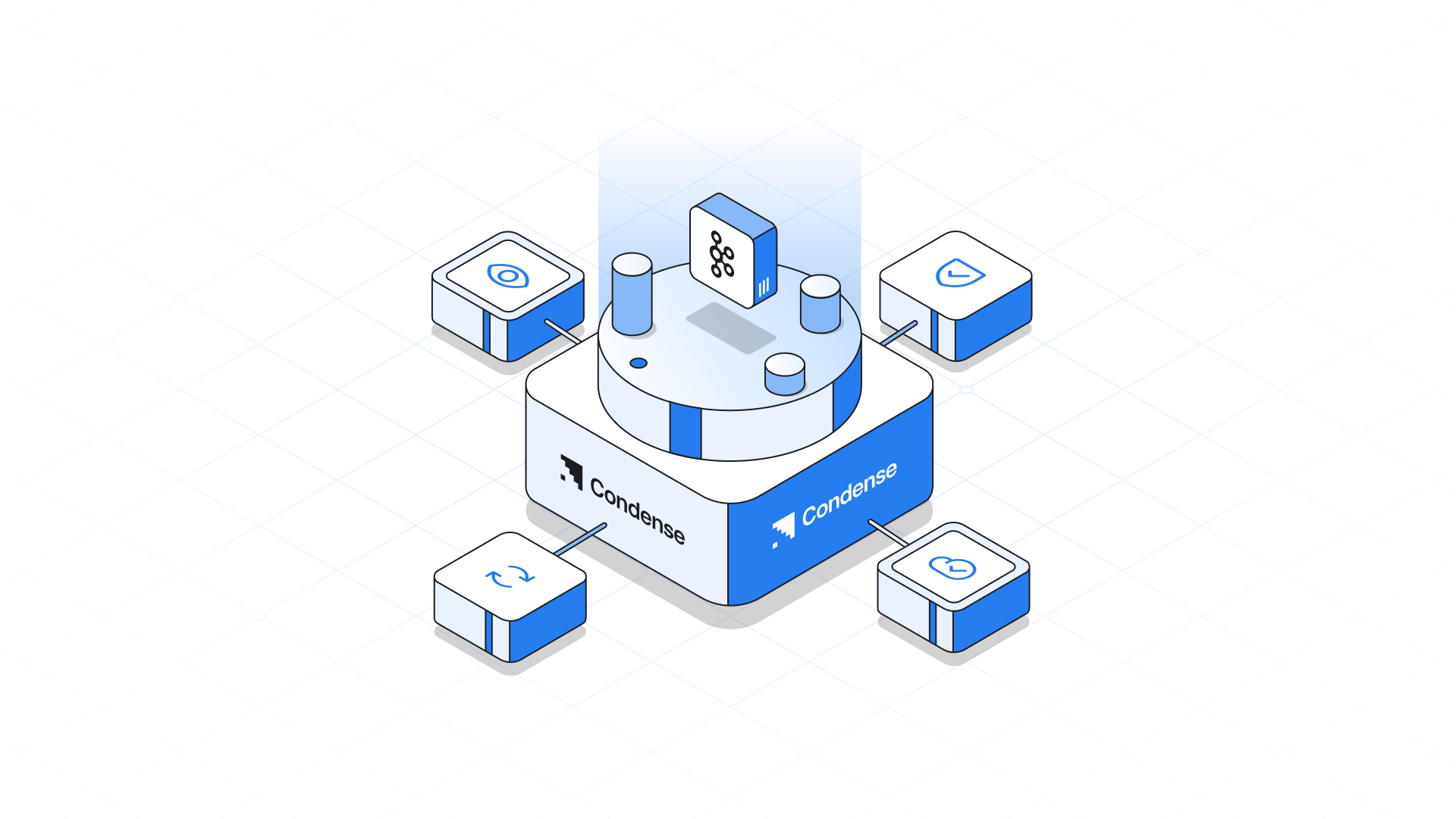
<figure><img src="https://3716651141-files.gitbook.io/~/files/v0/b/gitbook-x-prod.appspot.com/o/spaces%2FrwKRGO3QthZ6EMqqYblg%2Fuploads%2FCngEpDKnbEn9sLAna2Ym%2FFtCondVec1.png?alt=media&amp;token=3688d9e1-cbe0-4ea2-9ff0-f3ac4fd6884a" alt=""><figcaption></figcaption></figure>

No trade-offs. Condense offers a cloud-native, fully managed Kafka experience that is deployable on your terms through BYOC. Keep control of your data while we handle the complexity, ensuring your real-time streaming platform runs seamlessly without major involvement from your team.


# Kafka Management

## Kafka Component Architecture <a href="#kafka-component-architecture" id="kafka-component-architecture"></a>

A KRaft-based Kafka cluster consists of broker nodes responsible for message delivery and controller nodes that manage cluster metadata and coordinate clusters. These roles can be configured using node pools in deployment manifests.

Other Kafka components interact with the Kafka cluster for specific tasks.

### Kafka Component Interactions

<figure><img src="https://3716651141-files.gitbook.io/~/files/v0/b/gitbook-x-prod.appspot.com/o/spaces%2FrwKRGO3QthZ6EMqqYblg%2Fuploads%2FKvK2bP913eEJcrPMoB82%2FKafkaMgmtVec1.png?alt=media&amp;token=47b936e6-b27b-4b20-afff-d9a26813f1cc" alt=""><figcaption></figcaption></figure>

### Kafka Connect

Kafka Connect is an integration toolkit for streaming data between Kafka brokers and other systems using *connector* plugins. Kafka Connect provides a framework for integrating Kafka with an external data source or target, such as a database, for import or export of data using connectors. Connectors provide the connection configuration needed.

* A *source* connector pushes external data into Kafka.
* A *sink* connector extracts data out of Kafka

External data is translated and transformed into the appropriate format.

Kafka Connect can be configured to build custom container images with the required connectors.

### Kafka MirrorMaker

Kafka MirrorMaker replicates data between two Kafka clusters, either in the same data center or across different locations.

### Kafka Exporter

Kafka Exporter extracts data for analysis as Prometheus metrics, primarily data relating to offsets, consumer groups, consumer lag and topics. Consumer lag is the delay between the last message written to a partition and the message currently being picked up from that partition by a consumer

***

## Securing Kafka <a href="#securing-kafka" id="securing-kafka"></a>

### Encryption <a href="#encryption" id="encryption"></a>

Kafka in Condense supports Transport Layer Security (TLS), a protocol for encrypted communication.

{% hint style="info" %}
IMPORTANT!\
\
Communication is always encrypted between Kafka components.
{% endhint %}

### Authentication

Kafka listeners use authentication to ensure a secure client connection to the Kafka cluster. Clients can also be configured for mutual authentication. Security credentials are created and managed by the Cluster and User Operator.

### Supported authentication mechanisms

* mTLS authentication (on listeners with TLS-enabled encryption)
* SASL SCRAM-SHA-512
* OAuth 2.0 token-based authentication
* Custom authentication (supported by Kafka)

### Authorization <a href="#authorization" id="authorization"></a>

Authorization controls the operations that are permitted on Kafka brokers by specific clients or users.

#### Supported authorization mechanisms

* Simple authorization using ACL rules
* OAuth 2.0 authorization (if you are using OAuth 2.0 token-based authentication)
* Open Policy Agent (OPA) authorization
* Custom authorization (supported by Kafka)

### Federal Information Processing Standards (FIPS)

Kafka in Condense can run on FIPS-enabled Kubernetes clusters to ensure data security and system interoperability if the native Kubernetes service of the cloud provider supports it.

***

## Monitoring Kafka <a href="#monitoring-kafka" id="monitoring-kafka"></a>

Monitoring data allows you to monitor the performance and health of Kafka in Condense. You can configure your deployment to capture metrics data for analysis and notifications.

Metrics data is useful when investigating issues with connectivity and data delivery. For example, metrics data can identify under-replicated partitions or the rate at which messages are consumed. Alerting rules can provide time-critical notifications on such metrics through a specified communications channel. Monitoring visualizations present real-time metrics data to help determine when and how to update the configuration of your deployment.

The following tools are used for metrics and monitoring which is shipped with the Condense deployment

### Prometheus

[Prometheus](https://github.com/prometheus) pulls metrics from Kafka, Controllers, and Kafka Connect clusters. The Prometheus Alertmanager plugin handles alerts and routes them to a notification service.

### Kafka Exporter

[Kafka Exporter](https://github.com/danielqsj/kafka_exporter) adds additional Prometheus metrics.

### Grafana

[Grafana Labs](https://grafana.com/) provides dashboard visualizations of Prometheus metrics.

***

## Kafka management on your cloud <a href="#kafka-management-on-your-cloud" id="kafka-management-on-your-cloud"></a>

### Multi-Zone Deployment for High Availability <a href="#multi-zone-deployment-for-high-availability" id="multi-zone-deployment-for-high-availability"></a>

This architecture demonstrates how Condense achieves a highly available, scalable, and resilient Kafka deployment within a Virtual Private Cloud (VPC) on Azure Kubernetes Service (AKS).

<figure><img src="https://3716651141-files.gitbook.io/~/files/v0/b/gitbook-x-prod.appspot.com/o/spaces%2FrwKRGO3QthZ6EMqqYblg%2Fuploads%2FMmZ9BQ40l3Kp8QTCS54s%2FKafkaMgmtVec4.png?alt=media&amp;token=4e62a0cd-06d5-4c17-8c86-1b1f0a04f783" alt=""><figcaption></figcaption></figure>

#### Key Components

* A dedicated node pool is distributed across three availability zones (Zone A, B, C) in Region A to enhance fault tolerance.
* Each node contains:
  * Kafka Operator – Manages Kafka lifecycle and configurations.
  * Kafka Broker – Handles message storage and distribution, backed by Persistent Volume Claims (PVCs) for data durability.
  * Controller – Manages cluster metadata and leadership election, also using PVCs for persistence.

#### High Availability & Fault Tolerance

* Multi-Zone Redundancy

  Kafka components are distributed across three zones, preventing single points of failure and ensuring continuous availability.
* Node Affinity & Pod Anti-Affinity
  * Node Affinity ensures components are deployed on specific nodes that are running in different regions.
  * Pod Anti-Affinity prevents multiple critical Kafka instances from running on the same node, improving redundancy.

#### Networking & Load Balancing

* Internal Access (VNet Peering): Allows internal clients to communicate with Kafka through an internal load balancer, maintaining security and low latency. This makes it easier to connect existing services to Kafka internally.
* External Access (Internet Load Balancer): Distributes traffic efficiently to external clients, ensuring reliable connectivity.

#### Scalability & Self-Healing

* Dynamic Scaling: Kubernetes automatically scales Kafka brokers based on workload demands.
* Self-Healing Mechanisms: Kubernetes reschedules failed pods and maintains cluster stability without manual intervention.

### Multi-Region Deployment for Disaster Recovery <a href="#multi-region-deployment-for-disaster-recovery" id="multi-region-deployment-for-disaster-recovery"></a>

Building on the high availability architecture defined earlier, this approach extends Kafka’s resilience by implementing a multi-region deployment for disaster recovery using Kafka MirrorMaker 2. This ensures seamless data replication and failover across geographically distributed clusters.

#### Unidirectional

<figure><img src="https://3716651141-files.gitbook.io/~/files/v0/b/gitbook-x-prod.appspot.com/o/spaces%2FrwKRGO3QthZ6EMqqYblg%2Fuploads%2FG2Xb967smnP5o9epxp5X%2FKafkaMgmtVec2.png?alt=media&amp;token=61074835-6e23-4695-8500-c7abf60bf352" alt=""><figcaption></figcaption></figure>

#### Bidirectional

<figure><img src="https://3716651141-files.gitbook.io/~/files/v0/b/gitbook-x-prod.appspot.com/o/spaces%2FrwKRGO3QthZ6EMqqYblg%2Fuploads%2FxioVa518IXnnEpQfs1kt%2FKafkaMgmtVec3.png?alt=media&amp;token=17227de7-f52d-45e2-b2b9-0eb32aed7598" alt=""><figcaption></figcaption></figure>

#### Unidirectional Replication (Primary-Backup Model)

* Primary Region (Region A):

  A local producer writes data to the source Kafka cluster.
* Cross-Region Replication:

  Kafka MirrorMaker 2 replicates data to a secondary Kafka cluster in Region B.
* Backup Region (Region B):

  The target Kafka cluster serves as a hot backup, ensuring data availability in case of failure in Region A.
* Use Case: Ensures a disaster recovery mechanism with a standby cluster that can take over operations if the primary region fails.

#### Bidirectional Replication (Active-Active Model)

* Multi-Region Active Clusters:

  Clusters in Region A and Region B actively handle data ingestion, processing, and replication.
* Real-Time Cross-Replication:
  * Kafka MirrorMaker 2 ensures continuous synchronization between both regions.
  * If one cluster fails, the other automatically continues operations, preventing downtime.

{% hint style="info" %}
**Use Case:**

\
Enables an active-active multi-region setup, ensuring real-time failover and load balancing.
{% endhint %}

***

## Monitoring Kafka <a href="#monitoring-kafka" id="monitoring-kafka"></a>

Monitoring data allows you to monitor the performance and health of Kafka in Condense. You can configure your deployment to capture metrics data for analysis and notifications.

Metrics data is useful when investigating issues with connectivity and data delivery. For example, metrics data can identify under-replicated partitions or the rate at which messages are consumed. Alerting rules can provide time-critical notifications on such metrics through a specified communications channel. Monitoring visualizations present real-time metrics data to help determine when and how to update the configuration of your deployment.

The following tools are used for metrics and monitoring which is shipped with the Condense deployment

**Prometheus**

[Prometheus](https://github.com/prometheus) pulls metrics from Kafka, Controllers, and Kafka Connect clusters. The Prometheus Alertmanager plugin handles alerts and routes them to a notification service.

**Kafka Exporter**

[Kafka Exporter](https://github.com/danielqsj/kafka_exporter) adds additional Prometheus metrics.

**Grafana**

[Grafana Labs](https://grafana.com/) provides dashboard visualizations of Prometheus metrics.<br>


# Kafka Connect

Kafka Connect uses connector instances to integrate with other systems to stream data.

Kafka Connect loads existing connector instances on start-up and distributes data streaming tasks and connector configuration across worker pods. Workers run the tasks for the connector instances. Each worker runs as a separate pod to make the Kafka Connect cluster more fault-tolerant. If there are more tasks than workers, workers are assigned multiple tasks. If a worker fails, its tasks are automatically assigned to active workers in the Kafka Connect cluster.

The main Kafka Connect components used in streaming data are as follows:

* Connectors to create tasks
* Tasks to move data
* Workers to run tasks
* Transforms to manipulate data
* Converters to convert data

## Connectors <a href="#connectors" id="connectors"></a>

Connectors can be one of the following types:

* Source connectors that push data into Kafka
* Sink connectors that extract data out of Kafka

Plugins provide the implementation for Kafka Connect to run connector instances. Connector instances create the tasks required to transfer data in and out of Kafka. The Kafka Connect runtime orchestrates the tasks to split the work required between the worker pods.

MirrorMaker 2 also uses the Kafka Connect framework. In this case, the external data system is another Kafka cluster. Specialized connectors for MirrorMaker 2 manage data replication between source and target Kafka clusters.

{% hint style="info" %}
In addition to the MirrorMaker 2 connectors, Kafka provides two connectors as examples:

* `FileStreamSourceConnector` streams data from a file on the worker’s filesystem to Kafka, reading the input file and sending each line to a given Kafka topic.<br>
* `FileStreamSinkConnector` streams data from Kafka to the worker’s filesystem, reading messages from a Kafka topic and writing a line for each in an output file.
  {% endhint %}

The following source connector diagram shows the process flow for a source connector that streams records from an external data system. A Kafka Connect cluster might operate source and sink connectors at the same time. Workers are running in a distributed mode in the cluster. Workers can run one or more tasks for more than one connector instance.

***

## Source Connector Streaming Data to Kafka

<figure><img src="https://3716651141-files.gitbook.io/~/files/v0/b/gitbook-x-prod.appspot.com/o/spaces%2FrwKRGO3QthZ6EMqqYblg%2Fuploads%2FD7rKPwGyfEgwr5WtUeUa%2FKafkaDataFlowVec1.png?alt=media&amp;token=ef03e5fb-c5b9-4e47-8a11-6db6b9aeb610" alt=""><figcaption></figcaption></figure>

1. A plugin provides the implementation artefacts for the source connector
2. A single worker initiates the source connector instance
3. The source connector creates the tasks to stream data
4. Tasks run in parallel to poll the external data system and return records
5. Transforms adjust the records, such as filtering or relabelling them
6. Converters put the records into a format suitable for Kafka
7. The source connector is managed using KafkaConnectors or the Kafka Connect API

The following sink connector diagram shows the process flow when streaming data from Kafka to an external data system.

<figure><img src="https://3716651141-files.gitbook.io/~/files/v0/b/gitbook-x-prod.appspot.com/o/spaces%2FrwKRGO3QthZ6EMqqYblg%2Fuploads%2Fw7jzhQun4FNEtR1IqMIX%2FKafkaDataFlowVec2.png?alt=media&amp;token=a0b8c011-df4e-479d-86e6-c7d78f85c630" alt=""><figcaption></figcaption></figure>

1. A plugin provides the implementation artefacts for the sink connector
2. A single worker initiates the sink connector instance
3. The sink connector creates the tasks to stream data
4. Tasks run in parallel to poll Kafka and return records
5. Converters put the records into a format suitable for the external data system
6. Transforms adjust the records, such as filtering or relabelling them
7. The sink connector is managed using KafkaConnectors or the Kafka Connect API

## Tasks <a href="#tasks" id="tasks"></a>

Data transfer orchestrated by the Kafka Connect runtime is split into tasks that run in parallel. A task is started using the configuration supplied by a connector instance. Kafka Connect distributes the task configurations to workers, which instantiates and executes tasks.

* A source connector task polls the external data system and returns a list of records that a worker sends to the Kafka brokers.
* A sink connector task receives Kafka records from a worker for writing to the external data system.

For sink connectors, the number of tasks created relates to the number of partitions being consumed. For source connectors, the way how the source data is partitioned is defined by the connector. You can control the maximum number of tasks that can run in parallel by setting `tasksMax` in the connector configuration. The connector might create fewer tasks than the maximum setting. For example, the connector might create fewer tasks if it’s not possible to split the source data into that many partitions.

{% hint style="info" %}
In the context of Kafka Connect, a *partition* can mean a topic partition or a *shard of data* in an external system.
{% endhint %}

## Workers <a href="#workers" id="workers"></a>

Workers employ the connector configuration deployed to the Kafka Connect cluster. The configuration is stored in an internal Kafka topic used by Kafka Connect. Workers also run connectors and their tasks.

A Kafka Connect cluster contains a group of workers with the same `group.id`. The ID identifies the cluster within Kafka. The ID is assigned in the worker configuration through the `KafkaConnect` resource. Worker configuration also specifies the names of internal Kafka Connect topics. The topics store connector configuration, offset, and status information. The group ID and names of these topics must also be unique to the Kafka Connect cluster.

Workers are assigned one or more connector instances and tasks. The distributed approach to deploying Kafka Connect is fault-tolerant and scalable. If a worker pod fails, the tasks it was running are reassigned to active workers. You can add to a group of worker pods through the configuration of the `replicas` property in the `KafkaConnect` resource.

## Transforms <a href="#transforms" id="transforms"></a>

Kafka Connect translates and transforms external data. Single-message transforms change messages into a format suitable for the target destination. For example, a transform might insert or rename a field. Transforms can also filter and route data. Plugins contain the implementation required for workers to perform one or more transformations.

* Source connectors apply transforms before converting data into a format supported by Kafka.
* Sink connectors apply transforms after converting data into a format suitable for an external data system.

A transform comprises a set of Java class files packaged in a JAR file for inclusion in a connector plugin. Kafka Connect provides a set of standard transforms, but you can also create your own.

## Converters <a href="#converters" id="converters"></a>

When a worker receives data, it converts the data into an appropriate format using a converter. You specify converters for workers in the worker `config` in the `KafkaConnect` resource.

Kafka Connect can convert data to and from formats supported by Kafka, such as JSON or Avro. It also supports schemas for structuring data. If you are not converting data into a structured format, you don’t need to enable schemas.

{% hint style="info" %}
You can also specify converters for specific connectors to override the general Kafka Connect worker configuration that applies to all workers.
{% endhint %}


# Schema Registry

With a managed Kafka instance, Condense ships a schema registry. It provides a RESTful interface for storing and retrieving your Avro®, JSON Schema, and Protobuf schemas.

It stores a versioned history of all schemas based on a specified subject name strategy, provides multiple compatibility settings, and allows the evolution of schemas according to the configured compatibility settings and expanded support for these schema types.

It provides serializers that plug into Apache Kafka® clients that handle schema storage and retrieval for Kafka messages sent in any supported formats.

Schema registry is hosted with the Condense deployment and the APIs are available on an internal load balancer IP.

## Examples

```
# Register a new version of a schema under the subject "Kafka-key"
$ curl -X POST -H "Content-Type: application/vnd.schemaregistry.v1+json" \
    --data '{"schema": "{\"type\": \"string\"}"}' \
    http://<internal-lb-ip>:8081/subjects/Kafka-key/versions
  {"id":1}

# Register a new version of a schema under the subject "Kafka-value"
$ curl -X POST -H "Content-Type: application/vnd.schemaregistry.v1+json" \
    --data '{"schema": "{\"type\": \"string\"}"}' \
     http://<internal-lb-ip>:8081/subjects/Kafka-value/versions
  {"id":1}

# List all subjects
$ curl -X GET http://<internal-lb-ip>:8081/subjects
  ["Kafka-value","Kafka-key"]

# List all schema versions registered under the subject "Kafka-value"
$ curl -X GET http://<internal-lb-ip>:8081/subjects/Kafka-value/versions
  [1]

# Fetch a schema by globally unique id 1
$ curl -X GET http://<internal-lb-ip>:8081/schemas/ids/1
  {"schema":"\"string\""}

# Fetch version 1 of the schema registered under subject "Kafka-value"
$ curl -X GET http://<internal-lb-ip>:8081/subjects/Kafka-value/versions/1
  {"subject":"Kafka-value","version":1,"id":1,"schema":"\"string\""}

# Fetch the most recently registered schema under subject "Kafka-value"
$ curl -X GET http://<internal-lb-ip>:8081/subjects/Kafka-value/versions/latest
  {"subject":"Kafka-value","version":1,"id":1,"schema":"\"string\""}

# Delete version 3 of the schema registered under subject "Kafka-value"
$ curl -X DELETE http://<internal-lb-ip>:8081/subjects/Kafka-value/versions/3
  3

# Delete all versions of the schema registered under subject "Kafka-value"
$ curl -X DELETE http://<internal-lb-ip>:8081/subjects/Kafka-value
  [1, 2, 3, 4, 5]

# Check whether a schema has been registered under subject "Kafka-key"
$ curl -X POST -H "Content-Type: application/vnd.schemaregistry.v1+json" \
    --data '{"schema": "{\"type\": \"string\"}"}' \
    http://<internal-lb-ip>:8081/subjects/Kafka-key
  {"subject":"Kafka-key","version":1,"id":1,"schema":"\"string\""}

# Test compatibility of a schema with the latest schema under subject "Kafka-value"
$ curl -X POST -H "Content-Type: application/vnd.schemaregistry.v1+json" \
    --data '{"schema": "{\"type\": \"string\"}"}' \
    http://<internal-lb-ip>:8081/compatibility/subjects/Kafka-value/versions/latest
  {"is_compatible":true}

# Get top level config
$ curl -X GET http://<internal-lb-ip>:8081/config
  {"compatibilityLevel":"BACKWARD"}

# Update compatibility requirements globally
$ curl -X PUT -H "Content-Type: application/vnd.schemaregistry.v1+json" \
    --data '{"compatibility": "NONE"}' \
    http://<internal-lb-ip>:8081/config
  {"compatibility":"NONE"}

# Update compatibility requirements under the subject "Kafka-value"
$ curl -X PUT -H "Content-Type: application/vnd.schemaregistry.v1+json" \
    --data '{"compatibility": "BACKWARD"}' \
    http://<internal-lb-ip>:8081/config/Kafka-value
  {"compatibility":"BACKWARD"}
```


# Securing Kafka

## Encryption <a href="#encryption" id="encryption"></a>

Kafka in Condense supports Transport Layer Security (TLS), a protocol for encrypted communication.

Communication is always encrypted between Kafka components.

## Authentication <a href="#authentication" id="authentication"></a>

Kafka listeners use authentication to ensure a secure client connection to the Kafka cluster. Clients can also be configured for mutual authentication. Security credentials are created and managed by the Cluster and User Operator.

### Supported authentication mechanisms

* mTLS authentication (on listeners with TLS-enabled encryption)
* SASL SCRAM-SHA-512
* OAuth 2.0 token based authentication
* Custom authentication (supported by Kafka)

## Authorization <a href="#authorization" id="authorization"></a>

Authorization controls the operations that are permitted on Kafka brokers by specific clients or users.

### Supported authorization mechanisms

* Simple authorization using ACL rules
* OAuth 2.0 authorization (if you are using OAuth 2.0 token-based authentication)
* Open Policy Agent (OPA) authorization
* Custom authorization (supported by Kafka)

## Federal Information Processing Standards (FIPS)

Kafka in Condense can run on FIPS-enabled Kubernetes clusters to ensure data security and system interoperability if the native Kubernetes service of the cloud provider supports it.


# Kafka Administration

Condense offers a fully managed Kafka service, that automates the complexities of Kafka infrastructure management. This includes handling tasks such as cluster provisioning, scaling, and maintenance, allowing users to focus on building and deploying data pipelines. The platform provides built-in security features and real-time observability, enabling users to monitor and optimize their Kafka deployments effortlessly.

To manage Kafka-related configurations, Condense offers Kafka admin client APIs. The admin client APIs can be used for all the cluster operations, such as `createTopics`, `createPartitions`, etc.

## API Contract Along with a Detailed Description <a href="#api-contract-along-with-the-detailed-description" id="api-contract-along-with-the-detailed-description"></a>

<table><thead><tr><th width="132">API Name</th><th>API Request</th><th>API Description</th><th width="256">API Response</th></tr></thead><tbody><tr><td>/listGroups</td><td>NA</td><td>The purpose of the ListGroups API is to get a simple list of the Group IDs that are managed by broker.</td><td><p><code>{</code> <br><code>"data":</code> <br><code>{ "groups":</code> <br><code>[</code> </p><p><code>{ "groupId": "b8316KqF_M9OwFfFAABXhdfhbu", "protocolType": "consumer" },</code> <br><code>{ "groupId": "connect-cluster-sqs", "protocolType": "connect" },</code> <br><code>{ "groupId": "connect-aws-sqs-sink-connector", "protocolType": "consumer" }</code> <br><code>]</code> </p><p><code>},</code> <br><code>"status": "success", "message": "Groups retrieved successfully" }</code></p></td></tr><tr><td>/resetOffSets</td><td><code>{ "groupId": "my-consumer-group", "topic": "postmanValidation" }</code></td><td>Resets the consumer group offset to the earliest or latest offset. Note that consumer group must have no running instances when performing the reset</td><td><code>{ "status": "success", "message": "Offset Reset successfully" }</code></td></tr><tr><td>/setOffSets</td><td><code>{ "topic": "postmanValidation", "partitions":</code> <br><code>[</code> <br><code>{ "partition": 0, "offset": 0 }</code> <br><code>]</code> <br><code>}</code></td><td>Delete records for a selected topic. This will delete all records from the earliest offset. To delete all records in a partition, use a target offset of <code>-1</code>.</td><td>NA</td></tr><tr><td>/createTopic</td><td><code>{ "topicName": "postmanValidation", "timeoutTime":5000, "numOfPartitions": 2, "configEntries": []</code> <br><code>}</code></td><td>This API will create a new topic and will return true if created successfully or false when creating a new topic. <br><br>NOTE: If <em>configEnties and other configurations are not given, it’ll take the default configuration from the Broker.</em></td><td><code>{ "status": "success", "message": "Topic Created Successfully" }</code></td></tr><tr><td>/deleteTopic</td><td><code>{ "topicName":"postmanValidation" }</code></td><td>This will delete the topic from kafka cluster. Only one topic can be deleted at once.</td><td><code>{ "status": "success", "message": "Topic deleted successfully" }</code></td></tr><tr><td>/getAllTopicDetails</td><td>NA</td><td>API will fetch all the metadata related to all topics in kafka cluster</td><td><code>{ "name": "test", "partitions":</code> <br><code>[</code><br><code>{ "partitionErrorCode": 0, "partitionId": 0, "leader": 2, "replicas":</code> <br><code>[ 2, 1, 0 ],</code> <br><code>"isr": [ 2, 1, 0 ], "offlineReplicas": [] },</code> <br><code>{ "partitionErrorCode": 0, "partitionId": 3, "leader": 2, "replicas": [ 2, 0, 1 ],</code> <br><code>"isr": [ 2, 1, 0 ], "offlineReplicas": []</code><br><code>}</code> <br><code>]</code> <br><code>}</code></td></tr><tr><td>/getTopicDetails/:topic</td><td><code>{ "topic": "postmanValidation" }</code></td><td>This API shall fetch metadata along with latest offset of a single topic.</td><td><p><code>{ "data":</code> <br><code>{ "topics":</code> <br><code>[</code> <br><code>{ "name": "postmanValidation", "partitions":</code> <br><code>[</code> <br><code>{ "partitionErrorCode": 0, "partitionId": 0, "leader": 2, "replicas": [ 2, 1, 0 ],</code> <br><code>"isr": [ 2, 1, 0 ], "offlineReplicas": [] },</code> <br><code>{ "partitionErrorCode": 0, "partitionId": 1, "leader": 1, "replicas": [ 1, 0, 2 ],</code> <br><code>"isr": [ 1, 0, 2 ], "offlineReplicas": []</code><br><code>} ],</code></p><p><code>"offsetOfTopic":</code> <br><code>[</code> <br><code>{ "partition": 1, "offset": "0", "high": "0", "low": "0" },</code><br><code>{ "partition": 0, "offset": "0", "high": "0", "low": "0" }</code><br><code>]</code></p><p><code>}</code></p><p><code>]</code></p><p><code>}, "status": "success", "message": "Data retrieved successfully" }</code></p></td></tr><tr><td>/describeCluster</td><td>NA</td><td>API gets information about the broker cluster. This API details contains details related to monitoring</td><td><p><code>{ "data":</code> <br><code>{ "brokers":</code> <br><code>[</code> <br><code>{ "nodeId": 0, "host": "my-cluster-kafka-0.my-cluster-kafka-brokers.kafka.svc", "port": 9092 },</code> </p><p><code>{ "nodeId": 2, "host": "my-cluster-kafka-2.my-cluster-kafka-brokers.kafka.svc", "port": 9092 },</code></p><p><code>{ "nodeId": 1, "host": "my-cluster-kafka-1.my-cluster-kafka-brokers.kafka.svc", "port": 9092 }</code> </p><p><code>],</code> </p><p><code>"controller": 2, "clusterId": "YpxpUciGScack2Z9CijpGw" },</code> </p><p><code>"status": "success", "message": "Data retrieved successfully" }</code></p></td></tr><tr><td>/describeTopic</td><td><code>{ "topicName":"postmanValidation" }</code></td><td>Get the configuration for the specified topic in kafka cluster</td><td><p><code>{ "data":</code> </p><p><code>{ "resources":</code> </p><p><code>[</code> </p><p><code>{ "errorCode": 0, "errorMessage": "", "resourceType": 2, "resourceName": "postmanValidation", "configEntries":</code> </p><p><code>[</code> </p><p><code>{ "configName": "compression.type", "configValue": "producer", "readOnly": false, "isDefault": true, "configSource": 5, "isSensitive": false, "configSynonyms": []</code> </p><p><code>},</code> </p><p><code>]</code> </p><p><code>}</code> </p><p><code>]</code> </p><p><code>},</code> </p><p><code>"status": "success", "message": "Data retrieved successfully" }</code></p></td></tr><tr><td>/updateTopicConfigs</td><td><p><code>{ "topicName": "postmanValidation", "configEntries": [</code> </p><p><code>{ "name": "cleanup.policy", "value": "compact" }</code> </p><p><code>]</code> </p><p><code>}</code></p></td><td>Update the configuration for the specified topic</td><td><p><code>{ "data":</code> </p><p><code>{ "resources":</code> </p><p><code>[</code> </p><p><code>{ "errorCode": 0, "errorMessage": null, "resourceType": 2, "resourceName": "postmanValidation"</code> </p><p><code>}</code> </p><p><code>]</code> </p><p><code>},</code> </p><p><code>"status": "success", "message": "Configuration updated successfully" }</code></p></td></tr><tr><td>/getOffsetsForGroup</td><td><code>{ "groupId":"my-consumer-group" }</code></td><td>It returns the consumer group offset for a list of topics</td><td><code>{ "status": "success", "message": "Offsets retrieved successfully", "partitions": [] }</code></td></tr><tr><td>/deleteGroup</td><td><code>{ "groupId":"my-consumer-group" }</code></td><td>This API shall delete group by groupId. Only a single group can be deleted at once</td><td><code>{ "status": "success", "message": "Group Deleted successfully" }</code></td></tr></tbody></table>


# Roles and Governance

## Overview

Condense provides a layered Role-Based Access Control (RBAC) system that defines how users are onboarded, granted access, and permitted to operate within the platform.\
This RBAC model supports:

* Clear administrative separation
* Strong isolation between environments and workspaces
* Predictable and least-privilege access assignment
* Smooth governance for teams of all sizes

The RBAC model spans two areas of the Condense platform:

**Condense Console** – the organization control plane\
**Condense Core** – the operational data plane containing environments and workspaces

This document describes each role, how access propagates, and how administrators assign members across these layers.

## Access Layers in Condense

Condense access is structured into three layers:

```
Organization → Environment → Workspace
```

Each layer has its own hierarchy, responsibilities, and roles. The diagram below shows the complete flow of access across Organization, Environment, and Workspace layers in Condense

<figure><img src="https://content.gitbook.com/content/rwKRGO3QthZ6EMqqYblg/blobs/1SpNUL2Q3tEsZkCz4HVh/image.png" alt=""><figcaption></figcaption></figure>

***

## Organization Layer (Condense Console)

The Organization layer controls the company’s identity within Condense.\
Here, administrators manage:

* Organization profile
* Users and roles
* Environment onboarding
* Member invitation
* Billing visibility

> Organization roles control **who governs the organization**, and **who can grant access to specific environments**.

### Organization Roles

#### Organization Admin

The top-level administrative role for the entire organization.

**Responsibilities**

* Set up and manage the organization
* Invite new members
* Assign Organization-level roles (Billing Admin, Account Admin, Environment Admin, Environment User)
* Assign environment access to members
* Link and manage environments associated with the organization

{% hint style="info" %}
**Access Flow**\
While Organization Admin manages access centrally, they must assign themselves an Environment Admin or Environment User role to operationally enter a specific environment.
{% endhint %}

#### Account Admin

Focused on access management for assigned environments.

**Responsibilities**

* Invite members to their assigned environments
* Assign environment roles (Environment Admin or Environment User)
* Suspend users in the environments they manage

#### Billing Admin

Role for financial governance and usage management.

**Responsibilities**

* View billing details and usage reports
* Manage payment information
* Visibility limited to the environments assigned to them

#### Environment Admin (assigned from Console)

An Organization Admin can assign a member to become Environment Admin for one or more environments.

This grants full access in those environments within Condense Core.

#### Environment User (assigned from Console)

A non-admin member of an environment.

Environment Users gain workspace-level access only through workspace-role assignments inside Condense Core.

***

## Environment Layer (Condense Core)

An Environment represents an isolated execution space containing Workspaces, applications, connectors, Kafka resources, and monitoring.

Each user entering an environment receives one of two roles:

* Environment Admin
* Environment User

These roles control access to Workspaces and operational features.

### Environment Admin

The highest authority within an environment.

**Capabilities**

* Full visibility into every workspace in the environment
* Create and manage workspaces
* Manage workspace membership
* Configure pipelines, connectors, transforms, and utilities
* Create, modify, and delete applications
* Access Kafka operations (topics, consumer groups, schema registry)
* View environment metrics and dashboards

Environment Admins do **not** need workspace-role assignments.\
They can operate across all workspaces automatically.

### Environment User

A non-administrative user who has access to the environment but **does not automatically see any workspace**.

Workspace visibility and workflow access depend entirely on the workspace roles assigned to them.

#### Single-Role Assignment Model

Within an environment:

* An Environment User receives **one workspace role** (e.g., Developer, Maintainer)
* The role applies to **all workspaces selected** during assignment
* If more workspaces are added later, they must receive **the same role**
* Environment Users **cannot** hold mixed roles (e.g., Developer in W1 and Viewer in W2) within the same environment

> This simplifies governance and preserves consistent privilege levels.

***

## Workspace Layer (Condense Core)

Workspaces are operational areas inside an environment, each hosting its own applications, connectors, pipelines, and Kafka-based resources.

{% hint style="success" %}
Workspace roles determine operational capability.
{% endhint %}

### Workspace Roles

#### Kafka Admin

Full Kafka management inside the assigned workspace(s).\
Manages topics, consumer groups, schema registry entities, and compatibilities.

#### Maintainer

Responsible for deploying and managing connectors, transforms, and utilities.

#### Developer

Creates, updates, and publishes applications.\
Can restore and delete applications in the assigned workspaces.

#### Viewer

Read-only access to applications, connectors, logs, and configurations.

***

## How Access Works Together

### Access to Condense Core

To enter an environment inside Condense Core, a user must have:

* Environment Admin, or
* Environment User

assigned at the organization layer.

{% hint style="success" %}
Environment Admin → full environment visibility\
Environment User → workspace visibility only after workspace-role assignment
{% endhint %}

### Workspace Access

Environment Admin\
→ Sees and manages all workspaces automatically

Environment User\
→ Sees only the workspaces for which a workspace role was assigned\
→ Workspace role must be the same across all selected workspaces

***

## Member & Role Assignment Flow

### Creating an Organization and Becoming Organization Admin

1. Sign up or create a new organization in Condense Console <https://console.condense.zeliot.in/signUp>

<div data-with-frame="true"><figure><img src="https://content.gitbook.com/content/rwKRGO3QthZ6EMqqYblg/blobs/J4wWXaLFahV1z6wLIf9U/image.png" alt=""><figcaption></figcaption></figure></div>

2. The creator automatically becomes the **Organization Admin**

<div data-with-frame="true"><figure><img src="https://content.gitbook.com/content/rwKRGO3QthZ6EMqqYblg/blobs/q27pMxg6KS3bAIGPKWsP/image.png" alt=""><figcaption></figcaption></figure></div>

3. Environment(s) can now be linked to the organization

<div data-with-frame="true"><figure><img src="https://content.gitbook.com/content/rwKRGO3QthZ6EMqqYblg/blobs/HuIV9Fj1r08FHp6MXdKk/image.png" alt=""><figcaption></figcaption></figure></div>

### Inviting Members

As Organization Admin:

1. Go to **Members**
2. Select **Invite Member**
3. Enter user details

<div data-with-frame="true"><figure><img src="https://content.gitbook.com/content/rwKRGO3QthZ6EMqqYblg/blobs/fNDim7ZD6nX2yHinn0Y6/image.png" alt=""><figcaption></figcaption></figure></div>

4. Send invite

Once accepted, the member appears under the organization.

<div data-with-frame="true"><figure><img src="https://content.gitbook.com/content/rwKRGO3QthZ6EMqqYblg/blobs/Gl5snN5VMjFtcOtDRUXR/image.png" alt=""><figcaption></figcaption></figure></div>

5. Select the member and assign one of the Organization-level roles:

* Organization Admin
* Account Admin
* Billing Admin
* Environment Admin (for selected environments)
* Environment User (for selected environments)

<div data-with-frame="true"><figure><img src="https://content.gitbook.com/content/rwKRGO3QthZ6EMqqYblg/blobs/ctD33xsfBC7wOLDmZdc5/image.png" alt=""><figcaption></figcaption></figure></div>

{% hint style="danger" %}
You cannot assign any role to member if there is no Environment is associated to organization
{% endhint %}

### Assigning Organizational Roles

Organization Admins can assign:

* Organization Admin
* Account Admin
* Billing Admin

These roles control access in Condense Console.

### Assigning Environment Roles

Organization Admin or Account Admin can:

1. Select a member
2. Choose **Add to Environment**
3. Select an environment
4. Assign either:
   * Environment Admin
   * Environment User

This determines the member’s access level inside Corrdese Core.

### Assigning Workspace Roles (Inside Condense Core)

Only **Environment Admins** do this.

For an Environment User:

1. Navigate to **Members** in Condense Core
2. Select the Environment User
3. Choose **Assign Workspace Role**
4. Select role:
   * Kafka Admin
   * Maintainer
   * Developer
   * Viewer
5. Select one or more workspaces

> **Note**\
> The role selected applies to all selected workspaces. Later additions must use the same role.

***

## Example Scenario

#### Setup

**Environments**: Production, Testing\
**Workspaces**: FleetTracking, ColdChain, Sandbox

#### Team

| Name   | Org Role           | Environment Role       | Workspace Role                      |
| ------ | ------------------ | ---------------------- | ----------------------------------- |
| Anita  | Organization Admin | Env Admin (Prod, Test) | —                                   |
| Bharat | Account Admin      | Env User (Prod)        | Kafka Admin - FleetTracking         |
| Divya  | —                  | Env Admin (Test)       | Maintainer - Sandbox                |
| Eshan  | —                  | Env User (Prod)        | Developer -FleetTracking, ColdChain |
| Farah  | —                  | Env User (Test)        | Viewer - Sandbox                    |

#### User Experience

* **Anita**\
  Full authority across both environments and all workspaces.
* **Bharat**\
  Sees Production only.\
  Sees only FleetTracking because of the Kafka Admin role.
* **Divya**\
  Sees all workspaces in Testing.\
  Can deploy and manage connectors in Sandbox.
* **Eshan**\
  Sees Production.\
  Sees FleetTracking and ColdChain as Developer.
* **Farah**\
  Sees Sandbox with read-only access.

#### Behavior

* Environment Admins see and operate across **all workspaces** of their environments
* Environment Users only see the workspaces they have a role for
* Workspace roles for an Environment User always remain uniform across all selected workspaces

***

## Capability Overview

| Capability                      | Env Admin      | Env User (Workspace Role) |
| ------------------------------- | -------------- | ------------------------- |
| Access all Workspaces           | Yes            | No                        |
| Access only assigned Workspaces | Not applicable | Yes                       |
| Create / delete Workspaces      | Yes            | No                        |
| Manage Workspace members        | Yes            | No                        |
| Deploy connectors               | Yes            | Maintainer only           |
| Develop applications            | Yes            | Developer only            |
| Kafka operations                | Yes            | Kafka Admin only          |
| View everything                 | Yes            | Viewer only               |

Condense RBAC provides a structured, predictable access model across three layers:

* **Organization Layer** : governs who administers the organization and who can assign access
* **Environment Layer** : determines seniority and visibility for operations
* **Workspace Layer** : controls fine-grained operational capabilities

Environment Admins manage the entire environment and all workspaces.\
Environment Users gain workspace access only through explicit workspace-role assignments using a consistent role across selected workspaces.

This model keeps permissions clear, secure, and scalable, supporting diverse teams collaborating across multiple environments and workspaces.

***

## Lifecycle Guide

## Frequently Asked Questions (FAQs) <a href="#id-6.-frequently-asked-questions-faqs" id="id-6.-frequently-asked-questions-faqs"></a>


# Help and Support

Unified In-Platform Ticketing & Issue Management

## Overview

The **Condense Support Widget** enables users to raise support tickets directly from the Condense Core. It provides a seamless way to report issues, request enhancements, track ticket progress, and collaborate with the Condense support team, all without leaving your workspace.

***

## Accessing the Support Widget

You can open the support panel from the Condense Core by clicking on floating widget or go to **Support → Raise a Ticket.** The widget opens as a slide-out panel on the right side of the dashboard.

<div data-with-frame="true"><figure><img src="https://content.gitbook.com/content/rwKRGO3QthZ6EMqqYblg/blobs/hysKDNBm6pVn90SNeWRt/image.png" alt=""><figcaption></figcaption></figure></div>

***

## Ticket Creation Form

The ticket creation form includes the following fields:

#### Subject (Required)

A short, clear title describing your issue or request.

#### Workspace (If applicable)

Select the workspace where the problem occurred (e.g., *Fleet Management System*).\
If the issue is not workspace-specific, you may leave it unselected.

#### Feature (If applicable)

Choose the feature related to the issue. The options include:

* Pipelines
* Connectors
* Transforms
* Applications
* Settings
* Activity Auditor
* Kafka Management

#### Priority (Required)

Select the urgency level for your ticket:

* **P1** – Production down / Mission-critical blocked
* **P2** – System unstable / Critical development blocker
* **P3** – Time-sensitive issues with workarounds
* **P4** – Non-functional / Cosmetic issues
* **P5** – Documentation gaps or minor requests

#### Area of Concern (Required)

Categorize the issue under one of the following groups:

* Application
* Cloud / Infrastructure
* User Access Issues
* Billing
* Enhancements / Suggestions
* Others

#### Message (Required)

Describe the problem or request in detail. Include:

* What you expected to happen
* What actually happened
* Steps to reproduce
* Any supporting logs, IDs, or timestamps

#### Attachments

You may upload relevant files (max 20 MB total), such as logs or screenshots.\
Uploaded files appear in the attachment list with download and remove options.

#### Submit

Click **Raise Ticket** to submit the request. Ticket acknowledgment will be sent with unique ticket ID to the registered email address and also ticket status can be tracked in the ticket dashboard

***

## Support Dashboard

After submitting a ticket, you can view its status in the **Support Dashboard**.

<div data-with-frame="true"><figure><img src="https://content.gitbook.com/content/rwKRGO3QthZ6EMqqYblg/blobs/g5bOHwOgUx42leeeu6Wf/image.png" alt=""><figcaption></figcaption></figure></div>

The dashboard includes:

#### Overview Metrics

* Total Tickets
* Open Tickets
* High Priority Tickets

#### Tickets by Priority

A visual summary of P1–P5 distribution.

#### Tickets by Area of Concern

Categorized count of tickets raised by Applications, Infrastructure, Billing, etc.

#### Time Metrics

* Average Response Time
* Average Resolution Time

{% hint style="warning" %}
These metrics update periodically or via *Click here to refresh*.
{% endhint %}

***

## Managing Active Tickets

The “Active Tickets” tab lists all open tickets with:

* Ticket ID (e.g., #TC-552)
* Subject
* Priority
* Area of Concern
* Raised By
* Current Status (e.g., L1 Member)
* Last Activity

#### Filtering

You can filter the list using:

* Priority (P1–P5)
* Area of Concern
* Status (Under Review, In Progress, On Hold)

***

## Ticket Details & Conversation View

Selecting a ticket opens a detailed view with:

#### Conversation **Panel**

Shows threaded communication between:

* The Reporter (you)
* Condense Members (L1, L2, etc.)

Users can:

* Post follow-up comments
* Reply in real time
* Upload additional files

<div data-with-frame="true"><figure><img src="https://content.gitbook.com/content/rwKRGO3QthZ6EMqqYblg/blobs/HbslOcjwYNAgKytMvqxt/image.png" alt=""><figcaption></figcaption></figure></div>

#### **Ticket Metadata**

Displayed on the right side, including:

* Ticket ID
* Priority
* Area of Concern
* Raised By
* Assigned To
* Current Status
* Workspace
* Feature
* Attachments

All updates are timestamped for transparency.

### **Resolved Tickets**

The **Resolved Tickets** tab shows completed tickets along with their resolution status and activity history. You can reopen a ticket by adding a new comment if the issue persists. Resolution is communicated to the registered email aswell.

### **Email Notifications**

Upon ticket creation, Condense sends confirmation to the registered email (e.g., *<rakesht@zeliot.in>*). All conversation replies also trigger email notifications.

The Condense Support Widget brings all support interactions into one streamlined experience. It centralizes ticket creation, communication, status tracking, and resolution within the Condense Core, ensuring complete transparency and faster turnaround. With unified visibility into priorities, concerns, activity history, and assigned teams, users can efficiently monitor progress and collaborate with support members in real time. The widget eliminates dependency on external channels and delivers a consistent, structured, and fully integrated support workflow across the entire Condense platform.

### **Condense Support Terms**

For detailed information regarding support policies, service levels, responsibilities, and escalation guidelines, please refer to the official **Condense Support Terms** published in the Legal Documentation section and can be access at [**Condense Support Terms**](/condense/v2.4.0/legal/support-terms)


# BYOC

{% hint style="info" %}
**First Time User? Free Credits on us!**

Get up to $200 worth of Free credits when you sign up for the first time. Use this link to create a new account on Condense and claim your free credits!

[<mark style="background-color:purple;">https://www.zeliot.in/try-now</mark>](https://www.zeliot.in/try-now)
{% endhint %}

Condense offers a streamlined deployment process through cloud marketplaces like Microsoft Azure, Amazon Web Services and Google Cloud Platform.

### Here's a Breakdown of the Key Steps for Deployment

| Steps  | Deployment Process                             | Details                                                                                                                                                                                                                                                                          |
| ------ | ---------------------------------------------- | -------------------------------------------------------------------------------------------------------------------------------------------------------------------------------------------------------------------------------------------------------------------------------- |
| Step 1 | User initiates deployment                      | Users access the Condense offering within the chosen cloud marketplace (e.g., Azure Marketplace).                                                                                                                                                                                |
| Step 2 | Configuration and provisioning                 | Users configure deployment parameters, including desired resource allocation and pricing tier.                                                                                                                                                                                   |
| Step 3 | Cloud marketplace orchestrates deployment      | The cloud marketplace interacts with the Zeliot Central Tower to initiate the deployment process.                                                                                                                                                                                |
| Step 4 | Zeliot Central Tower authorizes and provisions | Central Tower verifies user credentials and allocates resources within the user's cloud environment.                                                                                                                                                                             |
| Step 5 | Condense infrastructure setup                  | Condense provisions the necessary infrastructure components, including the VPC, Kubernetes cluster, virtual machine, database, and container registry.                                                                                                                           |
| Step 6 | Service deployment                             | The Central Tower deploys the Condense services within the Kubernetes cluster based on user-selected configurations.                                                                                                                                                             |
| Step 7 | User receives access credentials               | Upon successful deployment, the user receives access credentials for the Condense configuration dashboard.                                                                                                                                                                       |
| Step 8 | Ongoing Management                             | Users can manage their Condense instance through the configuration dashboard, including device registration, pipeline configuration, and data monitoring. The Zeliot Central Tower provides centralized monitoring and health checks, ensuring the smooth operation of Condense. |

Condense is available to be deployed easily from various cloud marketplaces. Learn more on how to deploy using GCP, AWS or Azure Marketplace below:

Deploy [Condense](https://www.zeliot.in/our-products/condense) using GCP Marketplace: [Deployment from GCP Marketplace](/condense/v2.4.0/overview/byoc/deployment-from-gcp-marketplace)

Deploy [Condense](/condense/v2.4.0) using AWS Marketplace: [Deployment from AWS Marketplace](/condense/v2.4.0/overview/byoc/deployment-from-aws-marketplace)

Deploy [Condense](https://www.zeliot.in/our-products/condense) using Microsoft Azure Marketplace: [Deployment from Azure Marketplace](/condense/v2.4.0/overview/byoc/deployment-from-azure-marketplace)


# What is BYOC

<figure><img src="https://3716651141-files.gitbook.io/~/files/v0/b/gitbook-x-prod.appspot.com/o/spaces%2FrwKRGO3QthZ6EMqqYblg%2Fuploads%2Fyxa6tWBosMZPS7dAJB2Z%2FWhatCondVec5.png?alt=media&amp;token=bde72552-9f49-4b50-bfc8-e0f5446b4d0f" alt=""><figcaption></figcaption></figure>

## What is a Fully Managed BYOC?

Condense is deployed as “Fully Managed BYOC (Bring Your Own Cloud)” which allows enterprises to deploy and operate their real-time data streaming platform directly within their own cloud environment, ensuring complete control over their data, security, and compliance requirements—without the burden of infrastructure management.&#x20;

With fully managed Kafka at its core, Condense automates deployment, scaling, and maintenance, making real-time data streaming effortlessly while maintaining the flexibility of customer-owned infrastructure.&#x20;

## Advantages of Fully Managed BYOC ?

#### Full Data Sovereignty & Compliance:

Data remains in the customer's cloud environment, ensuring security and compliance with industry regulations.&#x20;

#### Zero Infrastructure Management

Fully managed updates, patches, auto-scaling, and failovers eliminate backend complexity.&#x20;

#### High Availability & Reliability

Guarantees 99.95% uptime SLA with built-in multi-cluster redundancy and fault tolerance.&#x20;

#### Dynamic Resource Optimization

Automatically scales up or down based on data throughput, optimizing cloud costs.&#x20;

#### Seamless Deployment via Marketplace

Available on AWS Marketplace, Azure Marketplace, and GCP Marketplace, enabling one-click deployment with pre-configured settings.&#x20;

## Why Choose Condense with Fully Managed BYOC?

#### Enterprise-Ready&#x20;

Designed for organizations that require streaming infrastructure within their controlled cloud environment with zero operational complexity.&#x20;

#### Security-First Approach

Fully aligns with compliance mandates by keeping data within the enterprise cloud.&#x20;

#### Cost-Optimized&#x20;

No overprovisioning auto-scaling ensures businesses pay only for the resources they use.&#x20;

#### Scalability Without Limits&#x20;

Handle high-throughput real-time data streaming, making it ideal for mobility, fintech, healthcare, and IoT applications.&#x20;

{% hint style="info" %}
IMPORTANT!

Read a detailed guide on how to deploy Condense from your choice of marketplace here:\
\
How to Deploy Condense from [Google Cloud Marketplace](/condense/v2.4.0/overview/byoc/deployment-from-gcp-marketplace)

How to Deploy Condense from [Microsoft Azure Marketplace](/condense/v2.4.0/overview/byoc/deployment-from-azure-marketplace)

How to Deploy Condense from [Amazon Web Services Marketplace](/condense/v2.4.0/overview/byoc/deployment-from-aws-marketplace)
{% endhint %}


# Zeliot's Cloud


# Deployment from GCP Marketplace

{% hint style="info" %}
**First Time User? Free Credits on us!**

Get up to $200 worth of Free credits when you sign up for the first time. Use this link to create a new account on Condense and claim your free credits!

[<mark style="background-color:purple;">https://www.zeliot.in/try-now</mark>](https://www.zeliot.in/try-now)
{% endhint %}

You can directly subscribe to condense via the marketplace in the GCP console.&#x20;

### Step 1: Visit the [<mark style="color:$primary;">Google Cloud Marketplace</mark>](https://console.cloud.google.com/marketplace/product/zeliot-public/condense) and Search for [<mark style="color:$primary;">Condense</mark>](https://console.cloud.google.com/marketplace/product/zeliot-public/condense)

<figure><img src="https://content.gitbook.com/content/rwKRGO3QthZ6EMqqYblg/blobs/7C5PVHAbQBqT2dsQccWP/Google%20Marketplace.png" alt=""><figcaption></figcaption></figure>

### Step 2: Click on <mark style="color:$primary;">"</mark><mark style="color:$primary;">Subscribe</mark><mark style="color:$primary;">"</mark>

<figure><img src="https://content.gitbook.com/content/rwKRGO3QthZ6EMqqYblg/blobs/vhUjh0UeeMZ3QOkTGMKa/subscribe.png" alt=""><figcaption></figcaption></figure>

### Step 3: Adjust the timeframe, review terms and click on <mark style="color:$primary;">"</mark><mark style="color:$primary;">**Subscribe**</mark><mark style="color:$primary;">"</mark>

<figure><img src="https://content.gitbook.com/content/rwKRGO3QthZ6EMqqYblg/blobs/7zWHXQo7Cc4JjLvplG2x/Subscribe%201.png" alt=""><figcaption></figcaption></figure>

### Step 4: Click on <mark style="color:$primary;">"</mark><mark style="color:$primary;">Sign Up with Zeliot INC</mark><mark style="color:$primary;">"</mark> to sign up and start using Condense

<figure><img src="https://content.gitbook.com/content/rwKRGO3QthZ6EMqqYblg/blobs/pM1c8U2tAIC0Yiaw9F9M/sign%20up%20with%20zeliot.png" alt=""><figcaption></figcaption></figure>

### Step 5: You're all set to start using Condense&#x20;

The status and button on the GCP marketplace will be changed to <mark style="color:$primary;">"</mark><mark style="color:$primary;">**Manage on Provider**</mark><mark style="color:$primary;">"</mark> and the link to access the Condense App will be shared with your registered email address.&#x20;

<figure><img src="https://content.gitbook.com/content/rwKRGO3QthZ6EMqqYblg/blobs/FMywUfpV9IbspwIHOday/fin.png" alt=""><figcaption></figcaption></figure>

> Looking for a custom qoute for your Business case? Customised pricing is also available on Condense. Please drop your details on our website and our sales team will reach out to you for more details.
>
> [<mark style="background-color:purple;">https://www.zeliot.in/try-now</mark>](https://www.zeliot.in/try-now)

Visit the website link to learn more about the Deployment of Condense using GCP Marketplace. Access the website here:

{% embed url="<https://www.zeliot.in/condense-is-live-on-google-cloud-marketplace>" %}


# Deployment from AWS Marketplace

{% hint style="info" %}
**First Time User? Free Credits on us!**

Get up to $200 worth of Free credits when you sign up for the first time. Use this link to create a new account on Condense and claim your free credits!

[<mark style="background-color:purple;">https://www.zeliot.in/try-now</mark>](https://www.zeliot.in/try-now)
{% endhint %}

You can directly subscribe to condense via the marketplace in the AWS Marketplace console.&#x20;

### Step 1: Visit the [<mark style="color:$primary;">Amazon Web Services Cloud Marketplace</mark>](https://aws.amazon.com/marketplace/pp/prodview-53rwtzzzf4dqo?sr=0-1\&ref_=beagle\&applicationId=AWSMPContessa) and search for [<mark style="color:$primary;">Condense</mark>](https://aws.amazon.com/marketplace/pp/prodview-53rwtzzzf4dqo?sr=0-1\&ref_=beagle\&applicationId=AWSMPContessa)

<figure><img src="https://content.gitbook.com/content/rwKRGO3QthZ6EMqqYblg/blobs/ma4T73LyUa63FaM4FJZG/AWS%201.png" alt=""><figcaption></figcaption></figure>

### Step 2: Click on <mark style="color:$primary;">"</mark><mark style="color:$primary;">**Continue to Subscribe**</mark><mark style="color:$primary;">"</mark>

<figure><img src="https://content.gitbook.com/content/rwKRGO3QthZ6EMqqYblg/blobs/9EEVWeHSXVOoWRyf3BKX/AWS%202.png" alt=""><figcaption></figcaption></figure>

### Step 3: Click on <mark style="color:$primary;">"</mark><mark style="color:$primary;">**Continue to Configuration**</mark><mark style="color:$primary;">"</mark>

<figure><img src="https://content.gitbook.com/content/rwKRGO3QthZ6EMqqYblg/blobs/8XHC747hZAhW8RSrSZCd/AWS%203.png" alt=""><figcaption></figcaption></figure>

### Step 4: Click on <mark style="color:$primary;">"</mark><mark style="color:$primary;">**Continue to Launch**</mark><mark style="color:$primary;">"</mark> then click on <mark style="color:$primary;">"</mark><mark style="color:$primary;">**Launch**</mark><mark style="color:$primary;">"</mark>

> Pre-Requisite: You should be logged in to your AWS account to perfrom next actions

{% hint style="info" %}
You will be re-directed to <mark style="color:blue;">**Cloudinformation Service**</mark> in your AWS account. Condese will be deployed here
{% endhint %}

### Step 5: CloudFormation is used to deploy the condense using IaC (cloud formation YAML template), which is fetched from the S3 URL.

<figure><img src="https://content.gitbook.com/content/rwKRGO3QthZ6EMqqYblg/blobs/wrQmylYX8xaeIjn5ximo/AWS%204.png" alt=""><figcaption></figcaption></figure>

### Step 6: Click on <mark style="color:$primary;">"</mark><mark style="color:$primary;">**Next"**</mark> and specify the details required for condense:

* **Stack Name** - This can be alphanumeric characters with a length of up to 128 characters.
* **VPC and subnet** - These are auto-populated with default values. You will have to cross-verify the VPC and Subnet CIDR range before proceeding with the deployment.
* **Instance Type** - By default, *m6a.xlarge* is mentioned, you can change this if required.
* **Email Address** - This is a mandatory field as well, which is used to receive emails from us. We will also share the login credentials to access the Condense Application here.

### Step 7: After adding and verifying the details, Click on <mark style="color:$primary;">“</mark><mark style="color:$primary;">Next</mark><mark style="color:$primary;">”</mark> and finally click on the <mark style="color:$primary;">“</mark><mark style="color:$primary;">Submit</mark><mark style="color:$primary;">“</mark> button.

{% hint style="info" %}
This will initiate the deployment of stacks in condense. Once Condense is deployed in your account, you will get an email from us with the login credentials to access the Condense App
{% endhint %}

### Step 8: You're all set to start using Condense for your Custom use case! We are more than excited to see what you've built using Condense :)

> Looking for a custom qoute for your Business case? Customised pricing is also available on Condense. Please drop your details on our website and our sales team will reach out to you for more details.
>
> [<mark style="background-color:purple;">https://www.zeliot.in/try-now</mark>](https://www.zeliot.in/try-now)

Visit the website link to learn more about the Deployment of Condense using AWS Marketplace. Access the website here:

{% embed url="<https://www.zeliot.in/condense-is-live-on-amazon-web-services>" %}


# Deployment from Azure Marketplace

{% hint style="info" %}
**First Time User? Free Credits on us!**

Get up to $200 worth of Free credits when you sign up for the first time. Use this link to create a new account on Condense and claim your free credits!

[<mark style="background-color:purple;">https://www.zeliot.in/try-now</mark>](https://www.zeliot.in/try-now)
{% endhint %}

You can directly subscribe to condense via the marketplace in the Microsoft Azure console.&#x20;

### Step 1: Visit the [<mark style="color:$primary;">Microsoft Azure Cloud Marketplace</mark>](https://azuremarketplace.microsoft.com/en-us/marketplace/apps/zeliotconnectedservicespvtltd1659075955625.zeliottelematicshub?tab=Overview) and search for [<mark style="color:$primary;">Condense</mark>](https://azuremarketplace.microsoft.com/en-us/marketplace/apps/zeliotconnectedservicespvtltd1659075955625.zeliottelematicshub?tab=Overview)

<figure><img src="https://content.gitbook.com/content/rwKRGO3QthZ6EMqqYblg/blobs/Uh3SfuuFJE29Jzcy6zle/Azure%201.png" alt=""><figcaption></figcaption></figure>

### Step 2: Click on <mark style="color:$primary;">"</mark><mark style="color:$primary;">Get it Now</mark><mark style="color:$primary;">"</mark>

<figure><img src="https://content.gitbook.com/content/rwKRGO3QthZ6EMqqYblg/blobs/wdb8ZSrwuujxeVGEjFKg/Azure%202.png" alt=""><figcaption></figcaption></figure>

### Step 3: Select the plan and click on <mark style="color:$primary;">"Create"</mark>

<figure><img src="https://content.gitbook.com/content/rwKRGO3QthZ6EMqqYblg/blobs/vV7yno39q29vqij1gAIx/Azure%203.png" alt=""><figcaption></figcaption></figure>

### Step 4: The resource group that is mentioned needs to be a new one or an empty one with no resources in it.

<figure><img src="https://content.gitbook.com/content/rwKRGO3QthZ6EMqqYblg/blobs/FG6M3kOEHkIZvMGgBLrc/Azure%204.png" alt=""><figcaption></figcaption></figure>

### Step 5: By default, VPC, Subnet, Server size & Cluster size are mentioned, which are mandatory and can be changed by you. You will also have to provide the Kubernetes version and an admin email for communication.

<figure><img src="https://content.gitbook.com/content/rwKRGO3QthZ6EMqqYblg/blobs/154yDnKHrmkhhVI3Qe6R/Azure%205.png" alt=""><figcaption></figcaption></figure>

### Step 6: You're all set to start using Condense for your Custom use case! We are more than excited to see what you've built using Condense :)

> Looking for a custom qoute for your Business case? Customised pricing is also available on Condense. Please drop your details on our website and our sales team will reach out to you for more details.
>
> [<mark style="background-color:purple;">https://www.zeliot.in/try-now</mark>](https://www.zeliot.in/try-now)

Visit the website link to learn more about the Deployment of Condense using Microsoft Azure Marketplace. Access the website here:

{% embed url="<https://www.zeliot.in/condense-is-live-on-azure-marketplace>" %}


# Upgrade


# Condense Upgradation FAQ

Get quick answers about Condense plan upgrades, from pricing and performance tiers to support and deployment details.


# Industry Use Cases


# What's New in v2.4.0


# Introduction to Condense

{% embed url="<https://youtu.be/I29BjZAh5dI>" %}

Condense is an all-in-one, complete data streaming platform powered by fully managed Kafka that is deployable on customer cloud environments through fully managed BYOC (Bring Your Own Cloud). It comes with a robust verticalized ecosystem, transforming and accelerating the development of streaming applications like never before.

<figure><img src="https://3716651141-files.gitbook.io/~/files/v0/b/gitbook-x-prod.appspot.com/o/spaces%2FrwKRGO3QthZ6EMqqYblg%2Fuploads%2F29kkWst8WyeMCd1IrcOd%2FIntrodcution%20Bento.png?alt=media&amp;token=183964b3-52b2-4b94-b3f8-24d272cb26a8" alt=""><figcaption></figcaption></figure>

## Key Features of Condense

### <img src="https://3716651141-files.gitbook.io/~/files/v0/b/gitbook-x-prod.appspot.com/o/spaces%2FrwKRGO3QthZ6EMqqYblg%2Fuploads%2F5MOJ2Muls45wctEJbgvy%2Fimage.png?alt=media&amp;token=84cc32a9-a093-4b4b-a7af-919f3e79d199" alt="" data-size="line">  Complete Data Streaming Platform

A fully managed Kafka and streaming platform designed for real time impact.

Go beyond Kafka. Condense offers prebuilt connectors, stream governance, enterprise-grade security, and an intuitive data pipeline approach.

Dealing with real-time data shouldn’t mean juggling multiple tools. Our unique combination eliminates the complexity, giving you all the tools needed for a complete data streaming solution.

### <img src="https://3716651141-files.gitbook.io/~/files/v0/b/gitbook-x-prod.appspot.com/o/spaces%2FrwKRGO3QthZ6EMqqYblg%2Fuploads%2FnIbyqgnI5042Kbl9SROi%2Fimage.png?alt=media&amp;token=1690a840-ce5b-408a-ba57-3fec683de8e1" alt="" data-size="line">  Complex Infrastructure, Simplified

Condense simplifies infrastructure management by automating Kafka, Kubernetes, and other backend services.

With built-in security and real-time observability, you can monitor and optimize your system effortlessly.

### <img src="https://3716651141-files.gitbook.io/~/files/v0/b/gitbook-x-prod.appspot.com/o/spaces%2FrwKRGO3QthZ6EMqqYblg%2Fuploads%2FEbMhk3TqrrcGVyrCESaN%2Fimage.png?alt=media&amp;token=a8f7de8a-5fd6-49c5-a684-b1c29fd93313" alt="" data-size="line"> Accelerated real time data processing.

Design and deploy data pipelines effortlessly using prebuilt transforms, marketplace options, or custom-built transforms tailored to your needs.

Accelerate transformations, deliver precise outputs, and realize your use cases faster.

### <img src="https://3716651141-files.gitbook.io/~/files/v0/b/gitbook-x-prod.appspot.com/o/spaces%2FrwKRGO3QthZ6EMqqYblg%2Fuploads%2FOO7lTekRawWPBg61DwRV%2Fimage.png?alt=media&amp;token=d1221f64-d0d5-4b54-b51f-dfad2df3494e" alt="" data-size="line">  Continuous Data Workflows, Uninterrupted

Condense ensures uninterrupted execution of transforms for continuous streaming data processing, delivering precise outputs to your applications. From hosting to running your applications, Condense manages the entire backend. Whether it’s handling peak loads or maintaining stability for critical workflows.

### <img src="https://3716651141-files.gitbook.io/~/files/v0/b/gitbook-x-prod.appspot.com/o/spaces%2FrwKRGO3QthZ6EMqqYblg%2Fuploads%2FWOY8bHSpQd2GRIO8CeAG%2Fimage.png?alt=media&amp;token=1a2a0f90-70f7-45d2-a400-00e6c7c8f1d6" alt="" data-size="line">  Your Cloud, Your Data, Your Rules

Condense is deployed on your cloud infrastructure, ensuring all data from your business sources stays within your environment under your full ownership. With Condense’s fully managed Bring Your Own Cloud (BYOC) model, you retain 100% control of your data without the complexity of managing the system. Enjoy security, scalability, and simplicity, all while empowering your business to innovate with confidence.

Learn more about Condense by reading this detailed guide: [What is Condense?](broken://pages/wmeygSbemew5RV9qurTR)


---

[Next Page](https://docs.zeliot.in/condense/llms-full.txt/1)