> For the complete documentation index, see [llms.txt](https://docs.zeliot.in/condense/llms.txt). Markdown versions of documentation pages are available by appending `.md` to page URLs; this page is available as [Markdown](https://docs.zeliot.in/condense/v2.4.0/overview/byoc/deployment-from-azure-marketplace.md).
# Deployment from Azure Marketplace
{% hint style="info" %}
**First Time User? Free Credits on us!**
Get up to $200 worth of Free credits when you sign up for the first time. Use this link to create a new account on Condense and claim your free credits!
[https://www.zeliot.in/try-now](https://www.zeliot.in/try-now)
{% endhint %}
You can directly subscribe to condense via the marketplace in the Microsoft Azure console.
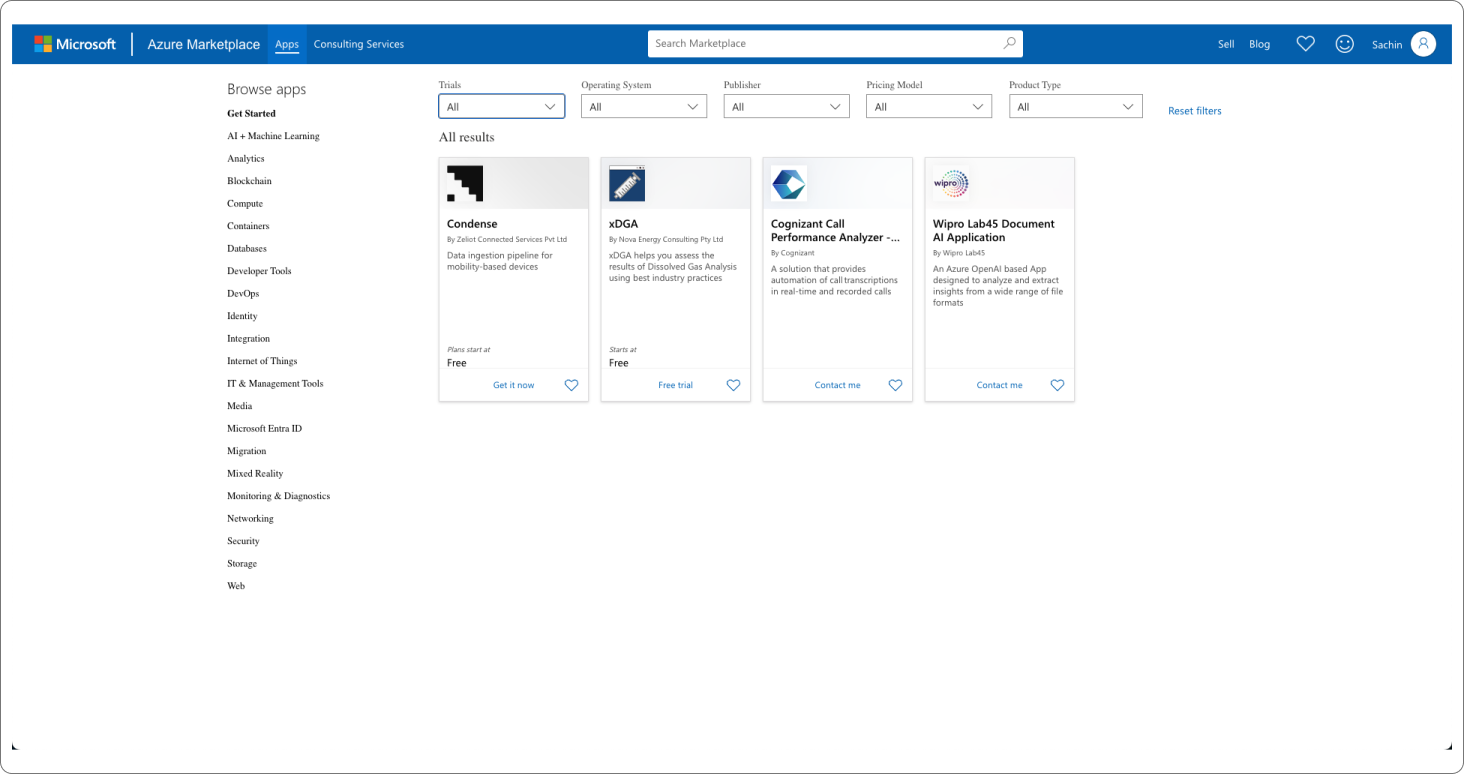
### Step 1: Visit the [Microsoft Azure Cloud Marketplace](https://azuremarketplace.microsoft.com/en-us/marketplace/apps/zeliotconnectedservicespvtltd1659075955625.zeliottelematicshub?tab=Overview) and search for [Condense](https://azuremarketplace.microsoft.com/en-us/marketplace/apps/zeliotconnectedservicespvtltd1659075955625.zeliottelematicshub?tab=Overview)
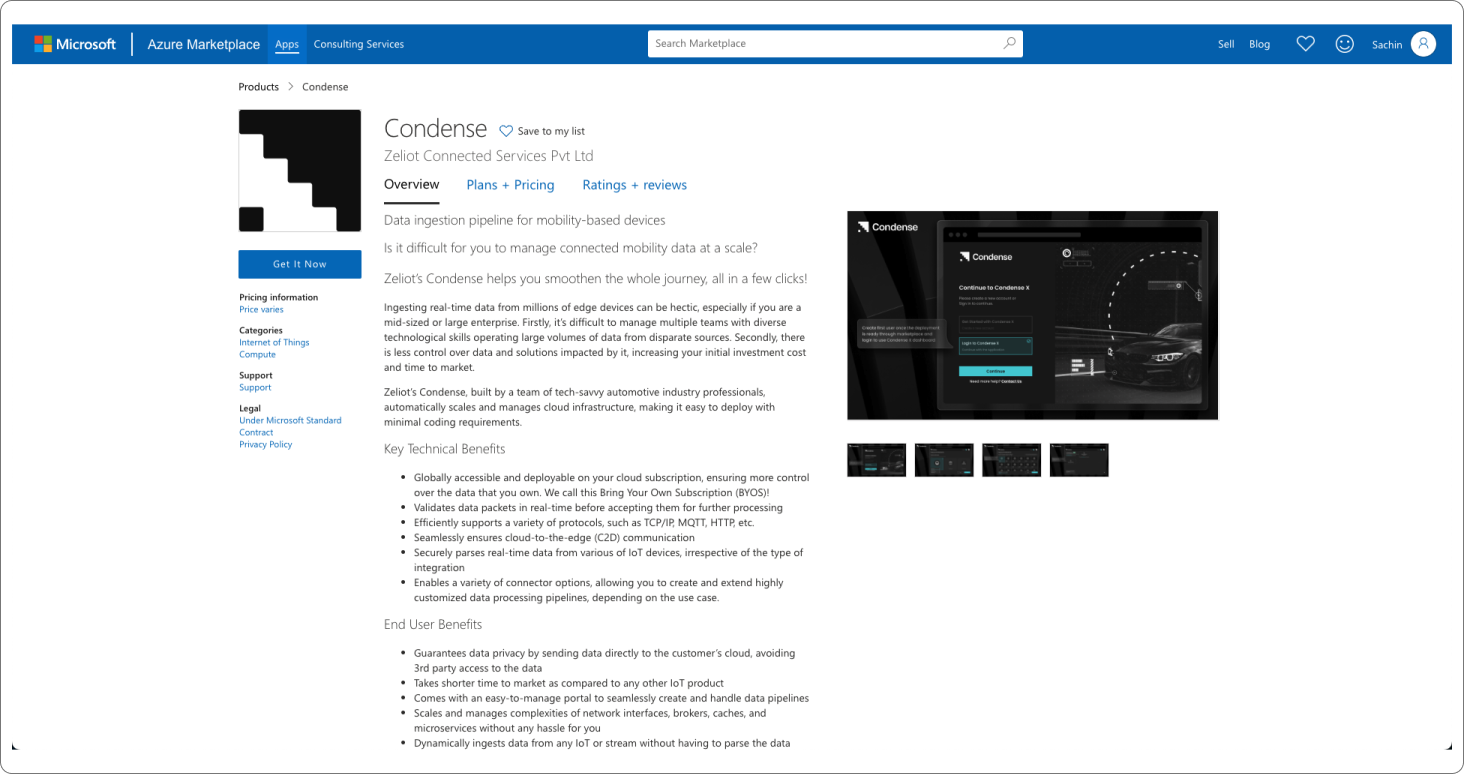
### Step 2: Click on "Get it Now"
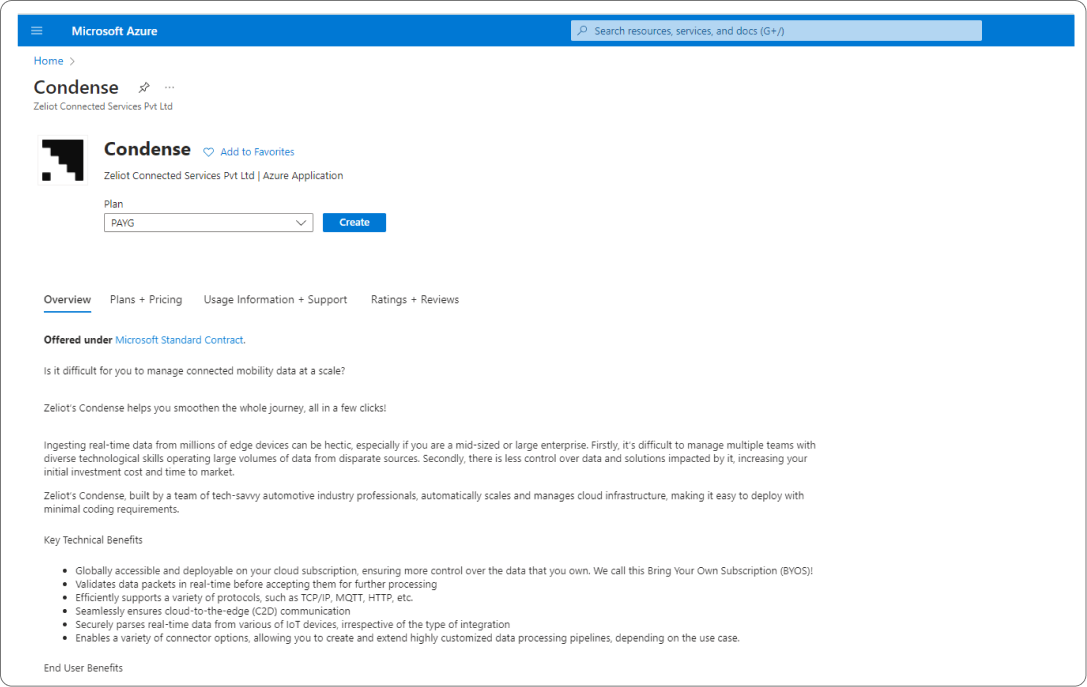
### Step 3: Select the plan and click on "Create"
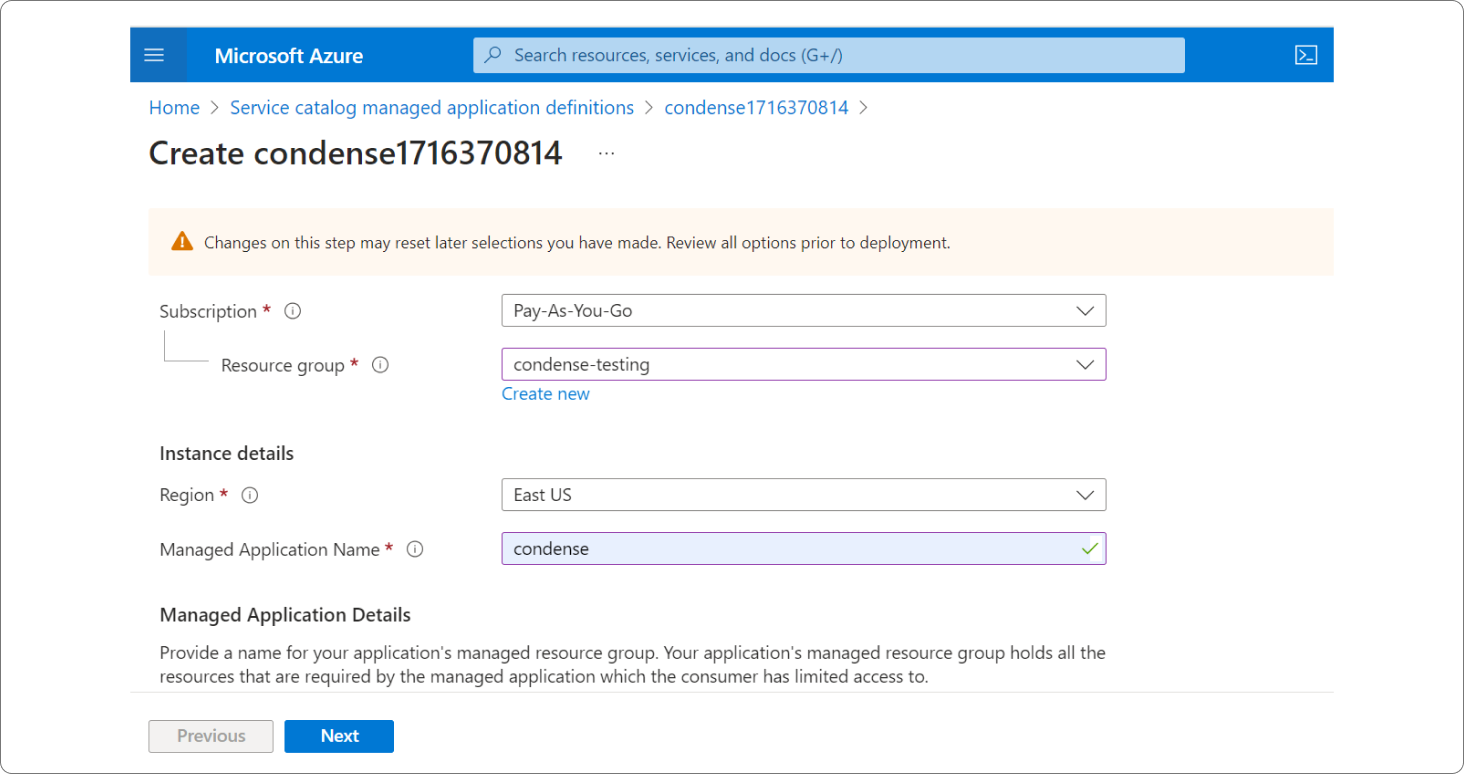
### Step 4: The resource group that is mentioned needs to be a new one or an empty one with no resources in it.
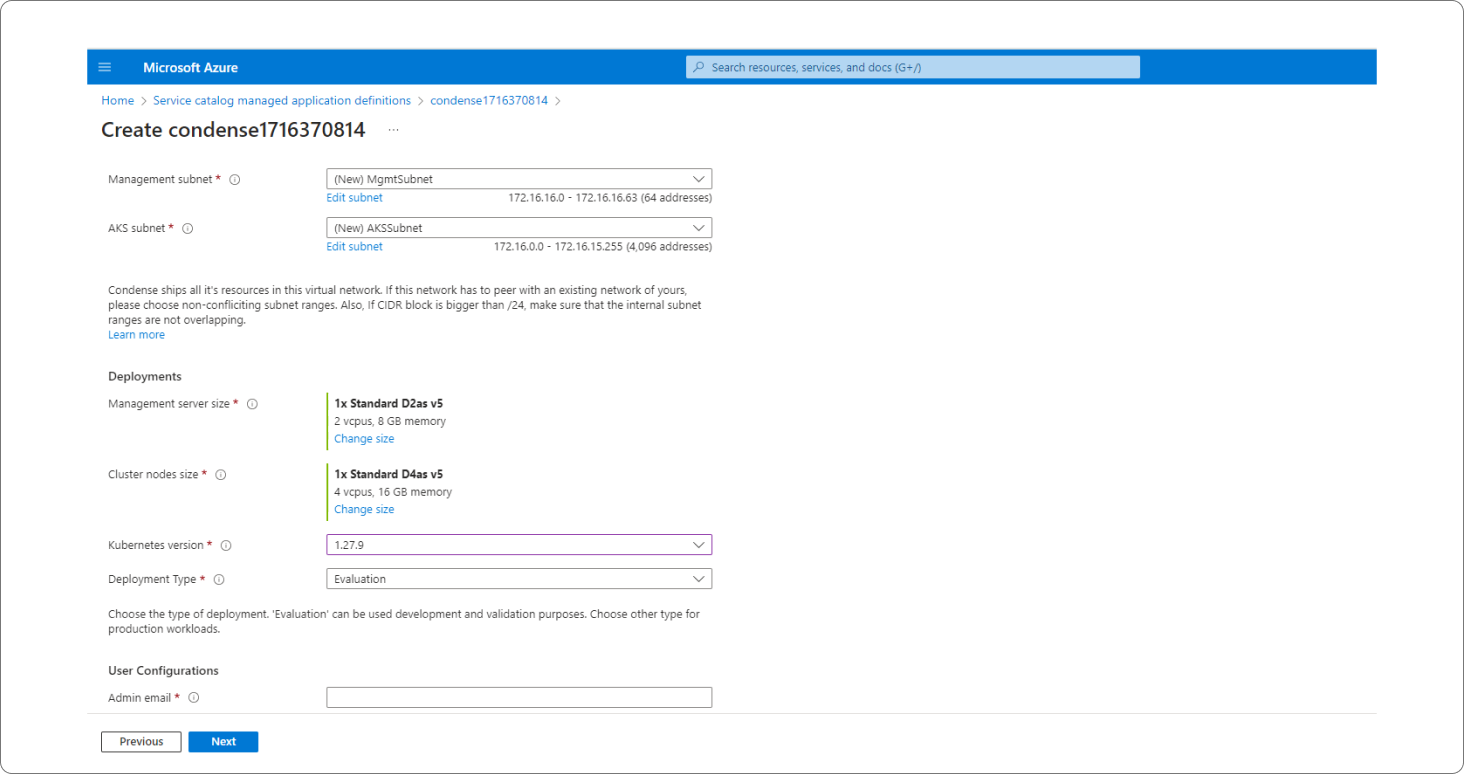
### Step 5: By default, VPC, Subnet, Server size & Cluster size are mentioned, which are mandatory and can be changed by you. You will also have to provide the Kubernetes version and an admin email for communication.
### Step 6: You're all set to start using Condense for your Custom use case! We are more than excited to see what you've built using Condense :)
> Looking for a custom qoute for your Business case? Customised pricing is also available on Condense. Please drop your details on our website and our sales team will reach out to you for more details.
>
> [https://www.zeliot.in/try-now](https://www.zeliot.in/try-now)
Visit the website link to learn more about the Deployment of Condense using Microsoft Azure Marketplace. Access the website here:
{% embed url="" %}