> For the complete documentation index, see [llms.txt](https://docs.zeliot.in/condense/llms.txt). Markdown versions of documentation pages are available by appending `.md` to page URLs; this page is available as [Markdown](https://docs.zeliot.in/condense/v2.4.0/fully-managed-kafka/kafka-topics.md).
# Kafka Topics
### Overview
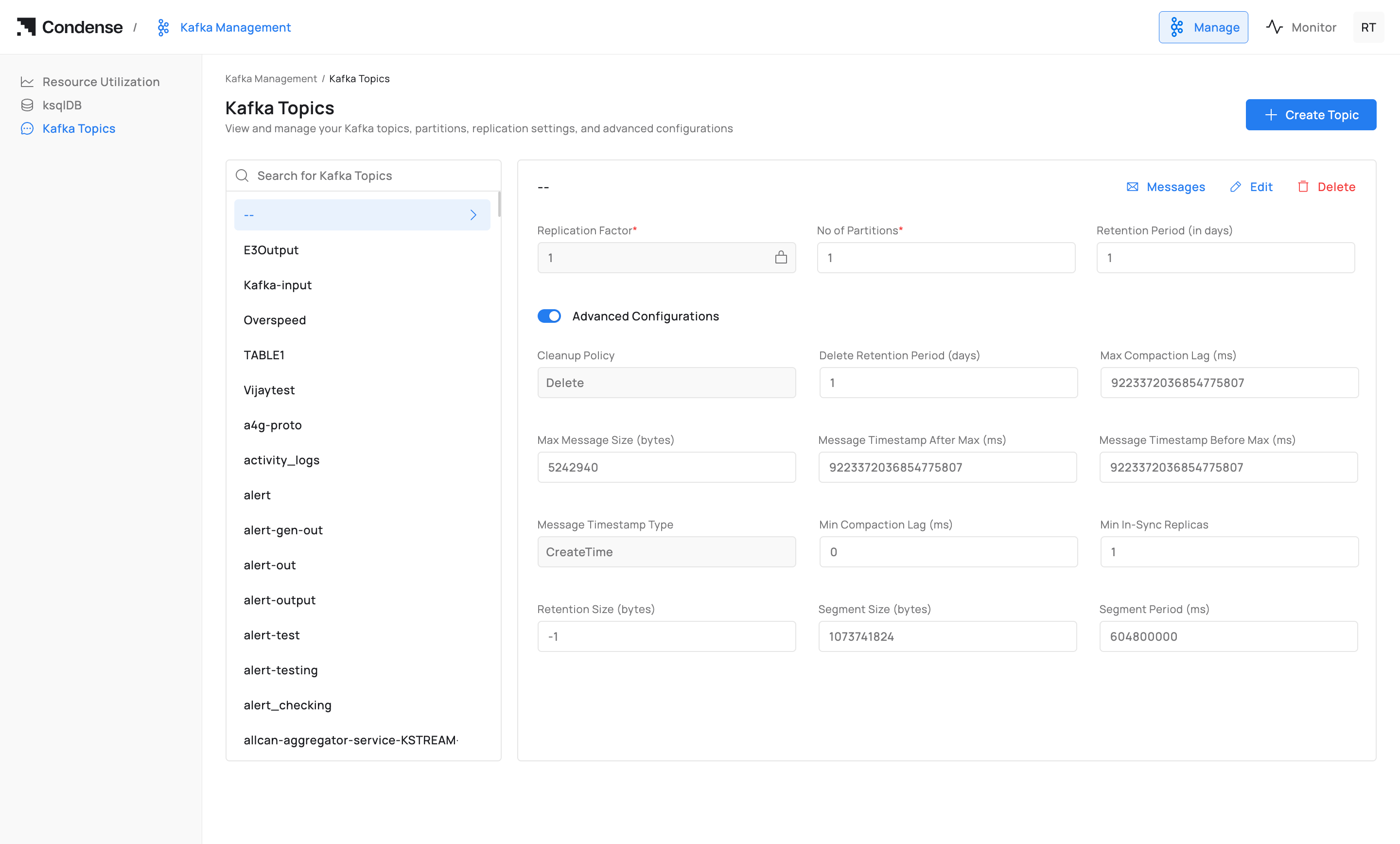
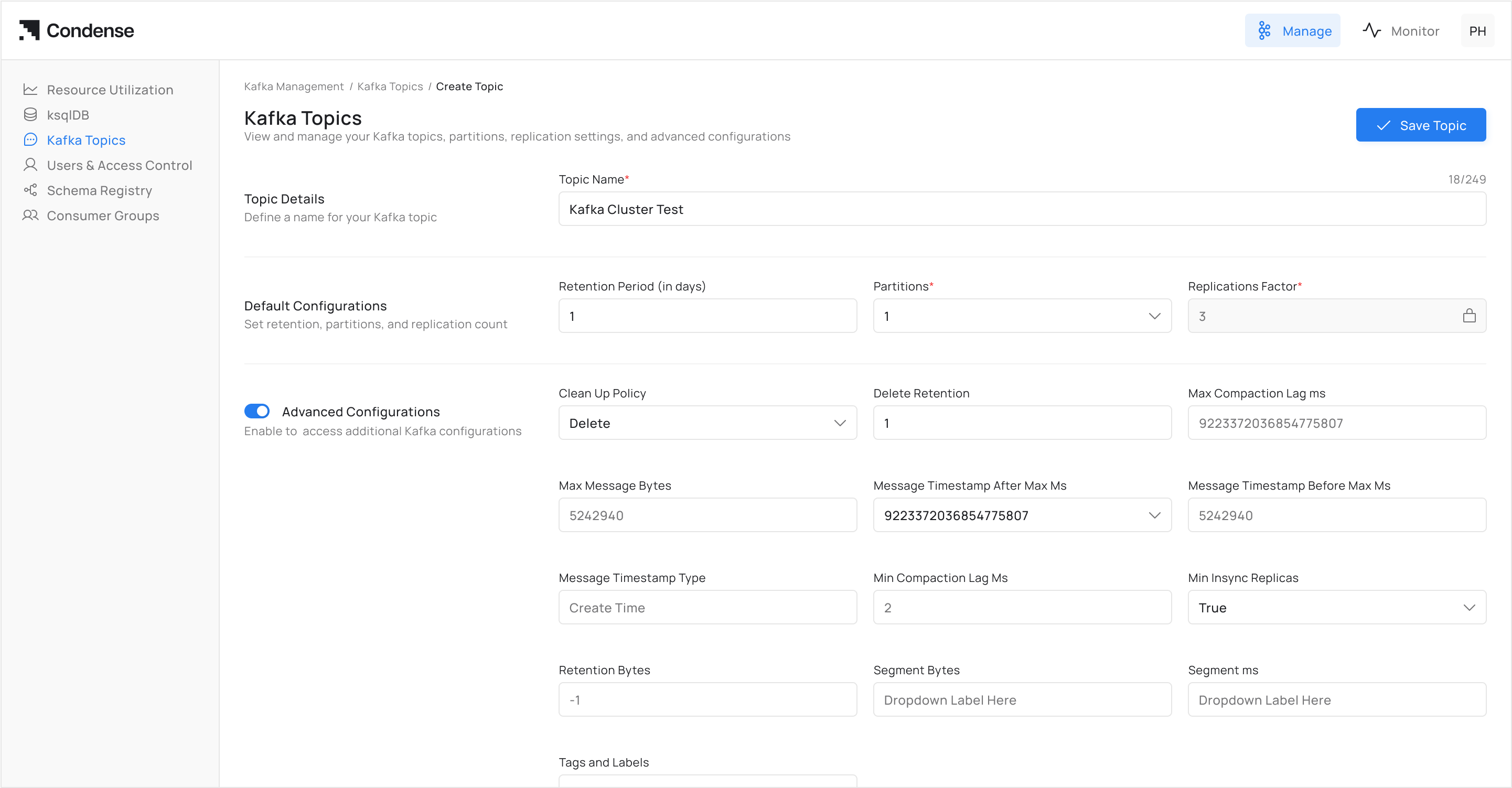
The **Kafka Topics** page in Condense provides a management interface to view, create, and configure topics within a Kafka cluster. From this page, administrators can define replication and partitioning, adjust retention policies, and apply advanced topic-level settings without requiring direct Kafka CLI commands.
Path: **Kafka Management → Kafka Topics**
### Topic List
On the left-hand panel, Condense displays all existing topics in the connected Kafka cluster.
* Topics are listed alphabetically.
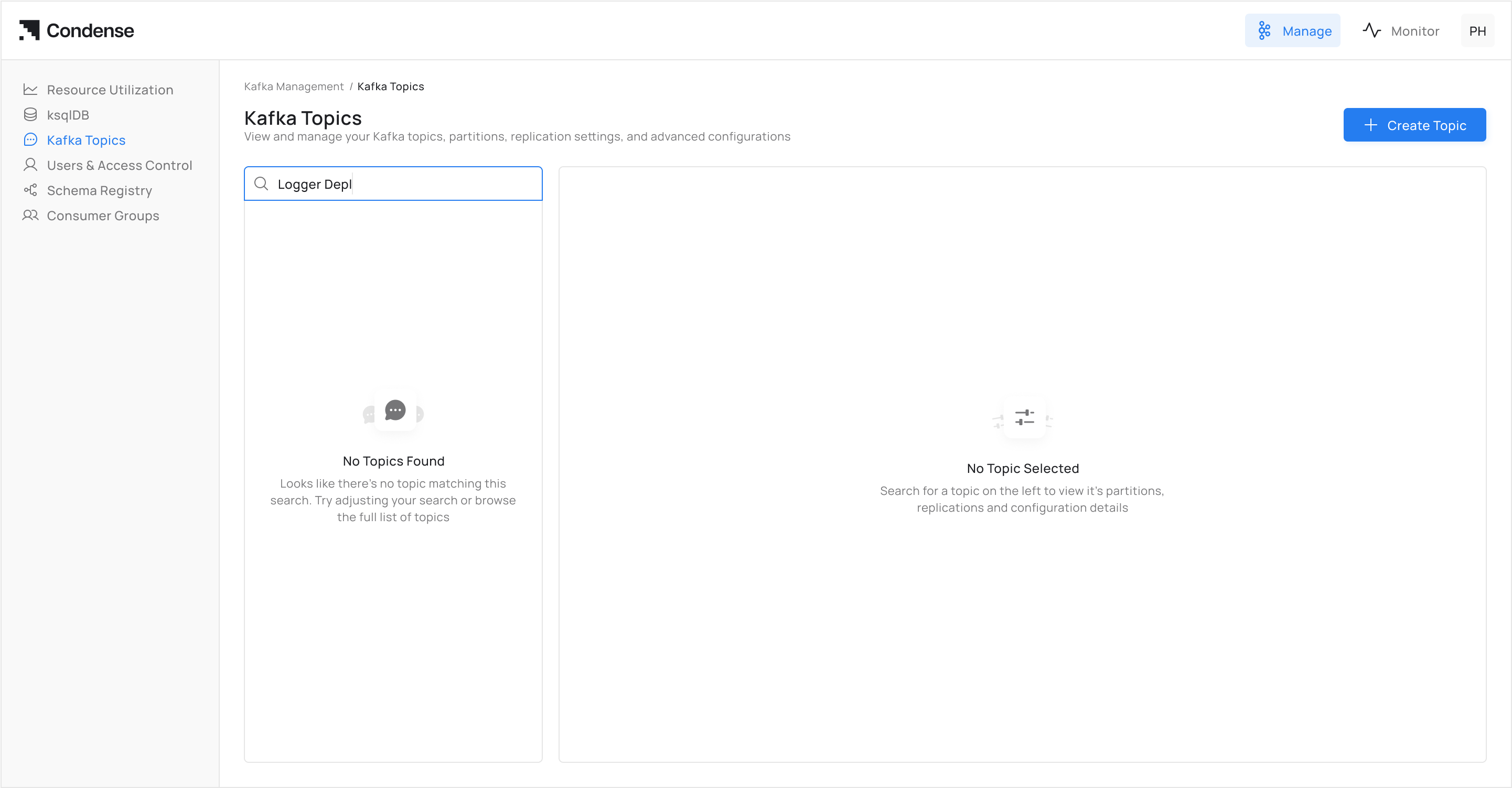
* A search box allows filtering by topic name.
* Selecting a topic loads its configuration details in the main panel.
### Topic Actions
For each topic, Condense provides the following actions in the top-right menu:
* **Messages** → Opens the message viewer for browsing records in the topic.
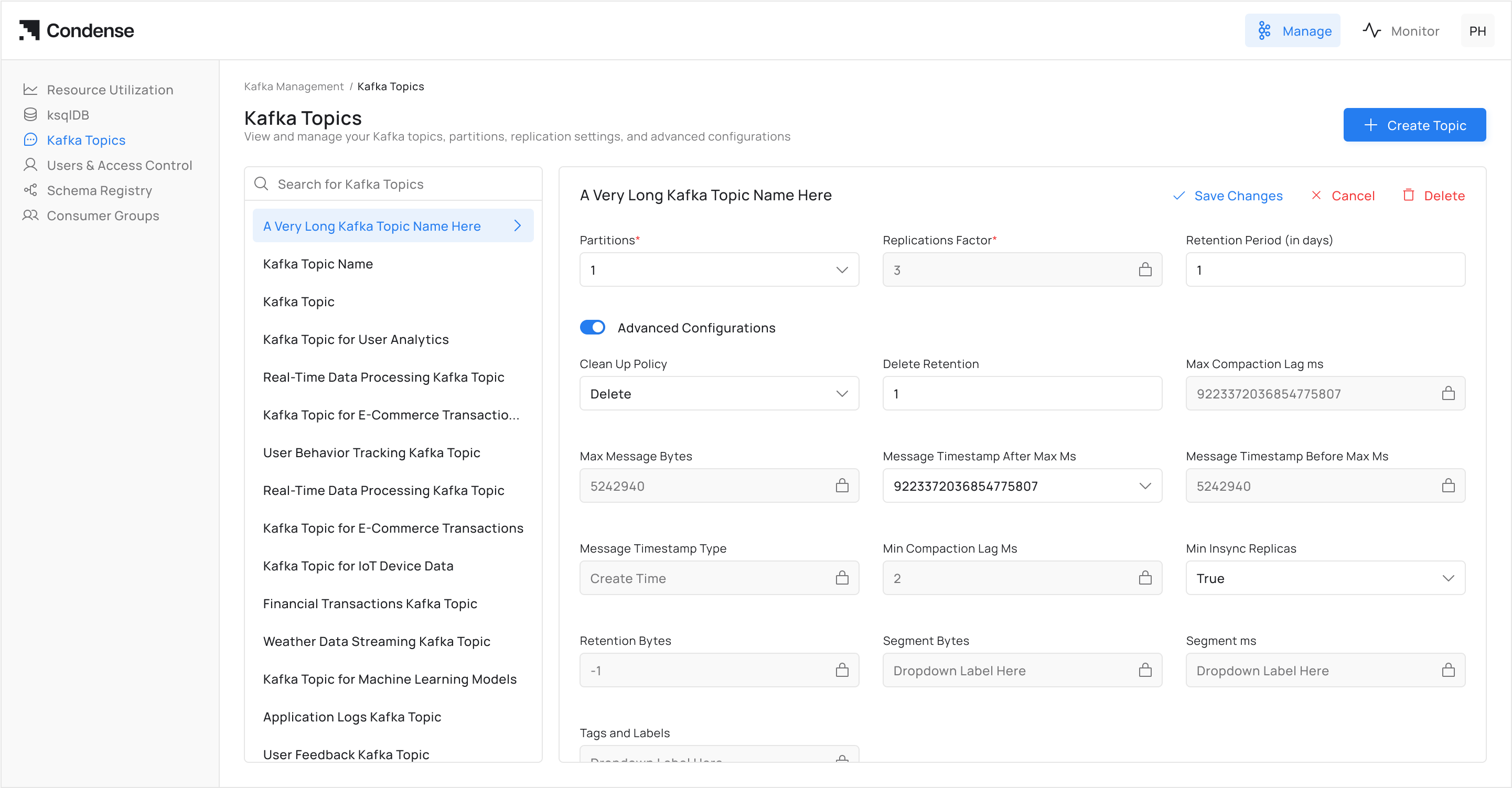
* **Edit** → Enables modification of topic configuration.
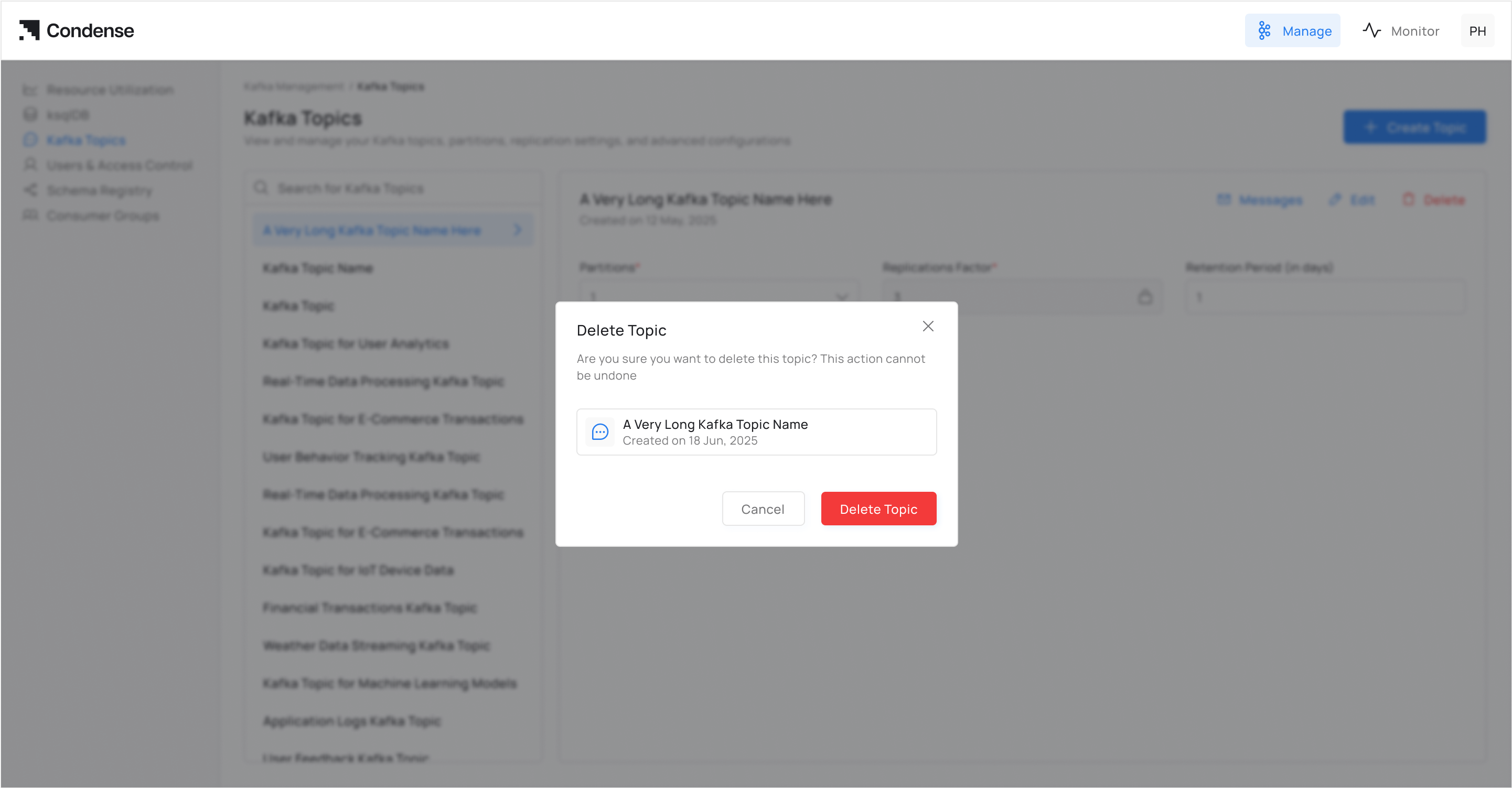
* **Delete** → Permanently deletes the selected topic from the cluster.
Additionally, the **Create Topic** button allows new topic creation with custom parameters.
### Basic Configuration
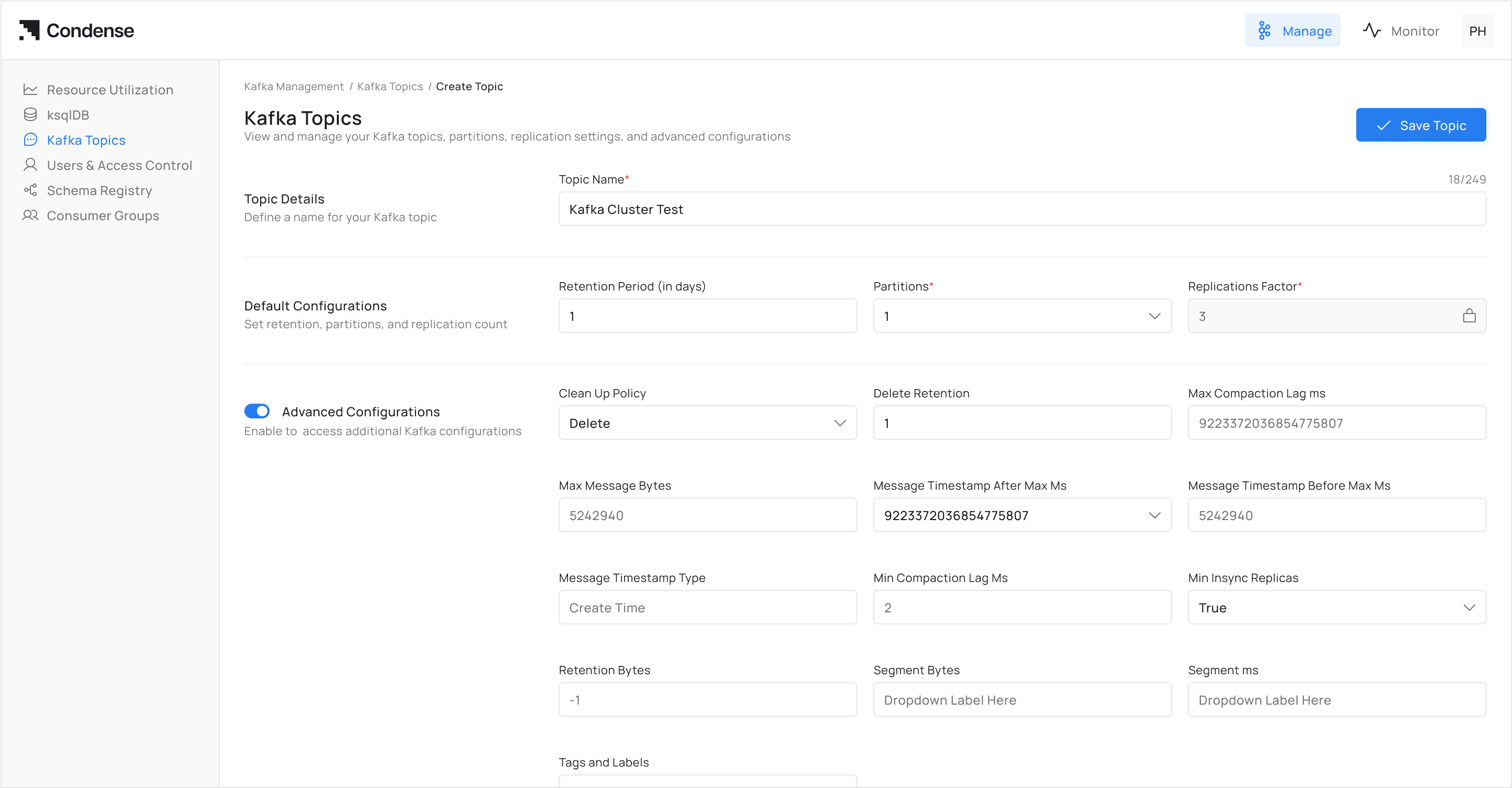
When creating or editing a topic, the following required fields must be defined:
| Field | Description | Example |
| --------------------------- | ------------------------------------------------------------------------- | ------- |
| **Replication Factor** | Number of replicas for each partition. Ensures data availability. | `3` |
| **No of Partitions** | Number of partitions in the topic. Determines parallelism and throughput. | `6` |
| **Retention Period (days)** | Duration for which messages are retained in the topic before deletion. | `7` |
### Advanced Configurations
Advanced settings allow fine-grained control of topic behavior. These fields map directly to Kafka topic configuration parameters.
| Field | Description | Example |
| ------------------------------------- | ------------------------------------------------------------------------------- | --------------------- |
| **Cleanup Policy** | Determines log cleanup strategy. Options: `Delete` (default), `Compact`. | `Delete` |
| **Delete Retention Period (days)** | How long delete markers are retained during log compaction. | `1` |
| **Max Compaction Lag (ms)** | Maximum time a record can remain uncompacted. | `9223372036854775807` |
| **Max Message Size (bytes)** | Maximum size of an individual message allowed. | `5242940` |
| **Message Timestamp After Max (ms)** | Upper bound for timestamp range in messages. | `9223372036854775807` |
| **Message Timestamp Before Max (ms)** | Lower bound for timestamp range in messages. | `9223372036854775807` |
| **Message Timestamp Type** | Defines how message timestamps are set. Options: `CreateTime`, `LogAppendTime`. | `CreateTime` |
| **Min Compaction Lag (ms)** | Minimum time a record must remain before compaction. | `0` |
| **Min In-Sync Replicas** | Minimum number of replicas that must acknowledge a write for it to succeed. | `1` |
| **Retention Size (bytes)** | Maximum total size of log segments retained before deletion. `-1` = unlimited. | `-1` |
| **Segment Size (bytes)** | Size of each log segment file before rolling. | `1073741824` |
| **Segment Period (ms)** | Time-based rolling interval for log segments. | `604800000` |
### Usage Notes
* All advanced fields correspond to Kafka’s topic-level configuration properties.
* Fields not explicitly set in Condense will use Kafka cluster defaults.
* Certain changes (e.g., partition count) are not reversible once applied.
* Care must be taken with retention and cleanup policies to avoid unintended data loss.
### Related Sections
* [Resource Utilization](/condense/v2.4.0/other-features/resource-utilization.md)
* [ksqlDB](/condense/v2.4.0/fully-managed-kafka/ksqldb.md)